Roblox game codes unlock free currency, XP boosts, spins, and limited cosmetics inside individual experiences, and developers usually drop them around updates, milestones, or seasonal events. Because there are thousands of active Roblox games, tracking codes for each one separately gets tedious fast, which is why a single, organized directory saves the most time.
What counts as a Roblox game code
A game code is a short text string tied to one specific Roblox experience, not to the Roblox platform itself. Redeeming one inside that game grants a reward defined by the developer, such as coins, gems, pet rerolls, or stat resets. These are different from platform-wide Roblox promo codes, which unlock free avatar items on the official Roblox website instead of in-game currency.
Codes are almost always case-sensitive and single-use per account. Once a developer retires a code, typically after 1 to 7 days or when an event ends, it stops working permanently and won’t return later.
Games with the most active codes this week
A handful of high-population games tend to push new codes more often than the rest, usually tied to weekly updates or trait/stat reroll systems. These five currently have the freshest code activity:
- Dungeon Lootr — Luck Potions, Aspect Gems, and Forge Stone Bundles
- Grand Blue — Trait Rerolls, Race Rerolls, and Fruit Chests
- Anime Expeditions — Trait Crystals, Equipment Rerolls, and Stat Rerolls
- Blox Fruits — EXP boosts
- Anime Squadron — Trait Shards, Devil Capsules, and Reroll Cubes
Beyond these five, codes exist for well over 1,200 separate Roblox experiences, spanning simulators, tower defense games, anime RPGs, tycoons, and roleplay titles. Because each game manages its own codes independently, checking the specific experience you play is the fastest way to confirm what’s currently redeemable.
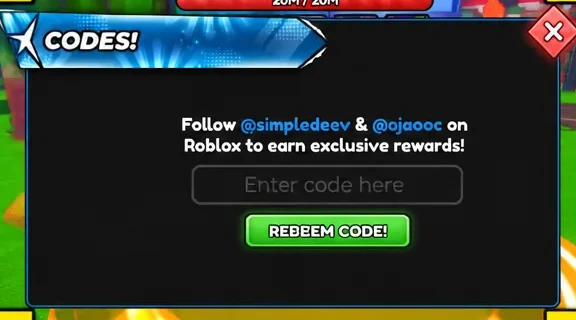
How to redeem a code inside a Roblox game
Redemption steps vary slightly by game, but the process follows the same basic pattern almost everywhere.
On mobile, some games handle manual typing poorly. Copying the code from wherever you found it and pasting it into the redemption box tends to work more reliably than typing it out by hand.
Where new codes get announced first
Developers rarely post codes in only one place, so checking a few channels increases the odds of catching a code before it expires.
- The game’s official X (formerly Twitter) account, since most developers post codes there first
- The game’s official Discord server, where codes often appear in an announcements channel
- In-game announcement banners during major updates or milestone celebrations
Codes tied to a specific event typically stop working the moment that event ends, even if the announced expiration date hasn’t arrived yet. Codes with a redemption cap, such as “first 10,000 players only,” can also run out early regardless of a listed expiration window. Developers sometimes wipe every active code at once when launching a major new update or season, which is why a code that worked yesterday can suddenly return an “invalid” error today.
Roblox game codes vs. platform promo codes
| Type | Where it’s redeemed | What it unlocks |
|---|---|---|
| Game code | Inside the specific Roblox experience | In-game currency, boosts, pets, cosmetics, or rerolls |
| Roblox promo code | The official Roblox website | Free avatar accessories and platform-wide items |
Mixing the two up is a common source of confusion. A code shared for one game will always return an error if entered on the Roblox website, and a platform promo code will do nothing if typed into a game’s in-experience redemption box.
Common questions about Roblox game codes
How often do new codes come out? It depends entirely on the game. High-traffic titles release codes weekly or with every major update, while smaller or less active games might only issue codes for milestones or holidays.
Are codes case-sensitive? Yes, in almost every game. Entering a code with the wrong capitalization is one of the most common reasons a valid code gets rejected.
Can the same code be redeemed twice? No. Each code is tied to one redemption per account, and a second attempt returns an error even if the code is technically still active for other players.
How do I know a code has expired? The game will return a message such as “Code not found” or “This code has expired” instead of granting a reward.
Note: because each of the 1,200-plus tracked experiences manages its own code system independently, the fastest way to see current rewards for a game you play is to check that game’s own codes page directly rather than relying on generic platform searches.