Skip to content
Join readers who trust AllThings.How for practical guides Opens in a new tab

Subnautica 2 Tadpole Haul Chassis fragment locations

Subnautica 2 Tadpole Haul Chassis fragment locations

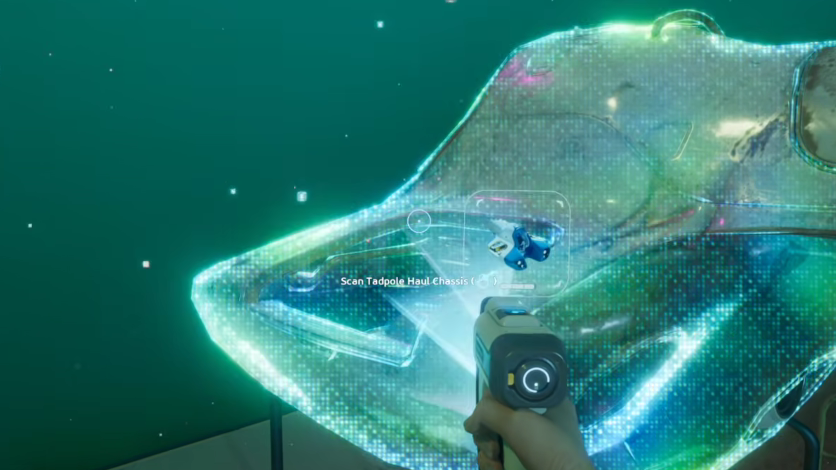
The Tadpole Haul Chassis turns the standard Tadpole into a four-seat cargo hauler with two hardpoints and a built-in storage pod. To unlock the blueprint, you need to scan three fragments scattered through the eastern half of the map, starting near the Alien Ruins and working deeper into hostile territory.
🧭
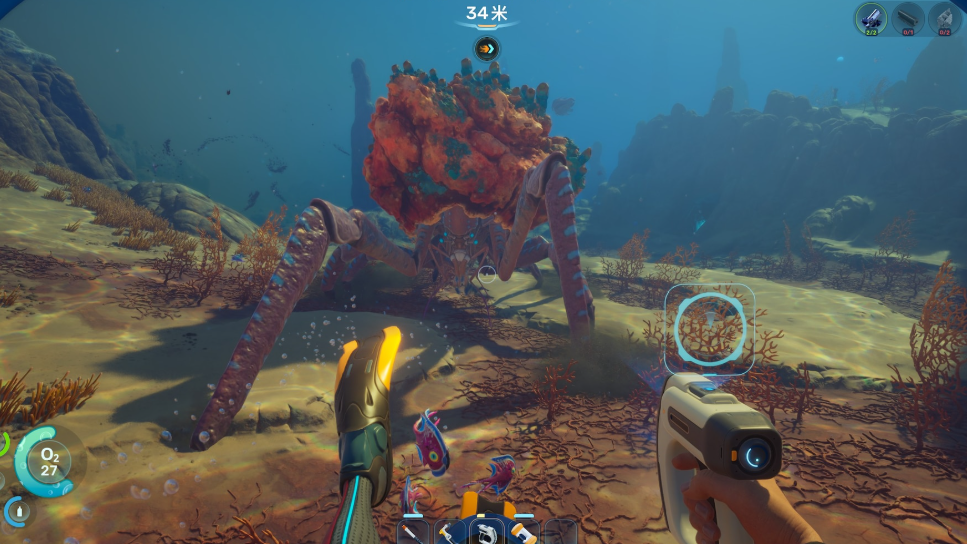
Quick answer: All three Haul Chassis fragments sit east of the Lifepod near the Alien Ruins (Research Outpost), roughly 1,300 metres out. Fragment one is inside a cave below the ruins, fragment two is on a broken platform near crashed ships past the green radiation zone, and fragment three is up on a cliff structure above that wreckage.
Image credit: Unknown Worlds Entertainment (via YouTube/@WoW Quests)

What you need before going

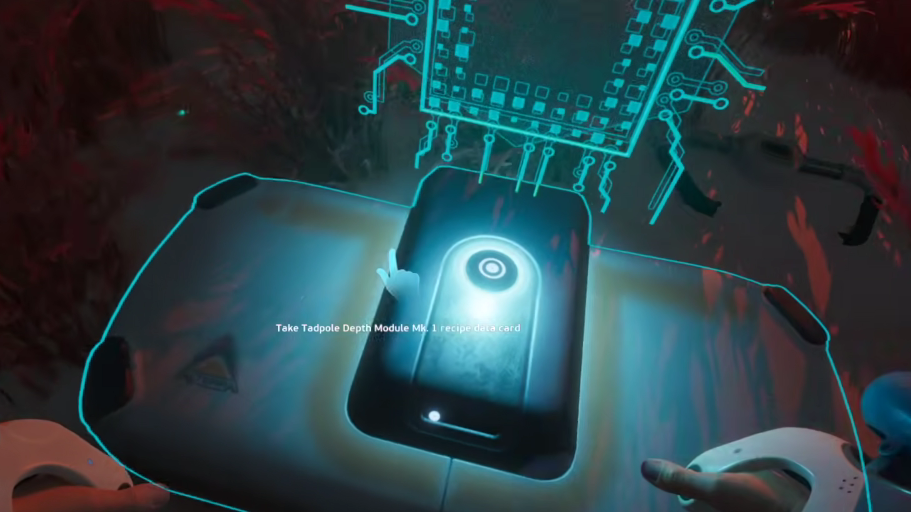
The first fragment is reachable with a stock Tadpole, but the second one sits past the standard crush depth. You will need to install the Tadpole Depth Module Mk I (the recipe data card sits next to the first fragment) before pushing toward the second and third scans.

Bring a charged scanner, a spare battery, and a repair tool. The route passes acid pools and a Leviathan Collector, so damage is likely if you linger.


Fragment 1: Cave below the Alien Ruins
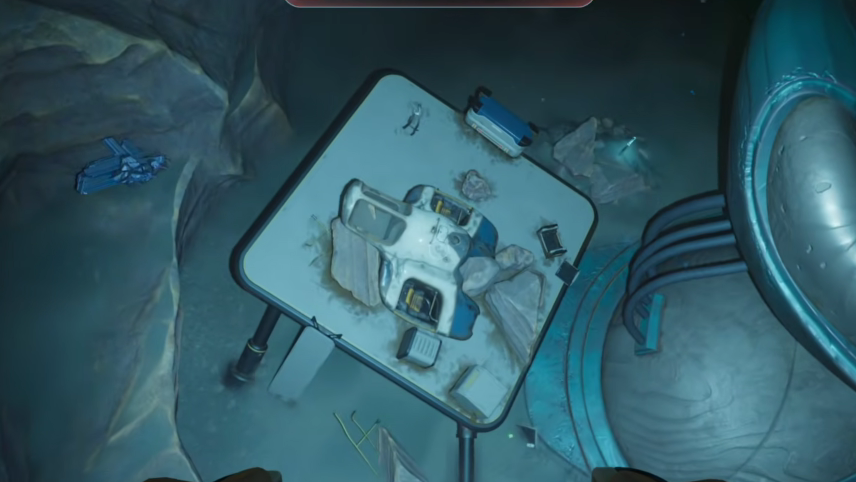
Step 1: From your Lifepod, head due east on the surface for roughly 1,320 metres until the Lifepod marker confirms the distance behind you. The Research Outpost (Alien Ruins) sits directly below at around 130 metres depth.

Image credit: Unknown Worlds Entertainment (via YouTube/@WoW Quests)

Step 2: From the outpost, turn your compass to between 150 and 165 degrees and dive. A large cave opening will appear as you descend. Keep the Tadpole above roughly 250 metres so the hull does not start taking crush damage.

Step 3: Exit the vehicle above the hole and swim down into the cave on foot. Inside, pick up the Tadpole Depth Module Mk I recipe data card, then scan the fragment beside it. The PDA will register the first of three Haul Chassis scans.

Image credit: Unknown Worlds Entertainment (via YouTube/@WoW Quests)

Fragment 2: Crashed ships past the green zone

Before attempting this one, fabricate and install the Tadpole Depth Module Mk I. It extends the Tadpole's safe operating depth to 450 metres, which you need for the descent.
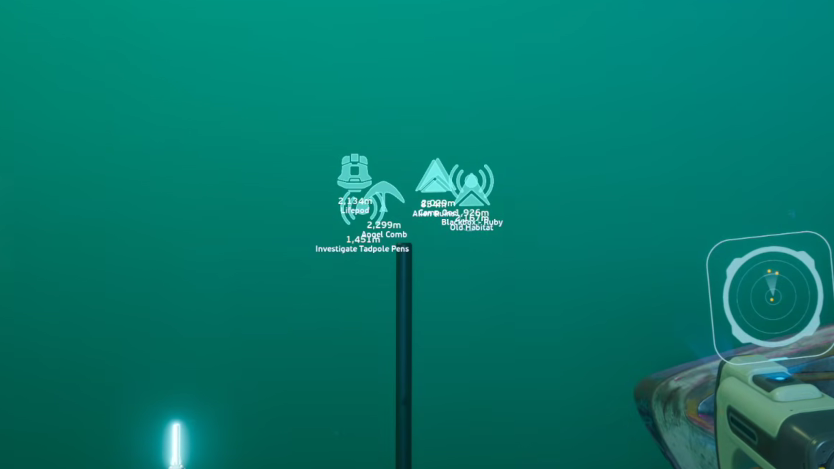
Step 1: Return to the Alien Ruins area east of the Lifepod. Look for the large purple plant and ring formation and dive straight down past it, continuing east as the terrain drops.

Step 2: Pass the alien structures and follow the leg-like roots of the giant sprout. Take a left turn after the buildings. The water will start to glow a distinct green from the radiation-like haze.

Step 3: Once the green tint becomes obvious, turn left toward the crashed ships in the distance. The fragment is resting on a broken platform near the wreckage. Park the Tadpole, swim out, and scan it.

⚠️
A Leviathan Collector patrols this stretch. The Haul rig is slow and clumsy by design, so it is much easier to clear this scan with a stock Tadpole or the Scout Ray Chassis before committing to the build.
Image credit: Unknown Worlds Entertainment (via YouTube/@WoW Quests)

Fragment 3: Cliff structure above the wreck
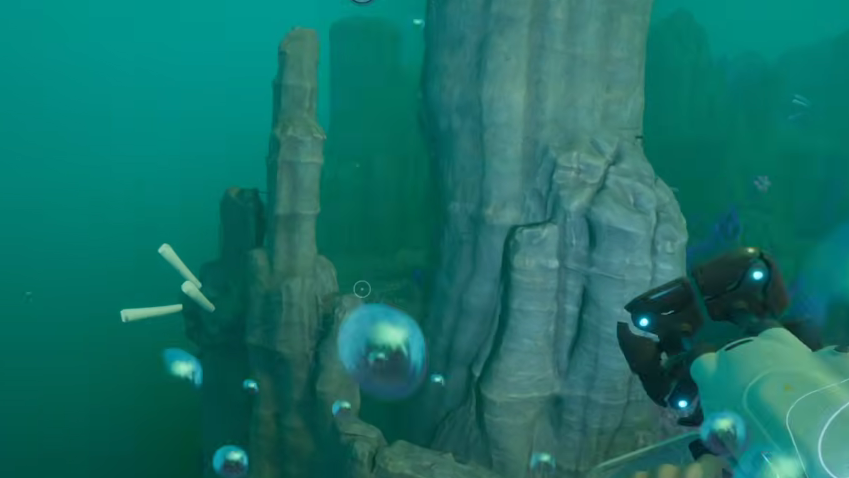
Step 1: From the second fragment, turn around and point your compass at roughly 150 degrees, then ascend through the water column.

Step 2: Climb past the large broken ship in the area, drifting slightly more south as you rise. The terrain levels out near the top of the cliff at around 210 metres.

Step 3: The final fragment sits on a small structure at the cliff top. Exit the Tadpole and scan it to complete the blueprint. The build option for the Haul Chassis will now appear in the Vehicle Fabricator.

Image credit: Unknown Worlds Entertainment (via YouTube/@WoW Quests)

Crafting the Haul Chassis

The Haul Chassis is built at the Vehicle Fabricator, which must be placed inside a moonpool on one of your bases. The recipe is fixed.

MaterialQuantityHow to obtain
Titanium Ingot4Processor, 3 Raw Titanium per ingot
Strontium3Configurator Processor, 2 Celestine per unit
Enameled Glass3Fabricator, made from Glass and Creature Enamel
Dedicated Core1Fabricator, needs 1 Advanced Wiring Kit, 2 Quartz, 1 Strong Acid

Celestine deposits cluster in the eastern region near the Feedback Resonator fragments. Creature Enamel is found roughly 280 metres southeast of the Alien Ruins, embedded in rock faces that almost look like flat placeholders. The fauna in that pocket is aggressive, so harvest fast.
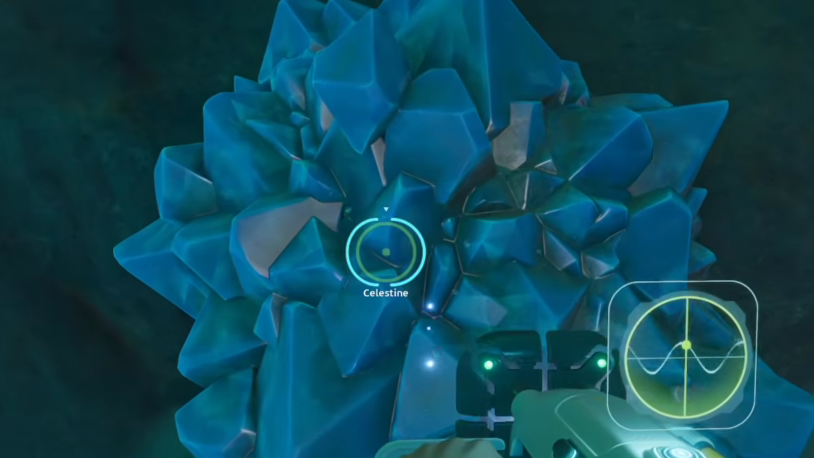
Celestine deposits cluster in the eastern region near the Feedback Resonator fragments | Image credit: Unknown Worlds Entertainment (via YouTube/@WoW Quests)

What the Haul Chassis actually does

FeatureDetail
SeatsFour total, with oxygen ports at each spot
HardpointsTwo, compatible with Portable Lockers, work lights, or oxygen generators
StorageBuilt-in cargo pod, plus the chassis itself works as storage when detached
CameraMounted under the main body for navigation and resource spotting
Trade-offHeavier, slower, and less agile than the Scout Ray Chassis

The rig is built for resource extraction and ferry runs, not exploration into dangerous water. If you need to fit through a tight cave, undock the Haul Chassis and continue with the bare Tadpole, then re-dock on the way back.


How to confirm the unlock

After the third scan, open the Blueprints menu. The Tadpole Haul Chassis entry will switch from a fragment progress bar to a full recipe listing Titanium Ingot, Strontium, Enameled Glass, and Dedicated Core. If the entry still shows partial fragments, one of the three scans did not register, and you will need to revisit the locations with a working scanner.