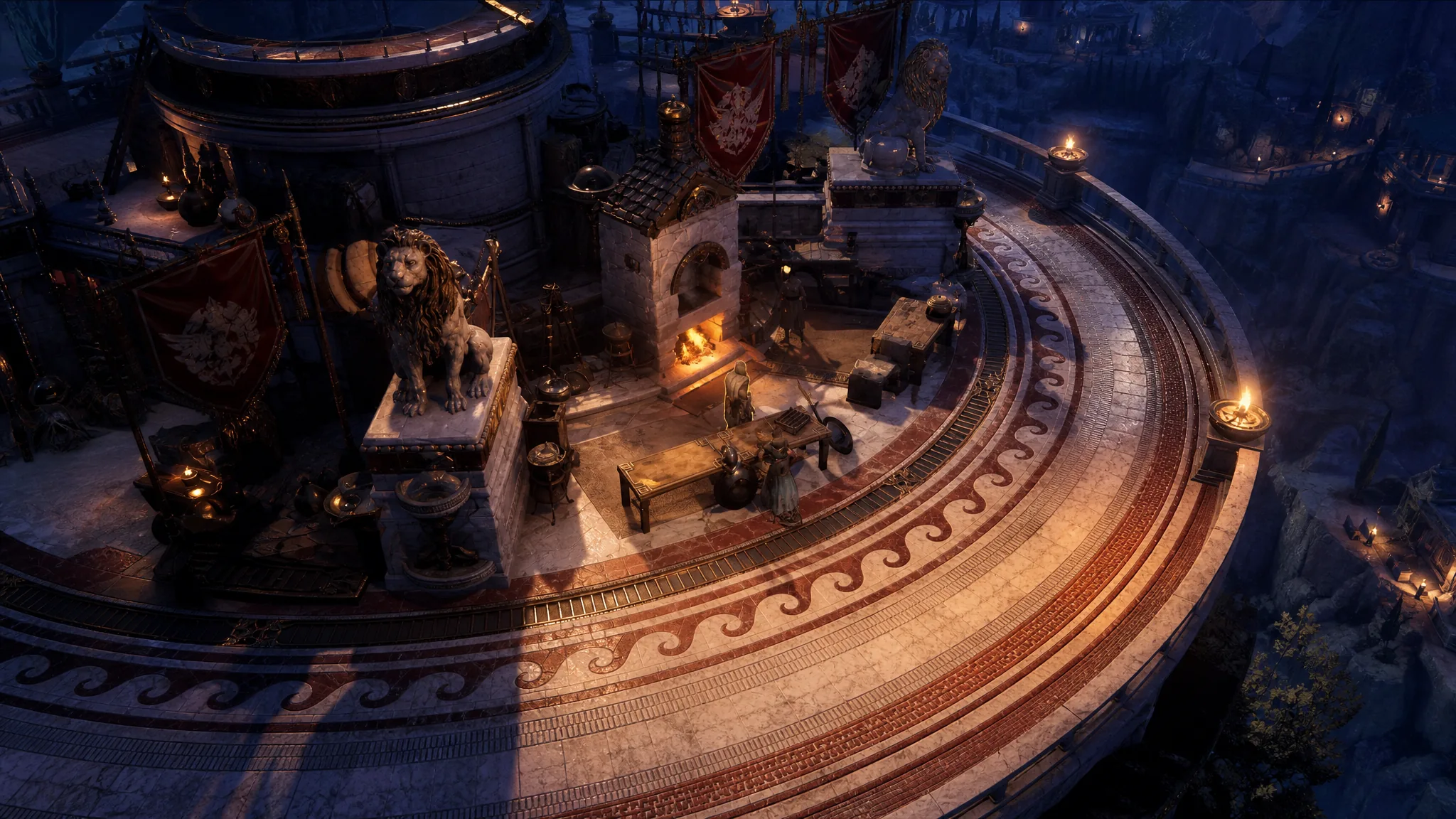
Crafting in Titan Quest 2 lets you reshape the affixes on gear you already own instead of relying only on random drops. It arrived with the Spirit Mastery and Crafting update, and it works on a simple principle. You cannot build an item from nothing, but you can reroll, swap, or add modifiers on a good base, provided you have the right materials and enough gold.
Quick answer: Bring an item with a decent base to the crafting interface and choose one of four actions. Reforge an affix to reroll its value, Replace an affix to swap it for a random new one, Add an affix into an empty slot, or Increase Item Level to raise the item to your current level. Each action spends materials, and the cost climbs the more you push a single item.
The four crafting actions and what each one does
Crafting gives you targeted control over the modifiers on a piece of gear. The system is built so early progress is cheap and fast, while chasing perfect rolls late in a character’s life costs far more. That escalating price is intentional, so you eventually stop pouring resources into one item and look for a fresh base instead.
| Action | What it does | Key limits |
|---|---|---|
| Reforge Affix | Rerolls the value of a low-tier affix already on the item. Possible results are shown before you commit. | Can be done once per item, and the outcome is random. |
| Replace Affix | Removes an affix you don’t want and rolls a different one in its place, following the item’s rules. | Locks the chosen affix as the only replaceable one, and the cost rises with each attempt. |
| Add Affix | Adds a crafted prefix or suffix to an item that still has an open affix slot. | The most expensive of the affix actions and needs rare materials. |
| Increase Item Level | Levels the whole item up to your character level and improves the tier of its affixes. | One time only, with a cap on how many levels it can gain. |
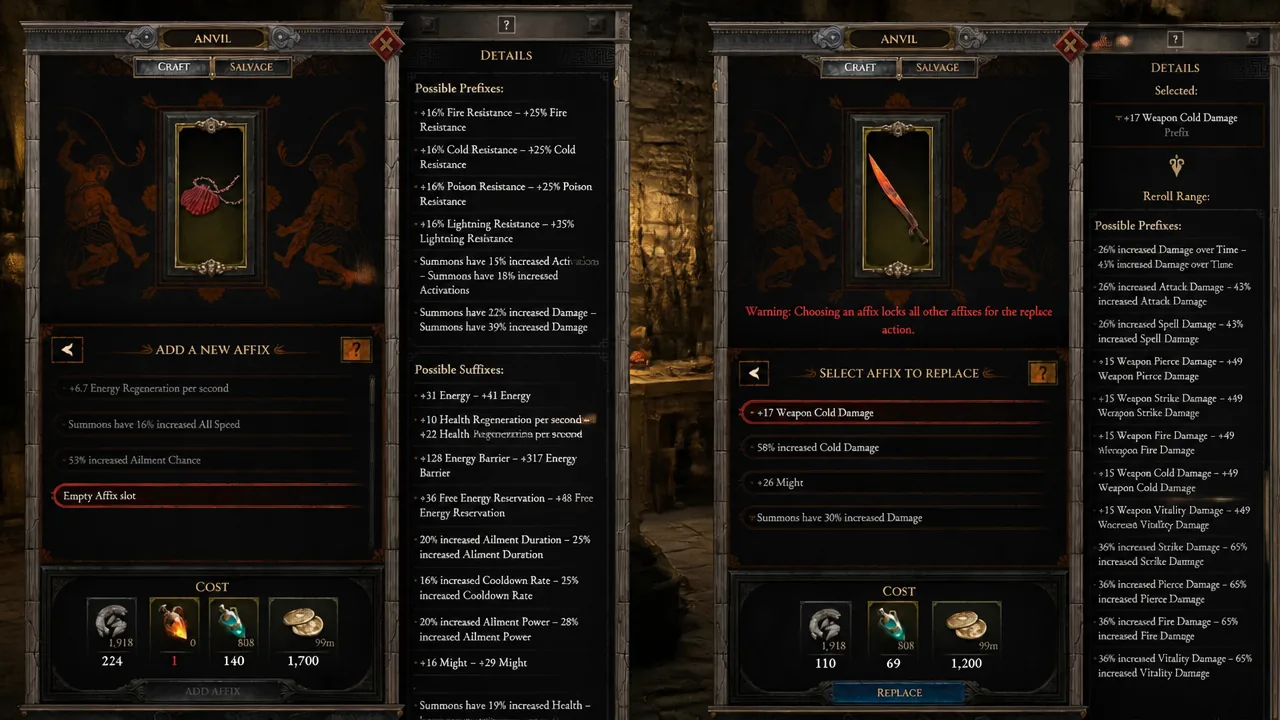
Replace Affix is the one to plan around. Once you pick the modifier to swap, that slot becomes the only one you can keep rerolling, and every retry costs more than the last. Reforge is gentler because it only nudges an existing affix and you can preview the range before spending anything.
Crafting materials and where they come from
Every action draws on materials tied to the rarity of the item you are working on. You gather them by killing enemies and by salvaging gear you no longer need, so junk drops still have value. The higher the rarity you salvage, the better the material you get back.
| Material | How to obtain it |
|---|---|
| Crude Fragments | Dropped by enemies and salvaged from any item. |
| Mystic Shards | Dropped by enemies and salvaged from magic items. |
| Amplified Energy | Dropped by enemies and salvaged from rare items. |
| Vital Flame | Dropped by stronger, non-boss enemies. |
| Bound Essence | Dropped by stronger, non-boss enemies and salvaged from infrequent items. |
| Golden Spark | Salvaged from epic items. |
Because rarer materials come from salvaging higher-tier gear and tougher enemies, late-game crafting rewards focused farming. Save epic pieces you don’t plan to use so their Golden Sparks feed the more demanding actions like Add Affix.
Upgrading an item to your level
Increase Item Level is separate from affix crafting and solves a specific problem. When you find a piece with the modifiers you want but the item level is too low, you can raise it toward your character level and pull its affix tiers up along with it. This keeps a favorite item useful for longer while you search for a true replacement.
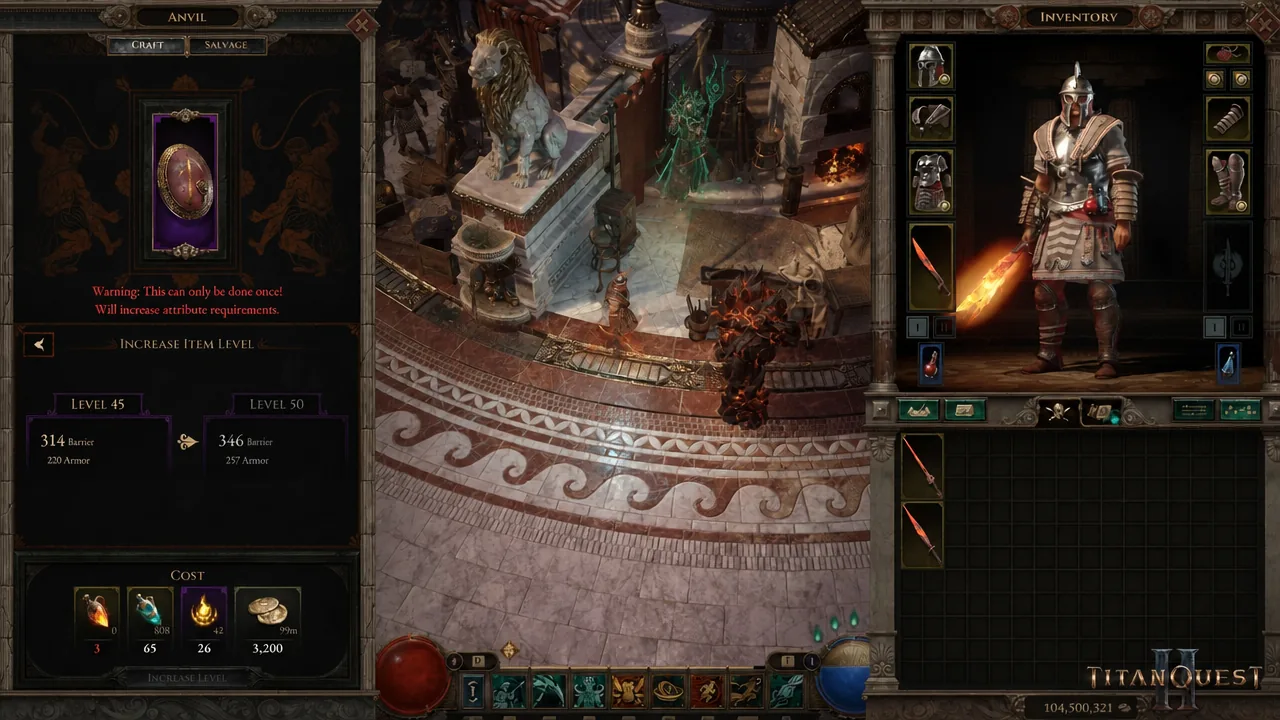
Two rules keep this from replacing loot hunting. You can only upgrade an item once, and there is a limit on how many levels it can gain. The upgraded piece also won’t match the quality of a fresh item found at that same level, so it is a bridge rather than a permanent fix. The interface shows the one-time warning and the required costs before you confirm.
How to get the most out of crafting
Start with a strong base. Crafting adjusts rolls, it does not turn a poor item into a good one, so the quality of the piece you bring in sets the ceiling for everything you do to it. Match the action to the phase of the game you are in.
- During leveling, spend a little on cheap improvements to keep pace, then stop and wait for the next natural upgrade rather than sinking more resources in.
- In the late game, farm materials with intent and push for perfect rolls, but be ready to switch to a new base if repeated attempts don’t land the affix you want.
- Use Reforge before Replace when possible, since you can preview the results and it only costs one attempt.
Titan Quest 2 remains in Early Access, so the crafting rules, costs, and material sources may shift in later updates as the developers tune how much control the system offers. For now, treating it as a way to polish good gear rather than manufacture ideal gear will keep your materials from draining faster than you can farm them.