WARDOGS goes offline for its first post-launch patch on Monday, September 14th, 2026. Patch 0.11 is aimed almost entirely at one problem: nobody can find community servers. The update splits the front end into two separate browsers, adds text search, and dangles a temporary cash bonus to push players onto community-hosted matches while the population settles.
Quick answer: Servers go down Monday, September 14th at 4:00 AM Eastern (08:00 UTC) for roughly an hour. When they return, the Deploy screen shows separate Official and Community browsers, and community matches pay a 5% End of Match cash bonus for one week.
Maintenance start: Monday, September 14th, 2026 at 08:00 UTC (4:00 AM EDT)
Patch 0.11 maintenance time in your region
The window is expected to last about an hour. Everything below lands on the same Monday, so there is no date rollover to worry about outside of the usual timezone math.
| Region | Start time (Monday) |
|---|---|
| US Pacific (PDT) | 01:00 |
| Mexico City | 02:00 |
| US Central (CDT) | 03:00 |
| US Eastern (EDT) | 04:00 |
| Brazil (Brasilia) | 05:00 |
| UTC | 08:00 |
| UK, Portugal | 09:00 |
| Central Europe (CEST) | 10:00 |
| Eastern Europe, Turkiye, Moscow | 11:00 |
| Thailand, Vietnam, Indonesia | 15:00 |
| China, Taiwan | 16:00 |
| Korea, Japan | 17:00 |
| Eastern Australia (AEST) | 18:00 |
| New Zealand (NZST) | 20:00 |
Note: If you cannot connect during that window, nothing is wrong with your install. Wait it out rather than verifying files or reinstalling.
The server browser is now two browsers
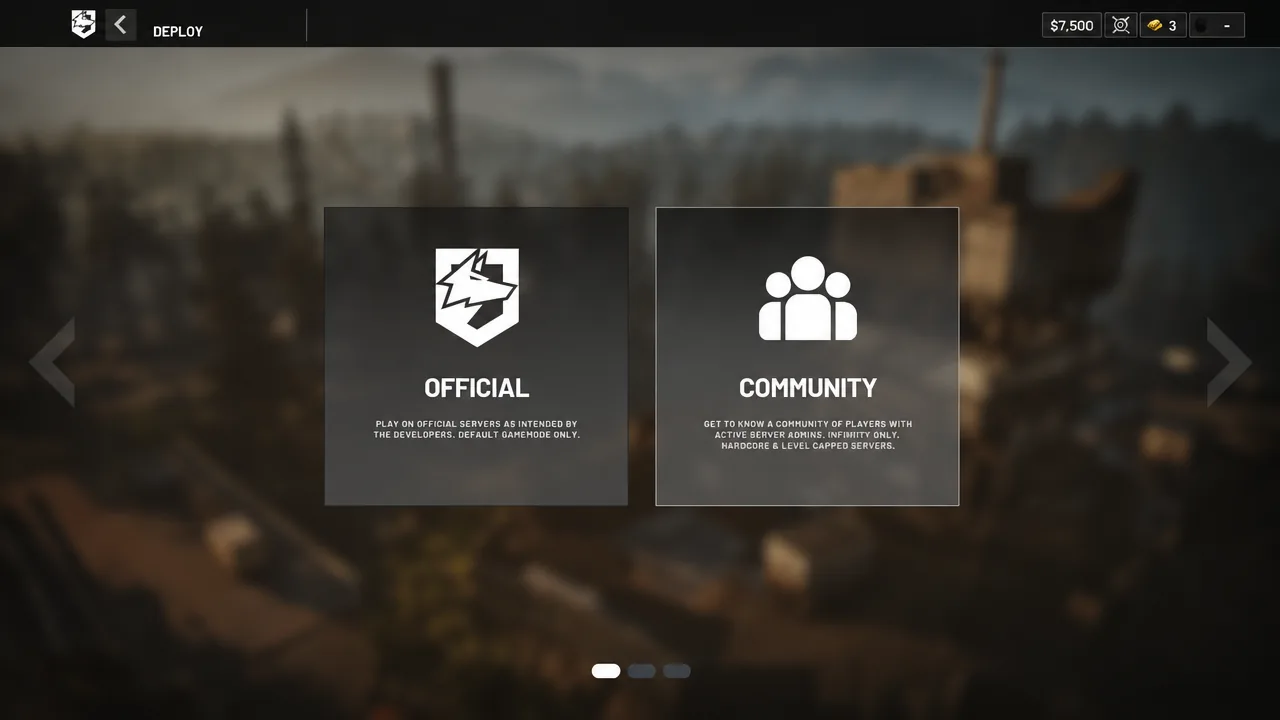
The single combined list is gone. After the patch, the Deploy screen presents Official and Community as distinct destinations, and each one is tuned for how people actually use it. Official servers lose filtering options that never made sense there, since the pool is uniform anyway. Community servers get the opposite treatment: more reliable filters, plus a text search box so you can type a server name instead of scrolling.
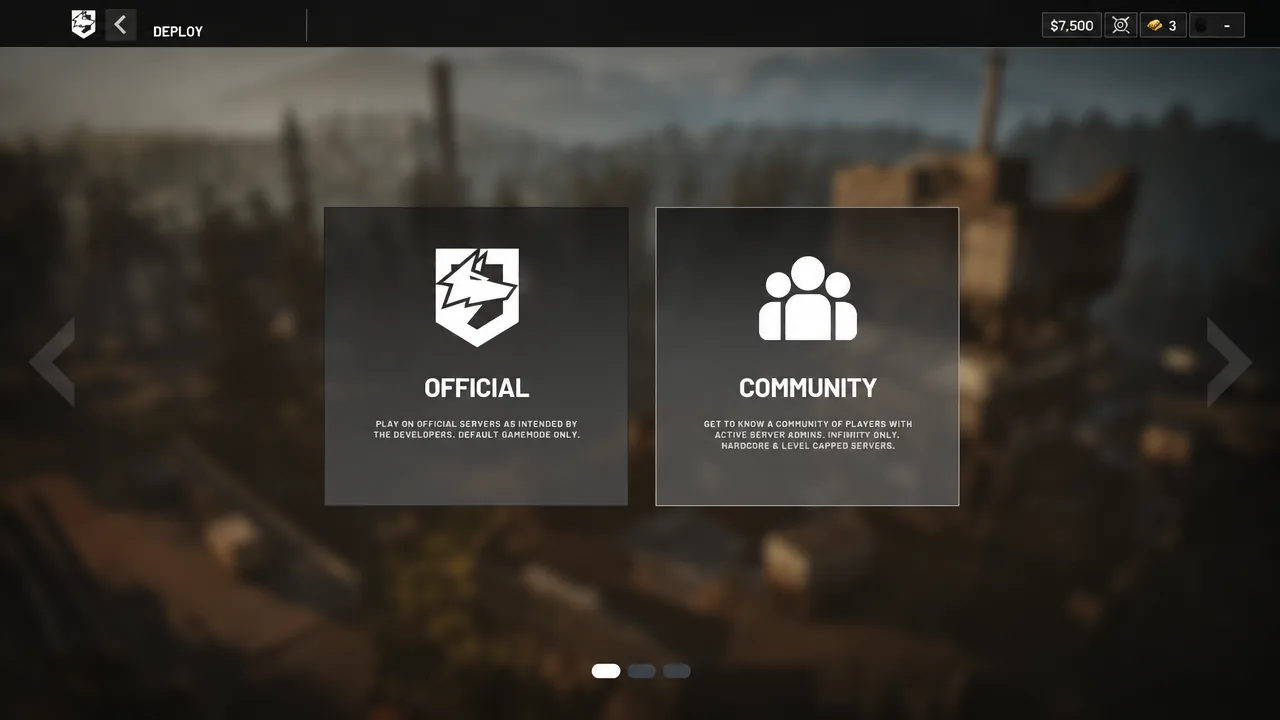
Two smaller fixes matter more than they sound. Community server IDs now persist between matches and restarts, so a server you liked yesterday is the same server today rather than a new entry with a new number. And the Host button finally points to the right place instead of dumping you somewhere unrelated.
| Change | What it does |
|---|---|
| Split front end | Separate Community and Official browsers |
| Official filtering | Unnecessary filter options removed |
| Community filtering | Filters return correct results more consistently |
| Text search | Search Community servers by name |
| Persistent IDs | Community server IDs survive matches and restarts |
| Quick bar | Show Empty/Full toggle added |
| Host button | Links to the correct hosting location |
| Naming | Server name ordering and naming rules applied |
Outside the browser, the patch addresses more GPU crashes and increases server capacity in Asia. Several cash exploits are also fixed, which sets up the enforcement policy below.
The 5% End of Match cash bonus on community servers
To get players through the new Community tab, community matches pay an extra 5% End of Match cash bonus. It runs for one week and exists purely as a seeding incentive, not as a permanent economy change.
Five percent is small per match, but it compounds against the Season 1 price list, where the big purchases are deliberately expensive. A Forward Operating Base costs $7,500 to buy from the vendor, an L2A6 heavy tank runs $14,000, and an SPH-2 sits at $8,000. On the earning side, destroying an enemy SPH-2 pays $6,000, an L2A6 pays $5,000, and killing a FOB pays $5,000. The bonus nudges those numbers rather than reshaping them.
You will know the bonus applied by checking the End of Match cash total on a community server against a comparable official match. There is no separate toggle to enable.
Economy abuse penalties: cash exploits, tutorials, and XP farming
Alongside the exploit fixes, BULKHEAD laid out exactly what happens to accounts that abuse the cash and XP economy. The penalties are tiered, and two of the three are permanent.
| Behaviour | Penalty |
|---|---|
| Abusing cash exploits and bugs | Timed ban plus a full cash and XP reset to zero |
| Creating content that tutorialises economy exploits | Permanent ban |
| Joining and staying in an XP farming server | Permanent ban |
The XP farming rule is the one most likely to catch ordinary players out. Staying in an XP farming server for more than a few minutes is enough to trigger a permanent ban, so the safe move is to leave immediately if you drop into a match where nobody is fighting and scores are climbing anyway.
The cash reset deserves its own warning. A reset to zero wipes progress that took real time to build, given the Season 1 curve puts level 20 at 250,000 XP and level 50 at 1,000,000 XP. Losing that is far more expensive than whatever an exploit paid out.
Community server features still to come
Patch 0.11 is the first step rather than the finished system. A set of follow-up features has been named but not dated, and none of them are live on Monday.
- Community server favouriting
- Tiered priority queues for community servers
- Message of the Day prompt
- Improved warmup activities
- Disabling AFK kicking during seeding
- Team switching controls
That list fits the wider approach to community hosting. Only a small number of approved providers can run WARDOGS servers, selected through testing that ran from April 2026, and the server code is not distributed publicly. Admin control expands gradually rather than arriving all at once, starting with map and mode selection and an RCON tool in development.
No date has been confirmed for any of the upcoming community server features, and there is no announced patch cadence beyond this one. Once the servers come back up on Monday, the thing worth checking first is whether the Community tab actually surfaces the server you want, because that is the entire point of the update.