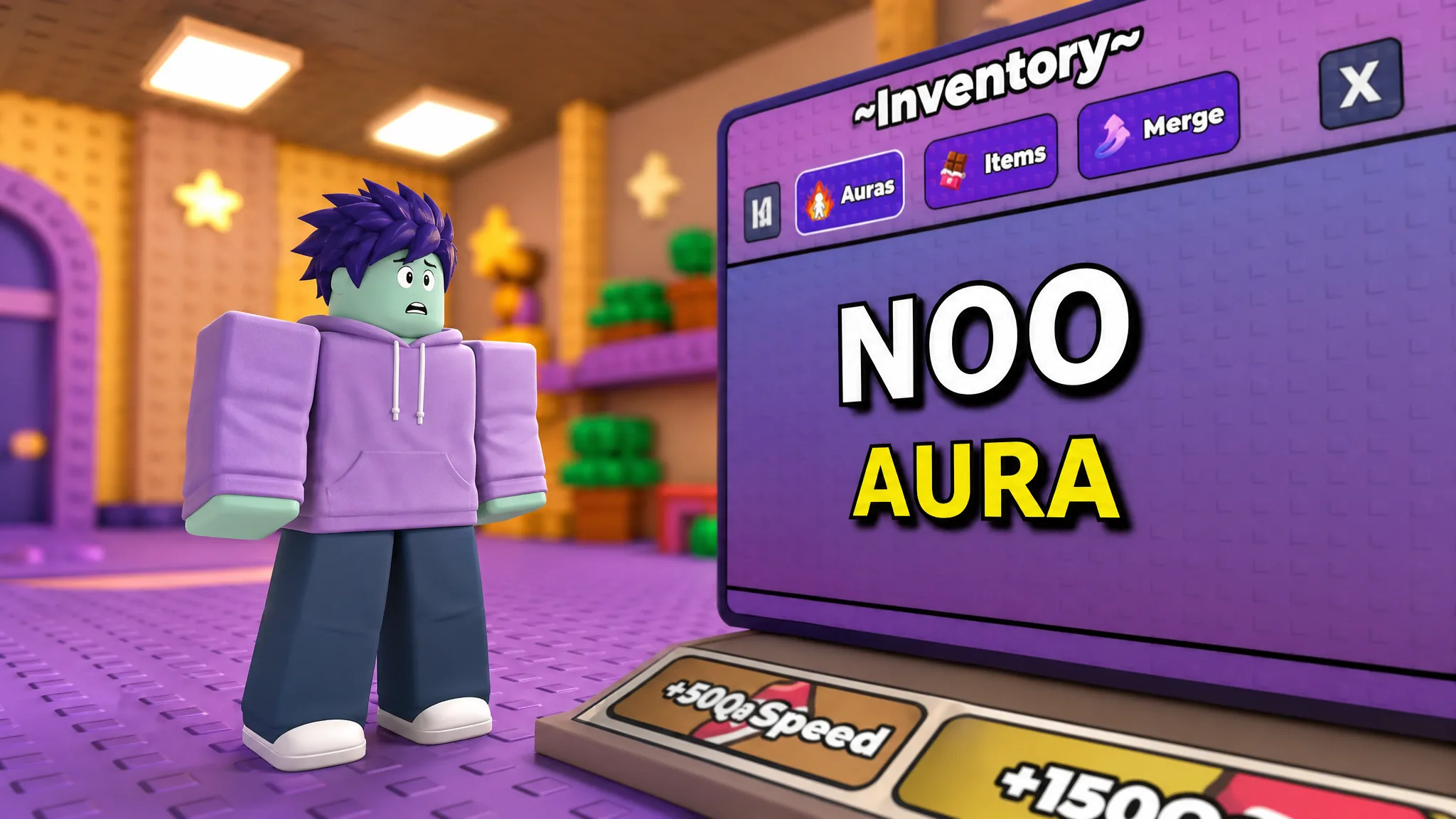
Open the Inventory in +1 Speed Keyboard Escape after the Galaxy 2 update, tap over to the Auras tab, and you get nothing. Just the words NOO AURA sitting in an otherwise blank panel. The trails list right next to it is packed. The aura list is not.
Quick answer: Galaxy 2 currently has no auras attached to it, so the tab renders empty by design — nothing is locked, hidden, or bugged. Auras still exist in the earlier galaxy’s shop and can be bought and equipped there with wins or Robux; in Galaxy 2 itself, trails are the only equippable speed cosmetic right now.
What “NOO AURA” means in the Inventory menu
The Inventory panel splits into three tabs — Auras, Items, and Merge. The Auras tab is populated per galaxy, and Galaxy 2 shipped without an aura set of its own. The result is an empty list with a placeholder line where the aura cards would normally sit.
Nothing about that state depends on your account. It is not a level gate, not a rebirth requirement, and not something codes unlock. Every player who opens that tab in Galaxy 2 sees the same empty panel.
There is a likely reason for the gap. Auras have always been priced far above trails — the earlier galaxy’s aura tiers start in the millions of wins while trails start in the tens of thousands. A brand-new galaxy where nobody has banked wins yet is a poor place to drop a million-win purchase. No release date for Galaxy 2 auras has been announced.
Every aura in +1 Speed Keyboard Escape and its speed multiplier
Auras do two things: they add a visual effect around your character and they multiply your speed. Since speed is what generates wins, the multiplier is the part that matters. Here is the full lineup and what each one costs.
| Aura | Speed boost | Cost |
|---|---|---|
| Glow Aura | x1.2 | 1M Wins or 59 Robux |
| Dollar Aura | x1.2 | 1M Cash or 39 Robux |
| Wind Aura | x1.5 | 5M Wins or 249 Robux |
| Burger Aura | x1.5 | 5M Cash or 79 Robux |
| Water Aura | x2 | 10M Wins or 489 Robux |
| Medal Aura | x2 | Free via Medal account link |
| Fire Aura | x3 | 25M Wins or 649 Robux |
| Electric Aura | x4 | 50M Wins or 259 Robux |
| Candy Aura | x5 | 100M Wins or 379 Robux |
| Chocolate Aura | x6 | 250M Wins or 439 Robux |
| Storm Aura | x7 | 500M Wins or 499 Robux |
| Alphabet Aura | x8.5 | 1B Wins or 579 Robux |
| Darkness Aura | x10 | 739 Robux |
Only one aura can be worn at a time, so buying a cheaper tier is never additive — you are replacing the multiplier, not stacking it. Storm Aura at x7 is the practical target for the later World 3 stages, and it is reachable without Robux if you have 500 million wins saved. Darkness Aura is the only entry with no wins path at all.
Trails are what you equip in Galaxy 2 instead
While the aura tab sits empty, the trail list is fully stocked and works the same way — buy with wins or Robux, then equip. Trails are also dramatically cheaper than auras, which makes them the sensible first purchase for anyone still building up a win balance.
| Trail | Cost |
|---|---|
| YellowTrail | 25K wins or 140 Robux |
| CaramelTrail | 100K wins or 160 Robux |
| WhiteChocolateTrail | Shown as Equipped when active |
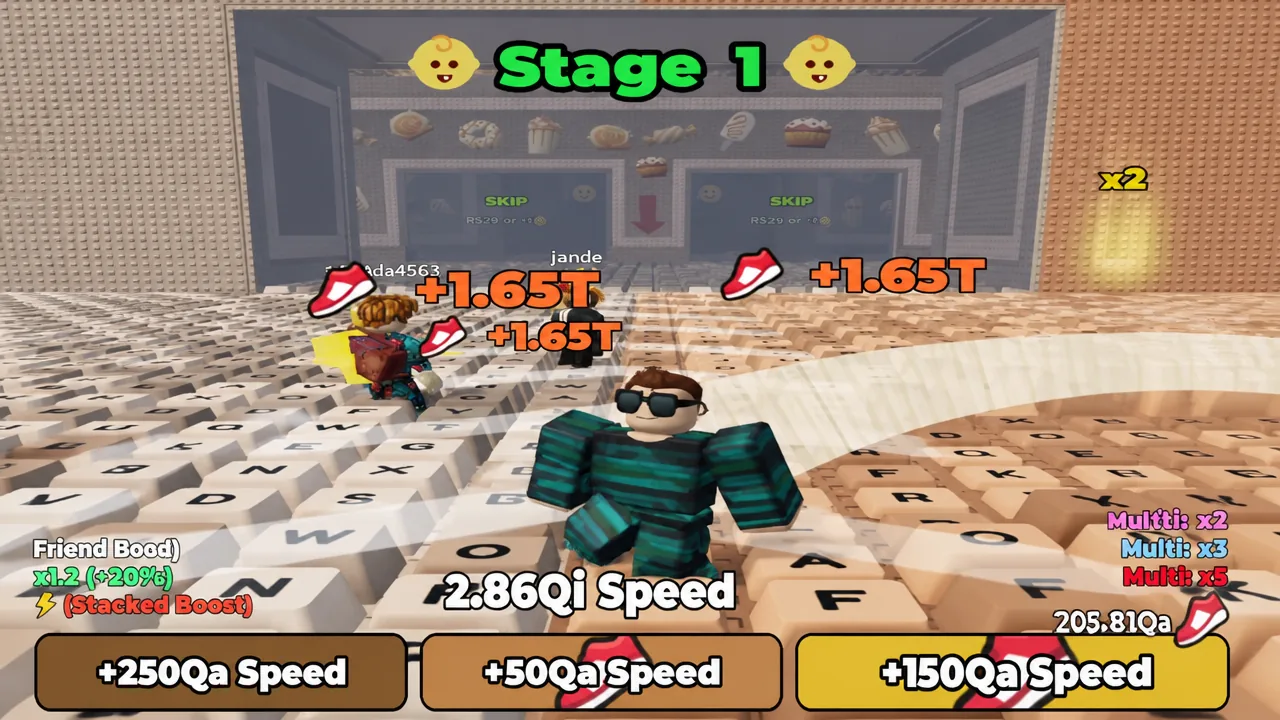
Wins come from clearing stages, and speed comes from running the keyboard track and grabbing the boost pads scattered along it. That loop is unchanged by the missing auras — you can still push your speed value up through Stage 1 and beyond exactly as before.
How to buy and equip an aura
Note: If the aura card still shows a price after purchase, back out of the Inventory and reopen it. The panel refreshes its owned state when reopened.
Medal Aura is the only free aura
Medal Aura gives a x2 multiplier at no cost. You link your Roblox account to Medal and upload a single clip of your +1 Speed Keyboard Escape gameplay to the platform. Once the link registers, the aura becomes available in your inventory like any purchased one.
It sits on a separate track from the shop auras, so it does not affect what you can buy later. It also does not stack — equipping Medal Aura replaces whatever aura you were wearing.
How to confirm an aura is active
Two things change when an aura is correctly equipped. The particle effect renders around your character on the track, and the aura’s card in the Inventory switches from a price to an Equipped label. If you see the effect but the card still reads as unowned, the purchase did not process.
The other check is your speed counter climbing faster than it did before across the same stretch of track. A jump from a x4 aura to Storm Aura’s x7 is obvious within a single run — you cover the keyboard sections noticeably quicker.
That extra speed cuts both ways in the later stages. Higher multipliers carry you past tight landings, so disappearing stairs, moving hazards, and train lanes need short controlled bursts rather than holding forward. The aura gets you to the hard parts faster; it does not remove the timing.
For now, the empty tab is just an empty tab. Keep stacking wins on the trails you can already afford, and the balance you build will carry straight over whenever an aura set lands in the newer galaxy.