Google Chat provides a streamlined interface for communication, and organizing your chat list can enhance your productivity. Hiding conversations you no longer need keeps your chat list tidy, and knowing how to unhide them ensures you can access them when necessary.
Hiding a conversation in Google Chat
Open Google Chat on your browser or launch the Google Chat application. Navigate to your chat list and find the conversation you want to hide.
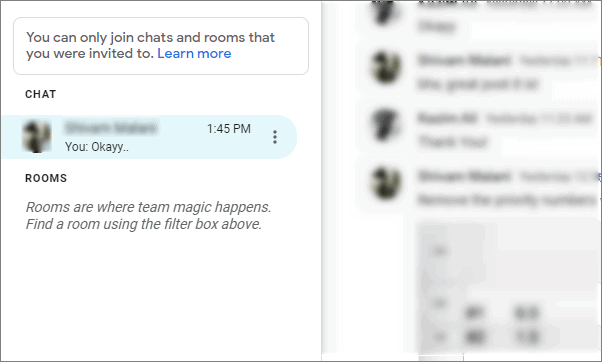
Click on the three vertical dots located next to the name of the person whose conversation you wish to hide.
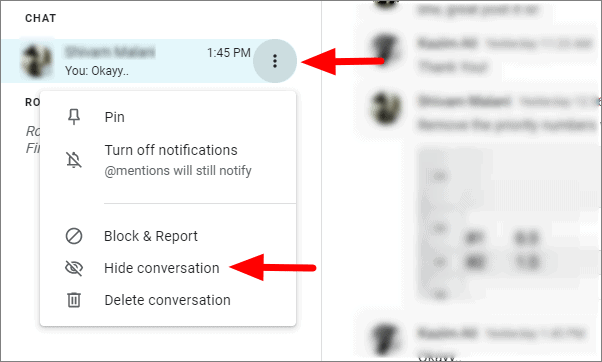
The conversation will now be hidden and will no longer appear in your chat list.
Unhiding a conversation in Google Chat
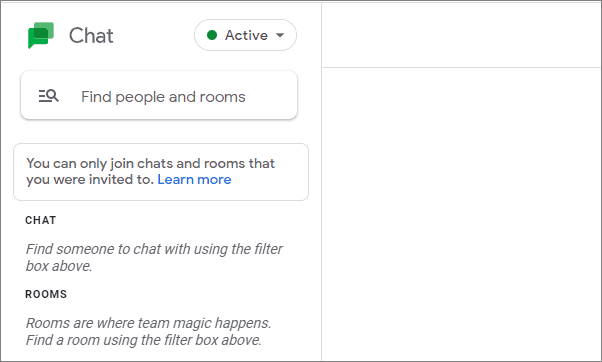
In the Google Chat interface, go to the search bar at the top labeled
Find people and rooms. Type the name of the person whose conversation you want to unhide.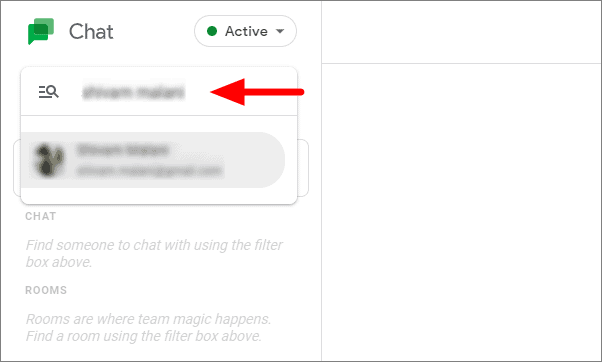
The conversation will now reappear in your chat list, making it easily accessible.
By effectively managing your conversations in Google Chat, you can maintain an organized chat list and streamline your communication.