Genshin Impact added a real trading system in version 7.0, and it runs entirely through Storage Device constructs placed around Snezhnaya. You drop materials or meals into a device, and anyone can pull them out, including friends you want to help. It works, but tight limits and a short list of tradable items keep it from turning into a full economy.
Quick answer: Reach Snezhnaya, pick up the Eye of Graeae to unlock Fab-Vision, then build a Storage Device for 40 Prime Ice and 40% Kresnik Energy. Store items for free, but every batch you take counts against your five daily uses.
What you can and can’t trade
Only two item categories move through Storage Devices: Materials and Food (Meals). That covers a lot of useful farming grind, but it deliberately locks out anything that would break the endgame or let you shortcut a fresh account.
| Category | Examples | Tradable |
|---|---|---|
| Materials | Local specialty Ascension materials (Frostfairy Flowers, Flockingweed), cooking ingredients, dye, wood, fishing bait, essential oils, Prime Ice | Yes |
| Food (Meals) | Cooked dishes | Yes |
| Boss drops | Talent and weapon Ascension materials from bosses | No |
| Artifacts | Any five-star or lower Artifact | No |
Because Artifacts and boss drops stay locked, you can’t have a friend farm your endgame gear or shift it to a new account. What you can do is hand over local specialties and other resources that normally take days to gather in your own world. Something like Sea Ganoderma, which newcomers can’t reach until they unlock a later region, becomes far easier to obtain this way.
Requirements before you can build a Storage Device
Trading is gated behind early Snezhnaya progress, so you need to move through the story before the system opens up. Make sure all of the following are done first.
- Travel to Snezhnaya and begin its content.
- Pick up the Eye of Graeae device early in Snezhnaya’s first Archon Quest, which grants Fab-Vision mode.
- Talk to Alyosha for the first time.
- Play further into Snezhnaya’s Act 1 story to unlock the ability to build Storage Devices.
Fab-Vision is the build mode you’ll use for everything trade-related. Until Act 1 progresses far enough, you can find and use other players’ devices, but the option to construct your own stays locked.
How to build and stock a Storage Device
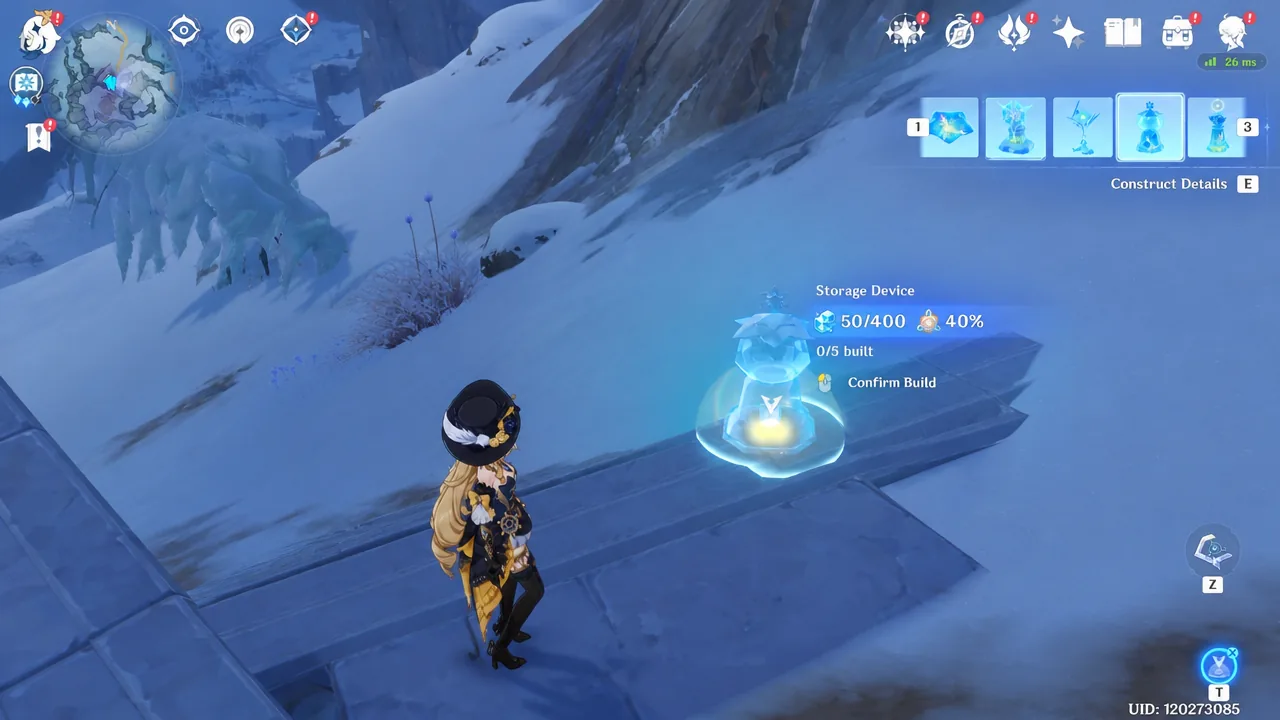
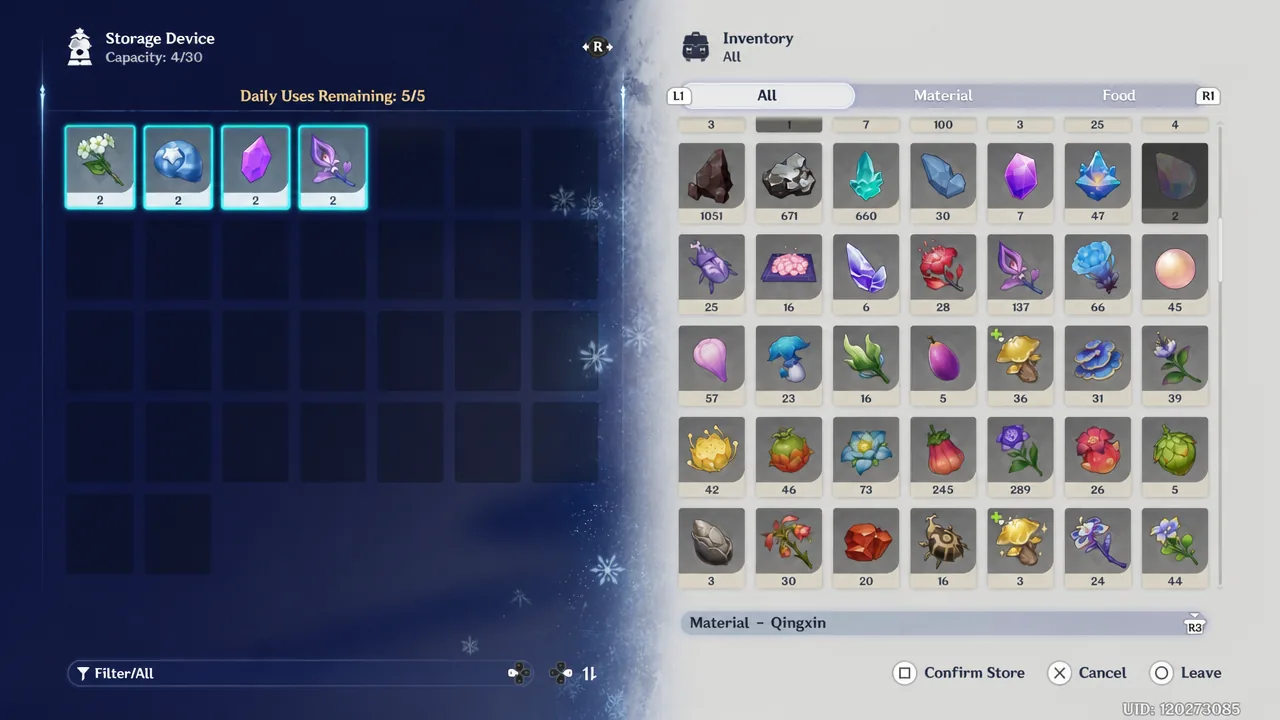
Each device has 30 item slots, and you can stack the same item twice per slot. That means a single Storage Device can hold up to 60 items at once. Storing costs you nothing toward your daily limit, so you can fill a device freely.
How daily trade limits work
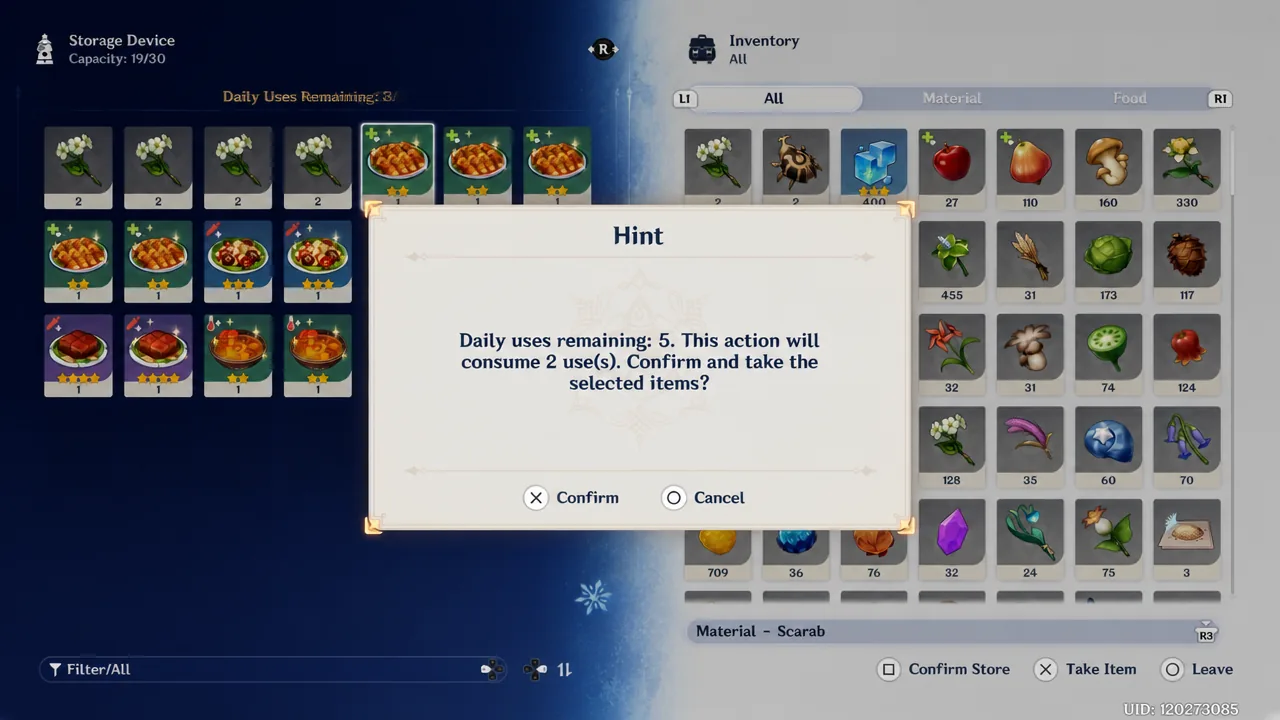
The limit only applies when you take items, not when you store them. You get five daily uses per Storage Device, and one stack of two items counts as a single use. Taken together, that lets you pull up to 10 items in a day.
| Action | Uses spent |
|---|---|
| Storing any item (including a stack of two) | 0 |
| Taking one single item | 1 |
| Taking one stack of two items | 1 |
| Daily maximum | 5 uses (up to 10 items) |
One important catch: taking items you personally stored still burns a daily use. The system doesn’t treat your own deposits as free retrievals, so plan around that before you park anything you might want back the same day.
Where to find Storage Devices in Snezhnaya
Every device out in the world was built by another player, so there’s no fixed spawn map. In practice, many players set them up near Statues of the Seven and Teleport Waypoints for quick access. It’s worth peeking inside every device you pass, since one might be holding an Ascension material for a character you’re building.
If you’re traveling through Snezhnaya and never see a single device, you’ve likely toggled off the option to receive Prime Ice constructs. Open Fab-Vision build mode, tab to the Storage Device construct, choose Construct Details, then open the Settings cog in the top-right corner. From there, switch the option to receive this type of Prime Ice Construct back on.
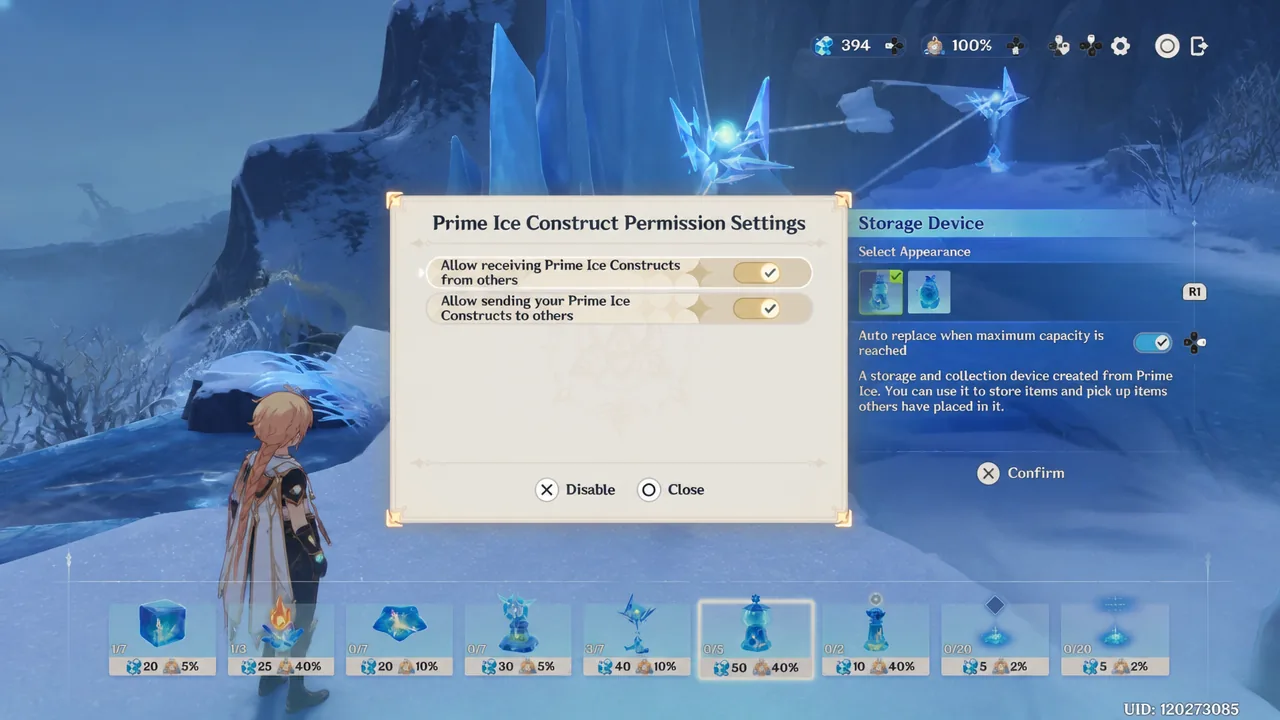
Tip: The same settings let you turn off sending your own constructs. That’s handy if you want a private stash for yourself or only plan to trade with friends in co-op.
Trading with friends in co-op
Co-op trading works through the same devices, with one rule that matters most. Only the owner of the World can build a Storage Device using Fab-Vision, and both players can then use it to trade up to five times. Occasionally the device won’t appear for Player 2, in which case this method won’t work.
Normal co-op restrictions still apply. You and your friend either need to be at the same World Level to join each other freely, or a higher World Level player can join a lower one. A lower World Level player cannot join a higher one, so in that pairing the lower-level player has to be the host who builds the device.
Before you try co-op trading, confirm both accounts have reached Snezhnaya, picked up the Eye of Graeae, and spoken to Alyosha at least once. Skip any of those and the build option simply won’t be there when you need it, which is enough to help a friend stock up on Ascension materials without either of you grinding the same domains for days.