
Managing participant audio in a Webex meeting is crucial for minimizing disruptions and maintaining focus. Webex offers features that allow you to mute participants automatically as they join or mute all participants during the meeting.
Automatically mute participants as they join the meeting
To ensure a quiet environment from the start, you can set your Webex meeting to mute participants as they enter.
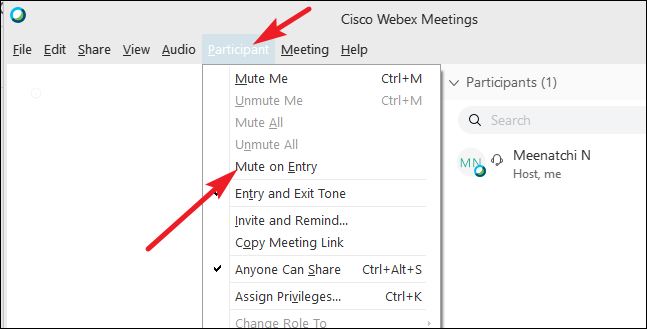
Now, any new participants joining your Webex meeting will be muted by default.
Mute all participants during a Webex meeting
If the meeting has already started and participants are present, you can mute everyone simultaneously to eliminate background noise.
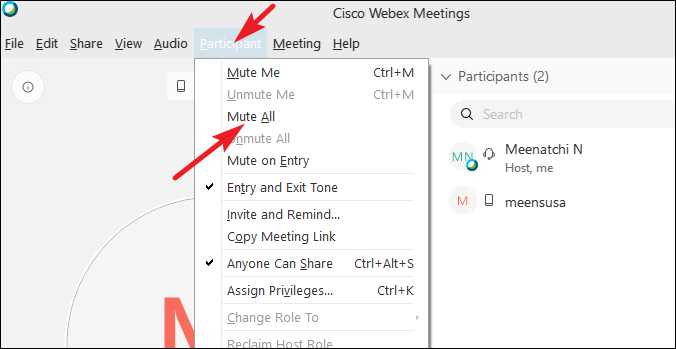
By effectively using these muting options in Webex, you can conduct your meetings with fewer interruptions and maintain a productive environment.