Video conferencing has become an essential part of our daily routines, and having clear video quality is crucial for effective communication. Google Meet offers a Low Light Mode feature that automatically enhances your video in dim lighting conditions, making you more visible to other participants. Whether you’re working late or in a room with minimal lighting, this feature can significantly improve your meeting experience.
Using low light mode in Google Meet
Launch the Google Meet app on your mobile device. If you haven’t installed it yet, you can download it from the App Store or Google Play Store.
You can only enable or disable the Low Light Mode during an active meeting.
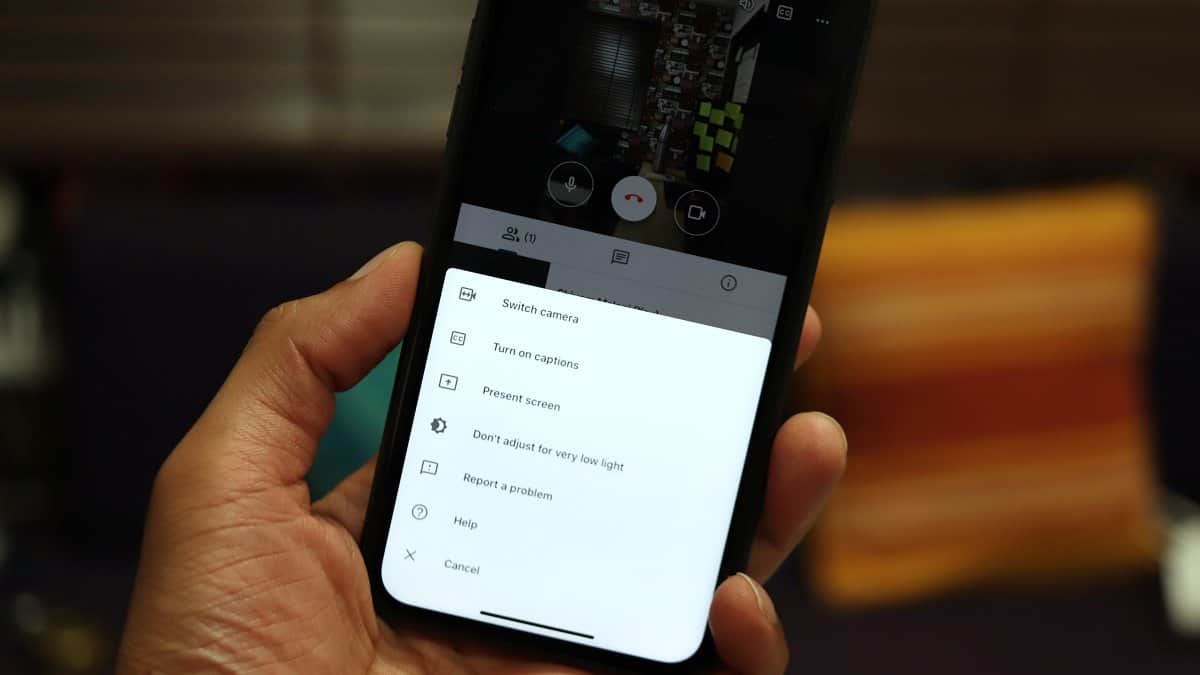
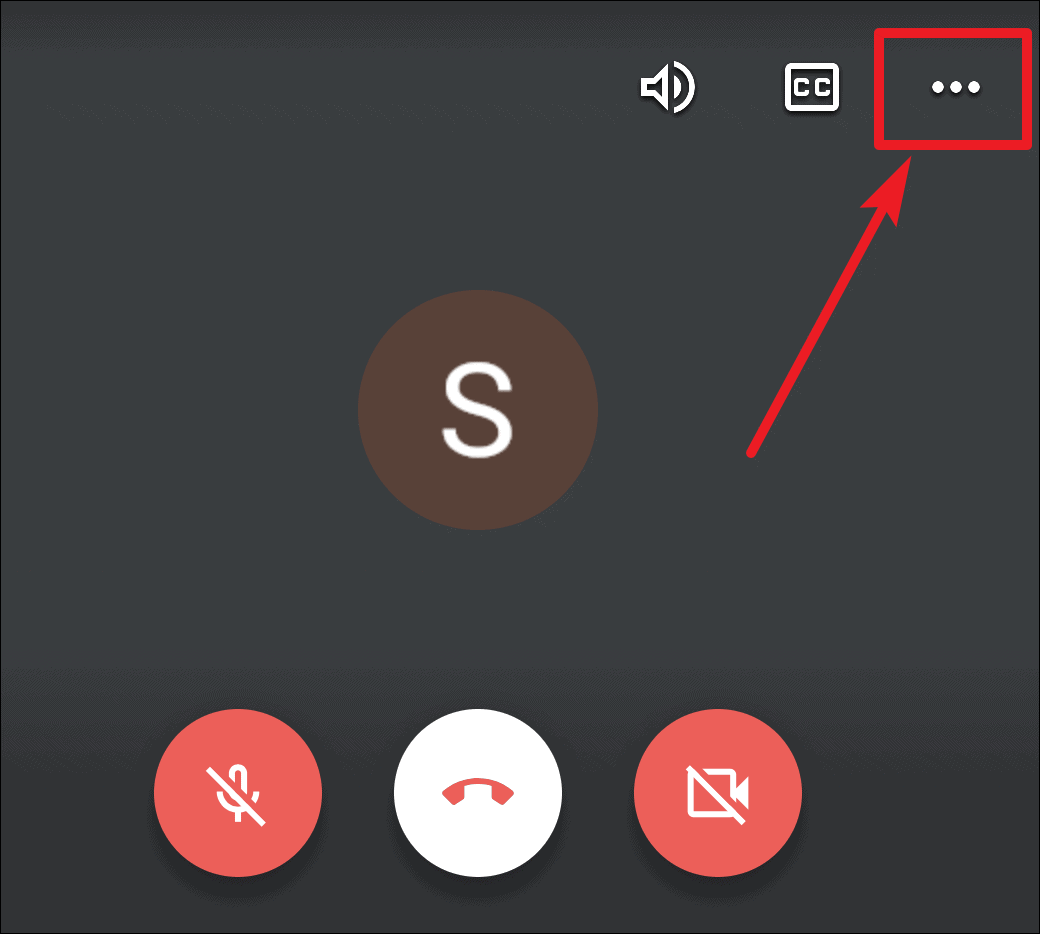
Once you’re in the meeting, tap the three-dot menu icon located in the top-right corner of the screen to access more options.
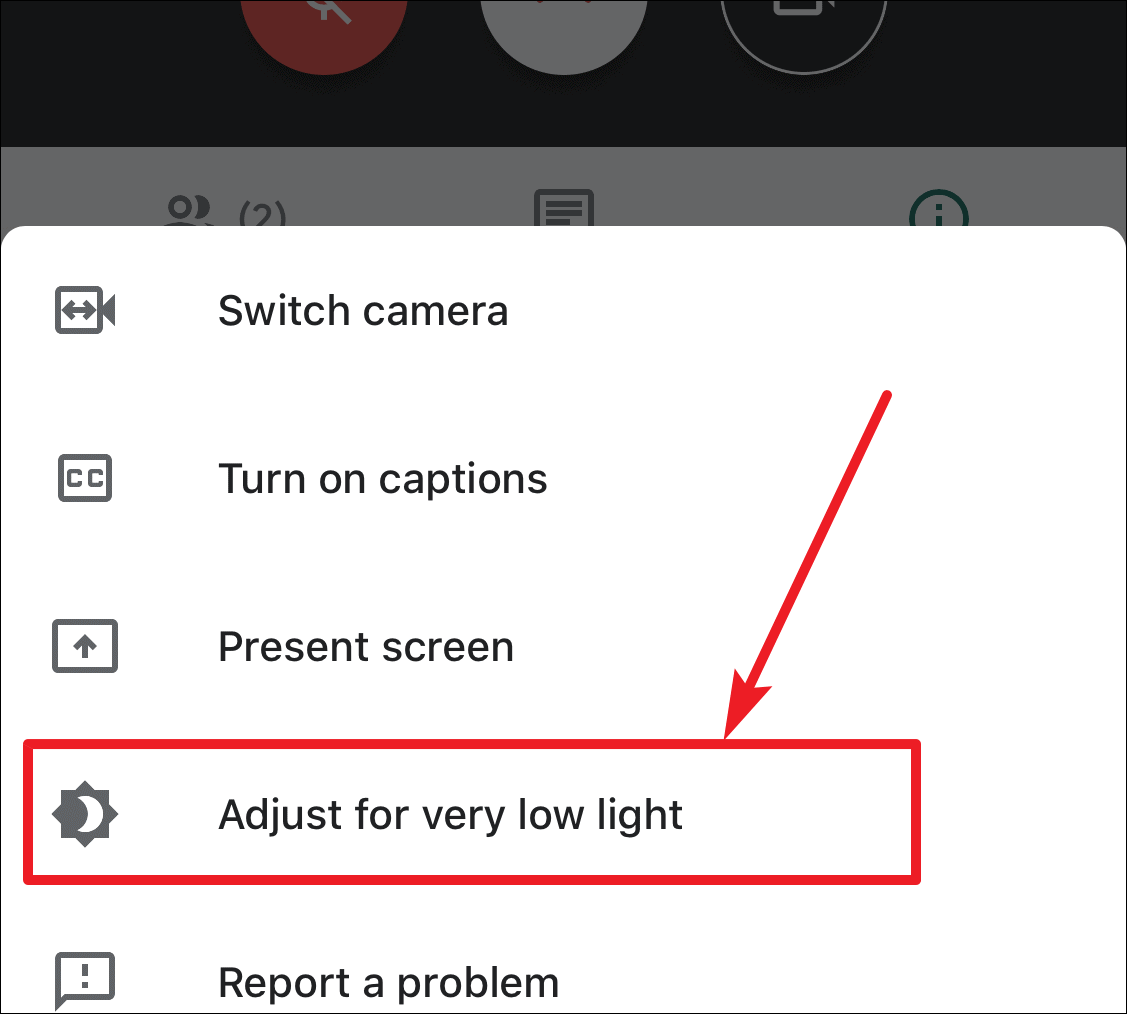
In the menu that appears, look for the option “Adjust for very low light.” This option appears when Low Light Mode is disabled. Tap on it to enable Low Light Mode.
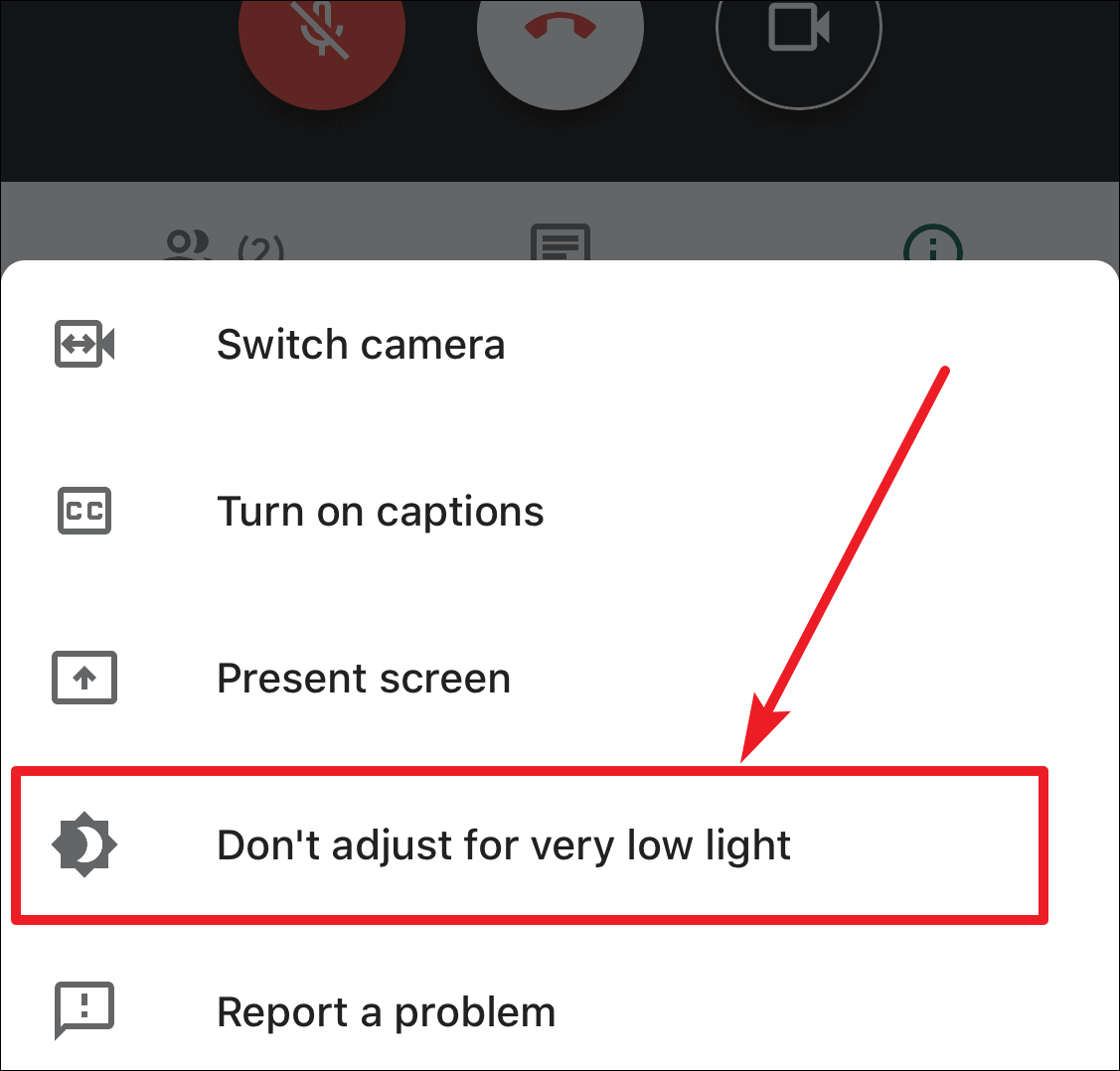
If you wish to disable Low Light Mode, tap the three-dot menu icon again. This time, you will see an option labeled “Don’t adjust for very low light.” Tap on it to turn off the feature.
By using the Low Light Mode in Google Meet, you can enhance your video quality in sub-optimal lighting conditions, ensuring clear communication with colleagues and friends. This feature makes your meetings more effective, no matter where you are.