In virtual meetings, managing audio can be a challenge, especially when multiple participants are involved. Unwanted background noise and interruptions can disrupt the flow of conversation. Having a way to quickly mute and unmute oneself can greatly enhance the meeting experience. While Google Meet doesn’t natively offer a “Push to Talk” feature, there’s a handy extension that can bring this functionality to your meetings.
To add the Push to Talk feature to Google Meet, you’ll need to install the Google Meet Enhancement Suite (MES) extension for Google Chrome or the new Chromium-based Microsoft Edge.


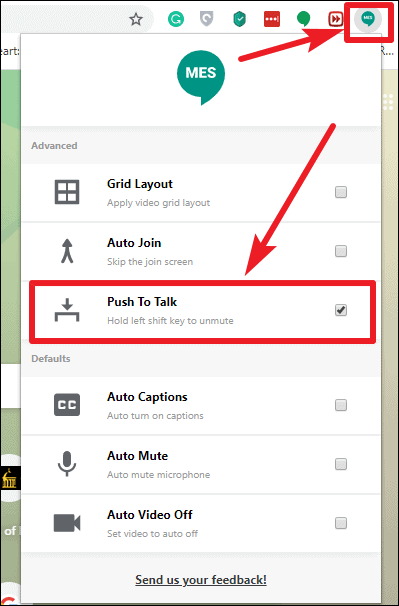
With the Push to Talk feature activated, your microphone in Google Meet will be muted by default. This means you won’t have to worry about unexpected noises or interruptions when joining a meeting.
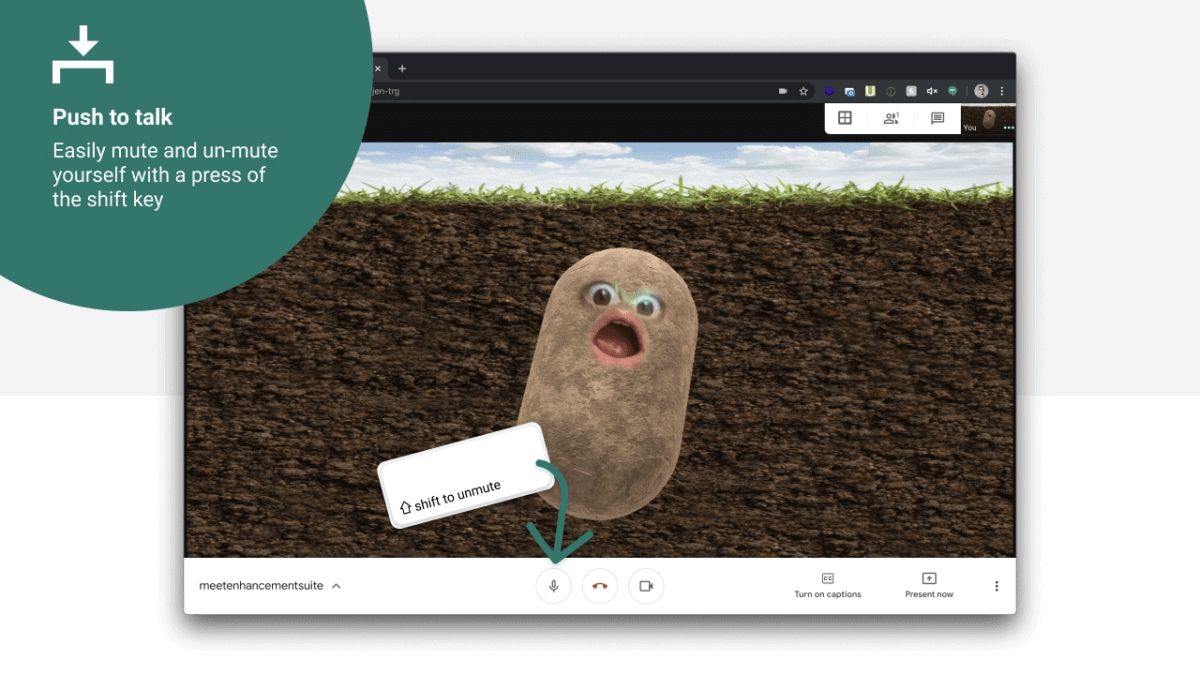
To speak during a meeting, simply press and hold the Shift key on your keyboard. While holding down the Shift key, your microphone will unmute, allowing you to communicate with others. Release the Shift key to return to the muted state.
If you press the Shift key once without holding it, it will toggle your microphone between mute and unmute, similar to how the default Ctrl+D shortcut works in Google Meet. Pressing it again will revert the microphone to its previous state.
Enhancing your Google Meet experience with the Push to Talk feature can make your virtual meetings more efficient and less prone to disruptions. The Google Meet Enhancement Suite not only provides this functionality but also offers additional features like Grid View, Auto Join, and more to improve your overall experience.