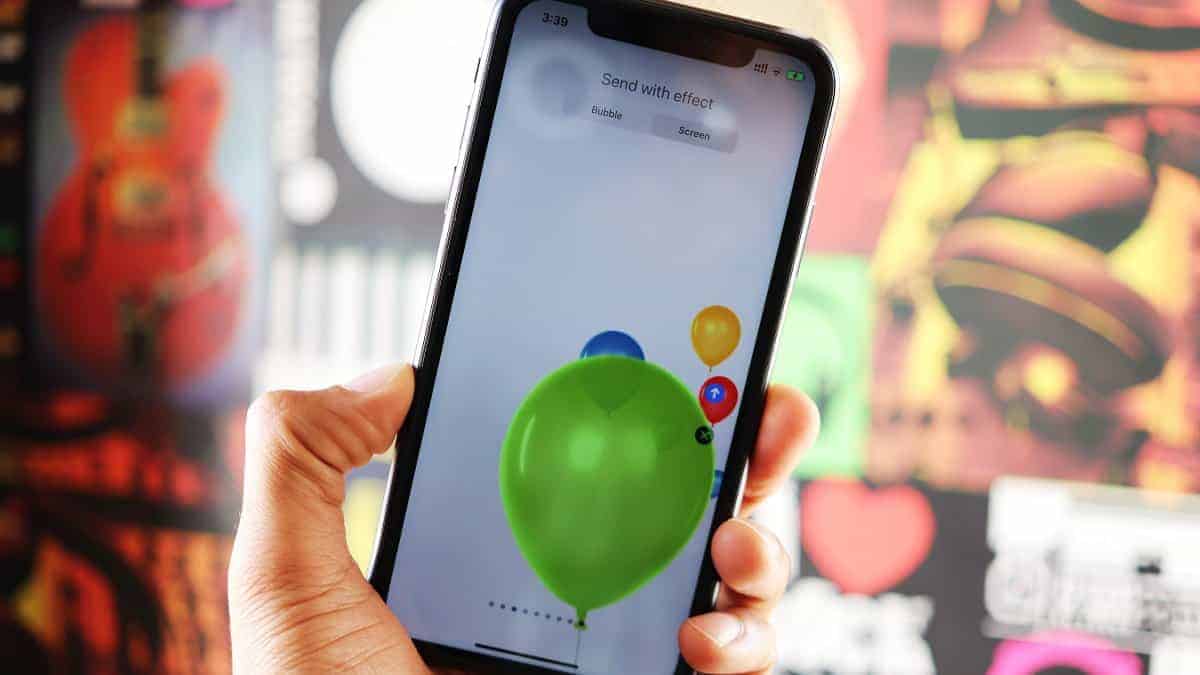
Enhancing your iMessages with animated balloons adds a festive and cheerful touch to your conversations, making them more engaging and fun.
How to Manually Add Balloons in iMessage
You can add balloons or other full-screen effects to any message you send, regardless of its content. Here’s how to do it:


You can also choose from other screen effects like Echo, Spotlight, Confetti, Love, Lasers, Fireworks, Shooting Star, and Celebration by swiping left or right on the effects screen.
How to Automatically Send Balloons with “Happy Birthday”
iMessage automatically sends balloons when you send a message containing just the words “Happy Birthday”. Here’s how:

When the recipient opens your message, their screen will automatically fill with balloons.
Adding screen effects to your iMessages is a simple way to make your conversations more vibrant and enjoyable.