Clams are the very first thing you interact with in How to Fish, the sandbox fishing adventure from Dazed Games. On the starting rocky island near the lighthouse, they double as free food and your earliest source of cash, so learning to pick one up and eat it takes only a few seconds.
Quick answer: Look directly at a clam on the shore and press [E] to pick it up, then hold [Left Click] while holding it to eat and relieve hunger.
Where clams spawn on the starting island
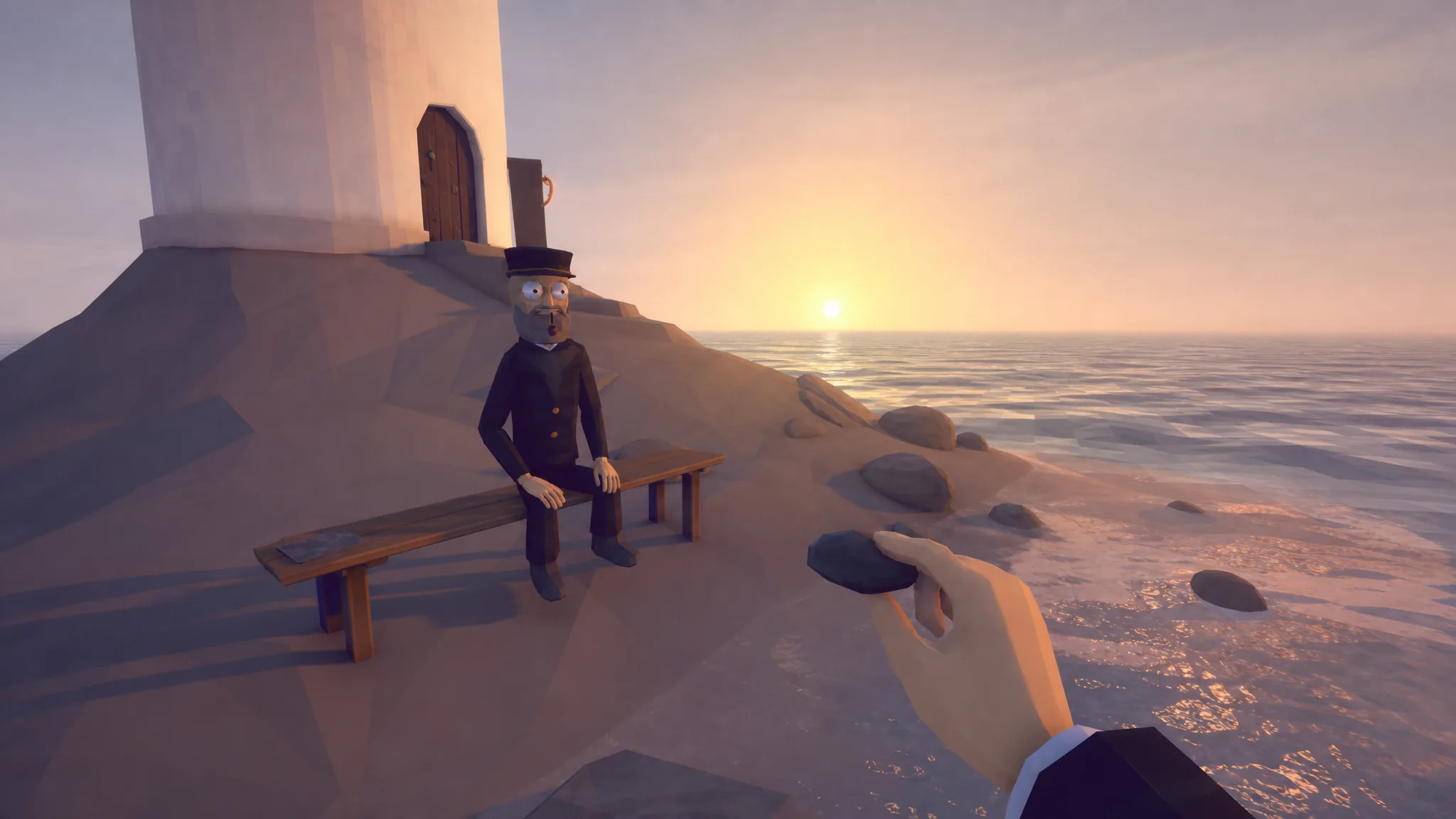
You begin the game on the Lighthouse island, a small rocky spawn point beside a burning boat. Clams sit right on the ground along the water’s edge, so walk the shoreline and look for them scattered in the shallows and on the sand. There is no tool or fishing rod required to collect one.
Pick up and eat a clam
Clam [E] prompt appears on screen.![The interact tutorial prompts you to press [E] while looking at a clam to pick it up. Image credit: Dazed Games](https://static.allthings.how/wp-content/uploads/2026/08/how-to-pick-up-and-eat-clams-in-how-to-fish-2275216747.webp)
Press [F] while holding a clam to inspect it if you want a closer look at the item before deciding whether to eat it or sell it.
Sell spare clams for your first cash
You do not have to eat every clam. Selling is how you earn money early on, and clams are the first thing you can trade. Pick up a clam, walk over to the NPC shopkeeper on the island, and hold [Q] to throw the clam straight into the shopkeeper’s mouth. Each one you feed him adds to your wallet.
Gather a small pile, eat one to keep hunger down, and toss the rest to the Lighthouse Keeper. That starter cash is enough to buy the Basic Fishing Rod and begin catching fish.
Clam controls at a reference
| Action | Input | Result |
|---|---|---|
| Pick up clam | [E] while looking at it | Holds the clam |
| Eat clam | Hold [Left Click] while holding it | Relieves hunger |
| Inspect clam | [F] | Views the held item |
| Sell clam | Hold [Q] near the NPC | Throws it into the shopkeeper’s mouth for cash |
Once you have eaten one clam to satisfy hunger and thrown a few to the Keeper for cash, you are done with the opening tutorial and ready to buy a rod and start fishing. Clams stay useful whenever your hunger meter climbs, so grab one off the shore any time you need a quick bite.