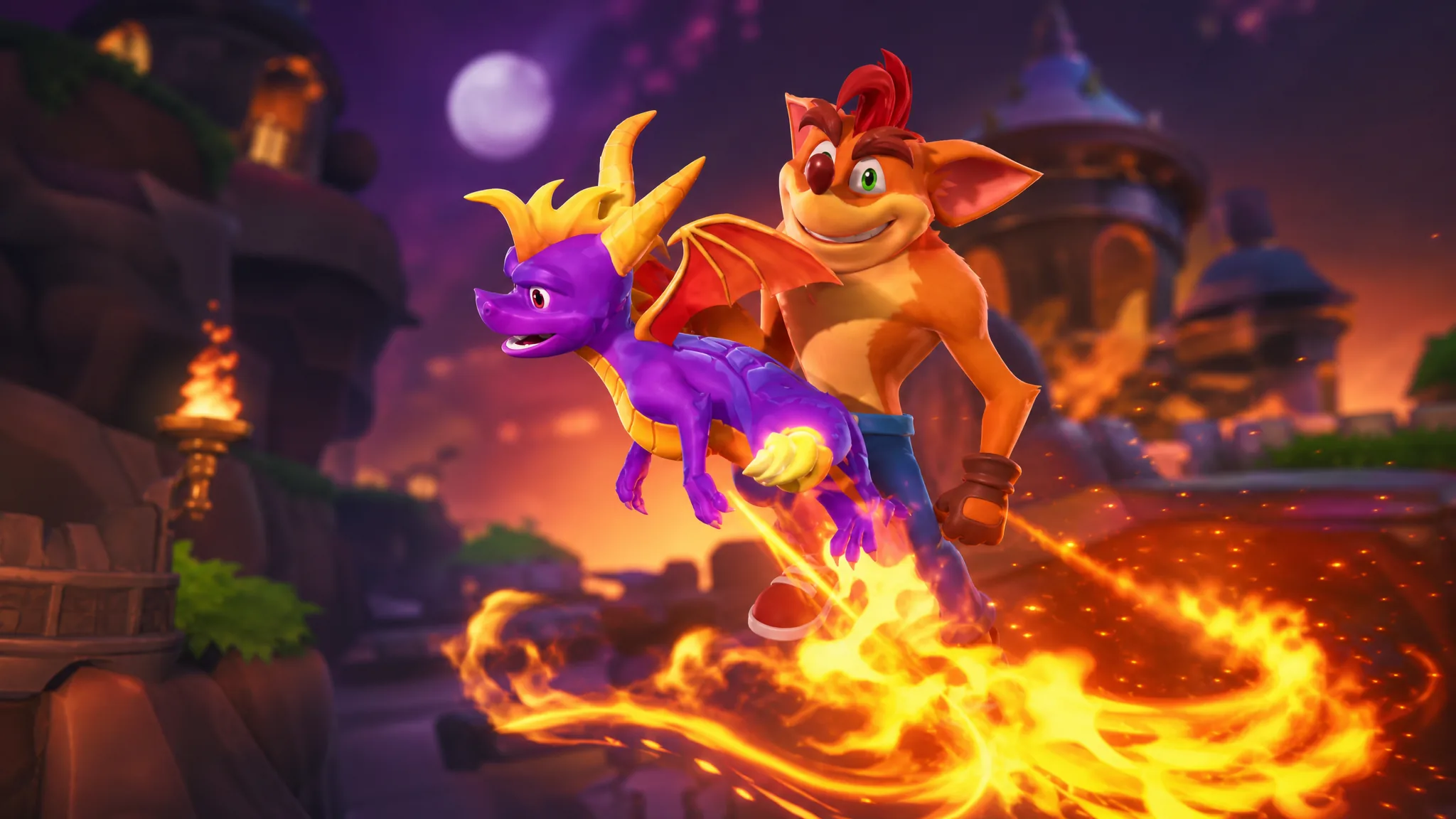
Spyro the Dragon is coming to Fortnite as a Sidekick, a cosmetic companion that trails your character during matches instead of a full playable skin. He arrives as part of the Crash Bandicoot crossover in Chapter 7 Season 4, Override, and he lands in the Item Shop rather than the Battle Pass.
Quick answer: Buy the Spyro the Dragon Sidekick from the Fortnite Item Shop once the Crash collab drops, then equip it in the Locker under Sidekicks. It is a separate purchase and cannot be unlocked through the Override Battle Pass. Epic has not confirmed a release date or time yet.
Spyro is a Sidekick, not a playable skin
Spyro does not come as an outfit you wear. He arrives as a Sidekick, a category introduced in Chapter 7 that produces animated companions who follow your character around the map. These companions are purely cosmetic and carry no in-match advantages.
That distinction matters because Sidekicks are different from Sprites. Sprites are collectible creatures that grant gameplay effects such as speed boosts or hover. Spyro gives you none of those. He simply accompanies you visually.
The reason for the Sidekick treatment is design. Spyro is a four-legged dragon who walks on all fours, breathes fire, and glides. Fortnite’s outfit system is built around bipedal, humanoid characters, so his body does not fit that rigging. Placing him as a companion sidesteps that problem.
Spyro Sidekick design and edit styles
The Sidekick uses Spyro’s modern look, the refreshed appearance from the Spyro Reignited Trilogy remasters. In his reveal teaser, the purple dragon sneezes before breathing out a fireball, and he keeps his signature yellow crystal detailing as the default.
Two color edit styles are included. The default keeps the yellow crystals, and an alternate swaps those accents to blue. Unlike the Crash Bandicoot outfit, the Spyro Sidekick does not have a retro polygon style.
How to get the Spyro Sidekick
Note: Epic has not confirmed a price for the Spyro Sidekick. Gaming Legends outfits have historically sat around 1,500 to 2,000 V-Bucks, while recent Sidekicks have been priced lower, so treat any exact figure as unconfirmed until the listing is live.
Spyro Sidekick release date
There is no official release date or time. Epic revealed the Spyro Sidekick and the Crash Bandicoot skin without attaching a launch window to the teaser, so the exact drop remains unannounced.
Override has been adding roughly one Gaming Legends crossover to the Item Shop each week, and community expectation points to Spyro appearing toward the end of this week, possibly around Saturday, August 29. That timing is speculation, not a confirmed schedule. Check the in-game Item Shop or Fortnite’s official channels for the announcement.
What ships alongside Spyro in the Crash bundle
The Spyro Sidekick releases in the same drop as the Crash Bandicoot bundle. Crash gets the fuller treatment as a playable outfit, including a retro edit style that recreates his blocky 1996 PlayStation look.
| Item | What it is |
|---|---|
| Crash Bandicoot outfit | Modern skin plus a retro PS1 low-polygon edit style |
| Aku Aku Back Bling | The wooden mask, attached to Crash’s back |
| Apple Pickaxe | Harvesting tool topped with a Wumpa Fruit |
| Victory Dance emote | Crash’s spinning, fist-pumping boss-win celebration |
The “Fiery Flourish” emote is a fan concept
Circulating clips show Spyro hovering, breathing fire in a circle, spinning, and landing on all fours in a routine dubbed “Spyro’s Fiery Flourish.” This is a community-made animation concept, not an official cosmetic in the Crash collab.
Epic’s actual bundle includes Spyro only as a cosmetic Sidekick with the two color edit styles described above. The animated fire routine is a fan showcase and will not appear as a purchasable emote tied to the crossover.
For now, the confirmed path is simple. Watch the Item Shop for the Crash and Spyro drop, buy the Spyro Sidekick with V-Bucks, and equip it in your Locker. Anyone already invested in the Override Battle Pass will still need that separate purchase to add the dragon to their matches.