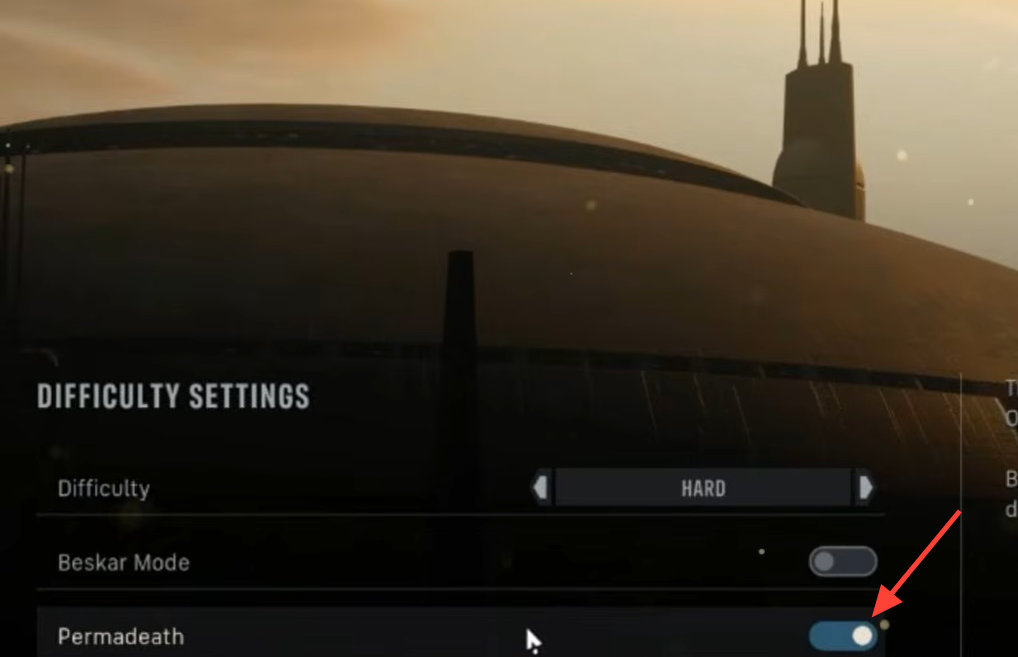
Permadeath is switched on the moment you start a campaign in Star Wars Zero Company, and it applies to nearly your whole roster. When a squad member is killed for good, they are gone from the rest of the game with no revival option. You can turn this off, but the toggle sits in a spot new players often miss.
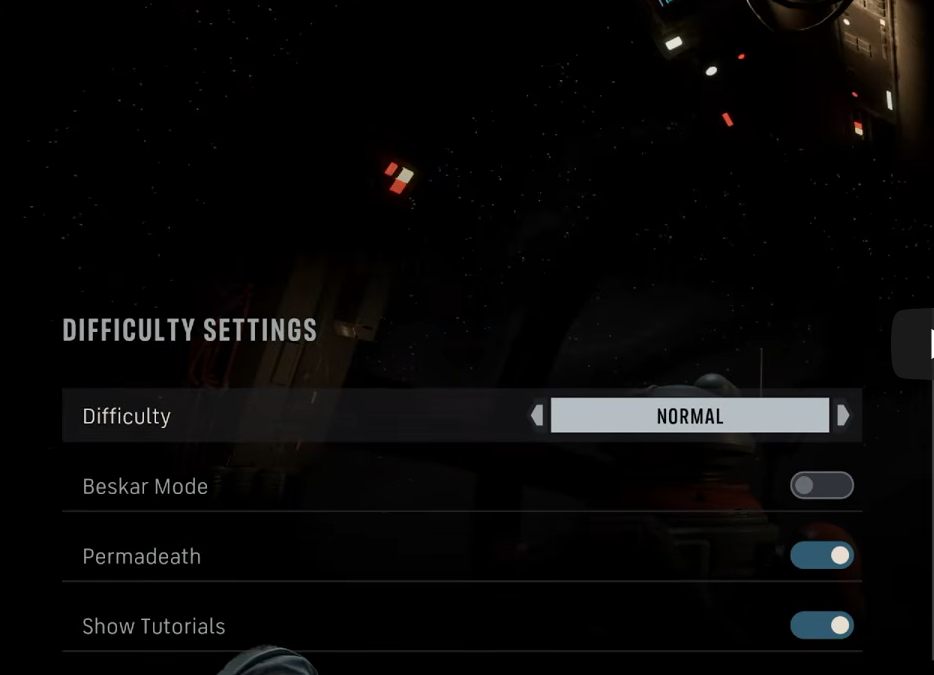
Quick answer: Open the difficulty settings, find the Permadeath option below the difficulty selector, and switch its toggle to off. The change applies immediately and can be reversed later from the same menu.
Turn off permadeath in the difficulty settings
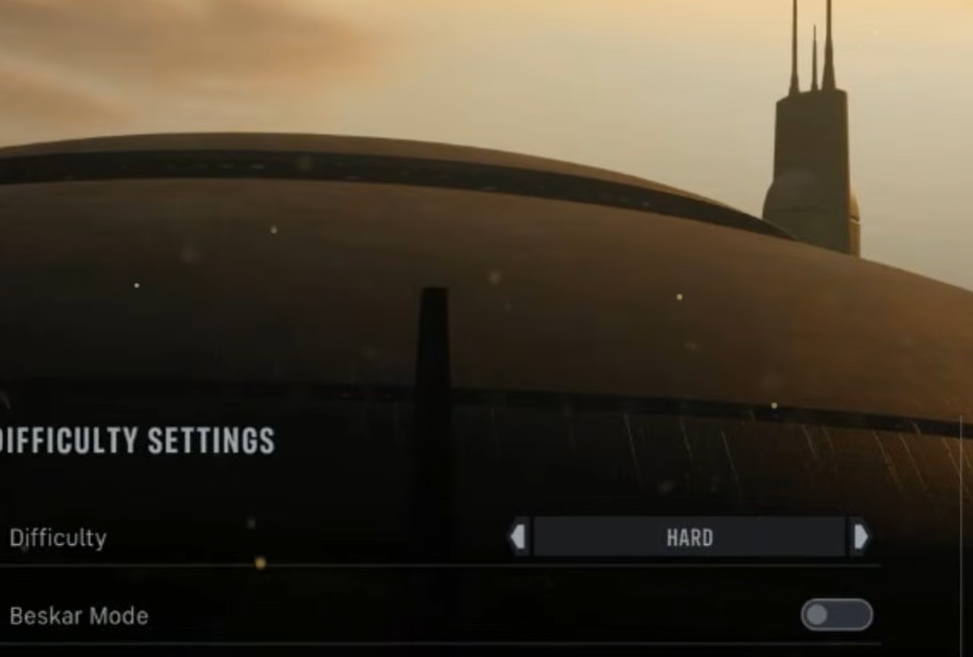
If you are starting a fresh campaign, the game also presents the permadeath choice at the beginning, with it enabled by default. You can decline it at that point, or leave it on and revisit the difficulty menu later if the fights become too punishing.
Note: Permadeath can be toggled off on lower difficulties. A separate setting called Beskar Mode goes the opposite direction and disables save reloading entirely, so avoid that if you want a softer run.
What permadeath actually controls
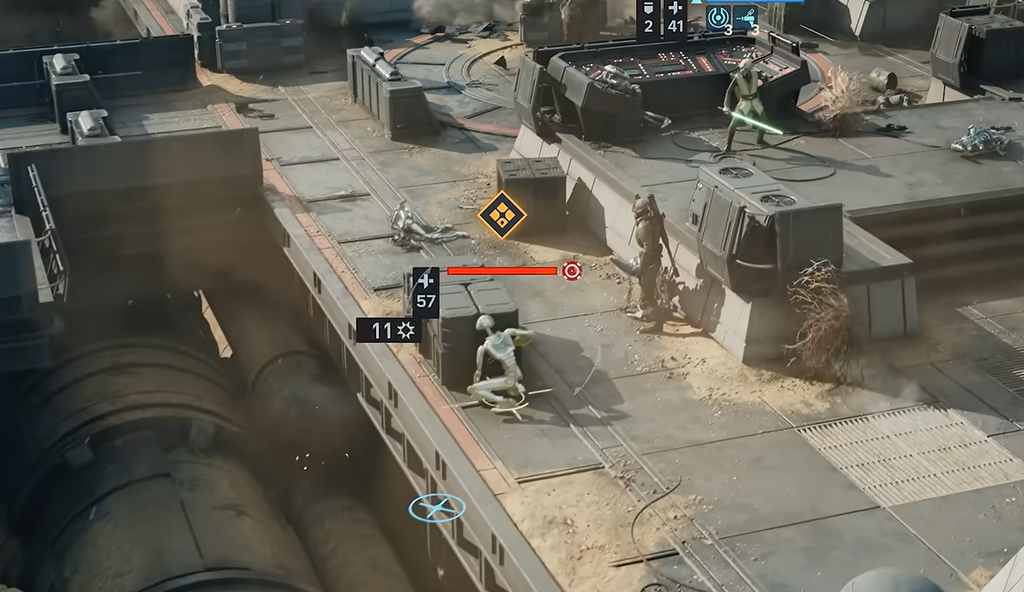
Permadeath is tied to the injury system rather than a single killing blow. A squad member records an Injury each time their Health hits zero and they enter a Downed state. On standard difficulty, a third Injury kills that operator for good. Those Injuries stack across missions, not just within one fight, and they stay on a character until treated.
Every Injury a character carries also lowers their chance to hit by 10 percent, and the penalty stacks. An operator with two Injuries fights at 20 percent reduced accuracy before cover and range are factored in. So an injured character is both closer to death and less reliable in combat.
A Downed ally can be brought back mid-mission with a Rally, but that costs Action Points, which competes with attacking or moving that turn. A Medic who Rallies a Downed teammate returns them fully healed through the First Responder passive. Any other class revives them on only a fraction of their health, leaving them exposed to going down again and picking up a second Injury in the same fight.
Injuries are healed at the Den, either in the Medbay or the Bacta Tank between missions. Turning permadeath off removes the permanent death outcome, but the game still simulates injuries, morale shifts, and the other consequences around them.
Who can and cannot die
With permadeath on, almost every character is vulnerable, including named story companions known as Authored Operators. A major figure such as your Jedi Padawan or a Mandalorian warrior can be lost to a single stray blaster bolt and removed from the rest of the campaign.
Hawks, the player-created leader, is the one exception. If Hawks dies, the mission fails and restarts rather than ending the campaign. Characters introduced during a specific mission, or central to it, can also trigger a mission failure instead of dying outright. Once those early or key missions are cleared, authored characters become as vulnerable as anyone else.
Difficulty options and what changes
There are four named difficulties, plus Beskar Mode, which stacks on top of a difficulty rather than replacing it. The instant-heal Bacta Tank is disabled on the higher tiers, leaving a standard bed as the only cure there.
| Setting | Effect on permadeath and treatment |
|---|---|
| Story | Most forgiving; permadeath can be toggled off |
| Normal | Permadeath on by default; can be toggled off |
| Hard | Bacta Tank disabled, no instant treatment |
| Expert | Bacta Tank disabled, no instant treatment |
| Beskar Mode | Stacks on a difficulty; disables save reloading |
Should you keep permadeath on
Keeping permadeath on makes every battle a genuine risk, and it feeds directly into the game’s Soldier Bonds system. When a bonded squad member dies for good, those relationships are severed and surviving characters react to the loss, which shifts dialogue and story branches. The developers built the mechanic around the idea that Star Wars is about loss, and they recommend leaving it on for the intended experience.
Switching it off keeps your favorite operators available no matter how a fight goes, at the cost of that narrative weight. If you mainly want to see the campaign through without losing built-up squad members, disable it from the difficulty menu and treat injuries at the Den between missions to keep your roster at full accuracy.