Drive through Vice Beach in Grand Theft Auto VI and you can end up riding alongside somebody else’s broadcast. Livestreamers exist in the world as ordinary pedestrians and passengers, and when one is close enough, their stream takes over part of your screen with a viewer count and a live chat feed that keeps scrolling while you drive.
Quick answer: Get close to a streaming NPC and a red LIVE badge, a rising viewer count, and a scrolling chat column appear over your gameplay. A VIEW LIVESTREAM prompt sits in the bottom-right corner bound to R3 — press it to switch to what that streamer is broadcasting.
GTA 6 in-world livestreams: What they are
An in-world livestream is a broadcast being made by a character inside Vice City, surfaced to you through a UI overlay rather than through a menu or an app. You do not open it from a phone screen or a pause menu. The overlay simply appears while you are playing, triggered by proximity to the person doing the streaming.
The stream is a live event happening in the world, not a cutscene. Traffic keeps moving, police keep reacting, and you keep full control of your vehicle while the chat scrolls beside you.
The Camilo trunk challenge encounter in Vice Beach
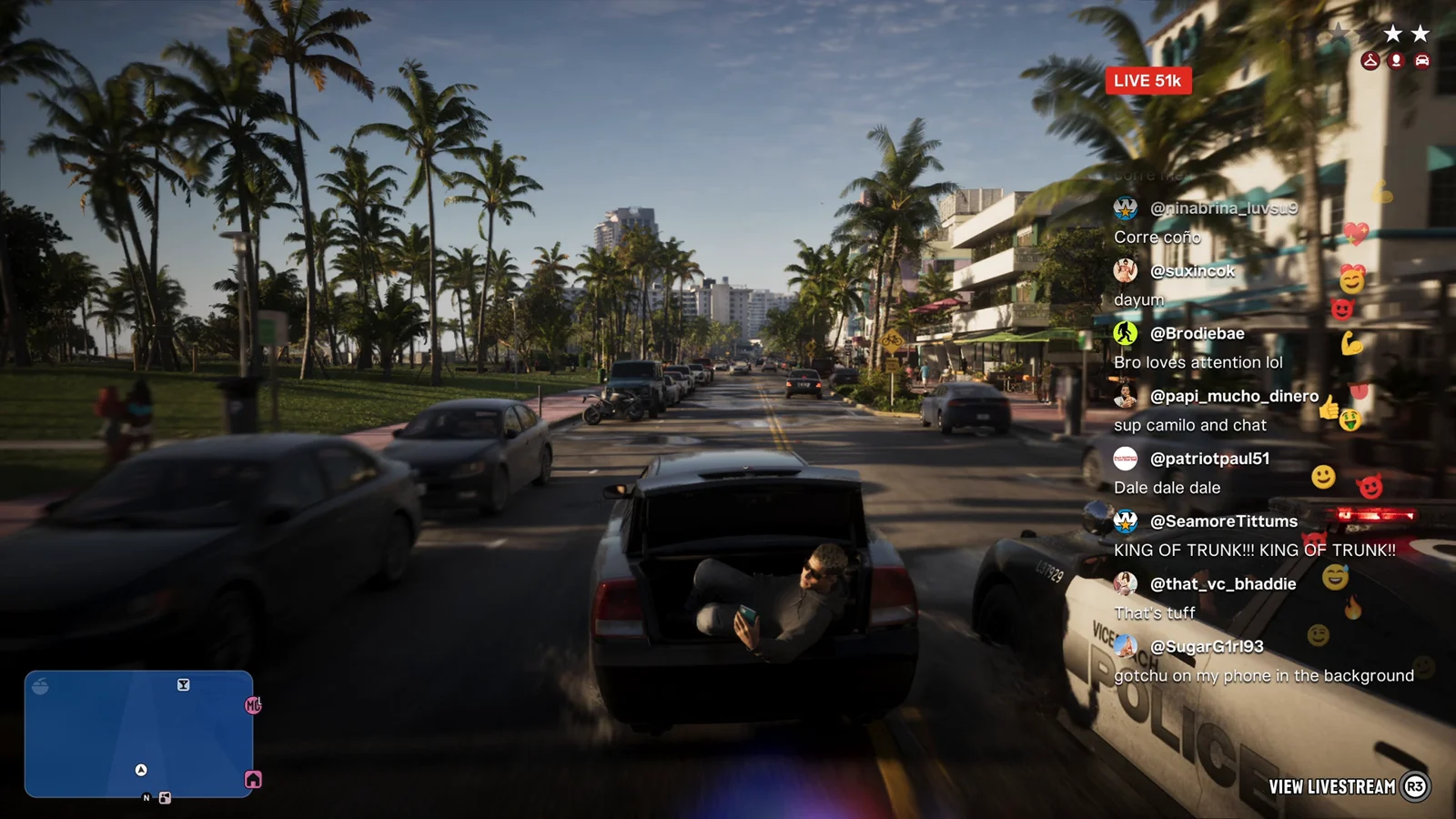
The clearest example plays out while Jason is driving through Vice Beach. A streamer named Camilo is sitting in the open trunk of a moving sedan, filming himself on his phone as part of a “trunk challenge” stunt. A police cruiser is right behind the car.
The wanted-star row stays active for the whole encounter. The stunt has drawn police attention, and that attention does not pause because a stream is running. It is one continuous piece of gameplay, with the broadcast layered on top of it.
What appears on screen during a livestream
The overlay is built out of a handful of pieces, each one doing a specific job. Here is what each element means while the stream is running.
| On-screen element | What it does |
|---|---|
| Red LIVE badge | Confirms the nearby character is broadcasting right now. |
| Viewer count | Climbs in real time as the stunt continues, moving from 51k to 53k during the chase. |
| Chat column | A scrolling feed of user handles, emoji reactions, and messages that react to what is happening. |
| VIEW LIVESTREAM prompt | Sits in the bottom-right corner, bound to R3, and switches you to the stream view. |
| Wanted stars | Remain visible and active, since the stunt is drawing police attention. |
The chat is written to sound like a real one. Messages include “KING OF TRUNK!!”, “first stream!!!” and “CAMILO COME TO LOS SANTOS”, alongside Spanish-language lines such as “metele mas, ta bueno” and “Dale dale dale”. The mix of languages and the flood of short hype replies are what sell the illusion.
How to view a livestream (R3 prompt)
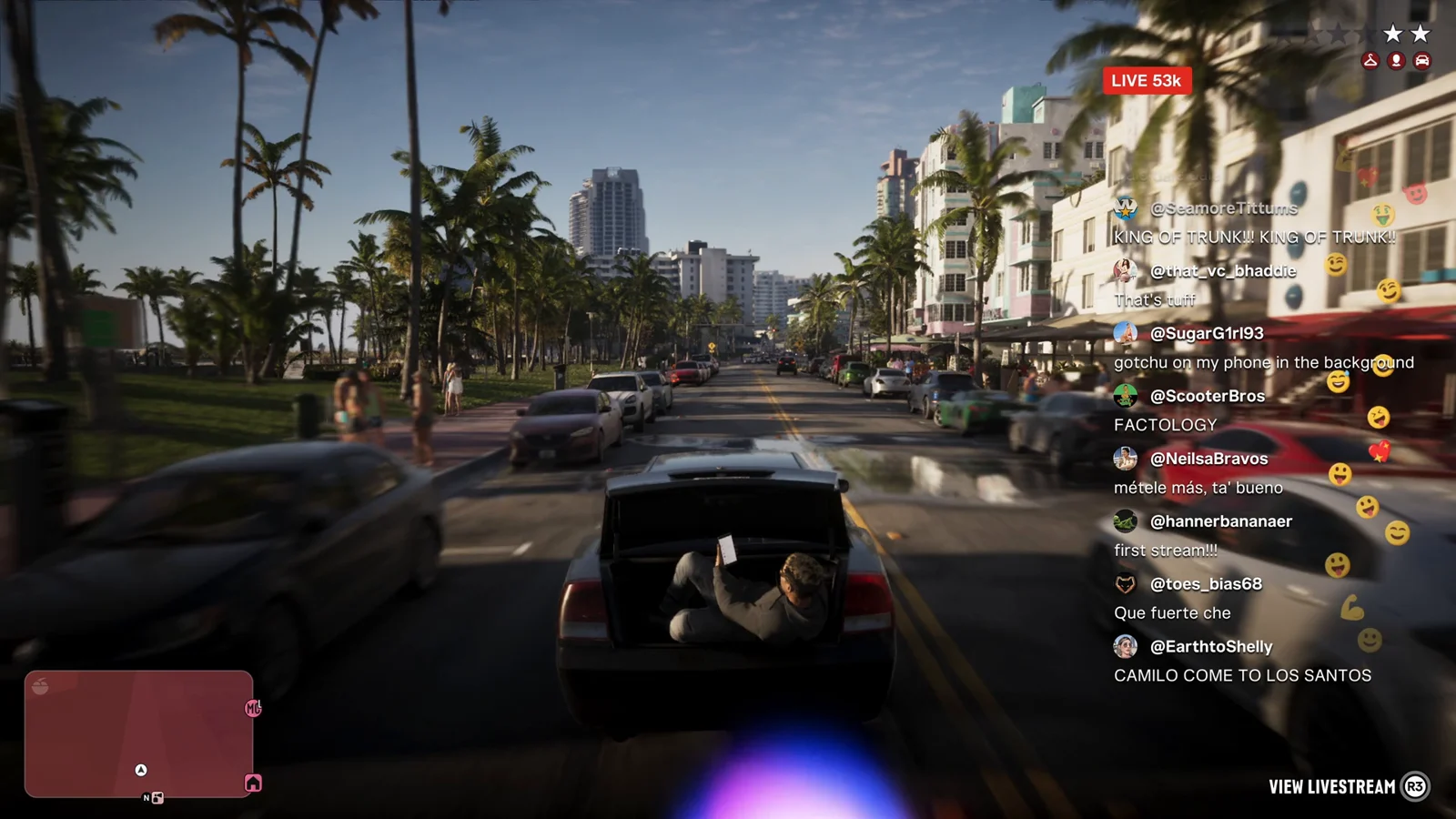
Note: if the prompt is not on screen, the streamer is out of range. Close the distance and the overlay comes back.
Streamers exist as characters, not just an overlay
Camilo is not confined to the chase. He also turns up on foot, phone out, filming himself right next to Lucia outside a cafe. The same person shows up in different places doing the same thing, which means streamers are populated into the world as characters you can run into during normal play.
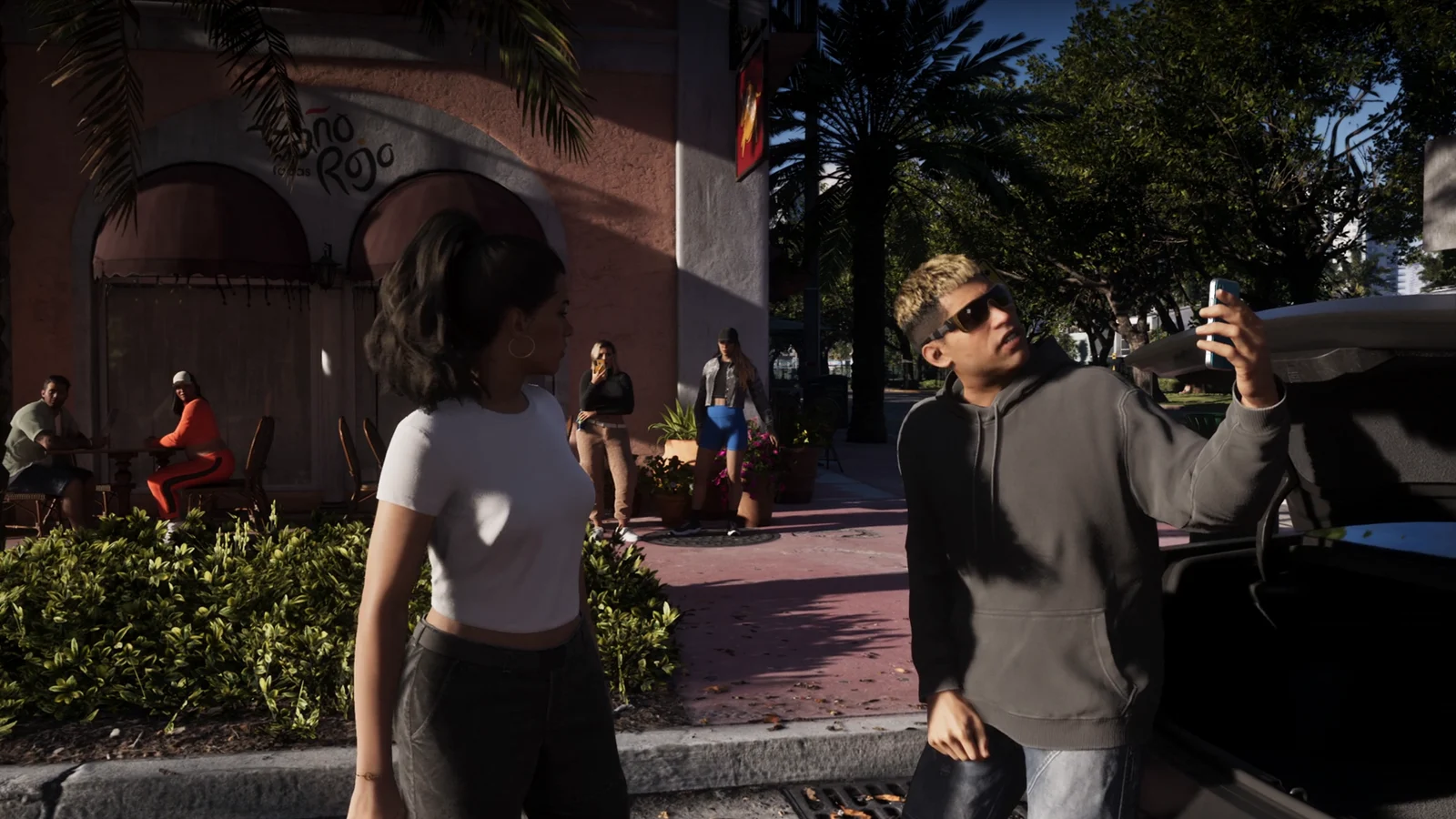
That distinction matters. The overlay is the presentation layer, but the streamer is a physical presence in the city with a body, a phone, and a location.
Where livestreams fit in GTA 6’s wider social layer
Livestreams are one part of a broader set of interruptions that reach you during gameplay. Text-message notification cards slide in while you play, and in-game TV commercials run on screens in the world. Each one delivers information without pulling you out of what you are doing.
Livestreams are the most demanding version of that idea, because they combine a second video feed, a live audience number, and a chat that keeps updating while a police chase is in progress.
What has not been confirmed about GTA 6 livestreams
Everything described here comes from the extended gameplay footage captured on PS5 ahead of launch, and the game is scheduled for November 19th, 2026 on PlayStation 5 and Xbox Series X|S, so specifics can still change before release.
There is no confirmation that you can start your own broadcast as Jason or Lucia, earn money from a stream, or build a follower count. None of that has been shown. What has been shown is the encounter, the overlay, and the R3 view prompt.
The short version: livestreams in GTA 6 are ambient, proximity-driven events with one input to remember — R3 to watch when a stream is happening near you. Everything else, from chat to viewer counts, plays out on its own.