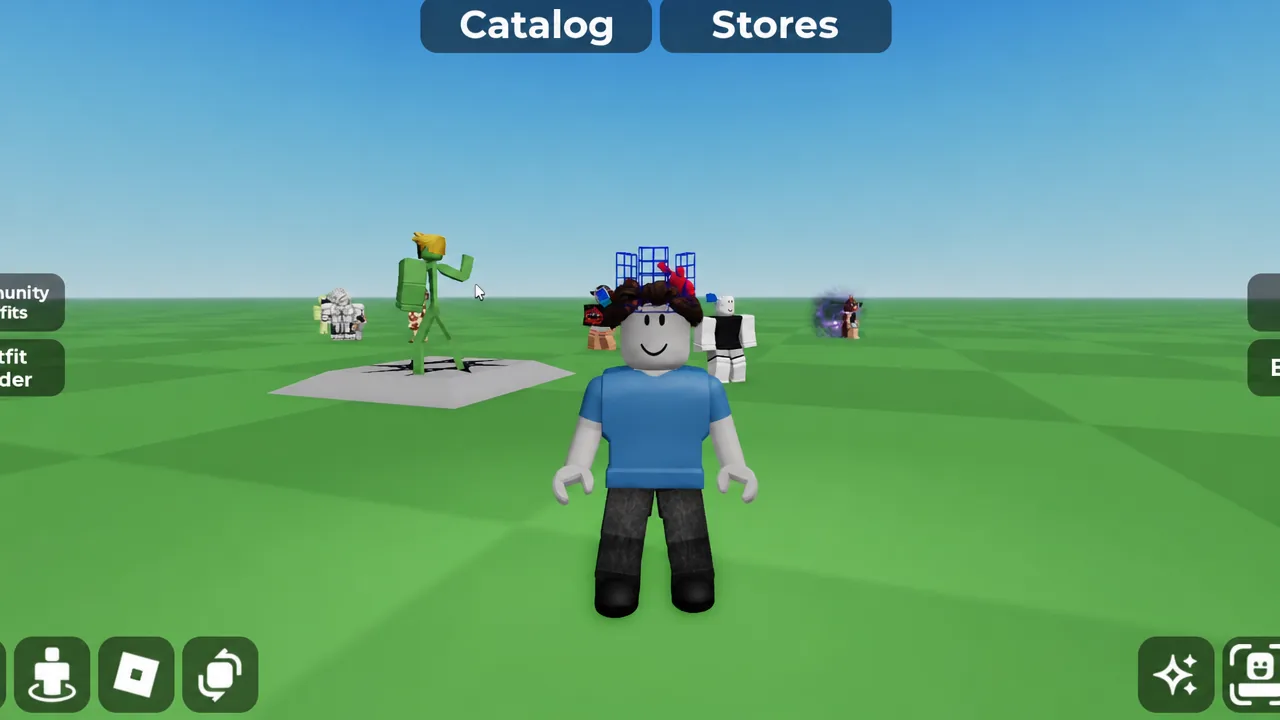
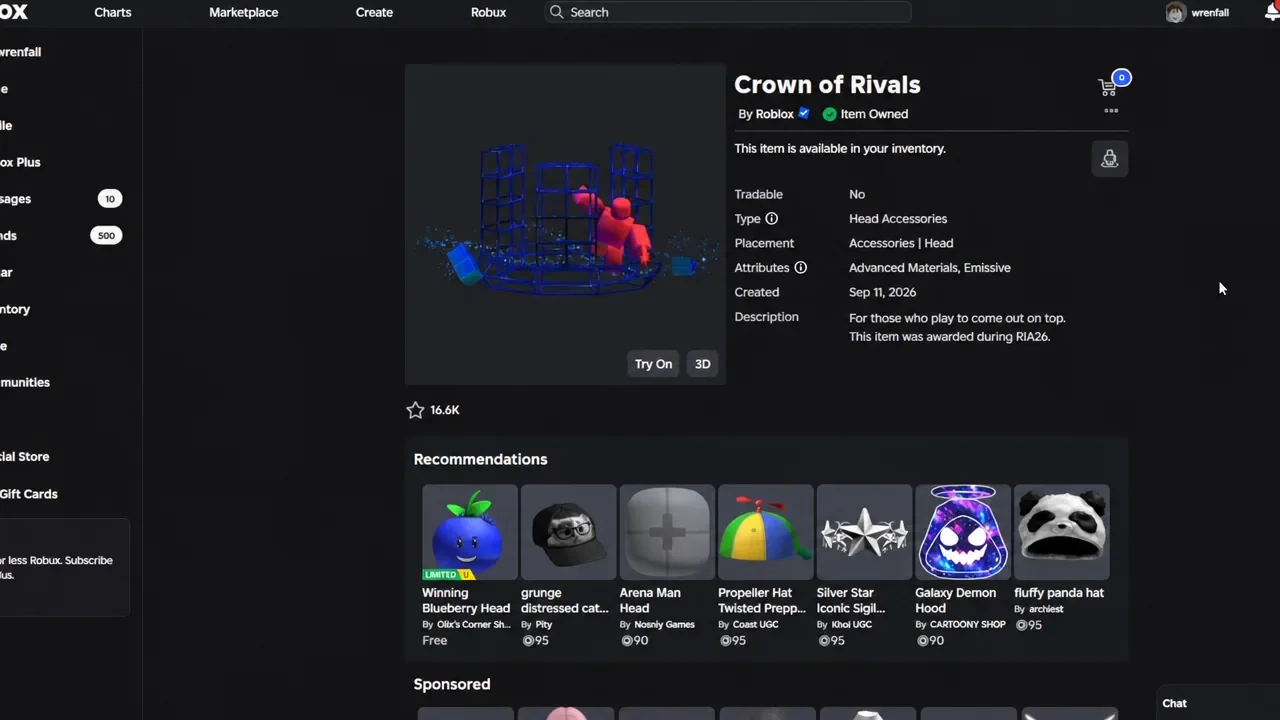
The Crown of Rivals handed out during RUA26 does not look like the domino crowns most players pictured. Its default form is a blue, cage-like head accessory with Advanced Materials and Emissive attributes, and the tile pattern people associate with the series is missing. There is a way around that, and it does not involve trading or re-earning the item.
Quick answer: Buy a Rivals Crown Recolor add-on from the Marketplace, then equip it at the same time as the Crown of Rivals. The add-on sits over the original and produces the domino shape.
What you need before you start
The conversion only works as a pairing. The add-on is a separate accessory that has no crown structure of its own, so it needs the original item underneath it to sit correctly on your head.
- The Crown of Rivals head accessory, awarded during RUA26.
- Roughly 105 Robux for the add-on you choose.
- An avatar editor or an in-game catalog where you can equip both items together.
The add-ons are user-generated items, not official Roblox releases. The one built specifically to match the RUA26 crown is the Classic Blue Rivals Crown Recolor (Addon) by Vinsionz Lab, described in its listing as pairing with the Rivals Crown from that event.
How to apply the domino crown add-on
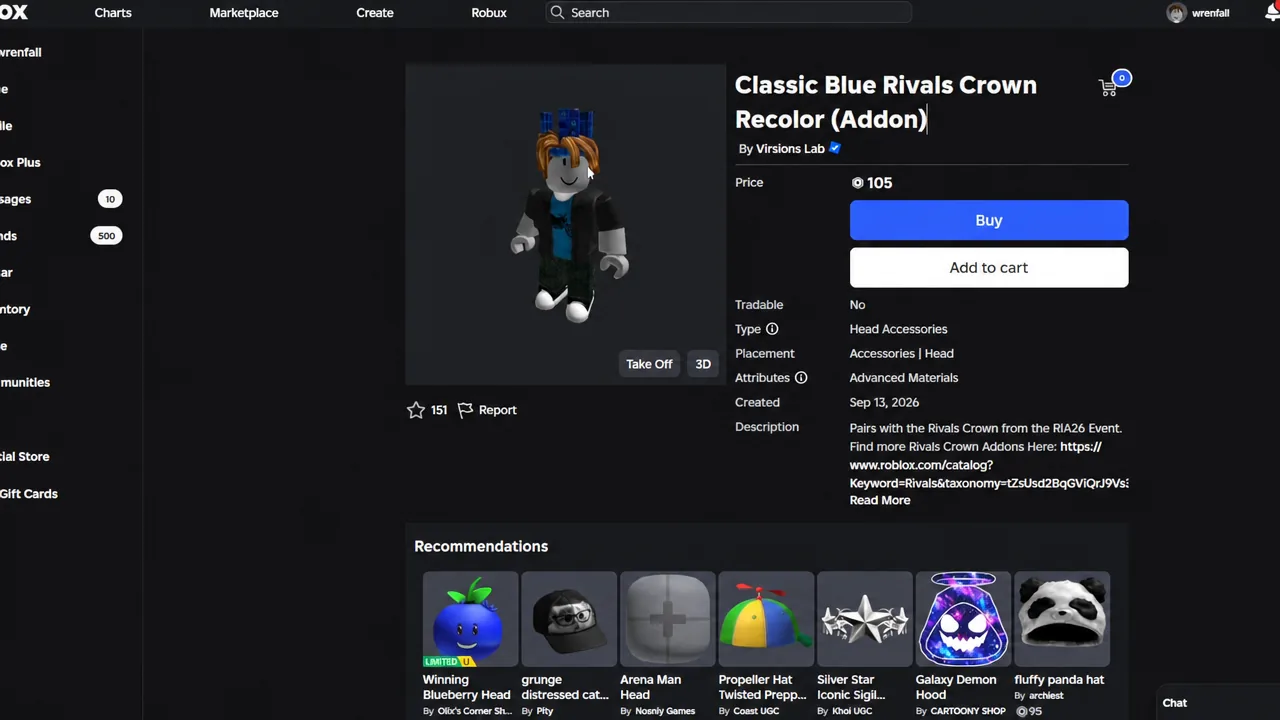
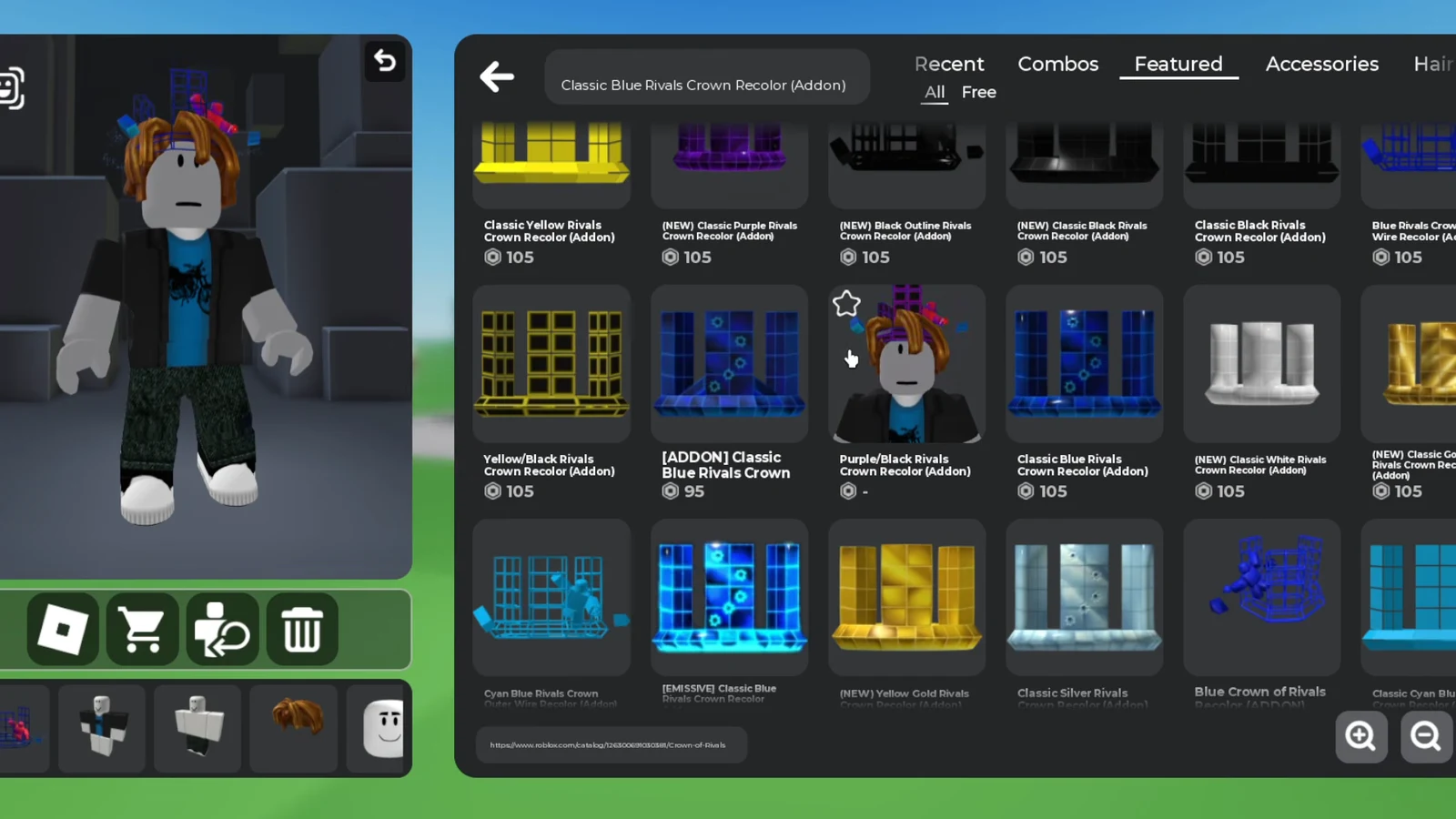
If a search inside a game returns nothing, try the shorter term “Rivals Crown Recolor” instead of the full item name. The catalog lists more than a dozen variants under that wording.
How to confirm the crown changed
The moment both accessories are equipped, the default cage silhouette is replaced by a blue domino crown with the upright tile shapes, complete with bullet holes worked into the design. In the accessories list, the add-on shows a green check mark to confirm it is worn.
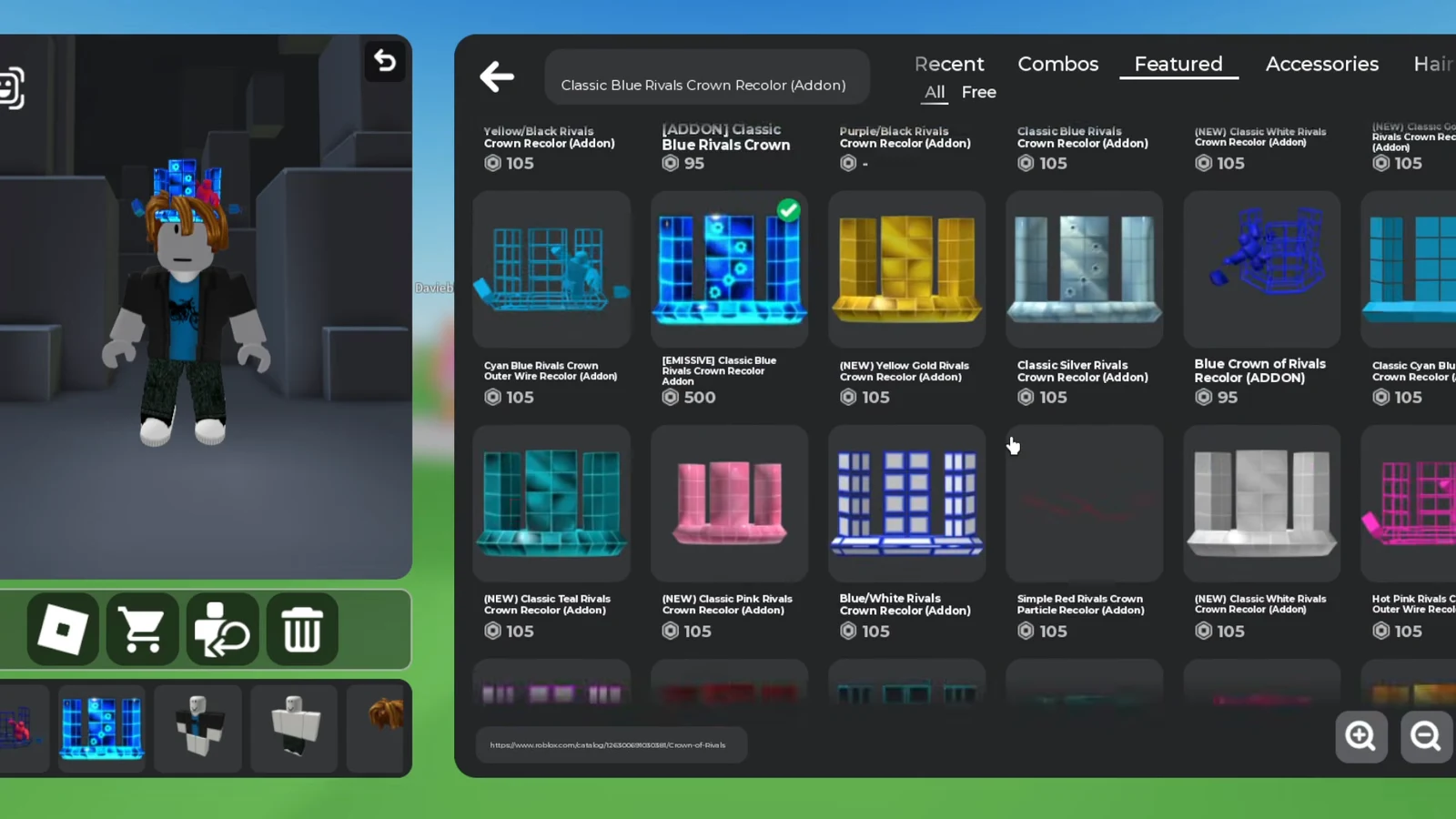
The overlay lines up with the original mesh rather than floating above it, so there is no manual scaling or positioning to adjust. If the crown still looks like its default form, the add-on is not equipped alongside it.
Other Rivals Crown Recolor add-on colors
Blue is not the only option. The catalog carries a spread of recolors that work the same way, generally priced between 90 and 105 Robux. All of them attach to the same base crown.
| Add-on name | Color |
|---|---|
| Classic Blue Rivals Crown Recolor (Addon) | Blue |
| Classic Yellow Rivals Crown Recolor (Addon) | Yellow |
| (NEW) Classic Purple Rivals Crown Recolor (Addon) | Purple |
| (NEW) Classic White Rivals Crown Recolor (Addon) | White |
| Classic Black Rivals Crown Recolor (Addon) | Black |
| (NEW) Black Outline Rivals Crown Recolor (Addon) | Black outline |
| Cyan Blue Rivals Crown Recolor (Addon) | Cyan |
| Yellow/Black Rivals Crown Recolor (Addon) | Yellow and black |
| Purple/Black Rivals Crown Recolor (Addon) | Purple and black |
| Blue Rivals Crown Wire Recolor (Addon) | Blue wire |
Across the yellow, golden and brighter cyan versions, the classic blue variant holds up best against the original item’s palette, since the base crown is already blue and the overlay reads as a single accessory rather than two competing colors. The wire and outline versions change the finish instead of the tint, which is worth previewing before buying.
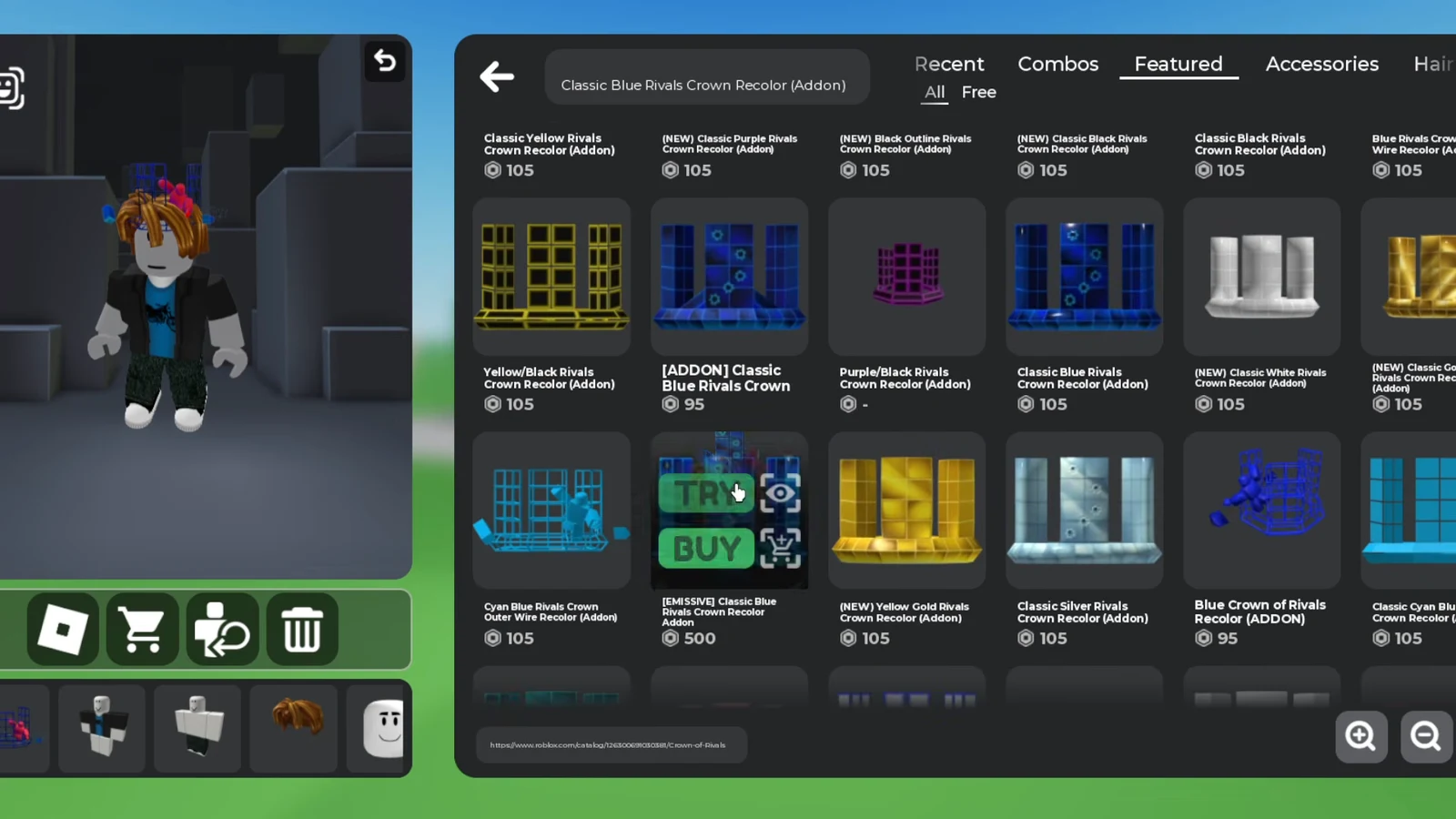
Several listings share near-identical names, including “[ADDON] Classic Blue Rivals Crown” and “Blue Crown of Rivals Recolor (ADDON)”. Use the TRY option before buying so you can see which one sits correctly on the crown.
What the add-on does not change
The overlay is purely cosmetic. Your Crown of Rivals remains the same item in your inventory, still marked as a Roblox-created head accessory awarded during RUA26, and buying a recolor does not convert it into one of the rarer tiers. The Golden Rivals Domino Crown and Silver Rivals Domino Crown are separate catalog items tied to RDC competitors, and no purchase grants them.
Anyone who sees your avatar in a game or on your profile picture sees the layered look, because both accessories are worn on the avatar itself. That makes the recolor the practical route to a domino-style crown for players who earned the blue version and wanted the classic silhouette to go with it.