Factions in Slayers 2 are player-run groups with their own name, reputation score, and a roster that tops out at 50 members. You do not need an NPC, a quest, or a level requirement to start one. The whole process lives inside the main menu sidebar and takes about ten seconds.
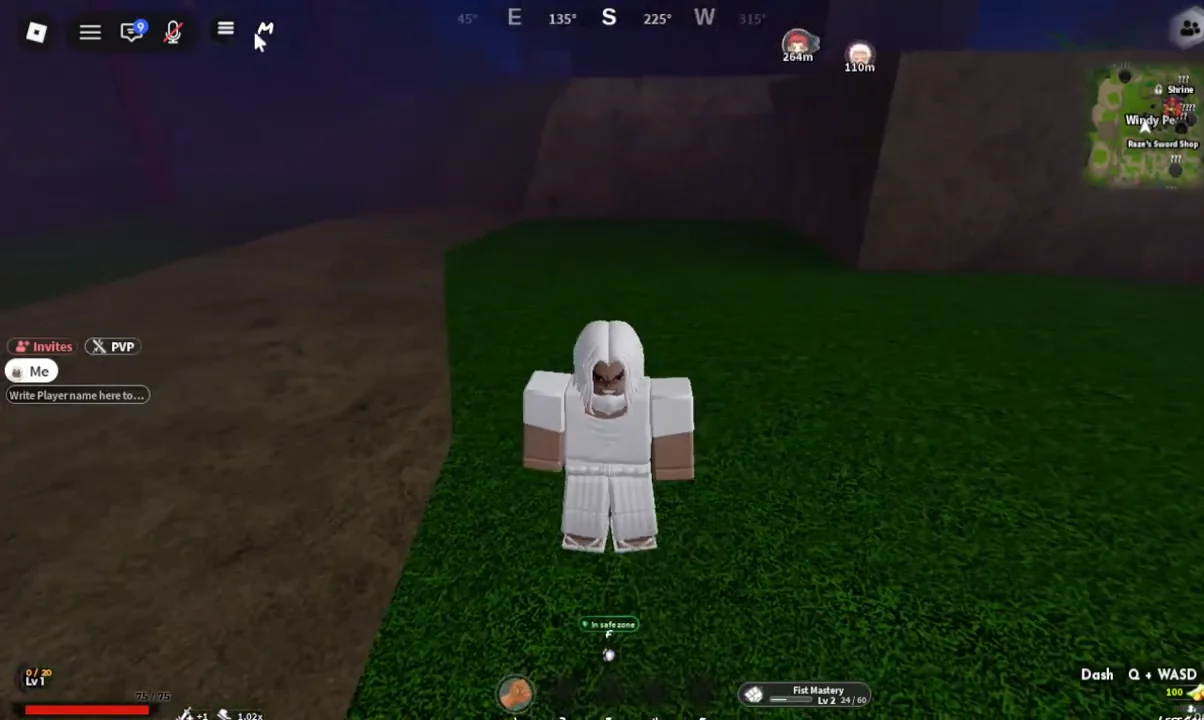
Quick answer: Open the menu with the three-line icon in the top-left corner, pick Faction, type a name between 5 and 20 characters, and press Create Faction.
Faction creation rules in Slayers 2
Before you type anything, it helps to know the limits the game enforces. The creation panel rejects names outside the character range, and the founder role is assigned automatically rather than chosen.
| Rule | Value |
|---|---|
| Name length | 5 to 20 characters |
| Founder role | Admin |
| Member cap | 50 |
| Starting reputation | -3 |
| Where to create | Menu sidebar, Faction tab |
If you would rather join an existing group than run one, the same panel spells that out. The Faction tab tells you to either create a faction or ask an existing faction admin to send you an invite, so there is no separate browse-and-apply screen to hunt for.
How to create a faction
How to confirm the faction was created
Once the server responds, the panel switches from the creation form to the faction overview. A confirmation line reading “Founded the faction [name]” appears, your own entry is listed as ME (Admin), and the member counter shows 1 of 50 members. Reputation sits at -3 on a fresh faction, which is the default starting value rather than a penalty for anything you did.
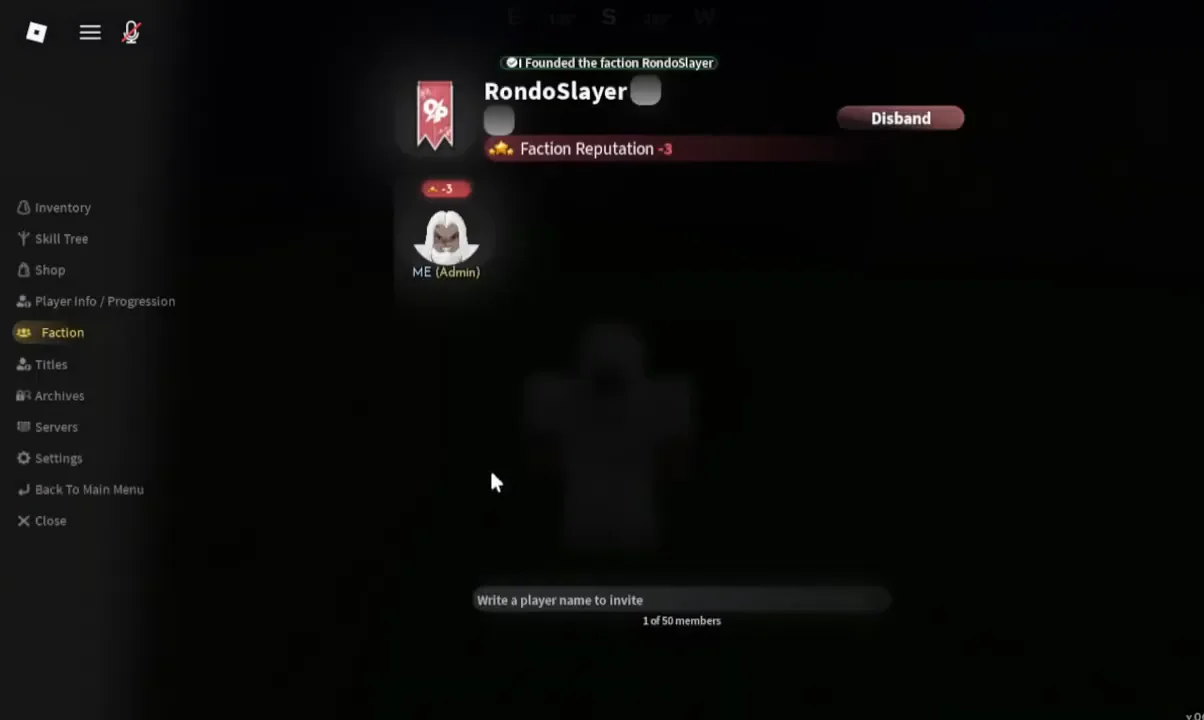
If you still see the empty “Faction name here!” field after pressing the button, the faction was not registered and you can try again with a different name.
Admin controls: Inviting, editing, and disbanding
Creating the faction makes you its admin, and the overview panel is where every management option lives. There is no separate officer menu or permissions screen.
- Invite players by typing an exact username into the “Write a player name to invite” field.
- Track the roster through the member counter, which caps at 50.
- Edit the faction name after creation.
- Add a banner image to the faction.
- Use Disband to delete the faction entirely.
Invites match on the exact username, not the display name, so a typo returns nothing rather than a suggestion list.
Other tabs in the same menu
The sidebar you used to reach the Faction panel holds the rest of the character screens, and two of them sit right next to it. Player Info / Progression shows your level, race, and Slayer Progress bar, which starts at 0 / 2000. The Shop tab lists the timed boosts (2x EXP for 30 minutes, plus 15-minute versions of Wen, Luck, Mastery, and Souls), the reset options for Breathing, Fighting Style, Evil Art, Race, Skill Points, and Reputation, and a 4x Luck entry locked behind VIP.
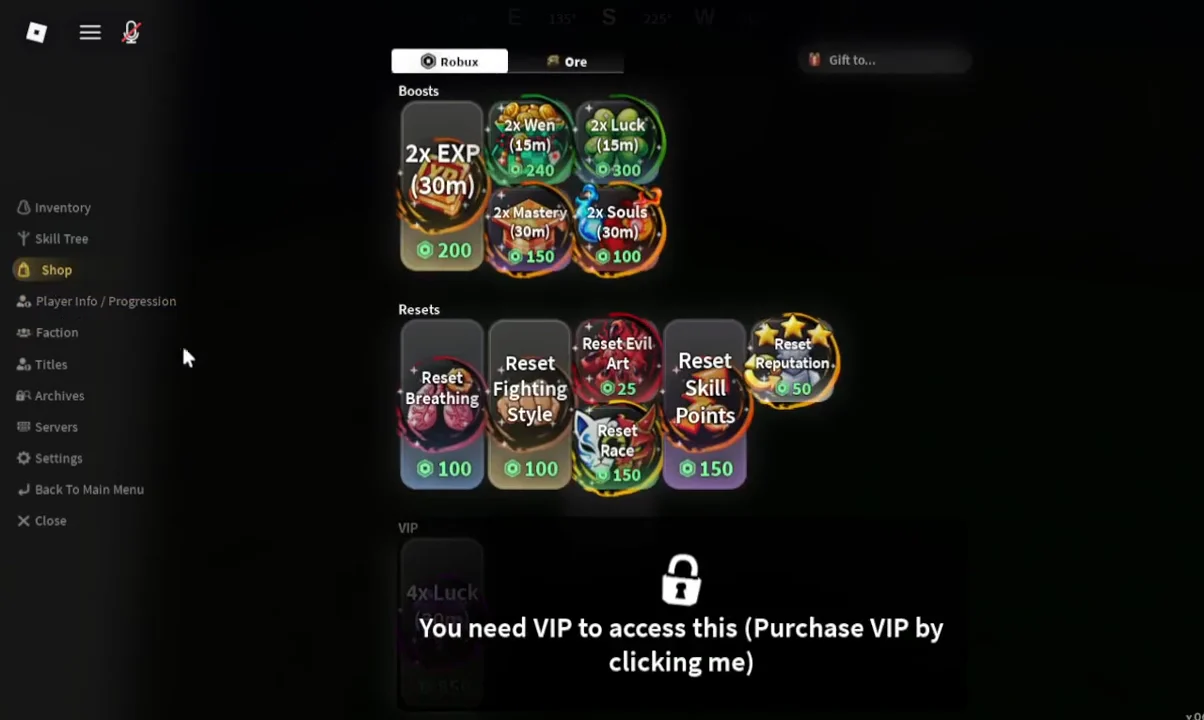
Reset Reputation appears in that same list, which is worth remembering if your faction’s reputation value ends up somewhere you do not want it. Everything else about the faction, from renaming it to shutting it down, stays inside the Faction tab you already know how to reach.