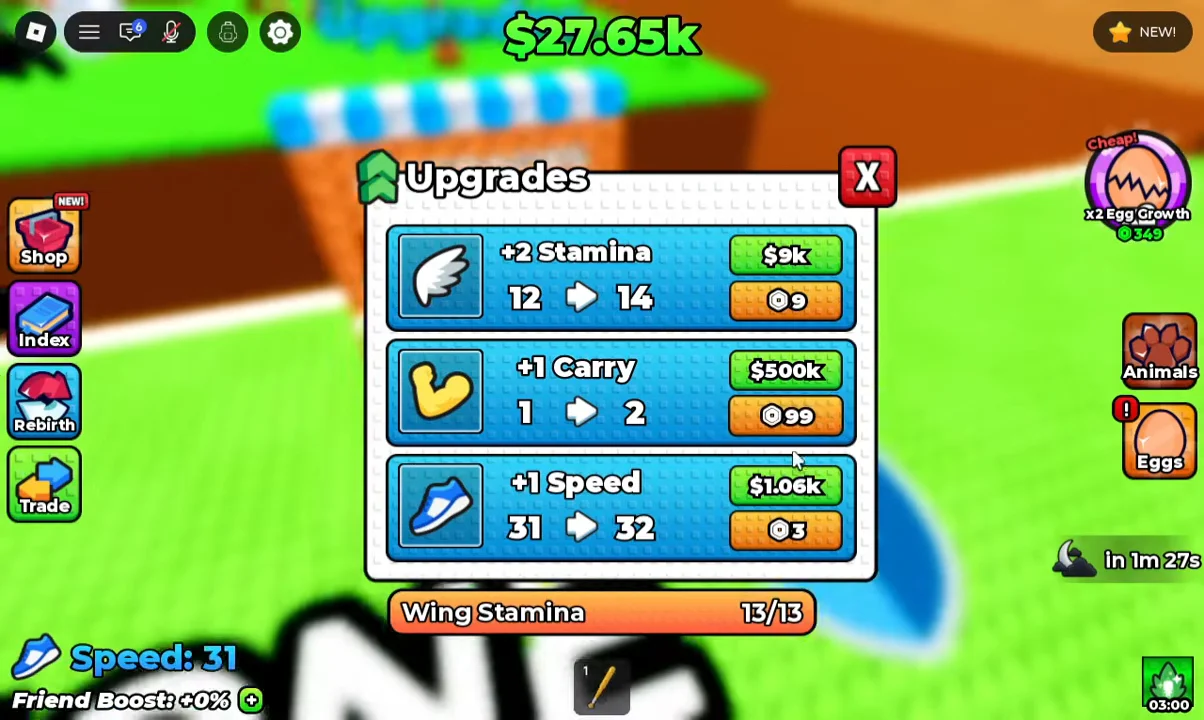
Speed is the single stat that controls how fast you move in +1 Wings For Eggs, both on foot and in the air. Raising it means shorter trips between islands, quicker egg steals from the wild zones, and less time exposed to the guardians defending those eggs. You lift it at one place: the Upgrades kiosk back at your base.
Quick answer: Go to the wooden kiosk marked “Upgrades” at your base and buy “+1 Speed” repeatedly with in-game cash. Each purchase raises your Speed stat by one, and the price climbs with every level.
What the Speed stat does
Speed applies to two things at once. It sets your running pace on the ground, and it sets how fast your wings carry you when you fly. There is no separate “flight speed” upgrade to chase, so pushing this one number up is what makes crossing the Forest Zone and Beach Zone noticeably quicker.
Your current value sits on the HUD as “Speed: 31” and updates the moment you buy an upgrade. In a single run it is realistic to climb from Speed 31 to Speed 42, at which point the movement difference is obvious when you take off across the platforms.
Reaching Speed 40 triggers the “You can now rebirth!” notification, so hitting that threshold doubles as a rebirth milestone.
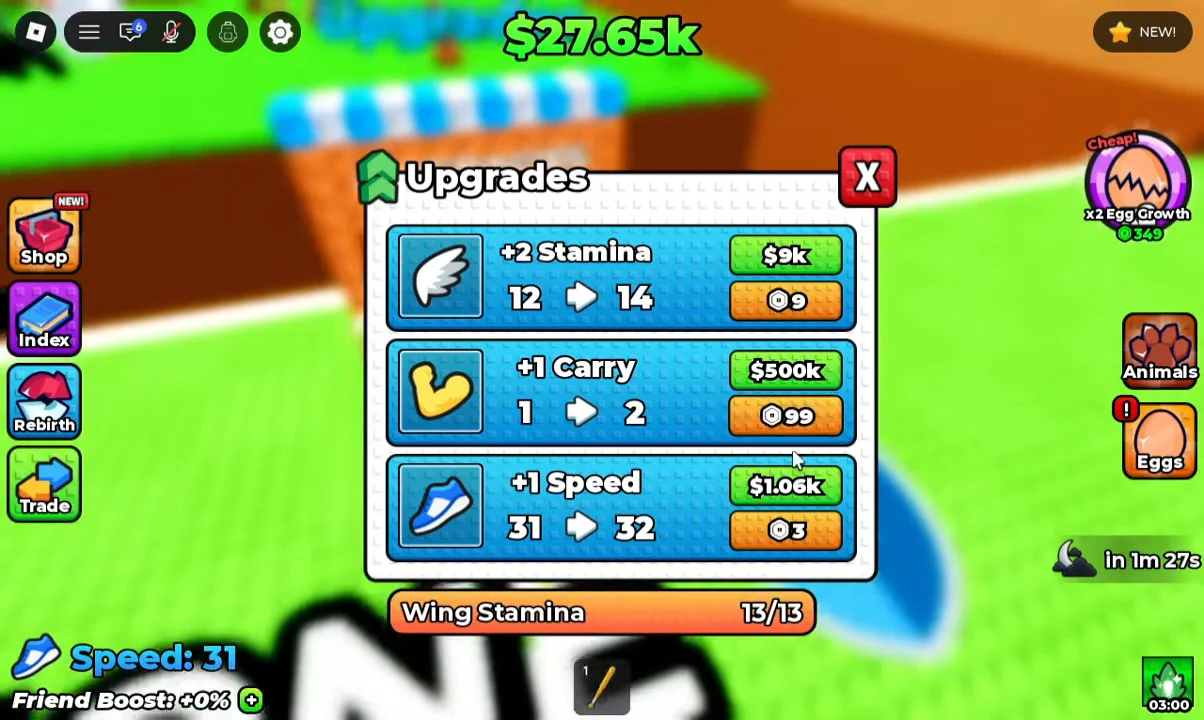
Buy “+1 Speed” at the Upgrades kiosk
How the price scales
Every level of Speed costs more than the last, so your cash drains faster the higher you go. You can also pay 3 Robux per level instead of cash if you want to skip the grind. These are the confirmed cash prices at three points on the curve.
| Upgrade | Cash cost | Robux |
|---|---|---|
| +1 Speed (31 → 32) | $1.06k | 3 |
| +1 Speed (32 → 33) | $1.22k | 3 |
| +1 Speed (36 → 37) | $2.14k | 3 |
Because the cost roughly doubles over just a handful of levels, income becomes the real bottleneck. Hatching animals in your pen and stealing higher-tier eggs, like a Wolf Egg or Lava Chicken Egg from the outer zones, keeps enough cash flowing to fund another round of Speed buys.
Manage Wing Stamina so speed pays off
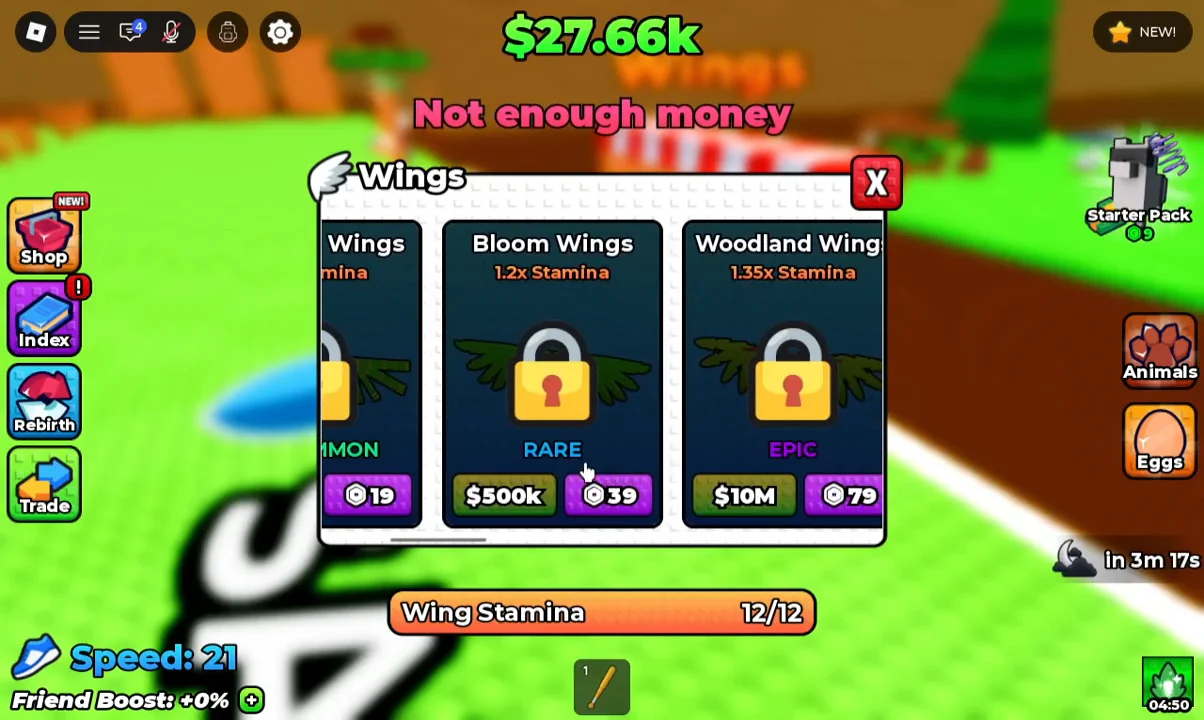
A higher Speed stat only helps if you can stay airborne long enough to use it. Flight drains a “Wing Stamina” bar shown on the HUD, such as 13/13. When it empties, the game warns “No wing stamina! Land and let go of jump to recharge.” You then touch down and release the jump button to refill it.
Speed and stamina solve different problems. Speed shortens travel time; stamina extends how far you can cross before falling. If you keep dropping short of a gap, that is a stamina issue, not a speed one.
Upgrade your Wings for more distance
Wings do not raise flight speed. Each pair grants a stamina multiplier that lets you cover more distance per takeoff, and you buy them at the separate wooden “Wings” stand near the Safe Zone. For every pair and its price, see All Wings in +1 Wings For Eggs, and for a step-by-step purchase walkthrough, see How to Get Better Wings in +1 Wings For Eggs.
Confirm the boost worked
You know a Speed purchase registered the moment the HUD value ticks up and the “Increased Speed” message flashes on screen. Take off afterward and the change is immediate: platforms in the Forest Zone pass quicker, and returning a stolen egg to your pen takes fewer seconds. Keep reinvesting cash into Speed and stamina, and each trip through the outer zones gets faster and safer.