Streamer Mode in AION 2 hides the personal details that appear on your screen and above your character, so viewers cannot read your real account name or in-game username. It is built to reduce stream sniping and keep your identity private while you broadcast.
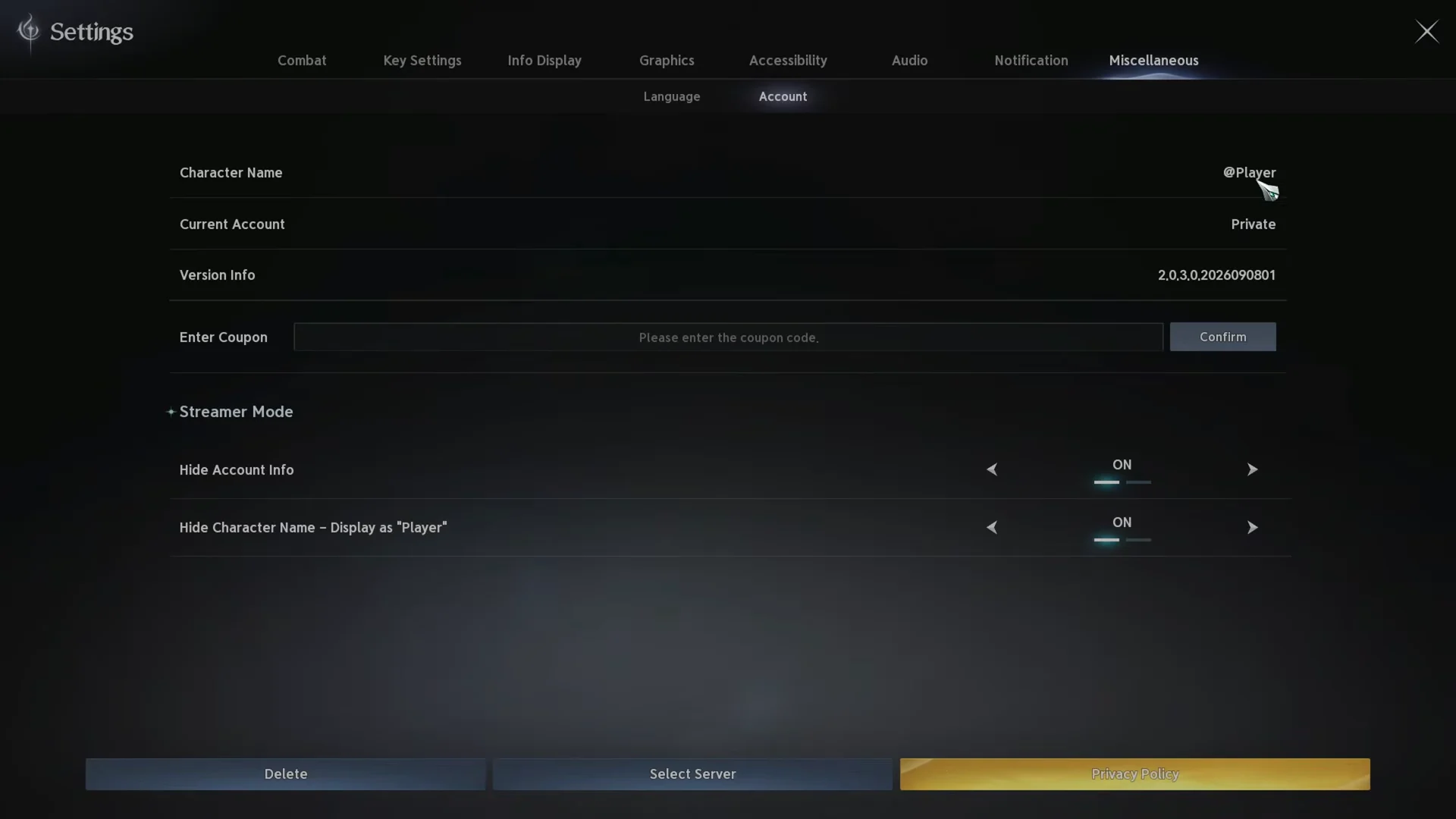
Quick answer: In Settings, navigate to Miscellaneous > Account, then switch ON both Streamer Mode options: “Hide Account Info” and “Hide Character Name – Display as ‘Player’.”
What each Streamer Mode toggle changes
The Streamer Mode section holds two independent switches. You can enable one or both, and each affects a different piece of on-screen information.
| Toggle | What it hides when set to ON |
|---|---|
| Hide Account Info | Your account identifier is concealed, and the Current Account value changes to Private. |
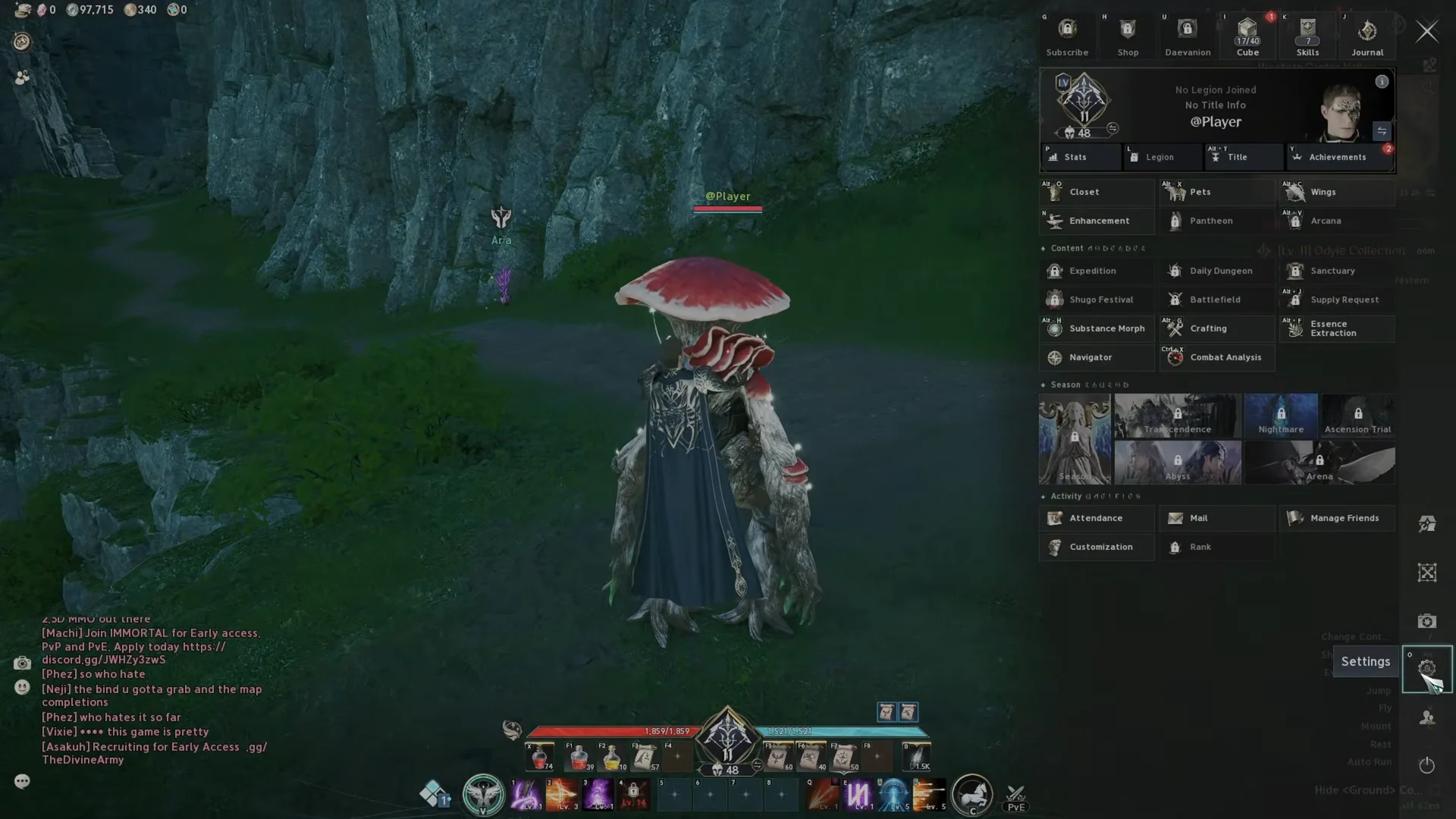
| Character name display: replace it with ‘Player’ | Replaces your username with “@Player” on the menu and above your character. |
Enable Streamer Mode in AION 2
Confirm the change worked
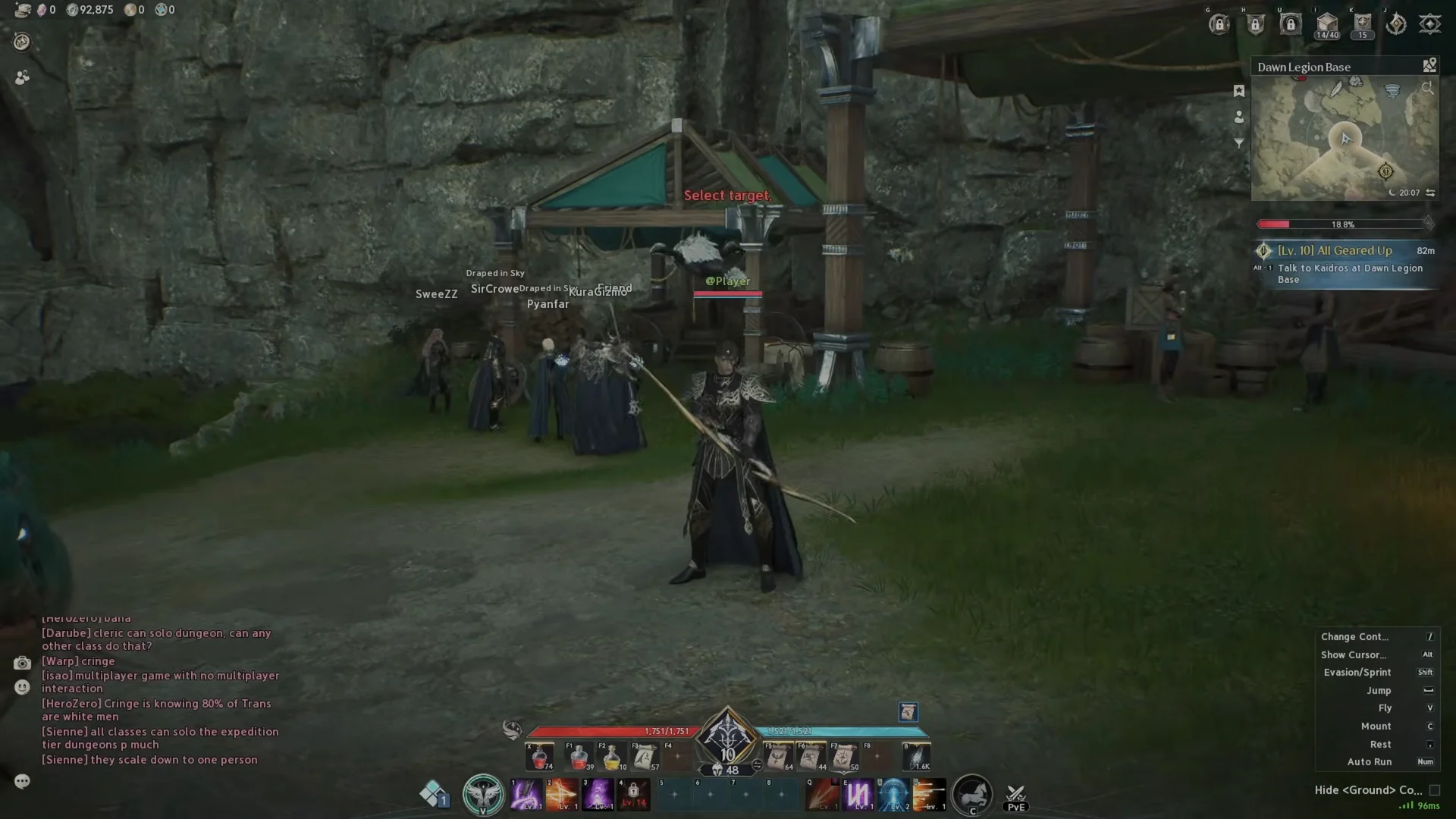
Back in the game world, look at the name tag floating above your character. If Streamer Mode is active, it now reads “@Player” instead of your username. You can also reopen Settings and check that “Current Account” still shows “Private”. Both confirmations mean your details are hidden from anyone watching your capture.
Other capture settings streamers adjust
Streamer Mode handles names and account status, but two other options help clean up what appears on stream.
Hide the entire UI
AION 2 has a Hide UI action bound to F12 by default. You can find and remap it under Settings > Key Settings > Menu. Pressing the key toggles the whole interface off for clean footage and screenshots, then back on again.
Hide floating damage numbers
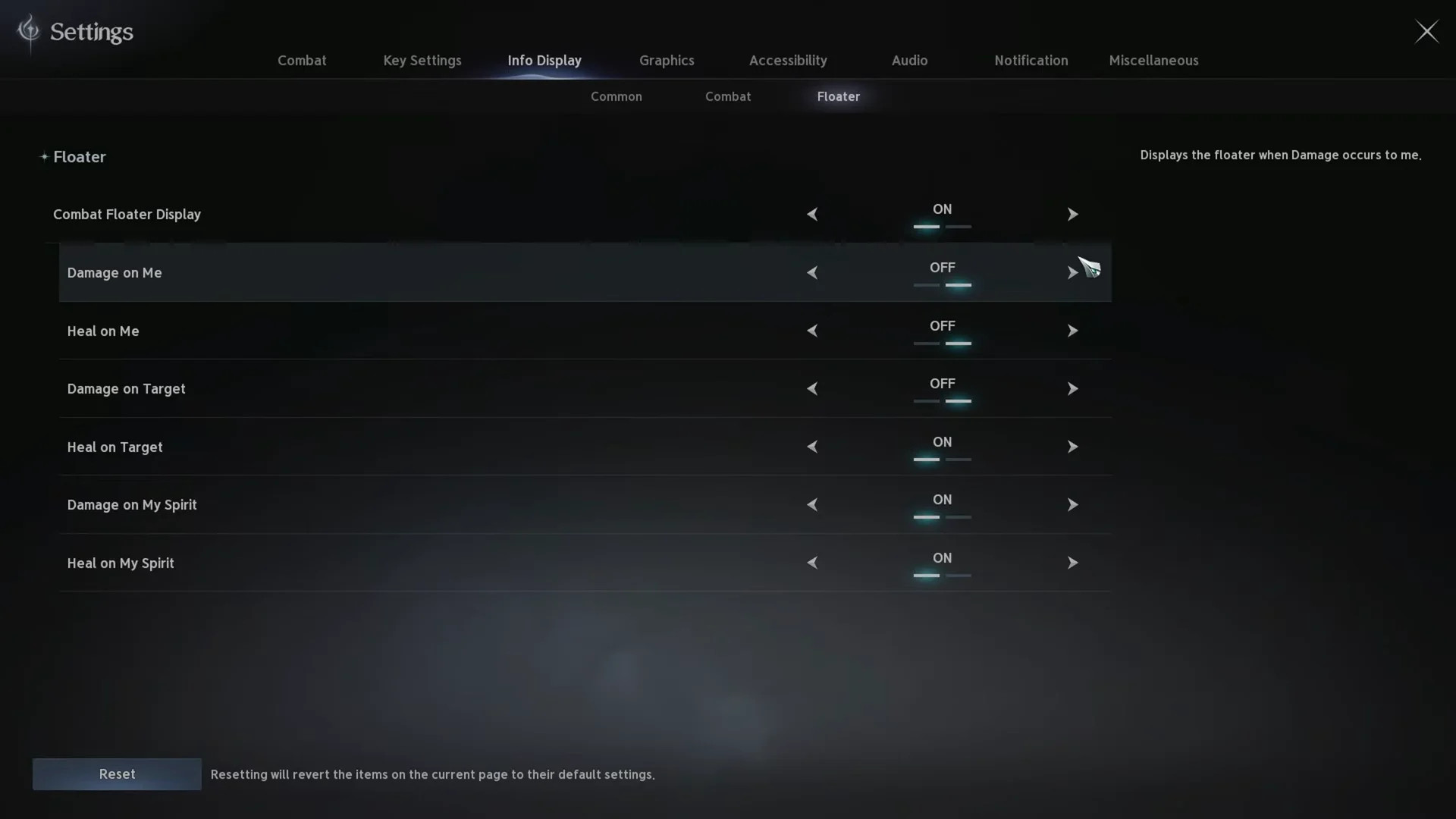
To remove combat numbers from view, open Settings > Info Display and select the Floater tab. From there you can switch off Combat Floater Display and the individual Damage and Heal options for you, your target, and your spirit.
With Streamer Mode on, your name tag and account status stay masked for as long as the toggles remain enabled, so you can turn them on once before a broadcast and leave them set.