Wedge yourself between rocks deep inside Bone Cave in Permafrost and no amount of walking will free you. The game includes a built-in escape for exactly this: a menu button called UNSTUCK ME that pulls your character out of the geometry and drops you somewhere safe. Here is how to trigger it, what it moves, and where you end up.
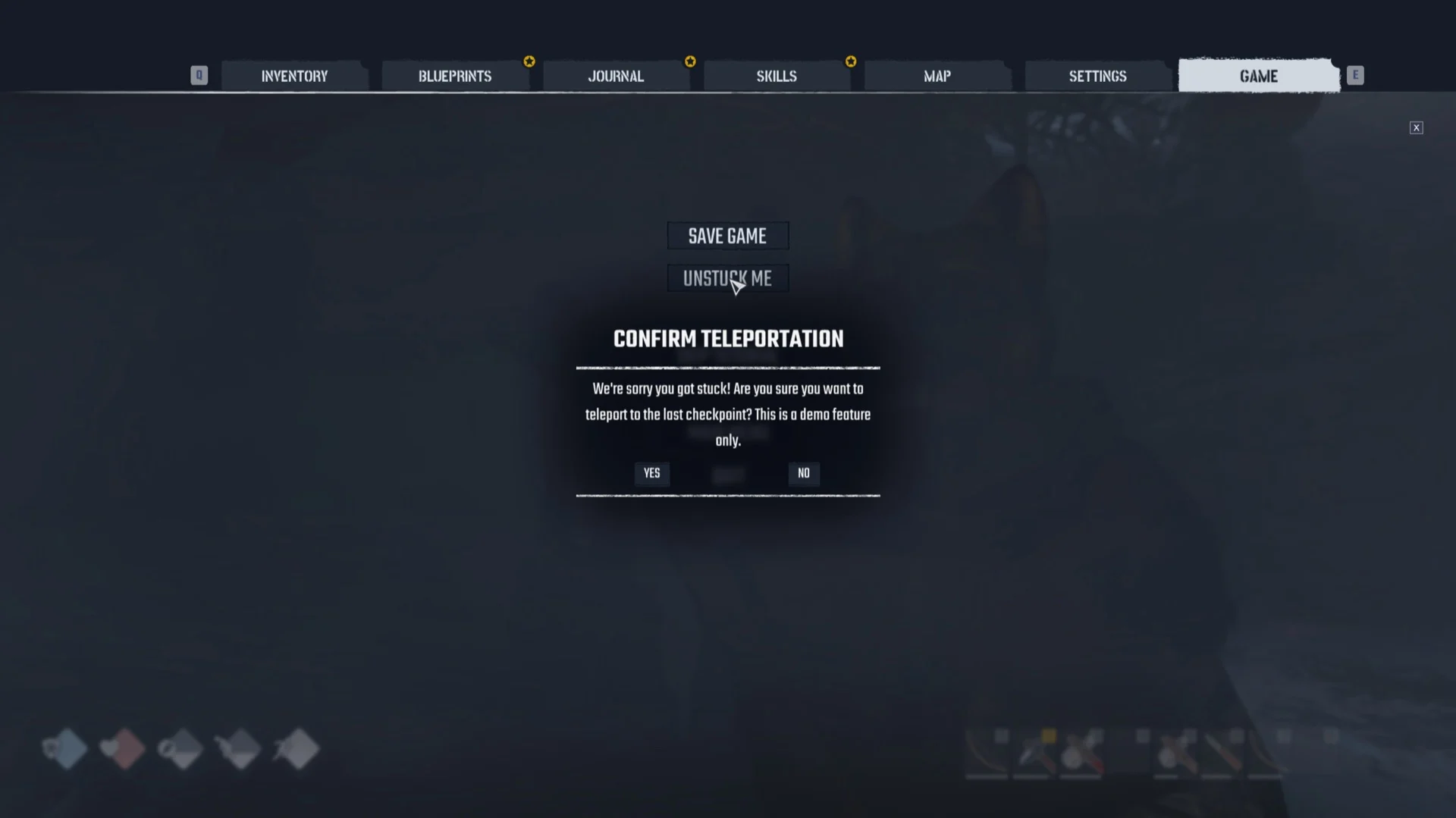
Quick answer: Press Esc, open the GAME tab, select UNSTUCK ME, then click YES on the confirmation. Your character teleports to the last checkpoint, which on Story difficulty landed at Horizon.
How to use Unstuck Me in Permafrost
UNSTUCK ME lives in the pause menu, directly under SAVE GAME. You can reach it even when your character cannot move at all. The whole sequence takes a few seconds.
Where Unstuck Me sends you
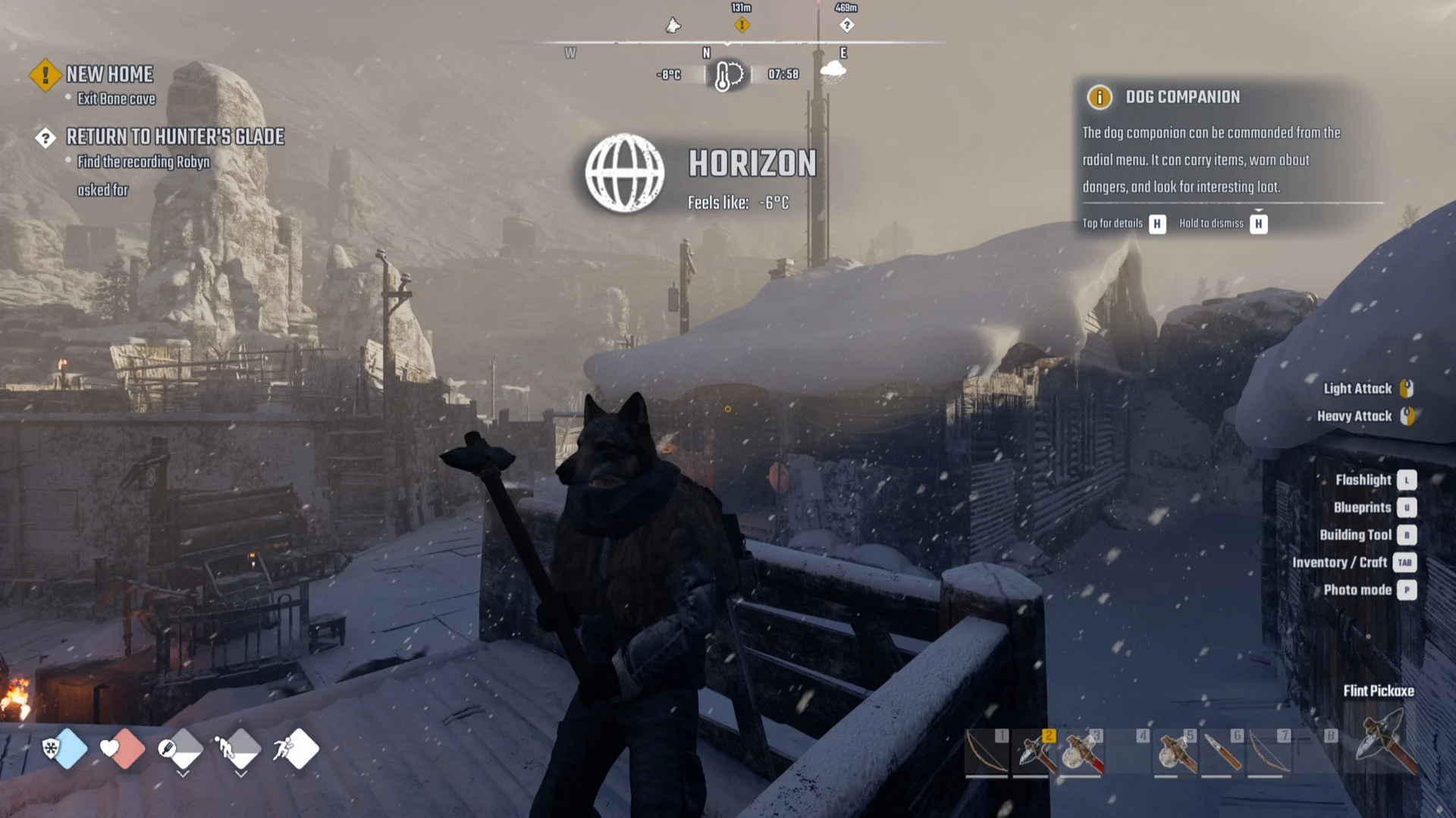
Confirming YES teleports you to your last checkpoint rather than to a fixed spot. On Story difficulty, running it from a rock pocket inside Bone Cave dropped the character onto a wooden walkway inside Horizon. The arrival banner read “HORIZON, Feels like: -6°C”.
Worth knowing: the checkpoint is not your bed. In this case the claimed bed sat 45 metres outside Horizon’s gate, yet the teleport still landed inside Horizon itself. The last checkpoint and your respawn bed are separate things.
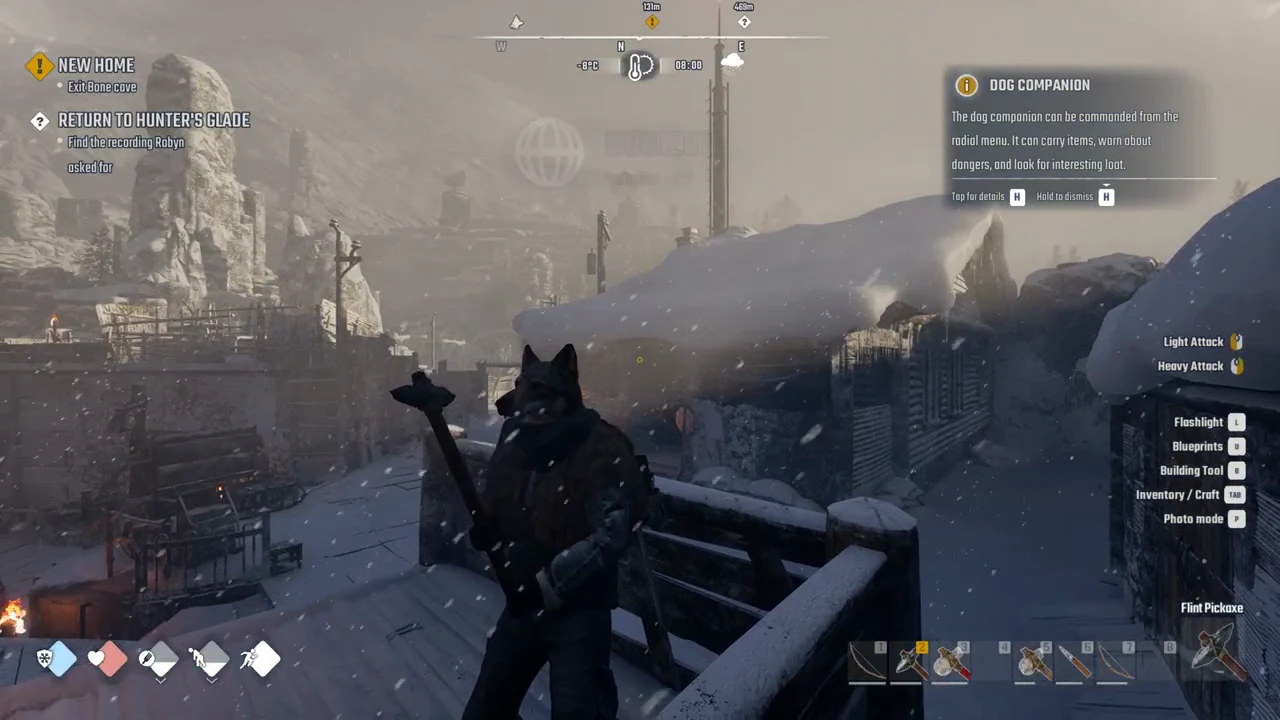
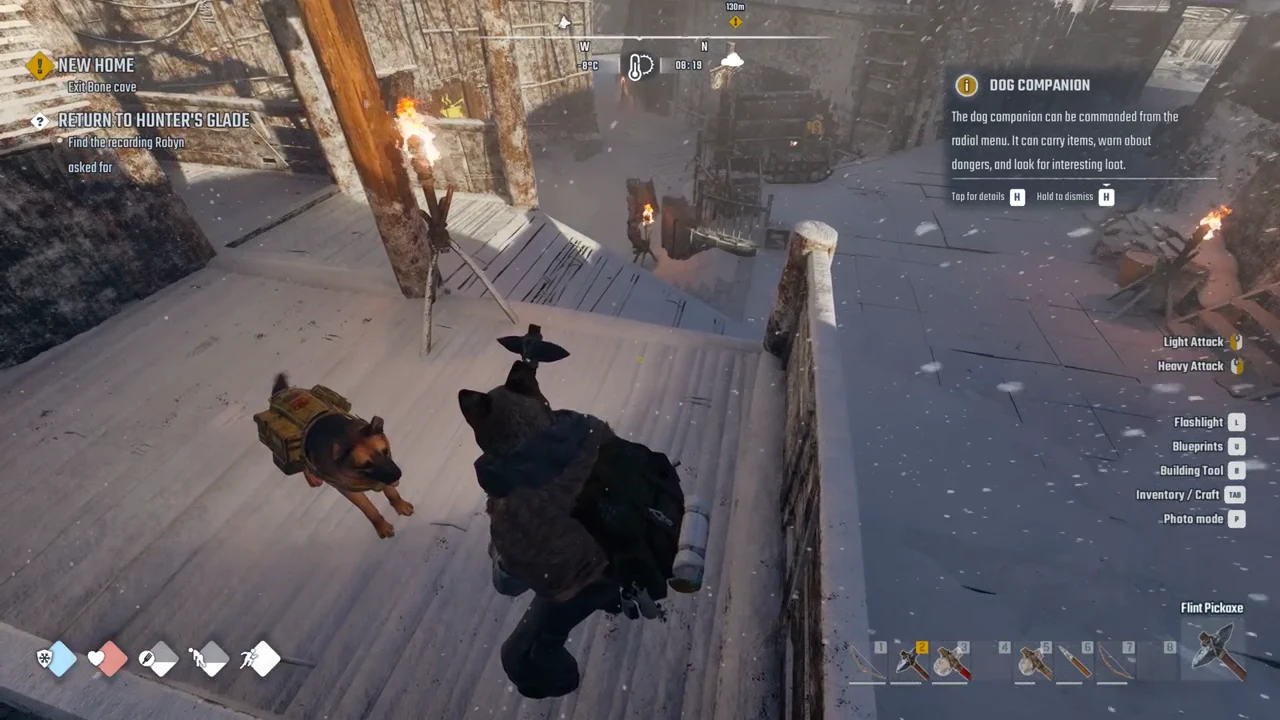
The dog companion arrives with you. The DOG COMPANION tip on screen says the dog can be commanded from the radial menu, can carry items, warn about dangers, and look for interesting loot.
What carries over and what it costs
The teleport leaves your character’s state alone. Health, Hunger, and Energy are unchanged after arrival, and the backpack keeps everything it held, including your Flint Pickaxe. No resource or currency cost appeared for using it.
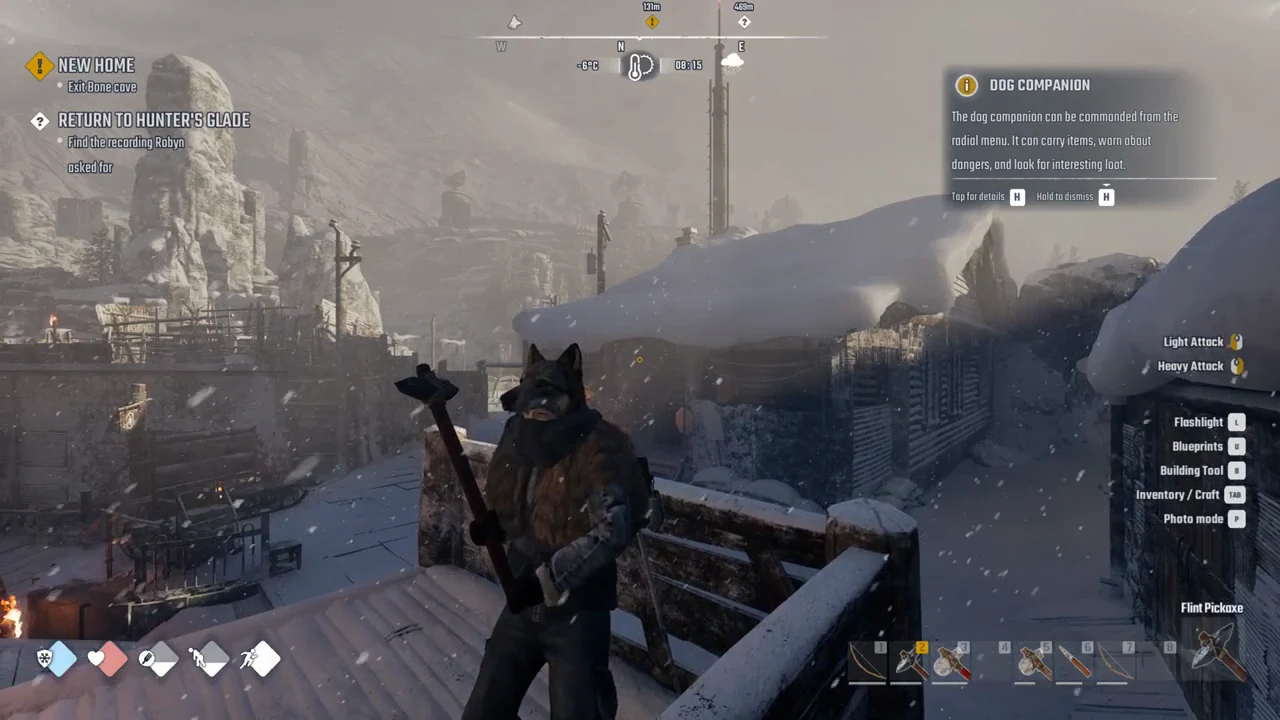
Your active quest also stays put. The objective held its text, “Exit Bone cave”, with the marker now reading 131 metres away from Horizon. Using UNSTUCK ME did not cancel or complete that objective, so you will need to travel back to finish it.
You know it worked when the HORIZON banner appears and your character stands free on the walkway with the dog beside you. If you are still frozen in place, the YES button was not confirmed.
Limits to keep in mind
The confirmation box labels UNSTUCK ME a demo feature, so its behaviour may change. A few things are worth treating carefully:
- It remains unclear whether this can provide a free journey home. Used from inside a cave it cost nothing, but its demo-feature label suggests that might not stay true.
- Its effect during combat is unknown.
- Whether it carries a cooldown has not been established.
- Whether checkpoints other than Horizon are possible is not confirmed.
Because it drops you at a checkpoint and not your bed, do not rely on UNSTUCK ME to return you to your own base. The claimed bed was 45 metres outside Horizon’s gate.
Used for its intended job, though, it does the one thing you need when the terrain traps you. Open the GAME tab, confirm the teleport, and you are back on solid ground at Horizon with your gear, your quest, and your dog still in hand.