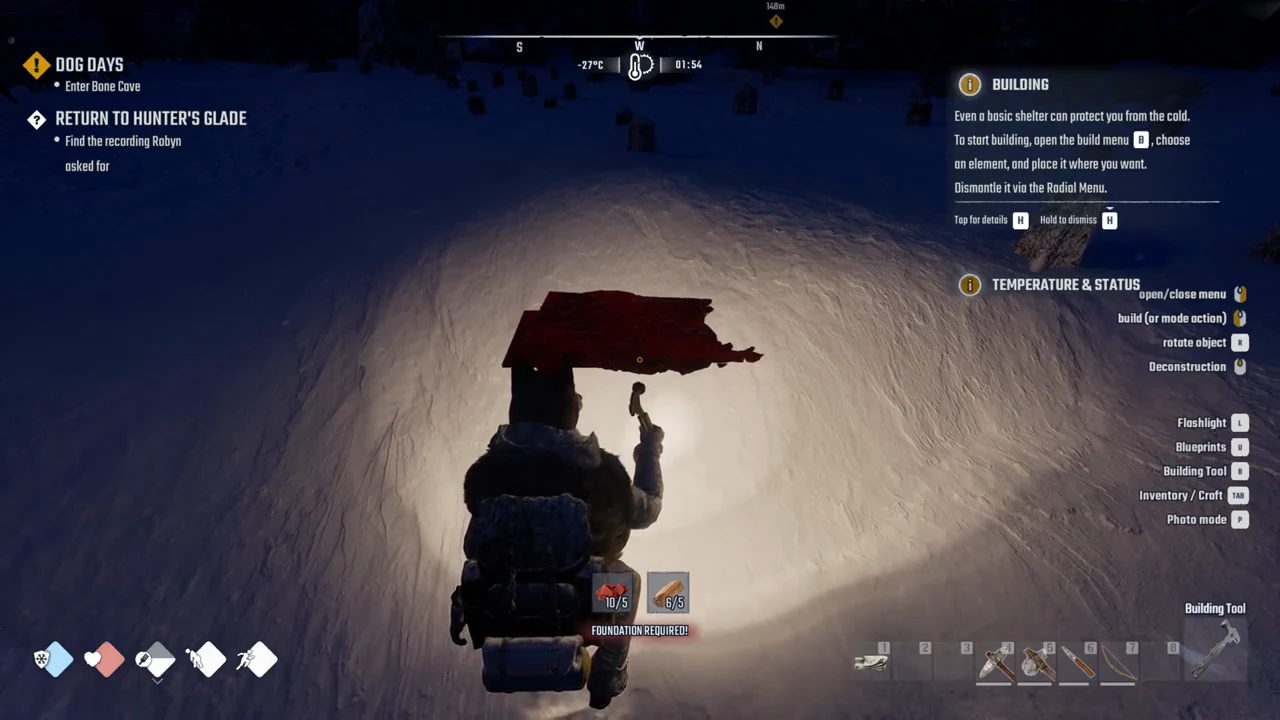
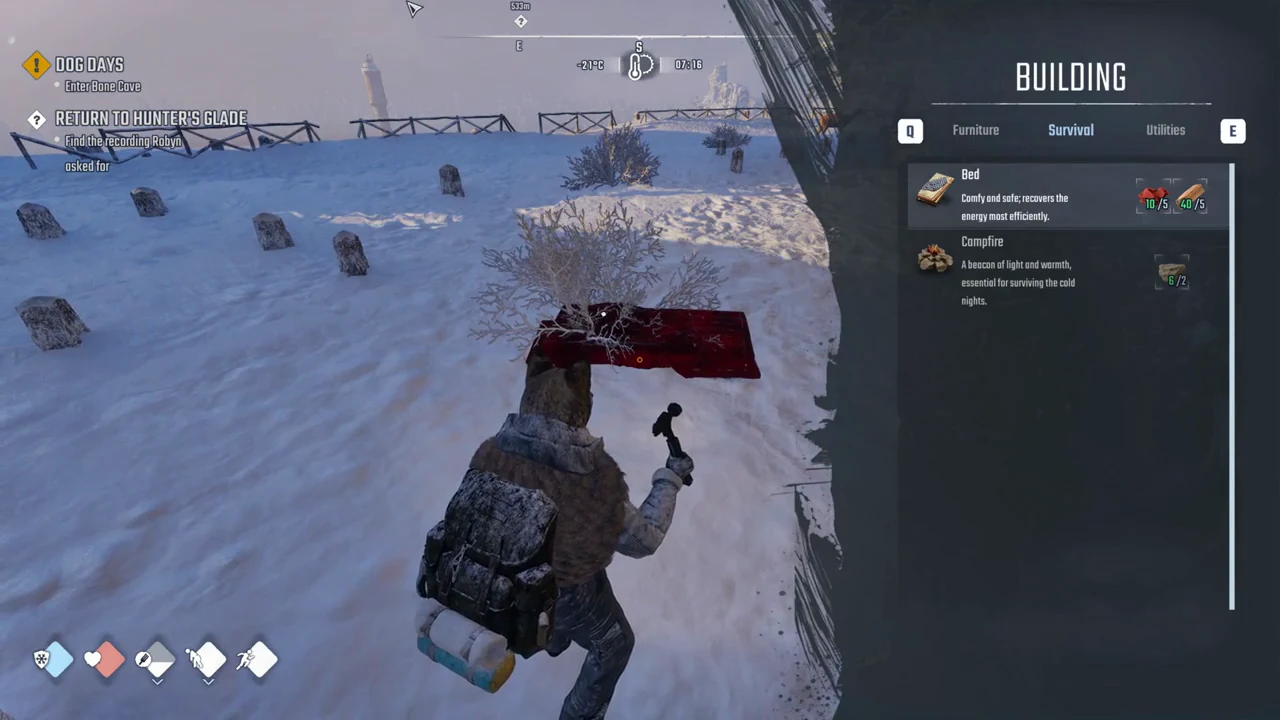
Trying to drop a Bed straight onto the snow in Permafrost does nothing. The placement preview glows red and the line FOUNDATION REQUIRED! appears under the cost, and no amount of clicking will build anything. The fix is one extra piece: a Wooden Foundation goes down first, then the Bed sits on top of it. Once it is built, you press F to claim it as the spot you respawn at when you die.
Quick answer: Build a Wooden Foundation (5 Wood) from the build menu’s Structures tab, then place the Bed (5 Cloth, 5 Wood) on top of it from the Survival tab, and press F on the finished Bed to set your respawn point.
What to bring before you build
The cheapest working Bed costs 10 Wood and 5 Cloth in total. That splits into 5 Wood for the foundation underneath and 5 Wood plus 5 Cloth for the Bed itself. The Bed and Campfire costs are the same on Survival.
Gather 1 Wood from every bush, use an axe to break plank stacks or pallets, or cut down trees; in Story, each Trunk gives 3 Wood. Cloth is found in the starting cabin’s cabinet and reward basket, in Clothes Bins, and as red cloth scattered around Horizon.
Leave the settlement first
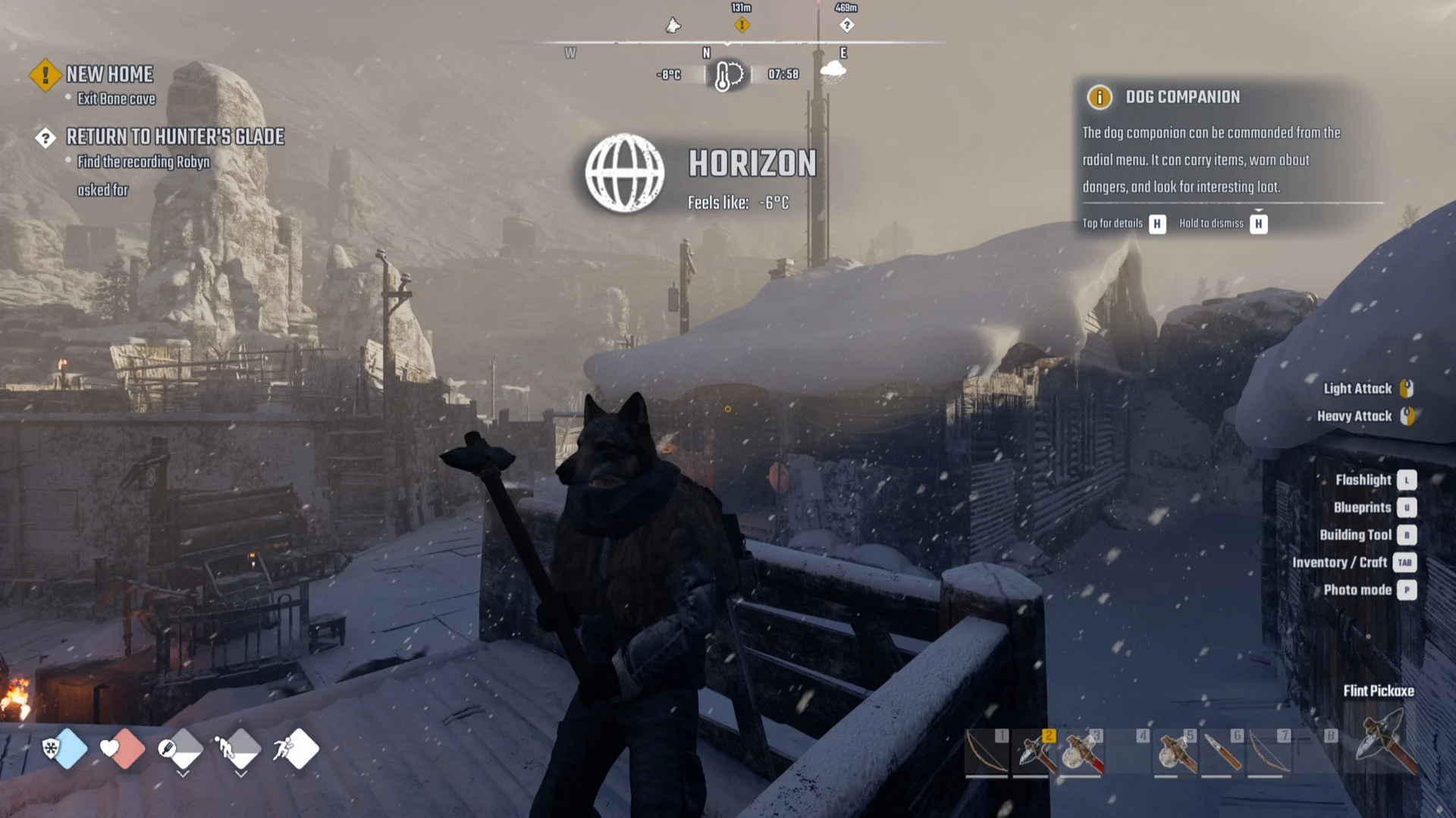
You cannot build inside Horizon. Every preview there turns red with NO-BUILD ZONE, no matter what you are holding. Walk out to open ground before you start. A flat snowfield works fine, which is where the respawn setup below takes place.
The Building Tool controls
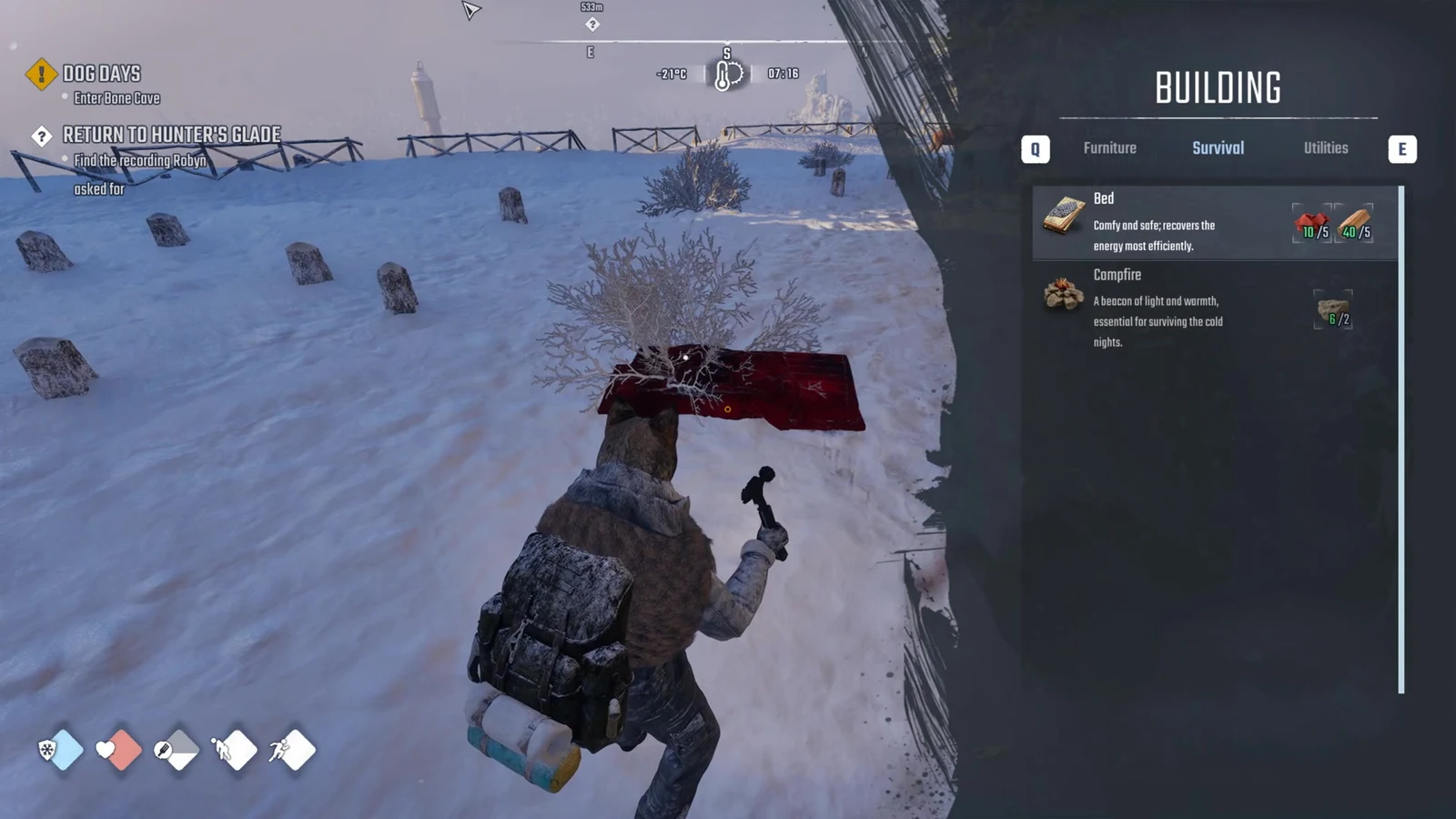
Press B to bring out the Building Tool. While using it, right-click to toggle the BUILDING menu, use Q and E to move between tabs, left-click to place the selected piece, and press R to rotate it. A green preview marks a valid placement and a red one an invalid spot; the reason appears below the cost icons.
Why “FOUNDATION REQUIRED!” appears
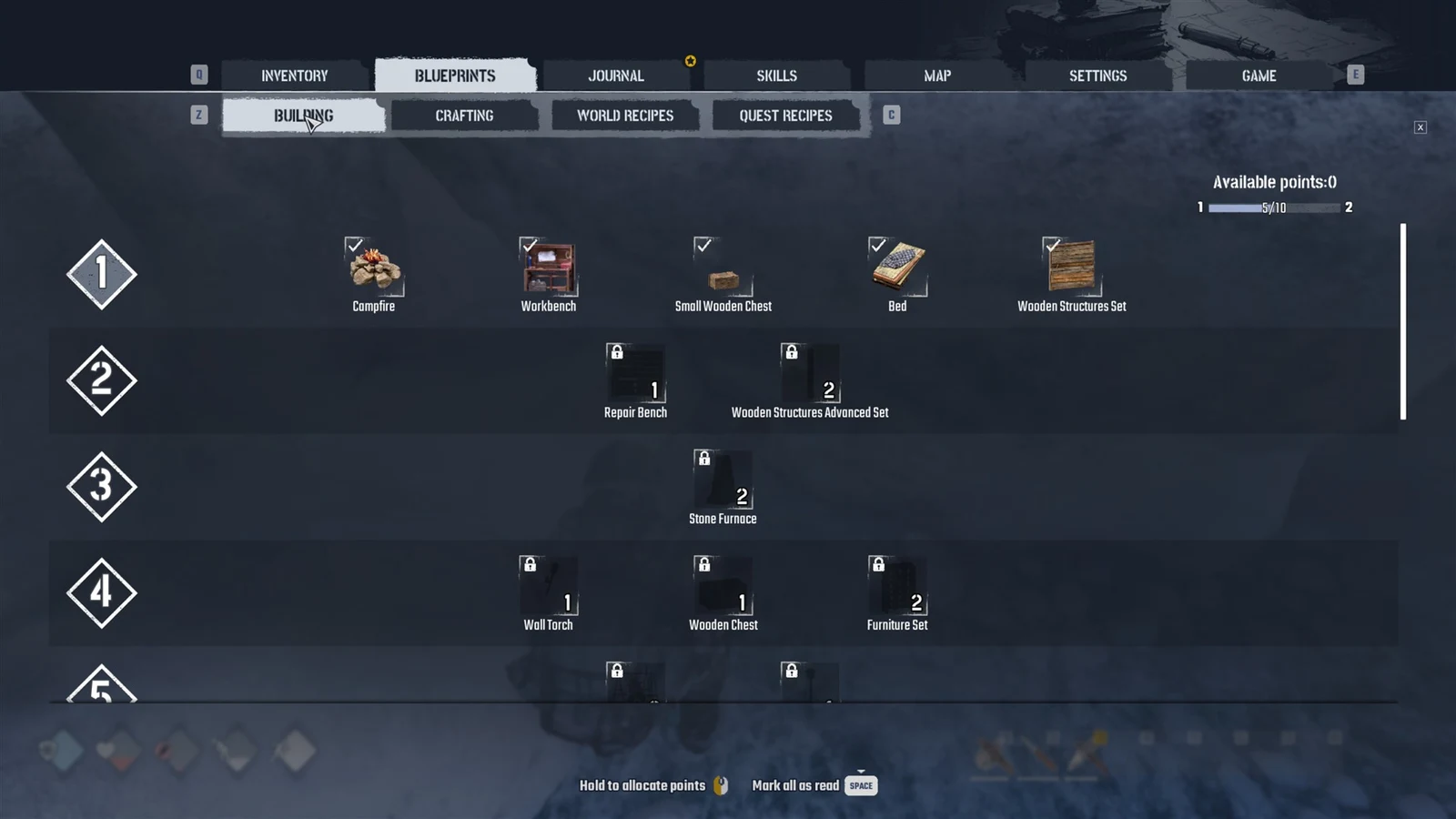
The Bed lives in the BUILDING menu under the Survival tab, and its description reads “Comfy and safe; recovers the energy most efficiently.” It will not sit on bare snow or ground. Aim it at the ground and the preview stays red with FOUNDATION REQUIRED! under the cost. Clicking does nothing while it is red, so the Bed never gets built. The same message appears for the Workbench, which also needs something solid beneath it.
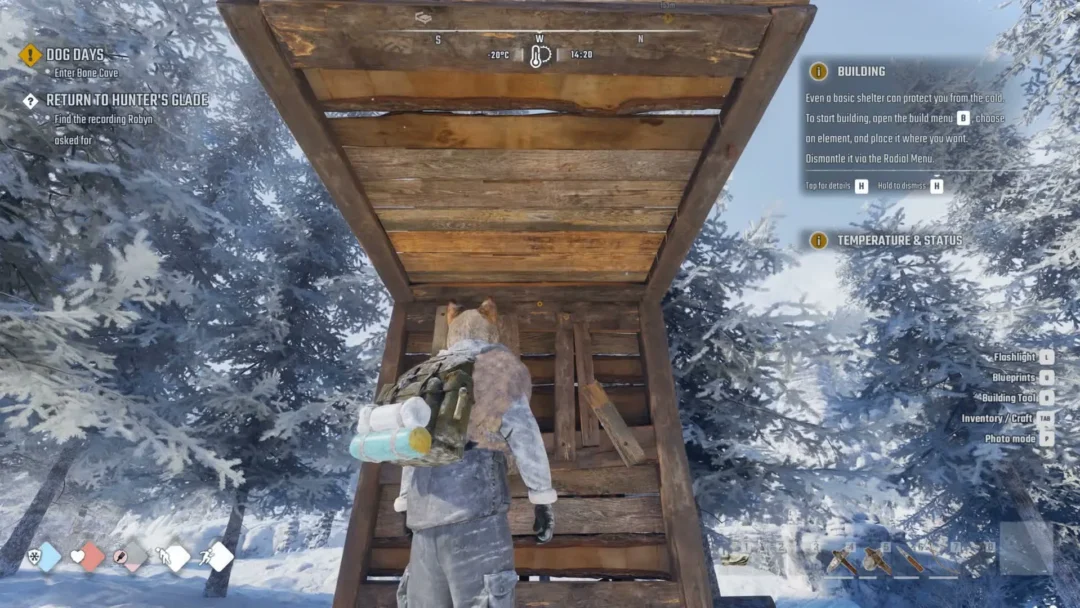
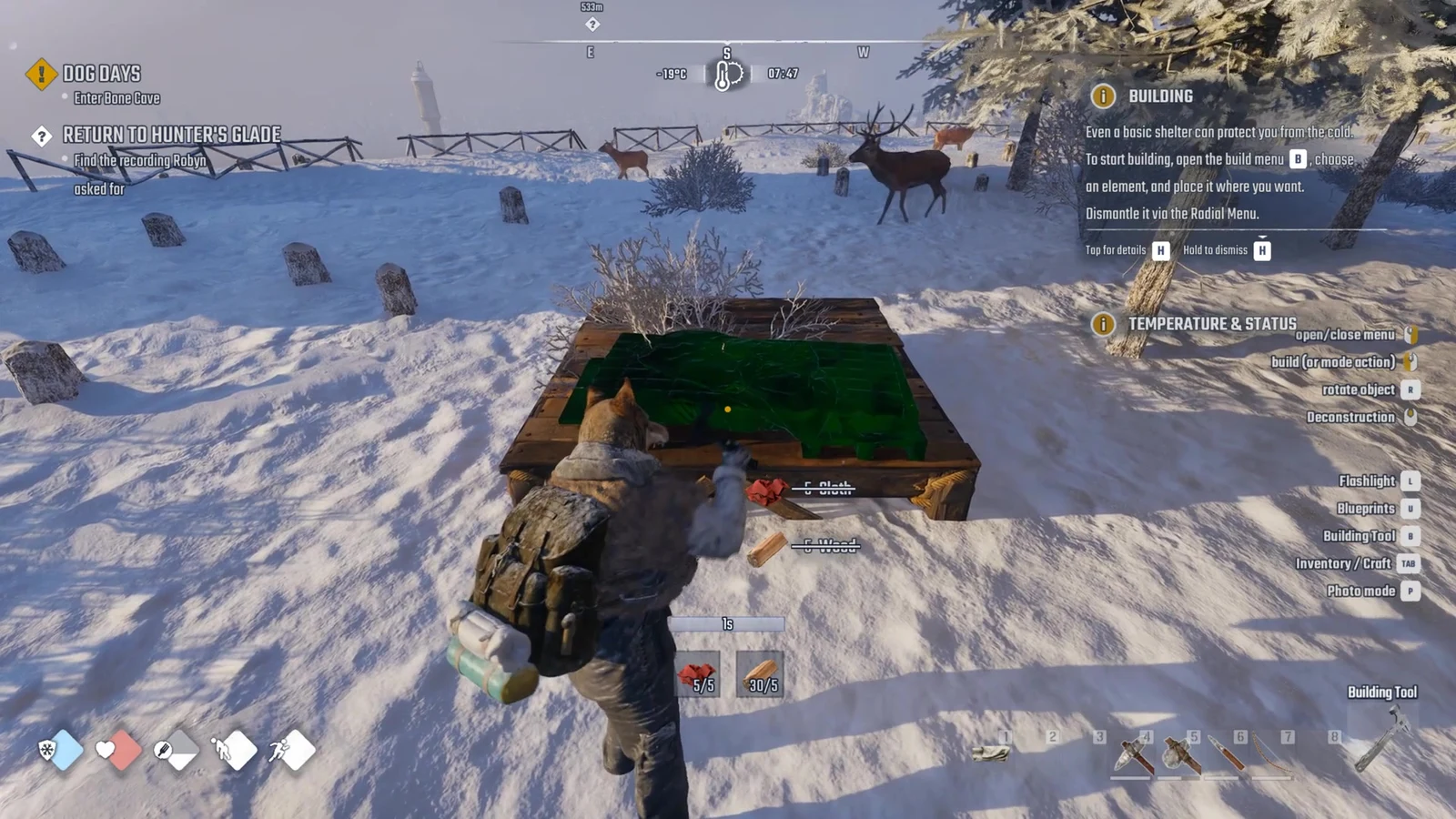
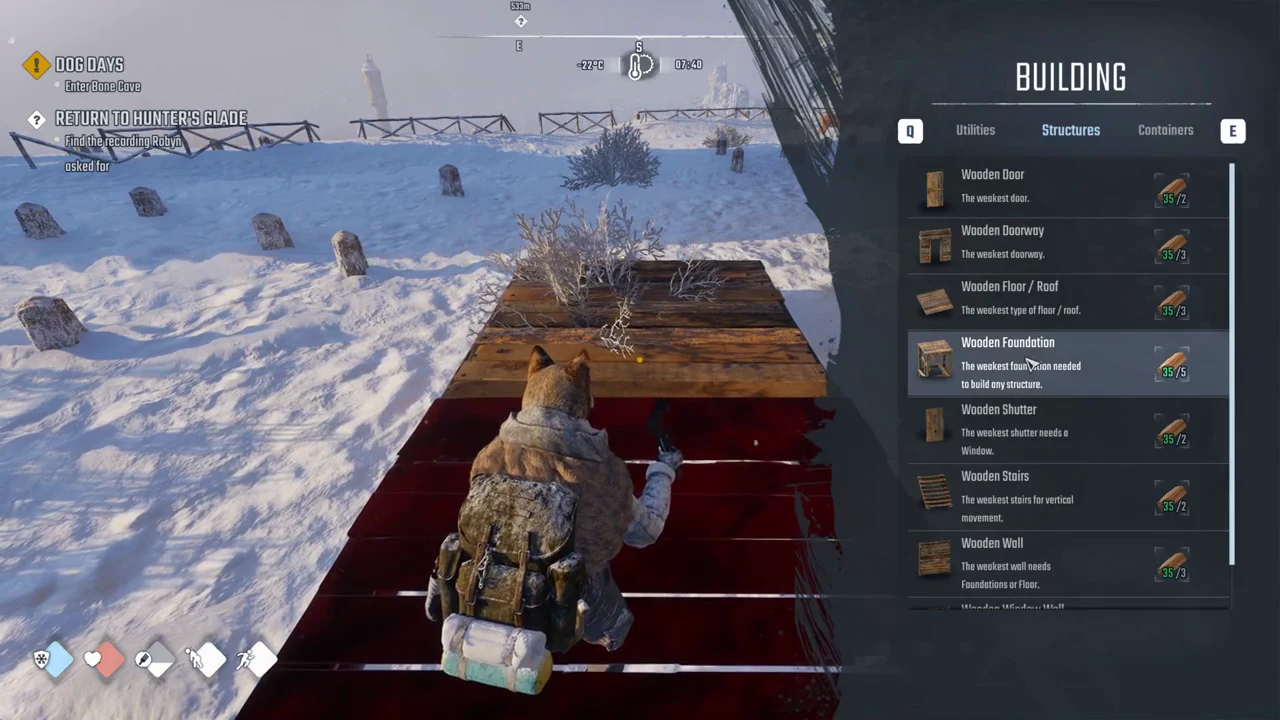
Choose Wooden Foundation from Structures. For 5 Wood, you get the least sturdy foundation that still lets you build any structure. Place one first, then set the Bed on it; its preview will be green.
Build the Wooden Foundation
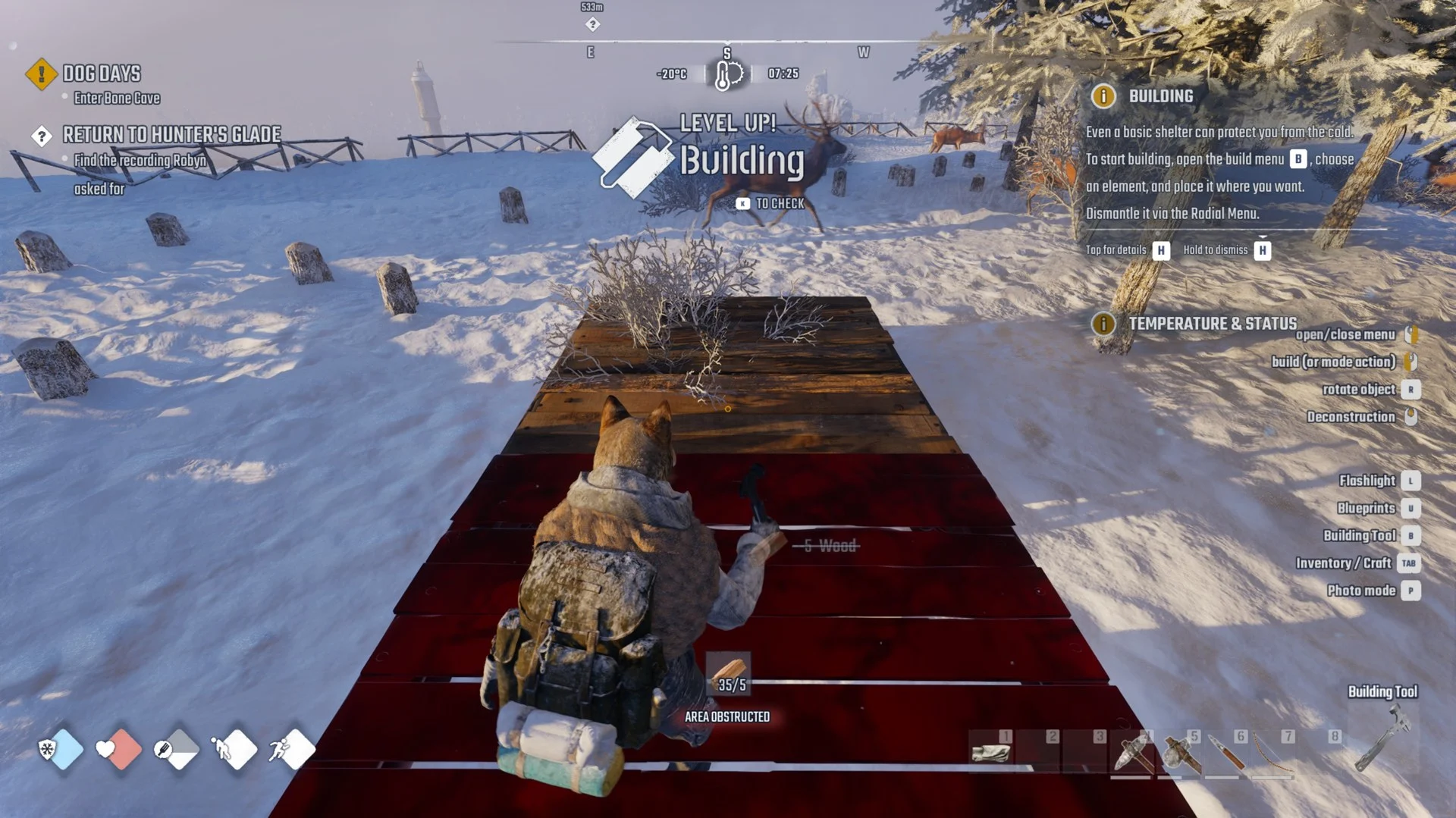
If you try to drop a second foundation on the same spot, the preview goes red with AREA OBSTRUCTED. That just means something is already there, so move to clear ground for any extra pieces.
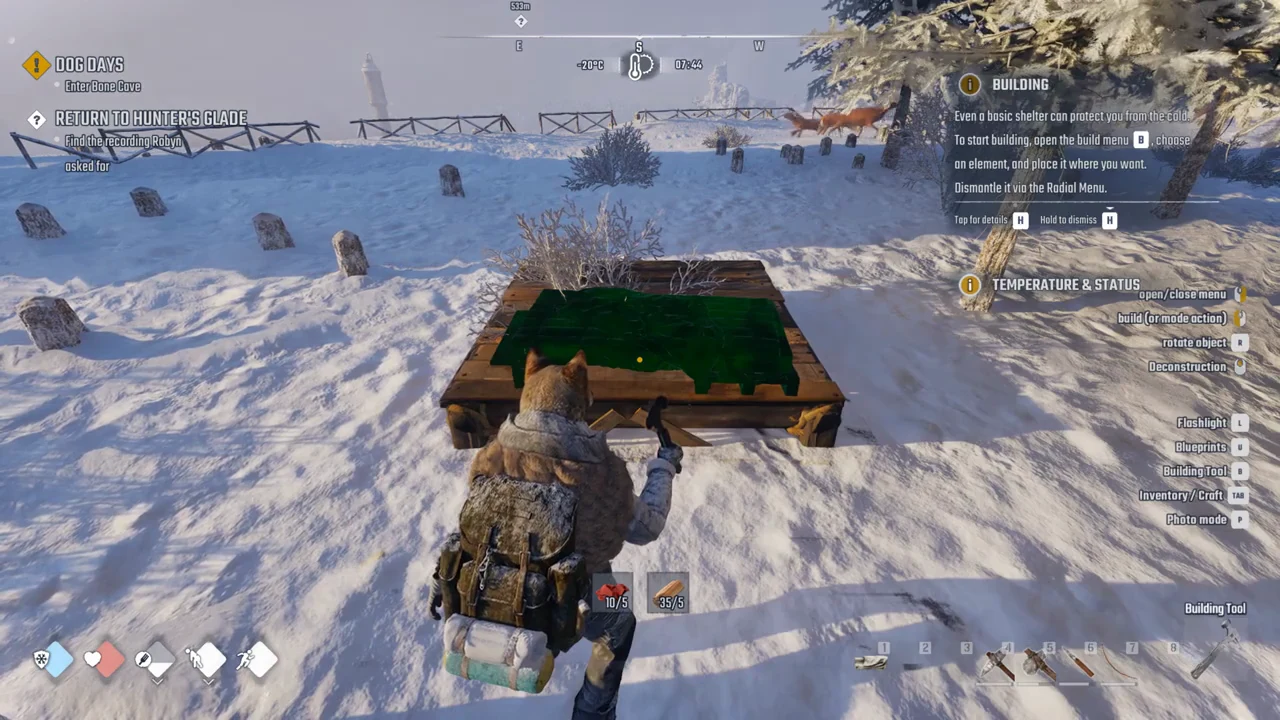
Place the Bed on top
Claim it as your respawn point
Look at the finished Bed and you will see the prompt “Bed” with “Press F Claim.” Press F and the banner RESPAWN POINT SET flashes on screen. That is your confirmation it worked.
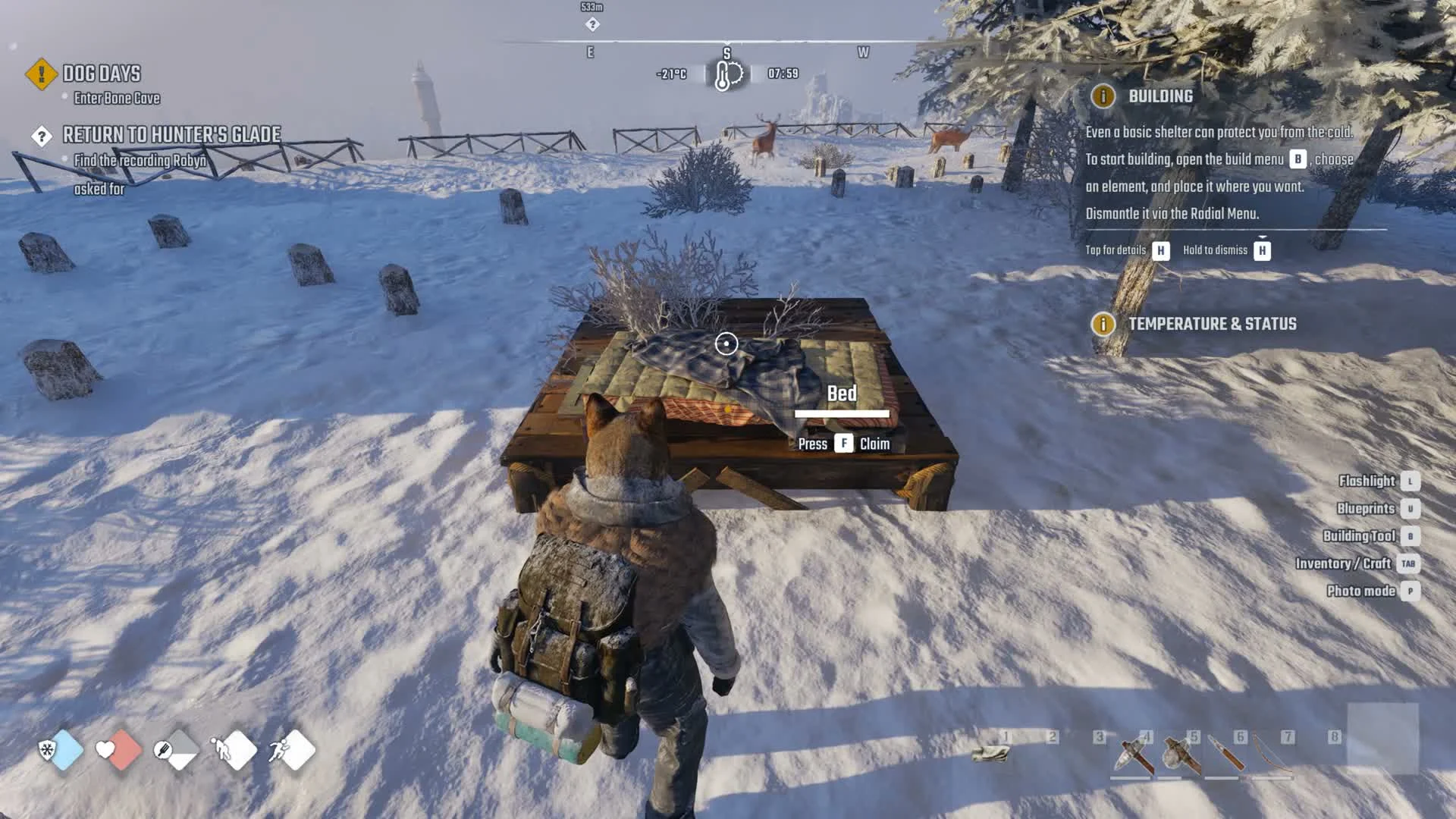
From then on, the death screen’s “RESPAWN AT THE CURRENT REST POINT” button brings your character back to this Bed. That button stays greyed out until a bed is claimed, so claiming is what makes it work. After you have claimed it, aiming at the Bed reads “Bed | <your name>” with “Press F Rest” and “Hold F more options.”
What the Bed does once claimed
The Bed also lets you rest or sleep, beyond serving as a respawn point. Tap F to rest; hold it to bring up a half-wheel offering Rest and Sleep. Choose Sleep to advance through the night and restore your Energy.
Energy drains the whole time you are awake. If it hits zero you pick up the Exhausted effect, which on Story took roughly 62 game hours of staying awake to reach. Sleeping in a claimed Bed is how you keep that from happening.
What a red preview is telling you
Whenever a piece refuses to build, the line under the cost explains why. These are the messages you will run into.
| Message | What it means |
|---|---|
| FOUNDATION REQUIRED! | The piece needs a foundation beneath it, such as a Bed or Workbench. |
| AREA OBSTRUCTED | Something is already in that spot. |
| CAN’T BUILD IN AIR | The preview is floating with no support under it. |
| MISSING RESOURCES | You do not have enough materials. |
| NO-BUILD ZONE | You are inside a settlement like Horizon. |
Common mix-ups and quick questions
A few things trip people up early. The Bed is under the Survival tab, not Furniture, which is empty at the start. The foundation is under Structures, not Survival. And clicking while the Bed preview is red on snow simply builds nothing.
Is there a free bed? Yes. In Horizon’s bunkhouse, claim one of the Sleeping bags upstairs in the same way; the prompt reads “Sleeping bag, Press F Claim.”
Does the Bed need walls and a roof to claim? A foundation is required to place the Bed; it was claimed with no walls or roof around it. A Workbench is the one that needs more around it.
Can it be taken down? According to the tutorial, use Q to open the Radial Menu and dismantle pieces. You can also choose Deconstruction mode in the Building Tool with the middle mouse button.