Learn how to open the codes menu and unlock exclusive items in Roblox Dress To Impress.
In Dress to Impress, your main goal is to build the most fashionable outfits to match unique runway themes. While there are hundreds of clothing choices scattered around the main lobby, you can unlock unique garments, dresses, and customized hair items entirely for free using promo codes. This allows you to stand out from other models without spending any Robux. This guide will walk you through the exact steps to open the code window and redeem active rewards. So, let’s get started!
Accessing the Promo Code Window
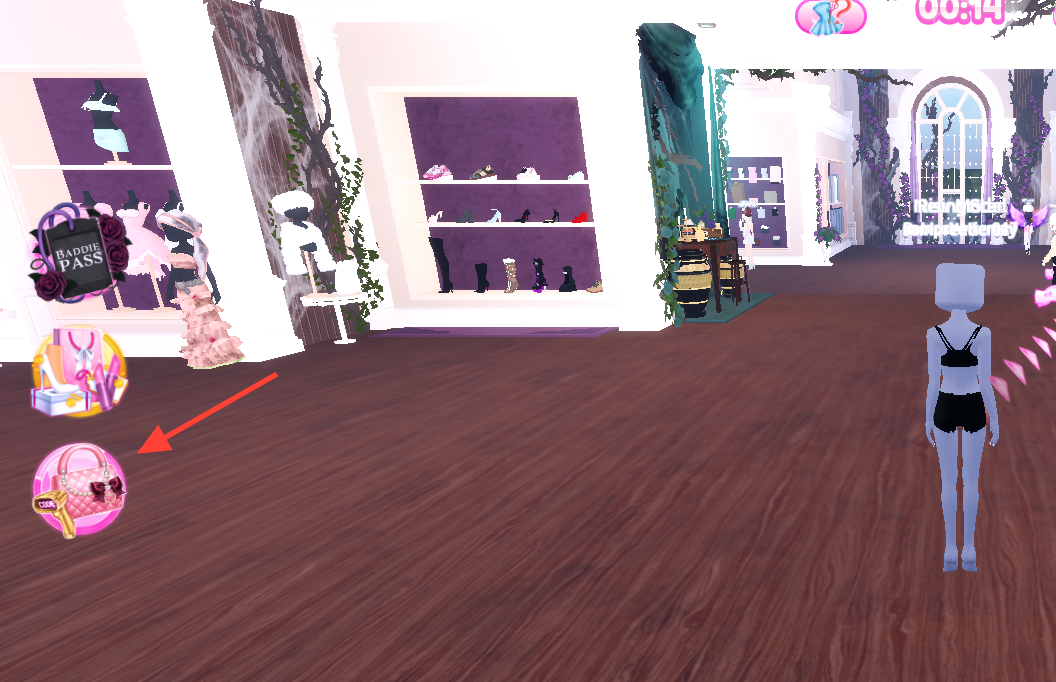
Unlike other experiences where the options are buried inside a complex screen, DTI features a dedicated button for accessing the Promo Code window right inside the main lobby dressing room.
Redeeming an Active Item Code
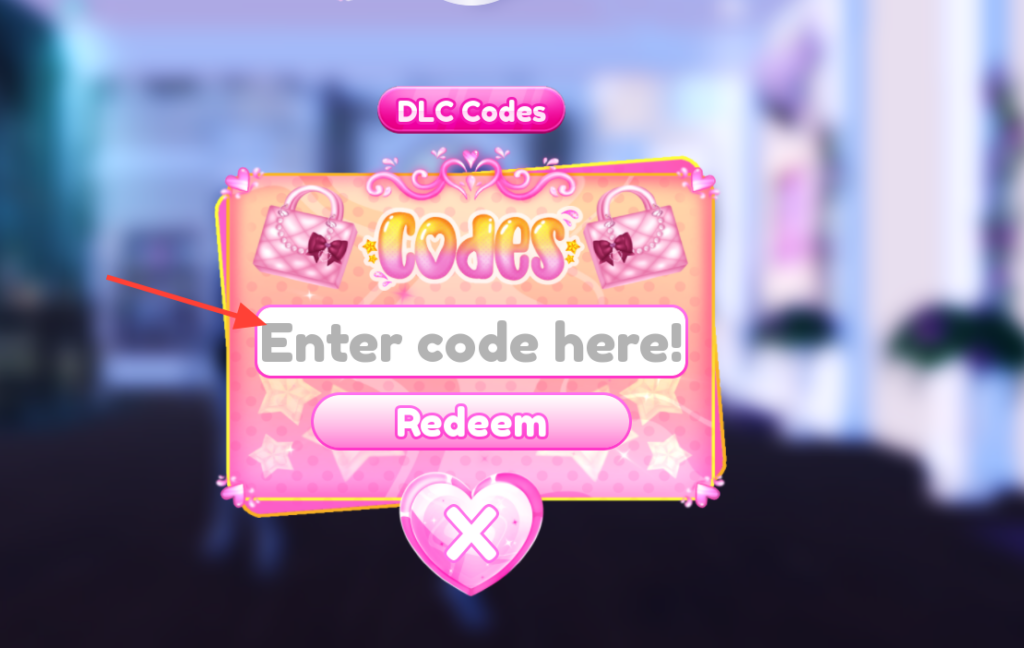
Once the interface is open on your screen, you can input your text string to drop the item directly into your personal inventory.
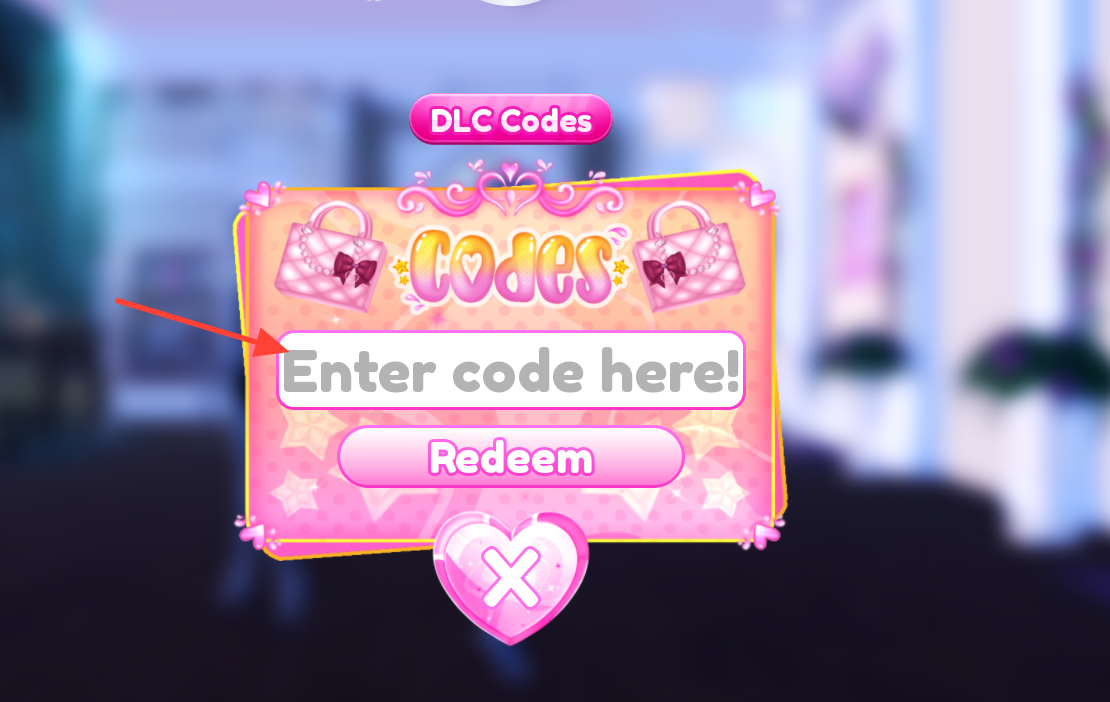
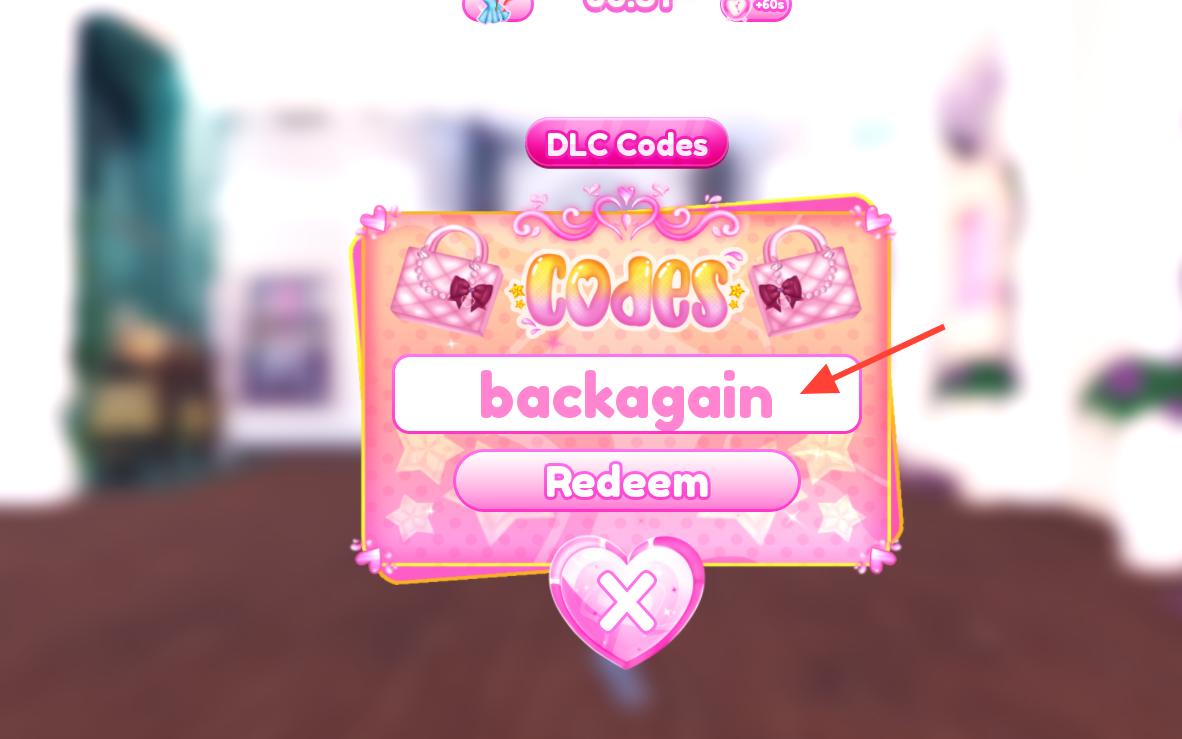
Ensure you do not add extra blank spaces at the end, or the redemption validator will label it as invalid.
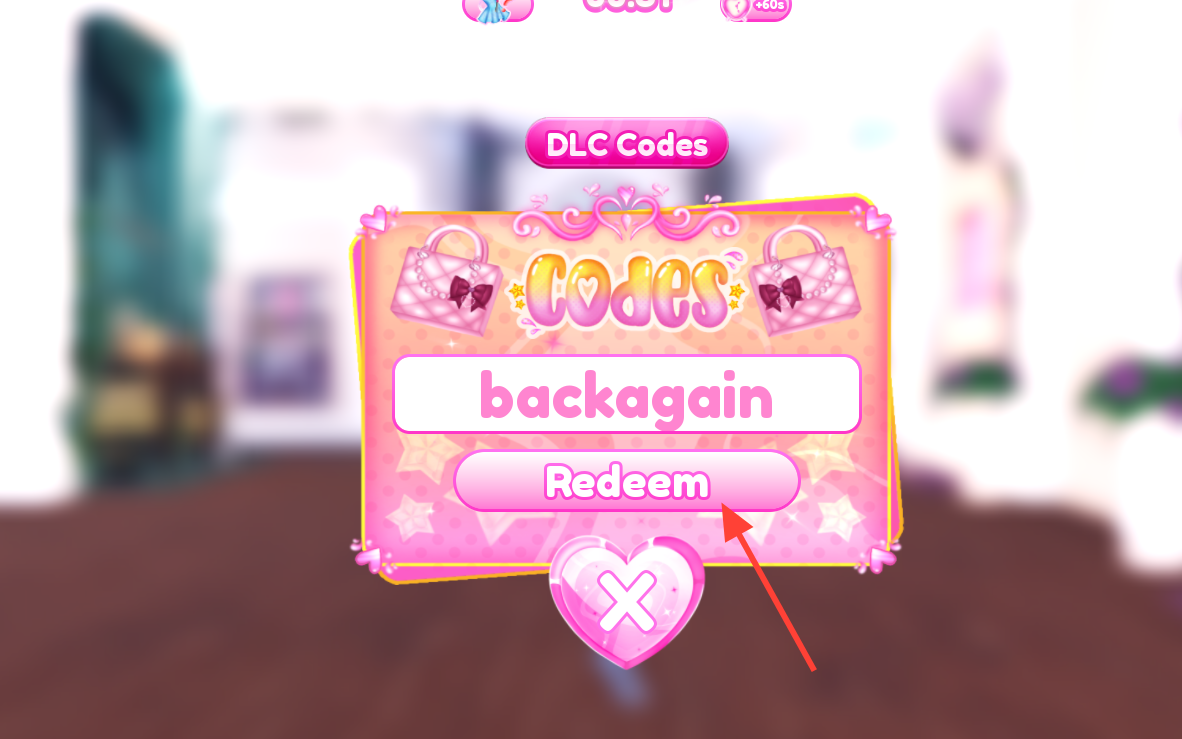
Active DTI Halloween Event Codes
The developers have introduced several fresh clothing options for Halloween. Input these codes into the entry window to unlock them:
- backagain — Unlocks a custom layerable jacket, matching dress shoes, socks, pants, and a customized ruffle skirt.
- Kitty — Spawns a unique pet cat accessory that sits next to your model.
- MeganPlaysBoots — Unlocks Western-style leather boots with toggles for short or long variants.
- DiorStar — Grants a custom star-shaped purse accessory and a matching oversized hair bow.
- Umoya — Unlocks an elegant, chapel-inspired long dress featuring adjustable sleeve configurations.
- IbellaSlay — Unlocks Ibella’s unique custom pigtail hairstyle with toggleable accessory bows.
- Submacy — Grants a luxurious stacked pearl neck choker and custom dramatic eyelashes.