Hyper Realistic Ragdoll, from Emo Playworks, is a Roblox physics sandbox. You hit white mannequin dummies with fists, guns, axes and grenades, and they react to where they were hit, not just to how hard. A dummy shot in the leg doesn’t fall over and vanish. It limps. Break that leg and it crawls. Once you know the keys and which body part does what, you can set up exactly the reaction you want.
Quick answer: Pick a weapon with keys 1–7, aim at a specific limb, grab with the mouse, throw, press V to scan, R to revive and G to spawn. The top-right tracker shows your next unlock.
Hyper Realistic Ragdoll controls and keybinds
The game prints its controls straight onto the HUD, so you never have to dig through a settings menu to find them. On PC they break down like this.
| Input | HUD label | What it’s for |
|---|---|---|
| C | Fall | Drops your own character |
| Left mouse | Grab | Picks up a dummy |
| Mouse wheel | Distance | Moves a held dummy closer or farther |
| Mouse button | Throw | Launches the held dummy |
| R | Revive | Brings a downed dummy back |
| G | Spawn | Spawns a target |
| V | Scan | Scans a dummy’s injuries |
| 1–7 | Hotbar | Switches weapons and tools |
Grab, Distance and Throw work together. You hold a dummy with Grab, use the wheel to set how far out in front of you it hangs, and then let it fly with Throw. That combination is how you swing and fling dummies around the map rather than just shooting them where they stand.
How body-part damage changes a dummy’s movement
There’s no single health bar doing the work here. Every punch, shot and blast lands on a specific body part, and each body part reacts on its own. That’s the whole point of aiming: the limb you hit decides how the dummy moves afterward.
| Where you hit | What the dummy does |
|---|---|
| Leg (shot) | Limps |
| Leg (broken) | Crawls |
| Arm (broken) | Arm goes limp |
| Head | Faints |
Dummies also aren’t passive. They stumble, fight back and get back up on their own, so a dummy you’ve only clipped will keep moving. If you want one to stay down, the head is the place to aim, since a hit there makes it faint. If you want to watch it struggle, go for the legs and work from a limp to a crawl.
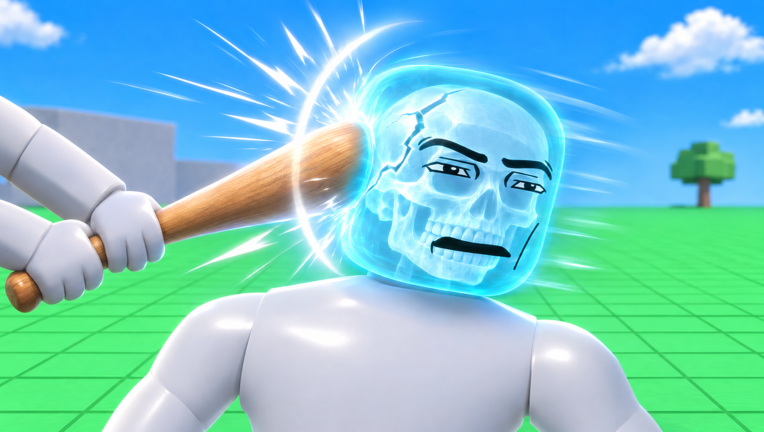
To confirm what you actually broke, use the Body Scan. It shows the dummy in an X-ray view with the broken bones visible, which is the clearest way to check whether a hit cracked a bone or just bruised the limb.
The seven-slot hotbar
Your hotbar sits along the bottom of the screen with seven numbered slots. A loadout mixes melee, firearms and one throwable, and the bare fist is a weapon in its own right.
| Slot | Weapon | Type |
|---|---|---|
| 1 | Semi-automatic pistol | Ranged |
| 2 | Fist | Melee |
| 3 | Fire axe | Melee |
| 4 | Hand grenade | Throwable |
| 5 | Wooden club | Melee |
| 6 | Revolver | Ranged |
| 7 | Sci-fi blaster | Ranged |
The guns are the easiest way to pick a precise limb from a distance, which matters given how the damage system works. The fist, axe and club need you up close. The hand grenade is the outlier, since a blast hits whatever is near it rather than one chosen body part.
Running a full ragdoll test, start to finish
Here’s a complete loop that uses every key on the HUD at least once. It’s the quickest way to learn how a dummy responds before you start improvising.
If you want to see what a ragdoll fall looks like from the other side, press C. That drops your own character, using the same physics the dummies do.
The Next unlock tracker and side menus
New tools come in one at a time, and the top-right corner of the screen tells you which one is coming. The tracker names the next tool and shows a progress count toward it. Early on, that tool is the Molotov, with the counter needing to reach 20 before it unlocks.
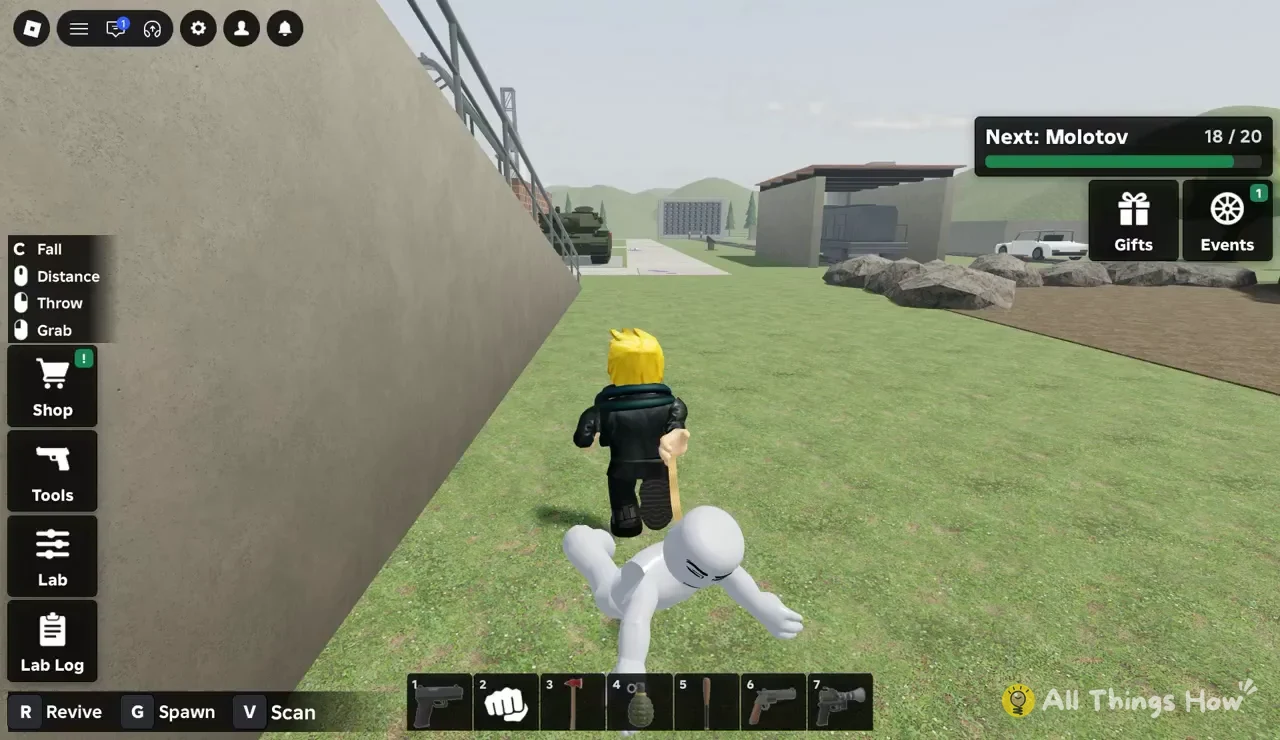
You’ll know an unlock is close when the two numbers nearly match, as in 18 / 20 above. Once the count fills, the tracker moves on and names the following tool. The Gifts and Events buttons sit right next to it in the same corner.
The left side of the screen holds the rest of the menus.
- Shop for purchases
- Tools for your available weapons and gear
- Lab for the game’s lab controls
- Lab Log for the lab’s record
Hyper Realistic Ragdoll is free to join on Roblox and carries a Mild content maturity label, with Blood and Violence listed. Servers hold one player, so every test you run plays out in your own private sandbox.