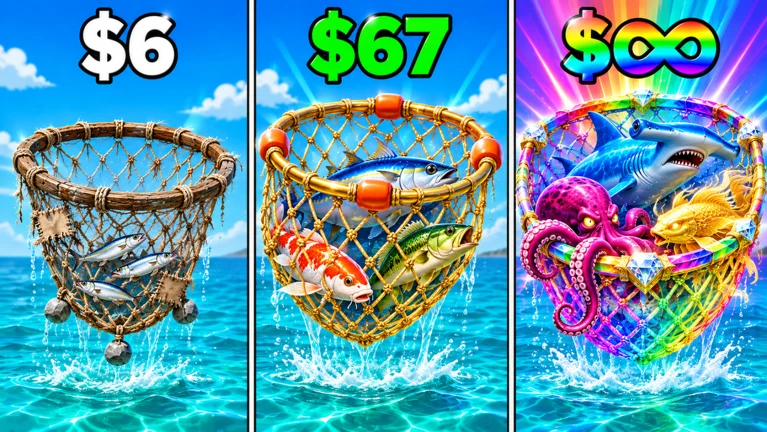
In Net a Fish, every catch carries a tier, and your net decides how high that tier can go. The game reports this in a few places at once: floating labels in the water, a pair of lines in the Fishing panel, and the INDEX. Once you know where to look, you can tell immediately whether a rare fish is within reach or simply out of your net’s range.
Quick answer: Open the Fishing panel. “NET SPACE – UP TO [tier]” shows the highest tier your net can hold, and “BEST CATCH – [tier]” shows the highest tier you have actually landed.
Where Net a Fish shows a fish’s tier
Tier information shows up in three spots, and each one tells you something slightly different. Here’s where to look:
- In the water: high-tier creatures carry a floating label, such as “MYTHIC!” over a glowing sphere offshore.
- Fishing panel: the “BEST CATCH” line names your top-tier fish and its tier.
- Fishing panel: the “NET SPACE” line names the highest tier your current net accepts.
- INDEX: the collection menu, opened from the side buttons, which flags new entries with a “NEW” tag.
Labels in the water can stack. A creature can show its rarity (“MYTHIC!”) and a separate “GLITCHED” tag at the same time. Read them as two different pieces of information. The tier tells you how rare the species is, and the extra tag sits on top of it rather than replacing it.
Net tier cap and net space in the Fishing panel
The Fishing panel packs your progress into a handful of short readouts. Here is a typical mid-to-late game setup, with a net capped at Divine that has already landed a Monarch fish:
| Readout | Example value | What it tells you |
|---|---|---|
| BEST CATCH | MONARCH | Highest tier landed |
| Best catch name | Crownstar Sovereign | The fish behind that tier |
| NET SPACE | UP TO DIVINE | Highest tier the net holds |
| Load | 530 / 718 | Fish in net vs. capacity |
| Timer | Full or 2:03 | When the cast ends |
The two tier lines work together. “UP TO DIVINE” sets the ceiling, and the Monarch-tier Crownstar Sovereign sits under that ceiling, which is why the net could keep it. If the creature you’re after belongs to a tier above the one named on the NET SPACE line, more casting won’t get it into your Cooler. The cap is tied to the net itself, so the label only changes when your net does.
The load figure is a separate limit. A net showing 530 / 718 still has room for 188 more fish. Once it hits capacity, the cast ends, even if the timer hasn’t run out.
Landing and confirming a higher-tier fish
Rare tiers only count once they’re in your net and reeled in. Follow this cycle each cast and check the results at the end.

Fish income on the hotbar
The hotbar along the bottom of the screen lists fish with their income per second. Some slots also show a multiplier, and those multipliers change what each fish is worth. Here’s a sample hotbar:
| Slot | Fish | Income | Multiplier |
|---|---|---|---|
| 1 | Brook Trout | $118/s | x1.28 |
| 2 | Peacock Bass | $1.02T/s | None |
| 3 | Brook Trout | $354/s | x1.15 |
| 4 | Brook Trout | $231/s | None |
| 5 | Rainbow Trout | $990/s | None |
| 6 | Rainbow Trout | $372/s | None |
| 7 | Golden Trout | $944/s | None |
| 8 | Tiger Muscle | $324/s | None |
| 9 | Emerald Pike | $2.36B/s | None |
Two things jump out. First, the gap between species is enormous. Emerald Pike and Peacock Bass earn in the billions and trillions per second, while the trout sit in the hundreds. Second, the same species can earn very different amounts. The three Brook Trout range from $118/s to $354/s, and the one with the bigger multiplier isn’t the one earning the most. Judge each fish by its own income figure, not by its species or its multiplier alone.
Your total earning rate shows up top as a single figure, such as “+$3.89Qa / sec,” next to your cash balance. Swapping a fish on the hotbar for a higher-earning one moves that number directly.
Extra catch sources beyond your own net
Your hand-thrown net isn’t the only way fish arrive. A few systems run alongside it and add to your haul between casts:
| Source | What the game shows | Effect |
|---|---|---|
| Spear Gun | Next volley in 30s | Fires on a timer |
| Packed River event | NEXT EVENT countdown | +50% more fish |
| Auto Throw | Toggle on side menu | Casts for you |
| AFK MODE | Toggle on side menu | Idle play |
| Crews | Join one | +5% money |
| Friends | Invite prompt | +10% per friend |
The Spear Gun sits on your dock and shows its own countdown, so it keeps adding catches while you wait on your net. Packed River is the timed event to plan around if you want more fish per cast, since it adds 50% more fish while it runs. The NEXT EVENT panel shows how long until it starts, so check that countdown before a long session. Crews and friends raise your money rather than your catch rate, which helps you afford the next net up.
More fish per cast also means your net fills faster, so watch the load count during Packed River and reel in before a full net cuts the cast short.
You’ll know a new tier counts when it shows up on the BEST CATCH line after you reel in. If a creature’s floating label names a tier above your NET SPACE cap, more casts won’t change anything, and the next move is a stronger net.