Quick answer: Press Esc and open Clan. JOIN opens CLAN SEARCH, where you pick a clan and press JOIN. CREATE needs a bank account first. Clans hold up to 50 members.
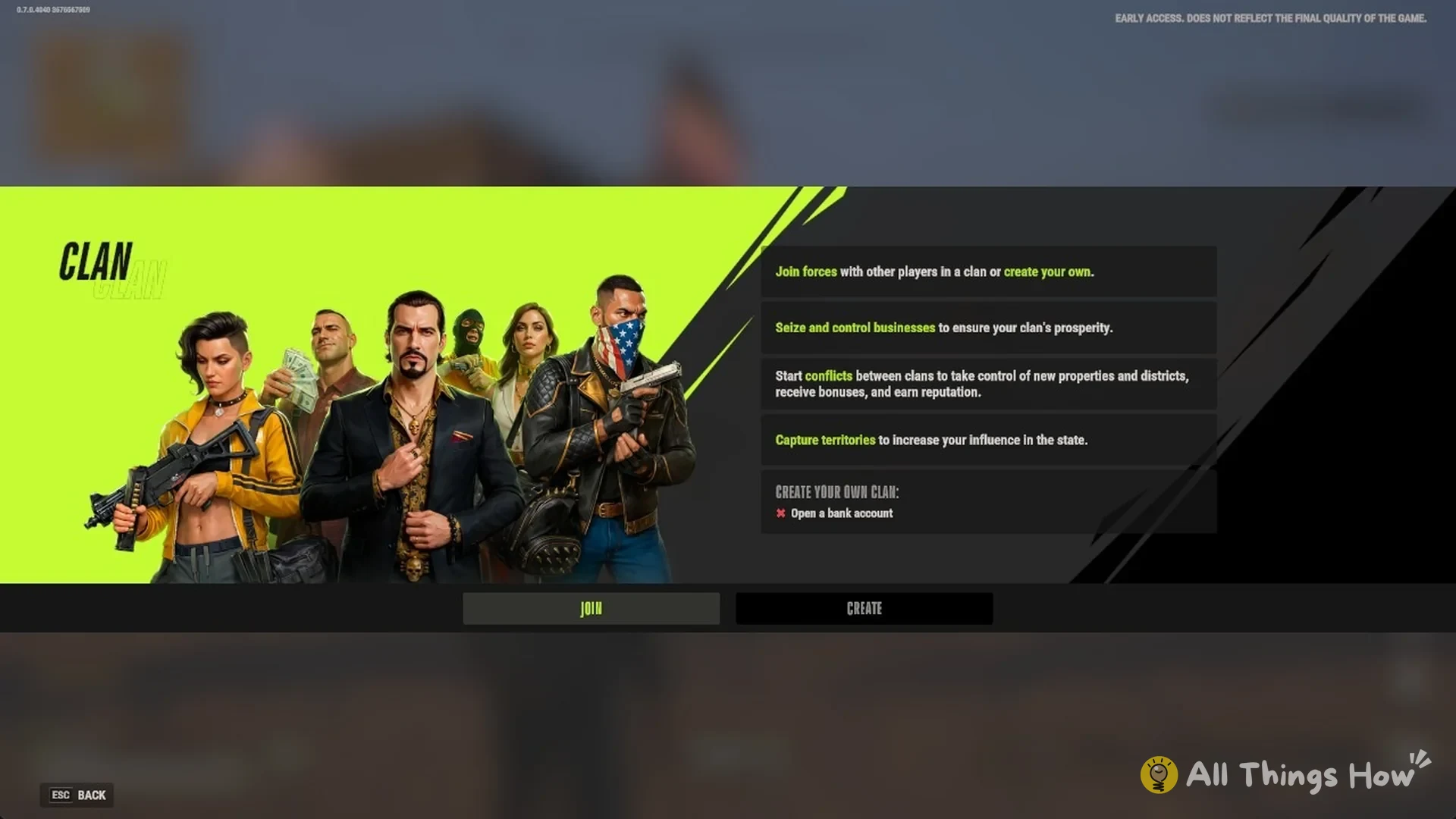
Rob Run puts clan joining and clan creation in the same menu. Press Esc and open Clan. The panel explains what clans are for in four lines:
- “Join forces with other players in a clan or create your own.”
- “Seize and control businesses to ensure your clan’s prosperity.”
- “Start conflicts between clans to take control of new properties and districts, receive bonuses, and earn reputation.”
- “Capture territories to increase your influence in the state.”
Below those lines is a single requirement under “CREATE YOUR OWN CLAN:” and two buttons, JOIN and CREATE.
How to join a clan in Rob Run
Joining has no requirement listed in the panel. The list covers the clans on your state.
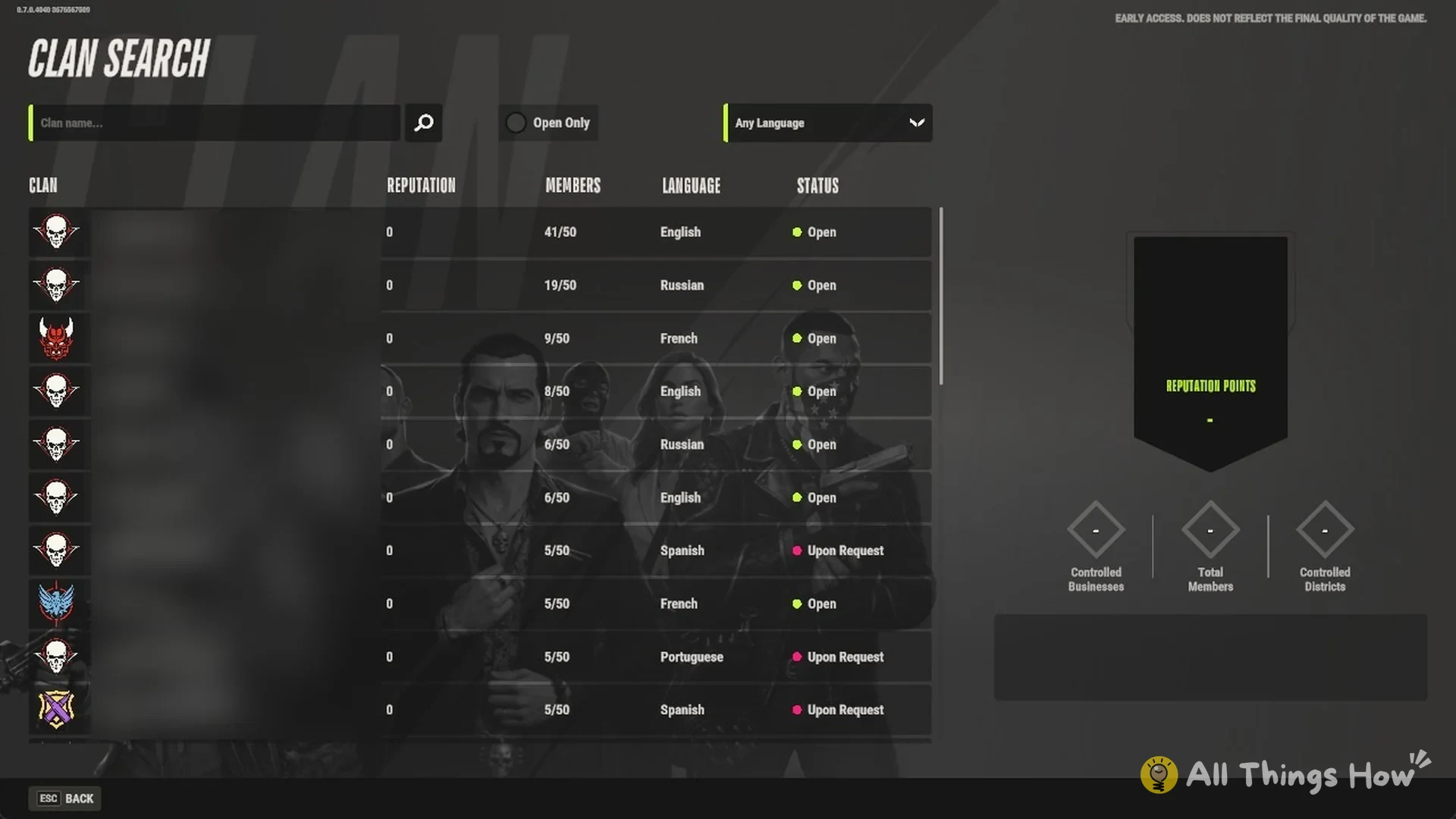
Press Esc, open Clan, and press JOIN. The CLAN SEARCH screen opens with a list of clans.
Filter the results by entering a clan name in the “Clan name…” field, or enable Open Only to exclude clans that require a request. The language menu defaults to Any Language and includes Russian, English, French, German, and more.
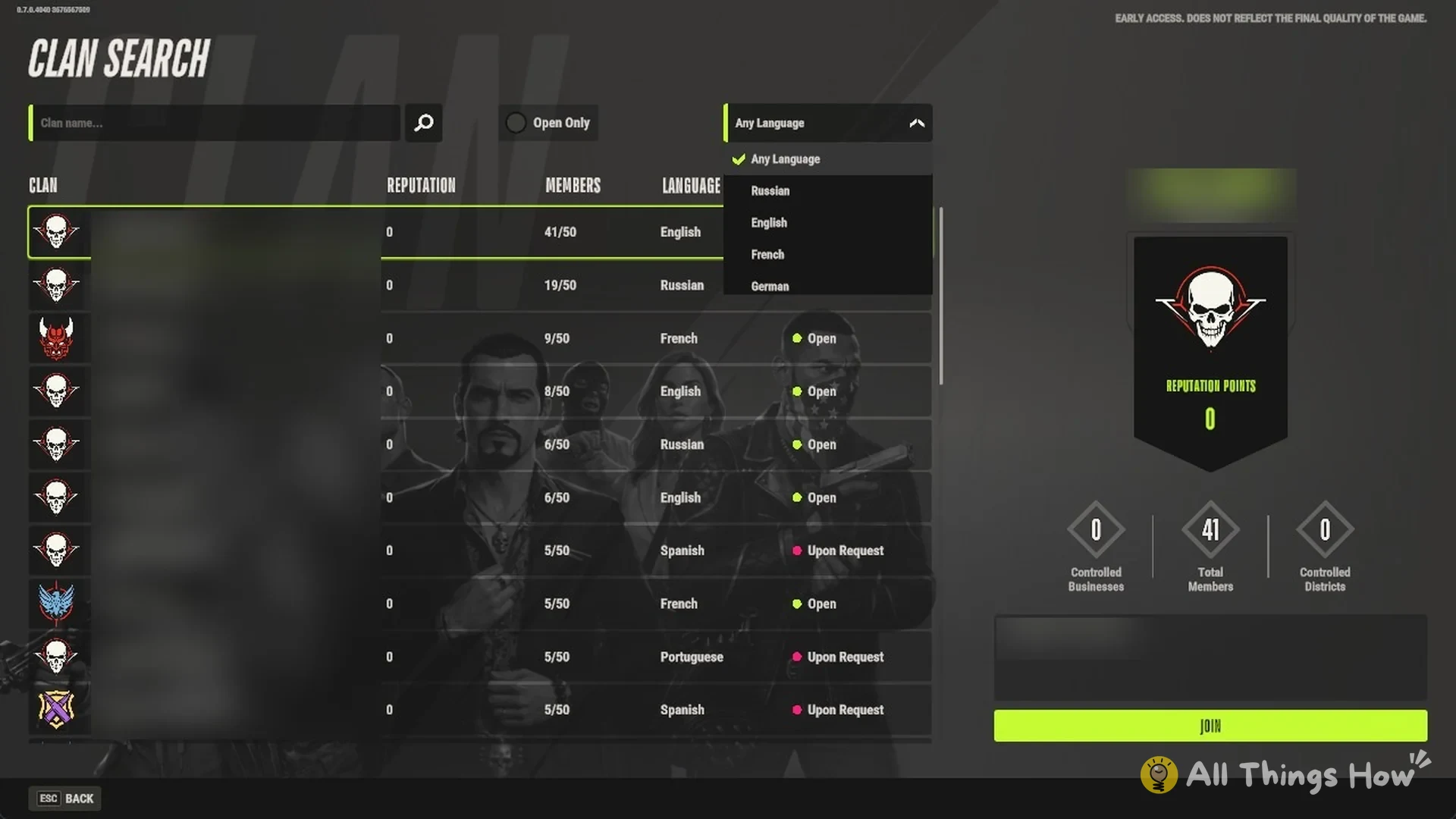
Scan the columns to compare clans. Each row shows the following:
| Column | What it shows |
|---|---|
| CLAN | Tag in brackets, then the name |
| REPUTATION | The clan’s reputation |
| MEMBERS | Current members out of 50 |
| LANGUAGE | English, Russian, French, Spanish, Portuguese, etc. |
| STATUS | Open (green dot) or Upon Request (pink dot) |
Click a clan in the list. The right side of the screen fills in with its name, Leader, REPUTATION POINTS, Controlled Businesses, Total Members, Controlled Districts, and the clan’s welcome message.
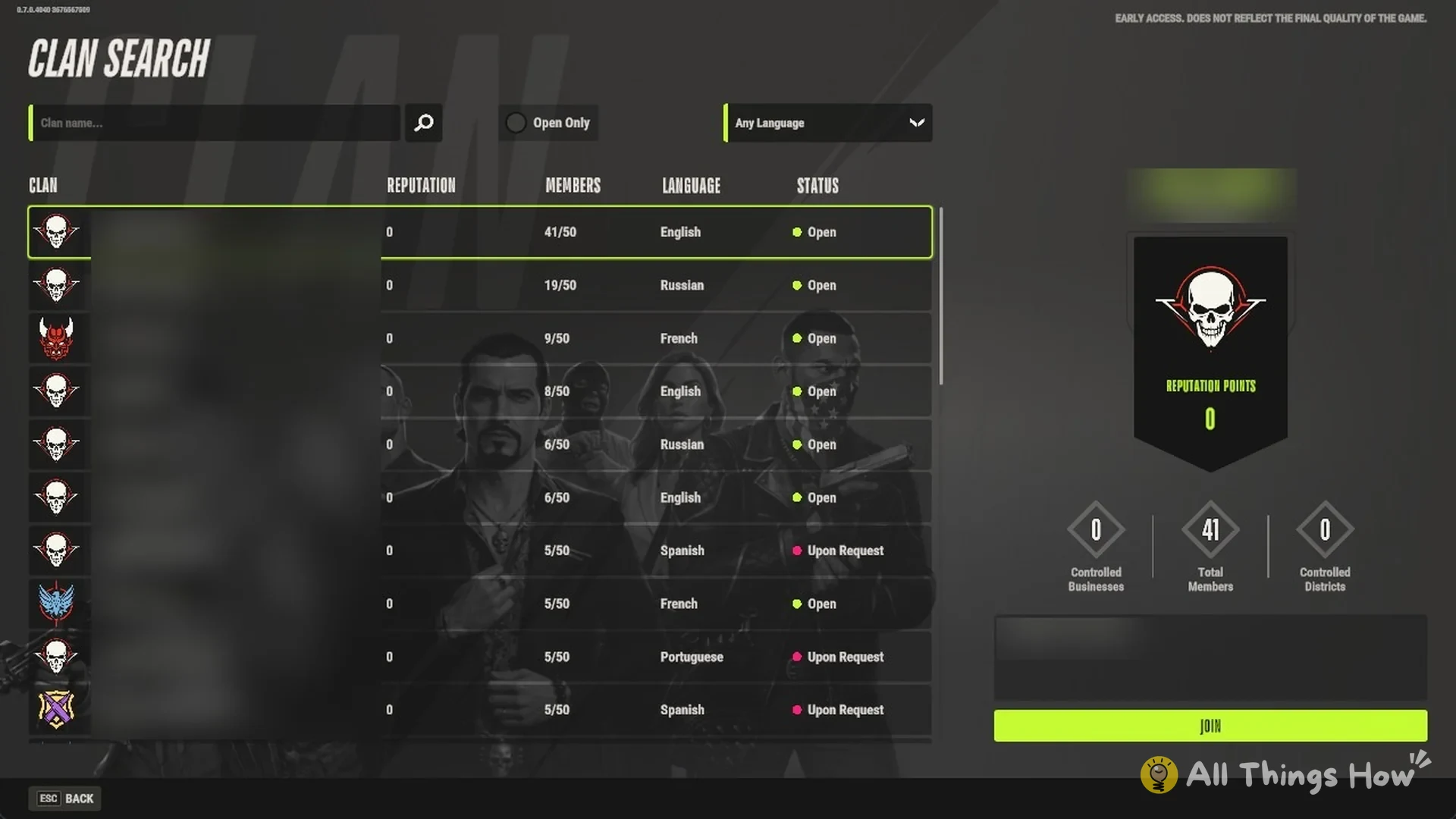
Press JOIN under the welcome message.
How to create a clan in Rob Run
Under “CREATE YOUR OWN CLAN:”, the sole listed condition is “Open a bank account”. A red cross remains beside it until you have an account, and the CREATE button stays inactive.
Go to the Looty Bay Bank and open a bank account with the Bank Employee. It costs $5,000 in cash, and the account lists clan creation among the things it unlocks.
Press Esc and open Clan.
Press CREATE.
How many players can be in a clan?
Fifty. In CLAN SEARCH, each clan’s MEMBERS count is shown against 50, for example 41/50, 19/50, or 5/50. The Steam store description says clans can have up to 100 players, while the current in-game limit is 50 members.
What clans do in Rob Run
Clans compete to control businesses. At a store, use the SMALL BUSINESS PROPERTY board to open CONTROL OVER BUSINESSES, where clans can control a business. To claim one, you need all of the following:
- Membership in a clan
- Clan rank Officer or higher
- $50,000 in the clan account
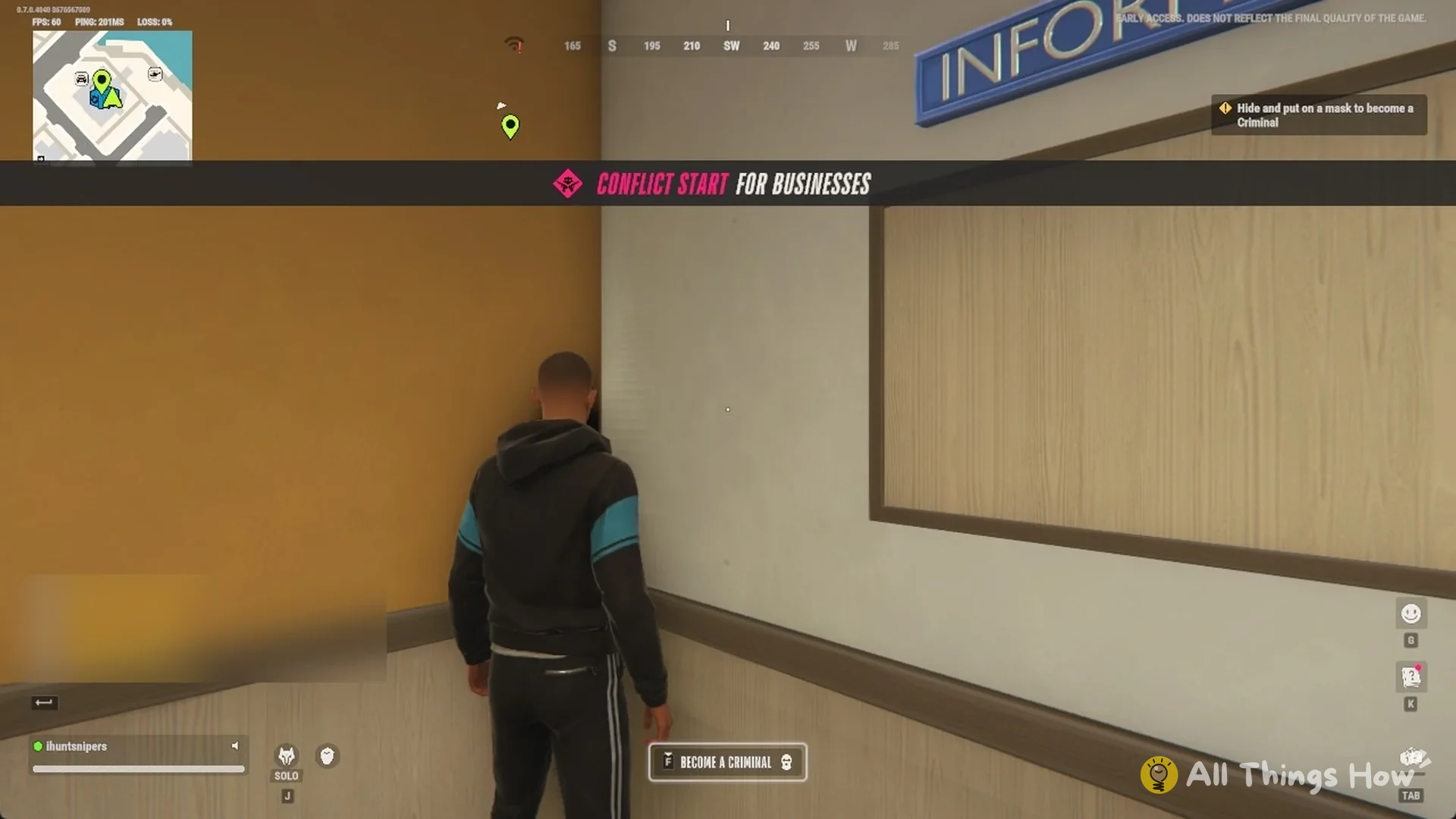
Two clans fight over a business 3v3. When a business conflict starts, a “CONFLICT START FOR BUSINESSES” banner appears for everyone in Looty Bay, and “Conflict Start for businesses” is posted in the chat feed.
Clans can build reputation and seize control of districts. You can see both in a clan’s CLAN SEARCH details, listed as REPUTATION POINTS and Controlled Districts.
FAQ
Do you need a bank account to make a clan in Rob Run?
Yes. “Open a bank account” is the only requirement listed under “CREATE YOUR OWN CLAN:”, and the account costs $5,000 in cash. If you are short, make money first, then visit the Looty Bay Bank.
Can you join a clan without a bank account?
You can use CLAN SEARCH and the JOIN button without a bank account. Only the “CREATE YOUR OWN CLAN:” section requires one.
What does Upon Request mean?
The clan’s STATUS is something other than Open. A green dot marks Open clans, while Upon Request clans have a pink dot. Enable Open Only to limit the list to clans you can join immediately.