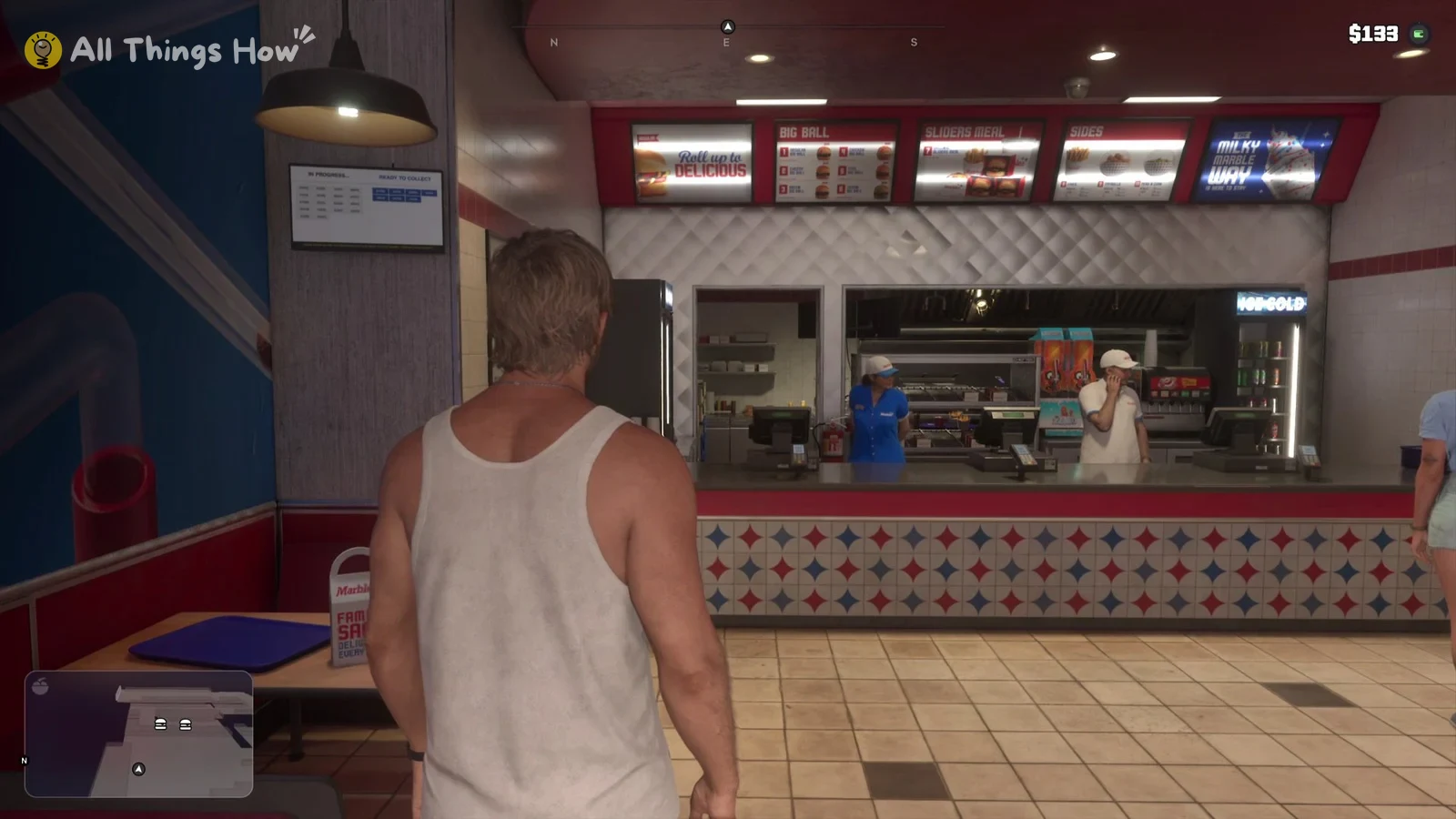
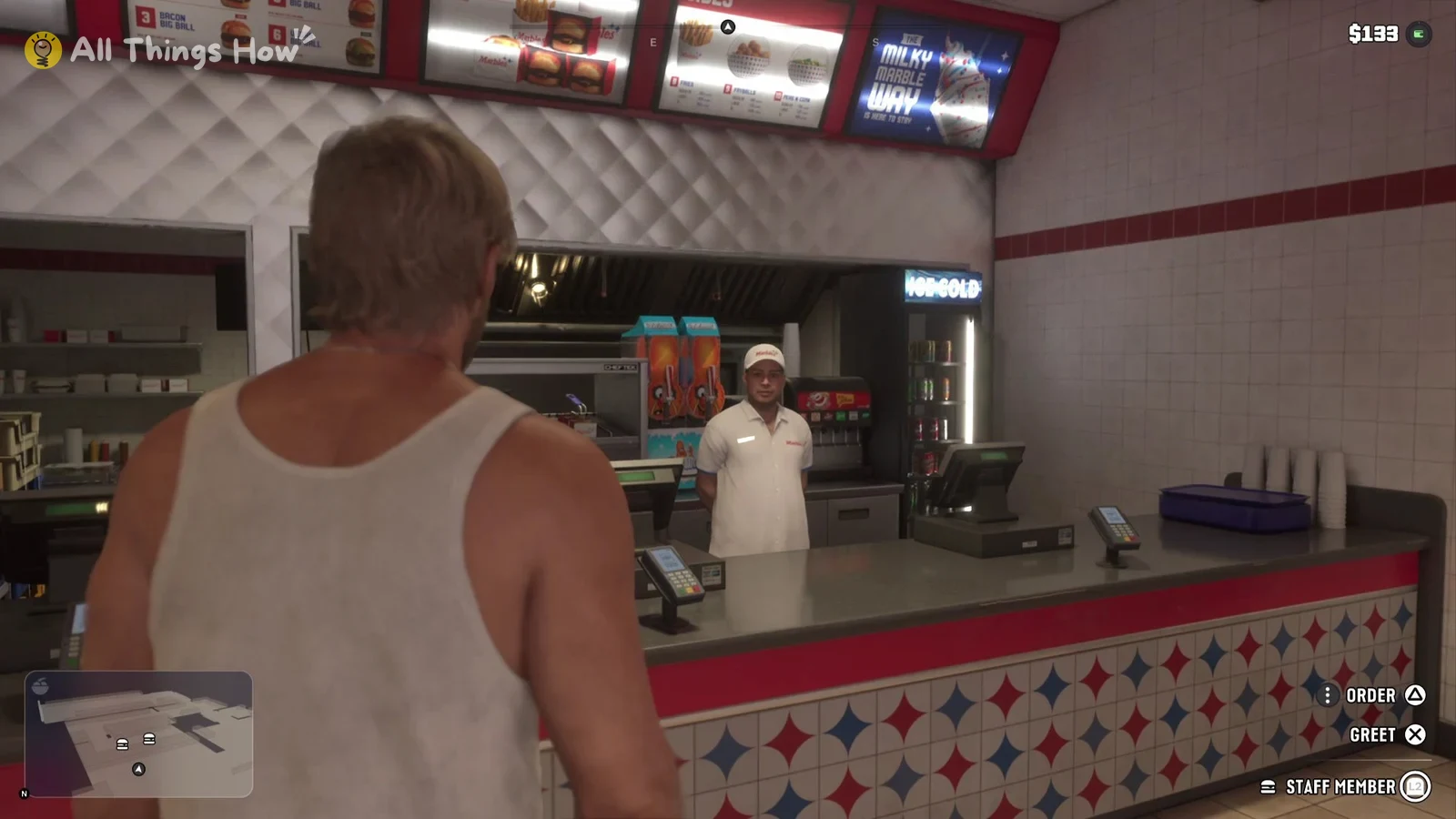
In Grand Theft Auto VI, you buy food by talking to the staff member at a counter, picking a meal from a short menu and then eating it with the button prompts that show up once it’s in your hand. A burger counter with Big Ball meals on the menu is used as the example below.
Quick answer: Hold L2 on the staff member, press Triangle for ORDER, then press Cross on a meal. Press R1 to eat it. A full meal refills health and can buff stamina and focus.
How to order food in GTA 6
The Big Ball counter’s order menu has three rows:
| Meal | Price | Icons beside it |
|---|---|---|
| DOUBLE BIG BALL MEAL | $14 | Heart, lightning bolt, eye |
| VEGAN BIG BALL MEAL | $11 | Heart, lightning bolt, eye |
| REGULAR BIG BALL | $9 | Heart only |
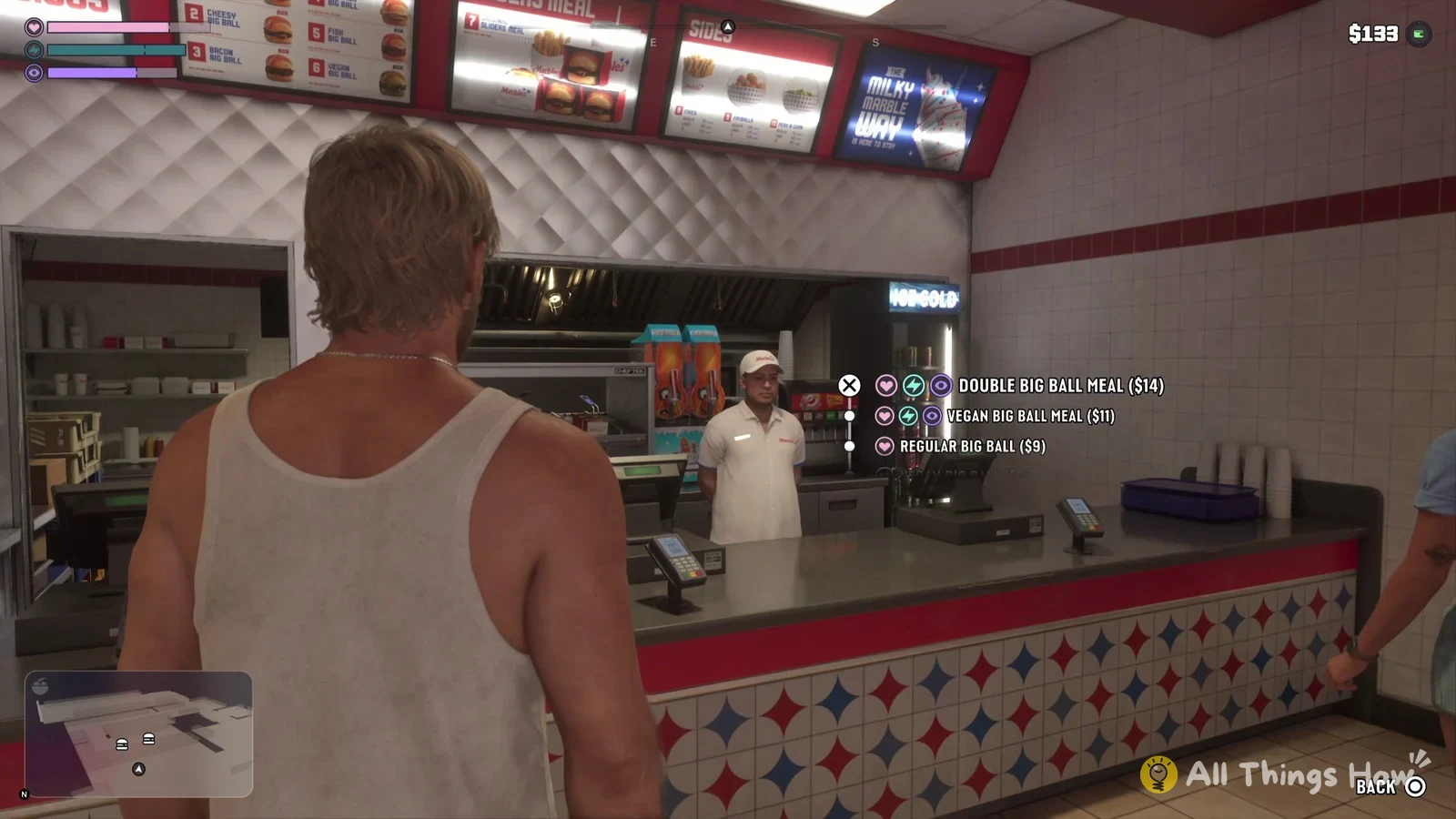
The icons next to each meal match the three status bars at the top left of the screen, so the heart is health, the lightning bolt is stamina and the eye is focus. You’ll see the same lightning bolt and eye again next to the buff messages after you finish a meal. The Regular Big Ball’s row only shows the heart.
The boards above the counter list more food, like the CHEESY BIG BALL, BACON BIG BALL, FISH BIG BALL, a SLIDERS MEAL and SIDES, but only the three meals in the table can be picked from the order menu.
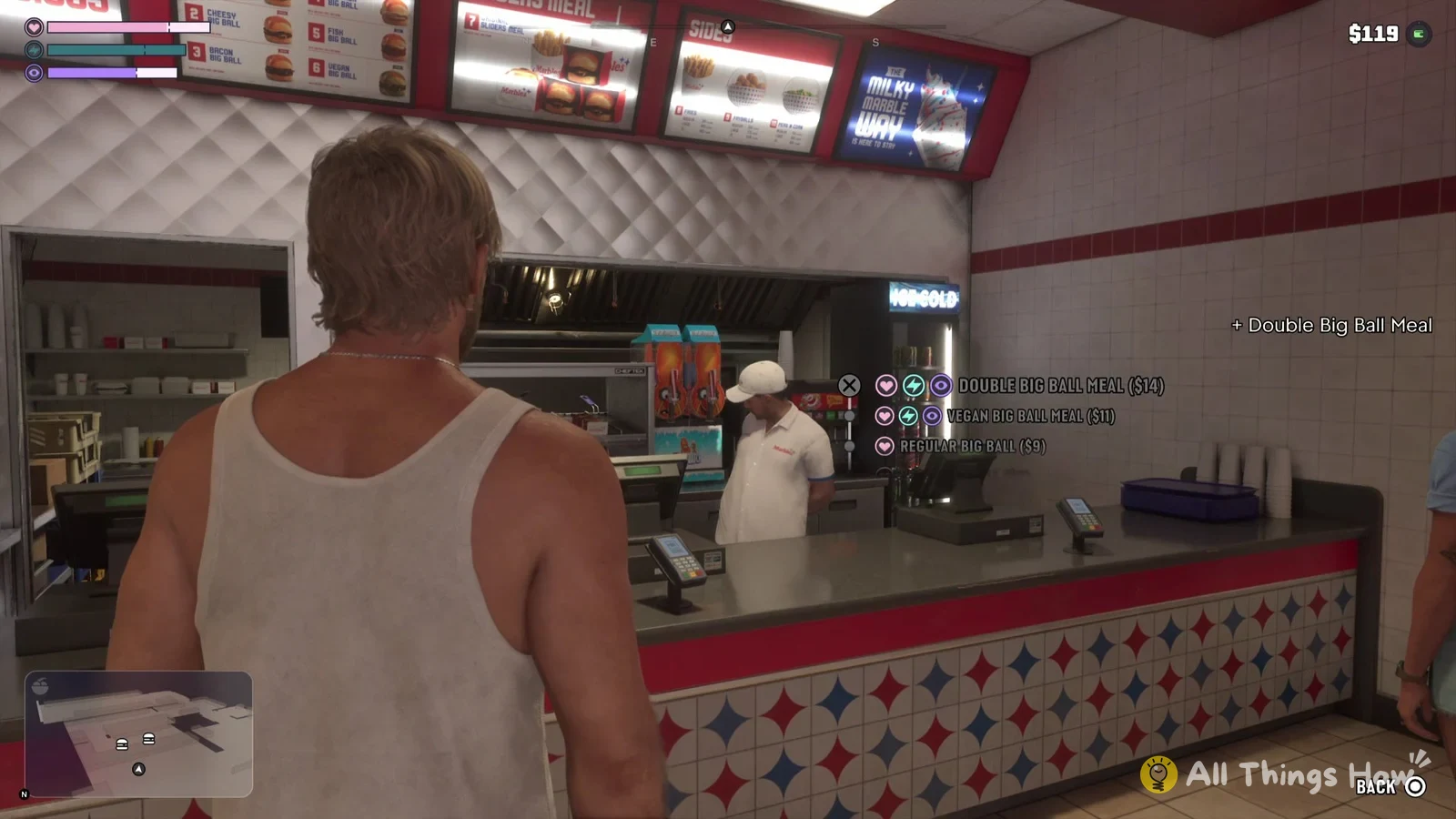
The price comes straight out of the cash shown at the top right of the screen, and the meal’s name pops up on the right side as a line like “+ Double Big Ball Meal”. Buying that meal with $133 on hand leaves you with $119.
How to eat the food you bought in GTA 6
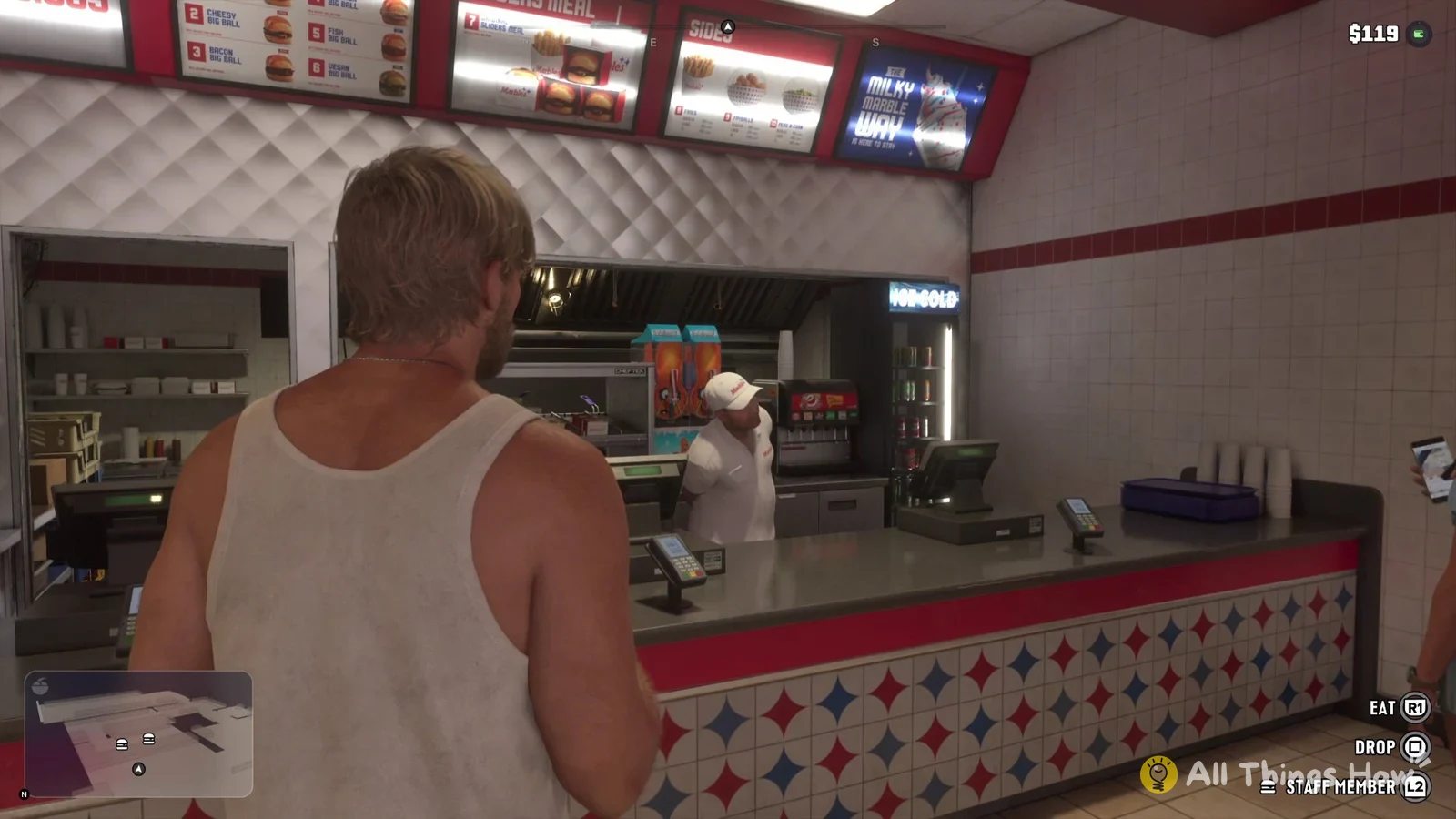
Once you’ve paid, your character is holding the food and the prompts switch to “EAT” on R1, “DROP” on Square and “STAFF MEMBER” on L2. Press R1 to take a bite. The health bar with the heart icon shows up at the top left while you’re eating, and you’ll need to press R1 several times to get through the whole meal.
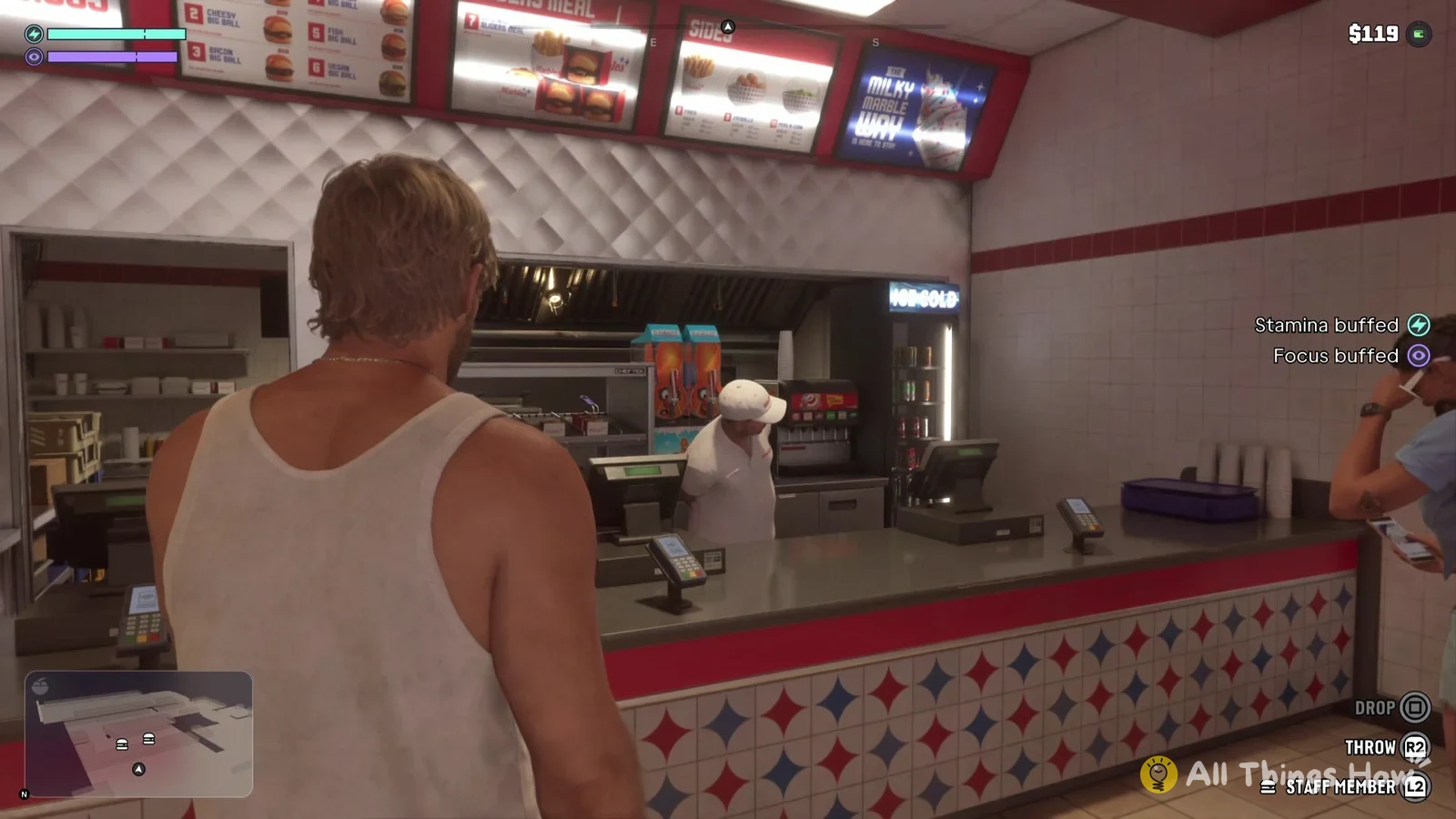
When you finish the Double Big Ball Meal, two messages appear on the right side of the screen, “Stamina buffed” and “Focus buffed”, each with its matching lightning bolt or eye icon. Those messages are how you know the meal’s buffs have kicked in. After the meal, the prompts change again to “DROP” on Square, “THROW” on R2 and “STAFF MEMBER” on L2, so you can drop whatever’s left in your hand or throw it.
How to find fast food and other food places on the GTA 6 map
Open the pause map and check the index column for the knife-and-fork icon headed “FOOD & DRINK”. It splits food places into these categories:
- Convenience Stores
- Fast Food
- Cafes & Takeout
- Liquor Stores
- Bars
- Street Food
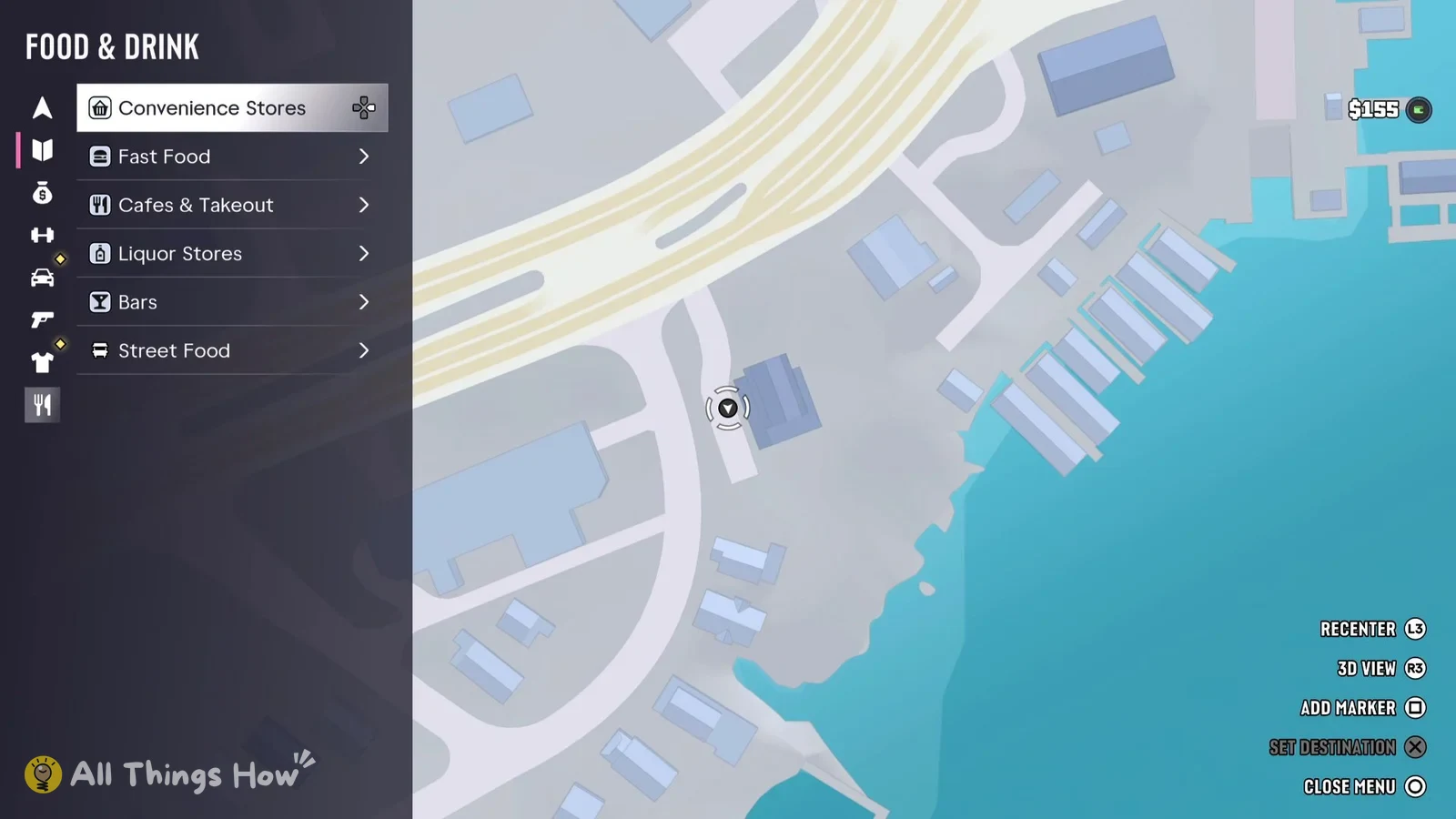
Pick Fast Food, or any other category, to see a list of the places of that type you’ve already discovered.