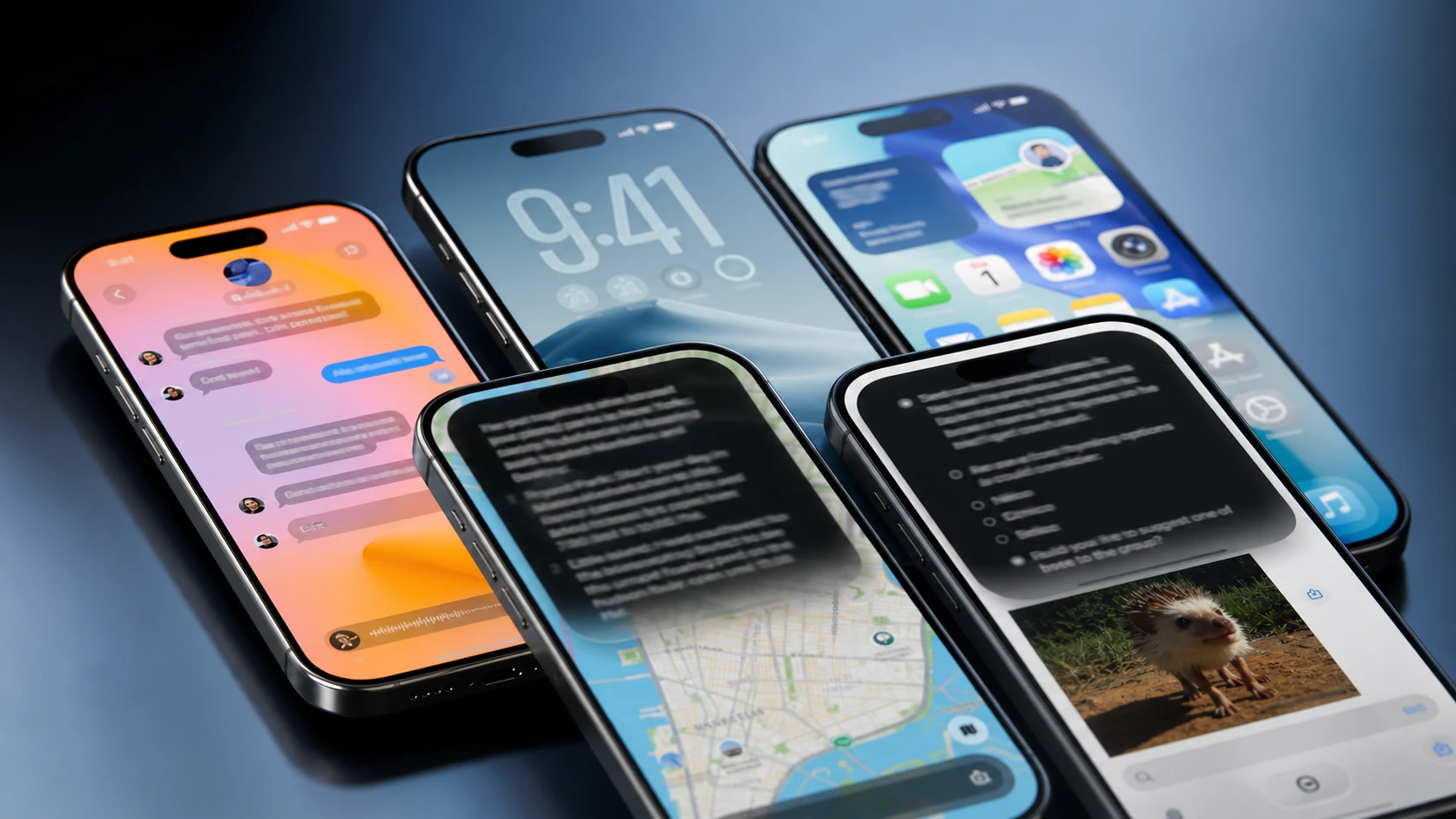
iOS 27 is less about flashy new toys and more about fixing what already exists. Where iOS 26 leaned on the Liquid Glass redesign and the first wave of Apple Intelligence, iOS 27 puts its energy into a smarter Siri, faster everyday performance, stronger security, and a deeper set of AI photo tools. The interface still looks familiar, but the things that frustrated people in iOS 26 are the things Apple spent the most time on.
Quick answer: If you own an iPhone 15 Pro or newer and want the new Siri, AI photo editing, and noticeably faster app launches, iOS 27 is a meaningful upgrade when it ships this fall. Older iPhones still get the speed and design changes, but miss the most advanced on-device AI.
iOS 27 vs iOS 26: The differences that matter
The clearest way to see the gap is category by category. iOS 26 was a feature-and-redesign release. iOS 27 is a refinement release that targets speed, Siri, and security.
| Category | iOS 27 | iOS 26 |
|---|---|---|
| Siri | Full Siri AI with personal context, cross-app actions, conversation history | Basic Apple Intelligence, Live Translation, Visual Intelligence |
| Performance | Up to 30% faster app launches, 70% faster photo loading, 80% faster AirDrop | Standard optimization |
| Design | Refined Liquid Glass with adjustable transparency and better readability | Introduced Liquid Glass |
| Photos | AI image expansion, object removal, Reframe, expanded Image Playground | Visual Intelligence screenshot analysis |
| Phone | Call Context surfaces relevant emails and messages during calls | Call Screening, Hold Assist, voicemail summaries |
| Security | Automatic replacement of compromised passwords | Password management improvements |
| Parental Controls | Ask to Browse, category-based limits, expanded safety | Ask to Buy, Communication Safety |
| Games | Largely unchanged | New dedicated Games app |
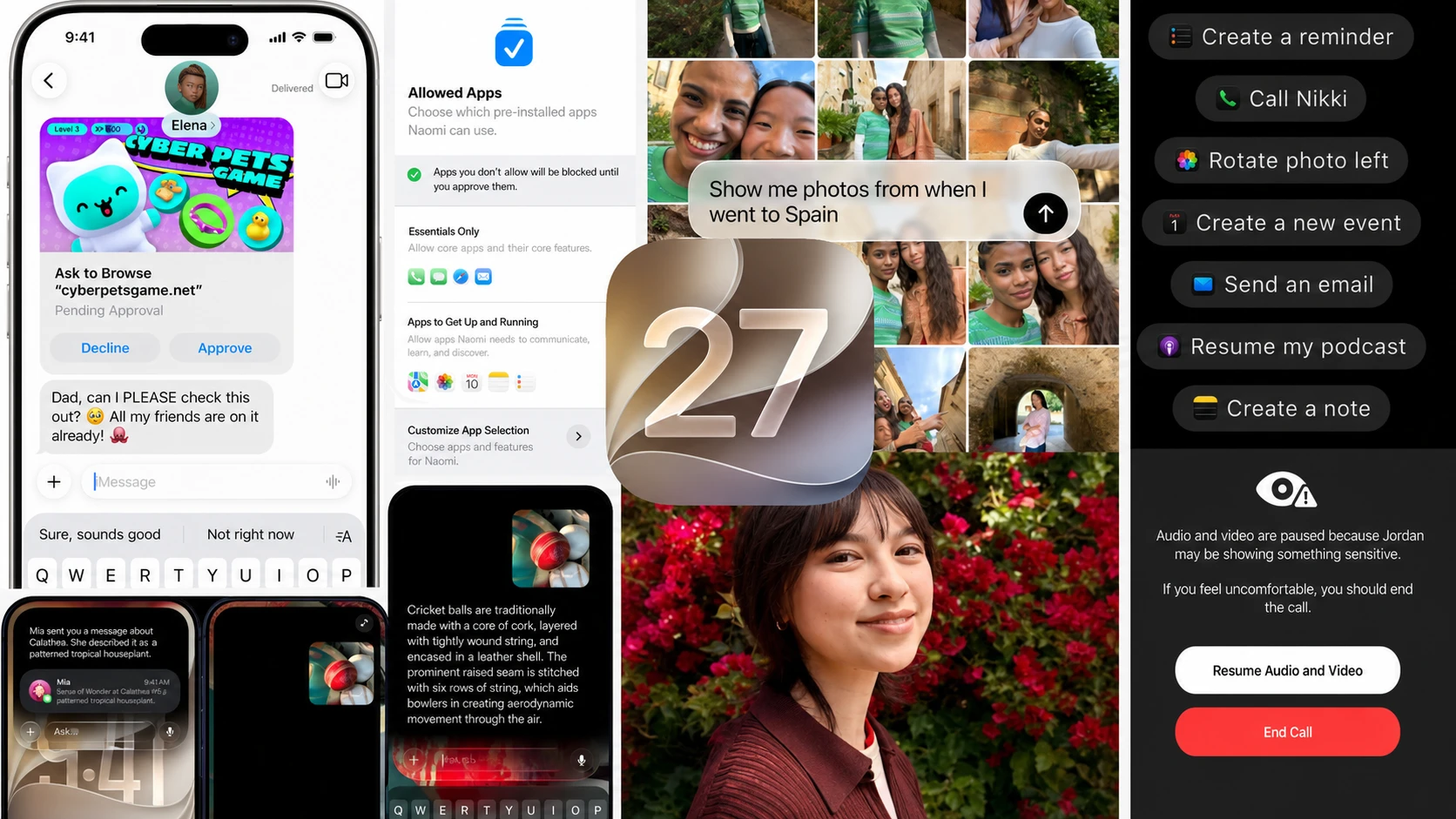
Siri AI is the headline change
Siri is the biggest reason to care about iOS 27. It stops being a one-question-at-a-time assistant and becomes something closer to a chatbot that understands context. It can hold a conversation, remember earlier requests, and act across your apps once you grant permission.
The new models pull from two pools of information. Personal Context covers what is stored on your iPhone, such as Mail, Messages, Photos, Calendar, Notes, and Reminders. Broad world knowledge covers what Siri can find more generally. Combining the two means it can do things like read a back-and-forth email thread, work out that you are arranging a meet-up, and offer to create the calendar entry without you spelling it out.
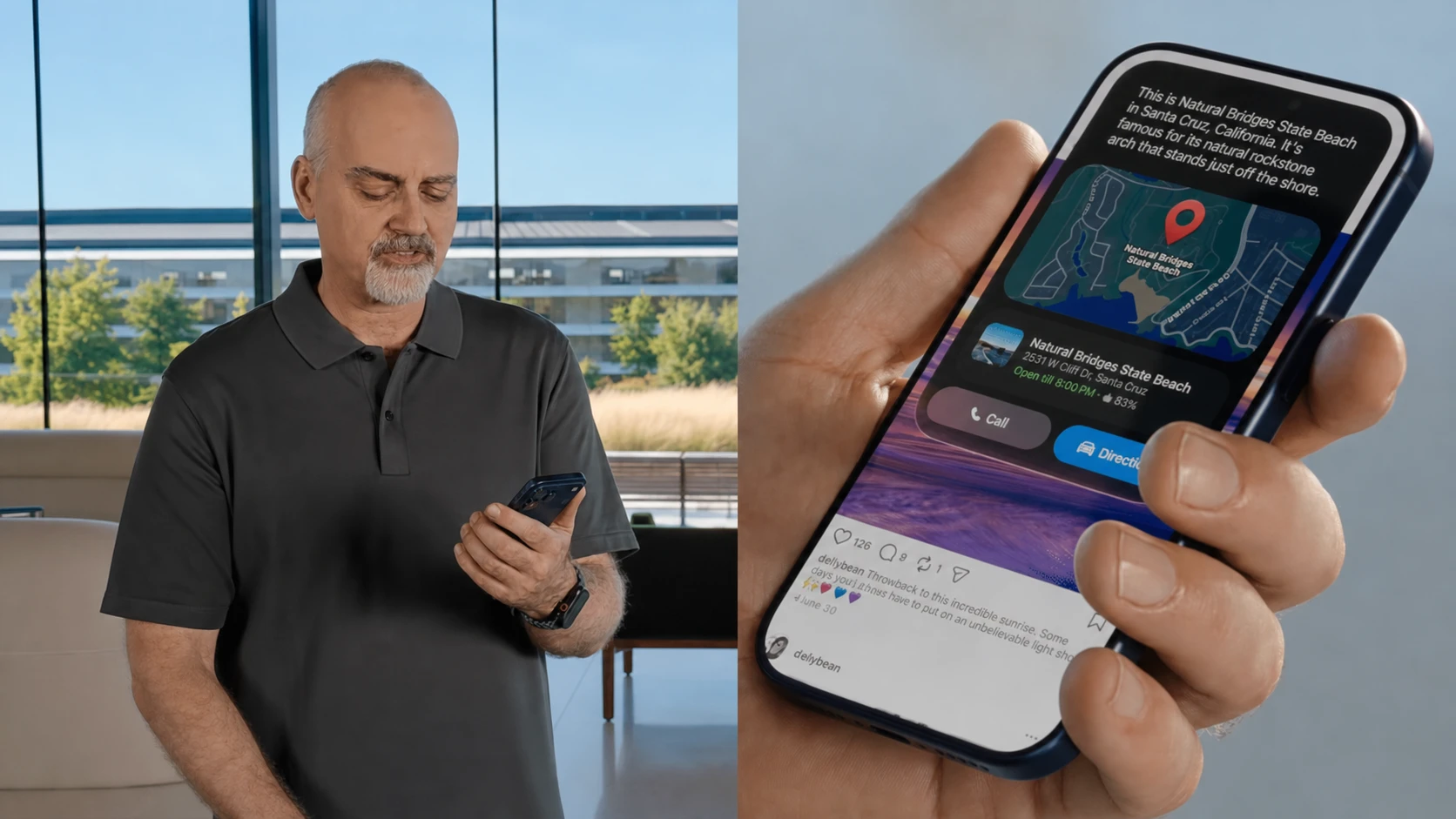
Practical examples shown by Apple include asking “what TV show did Paul say I should watch?” and having Siri search your messages to find it. In another demo, Siri found a contact’s new address inside a message, then plotted the route in Apple Maps. It can also chain tasks together, such as checking when a concert is happening, explaining the ticket lottery, setting a reminder for when the lottery opens, and starting a song from that artist in Apple Music, all inside one conversation.
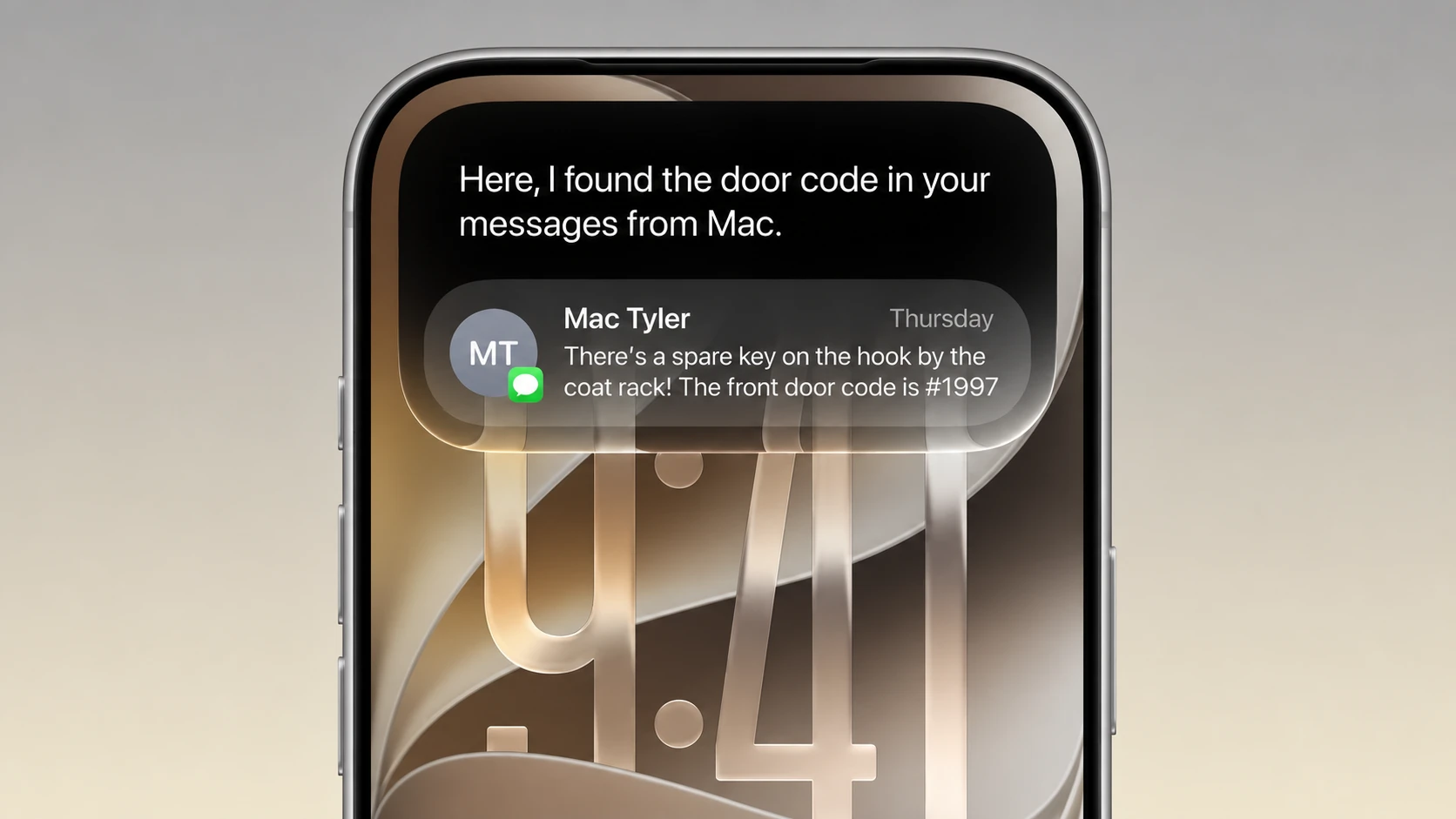
The new Siri lives mostly in the Dynamic Island. A swirling orb expands and animates there instead of the old glow that traced the screen edges, and requests appear in a compact interface around the island rather than taking over the whole display. You can reach it by voice, by swiping down from the Dynamic Island, or by holding the Side Button for longer interactions. There is also a dedicated Siri app that keeps your past conversations and syncs them across your Apple devices, working much like ChatGPT, Gemini, or Claude. Under the hood, Apple is combining its own Foundation Models with Google Gemini through Private Cloud Compute for more demanding requests.
There is one important catch. Because of an ongoing dispute with the EU, people in the bloc will not get Siri AI on iPhone or iPad at launch. Some advanced features, including generative AI voices and the most accurate dictation, also lean on devices with more RAM, so the experience varies between models.
Automatic fix for compromised passwords
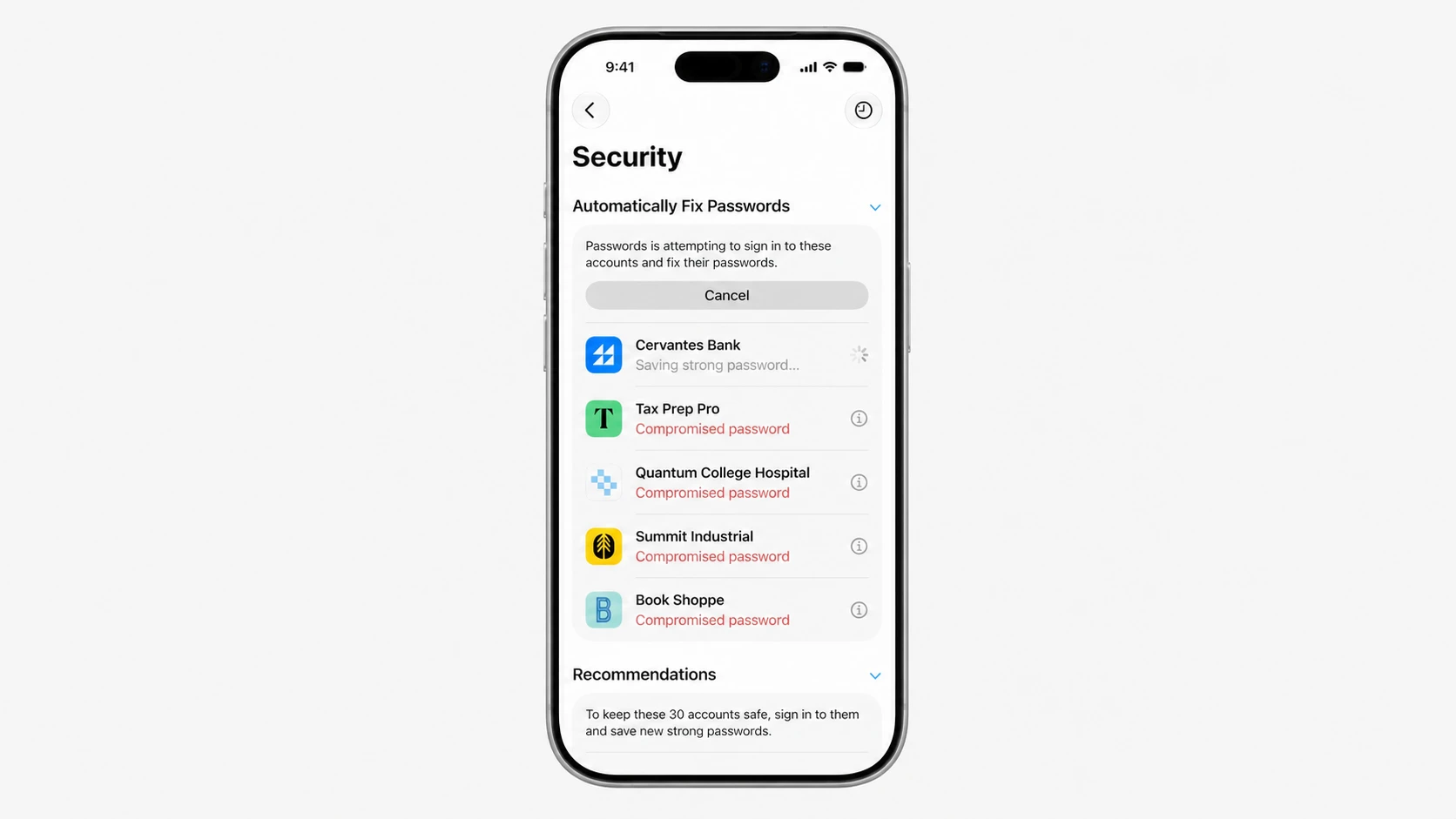
This one falls under Siri AI but deserves its own spotlight. If you keep your logins in the Apple Passwords app, Siri can find passwords that have been compromised, sign into the affected service, generate a stronger replacement, and save it automatically. It removes the tedious part of fixing a leaked password, which is the reason most people never get around to doing it.
Performance: the change you feel first
Apple says app launches are up to 30% faster, photo libraries load up to 70% quicker, and AirDrop transfers can be up to 80% faster, with file transfers in Files also sped up. These are best-case figures, but the difference is noticeable in normal use. Apps open quicker, the keyboard appears instantly, Spotlight returns results faster, and switching between apps feels more immediate.
What stands out is that this is not limited to the newest hardware. Owners of older models such as the iPhone 11, iPhone 12 mini, and iPhone 13, which had a rough time on iOS 26 with stutters and inconsistent performance, are seeing smoother behavior even on an early developer beta. Apple says it reworked CPU scheduling, memory management, and background task handling, and the whole system feels lighter as a result.
AI photo editing in the Photos app
The Photos app gains three notable generative tools. An improved Clean Up removes unwanted objects more cleanly, including larger ones, while keeping the rest of the photo intact. Extend grows the borders of an image by up to 25%, with the new surrounding area generated to match what is already there, so you avoid heavy cropping.
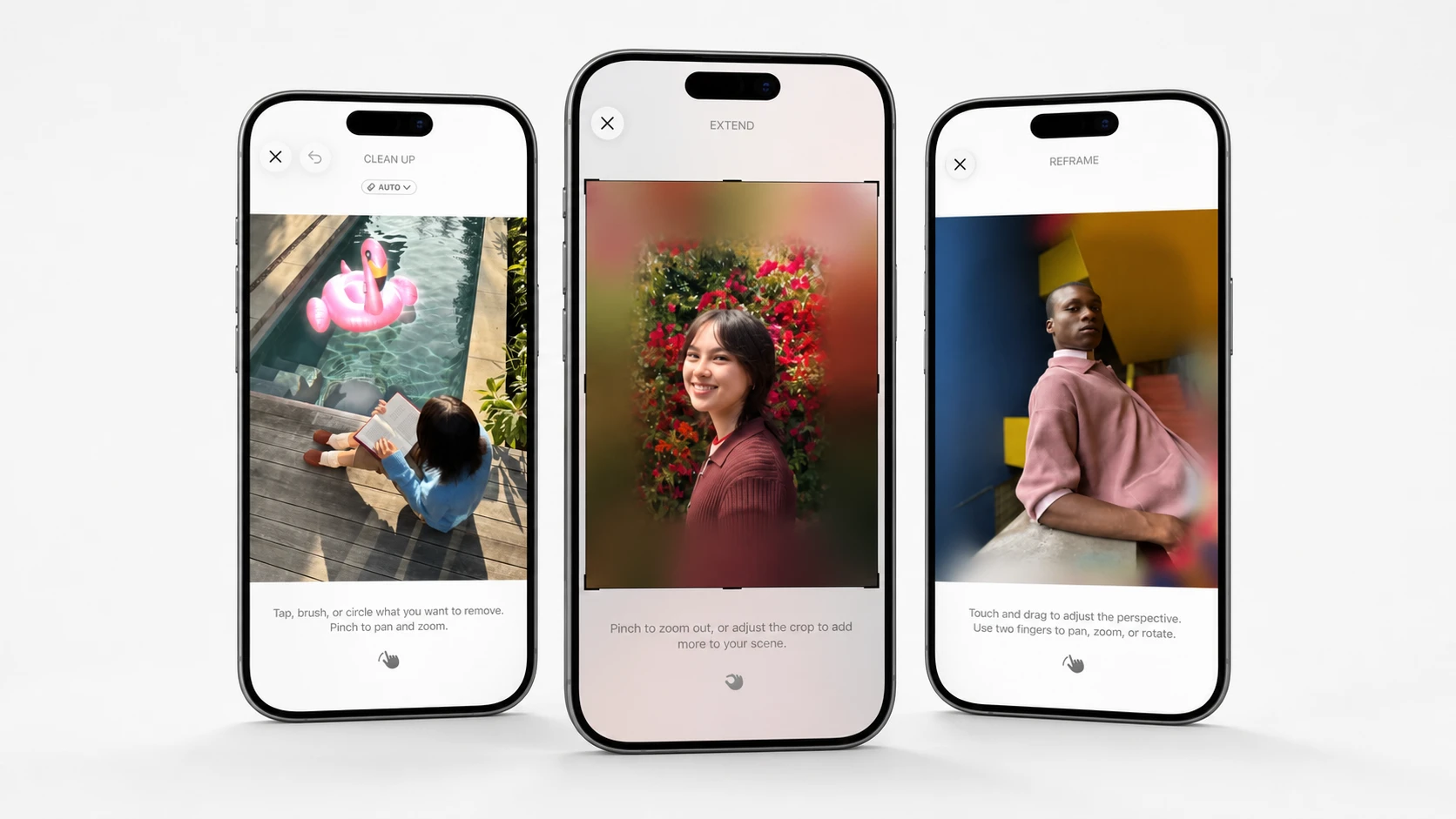
The most striking is Spatial Reframe, which lets you reposition the subject of a photo after it has been taken. The system reconstructs the parts of the scene that were never captured to create a new composition. Image Playground has also been revamped so you can generate images from text prompts and restyle existing photos by asking Siri.
New child safety controls for families
Parental controls become far more granular in iOS 27. Instead of one blanket Screen Time setting, you can set separate limits and schedules for three categories: Entertainment, Games, and Social Media. Child Accounts also adjust as a child gets older, so the controls loosen appropriately rather than staying fixed.
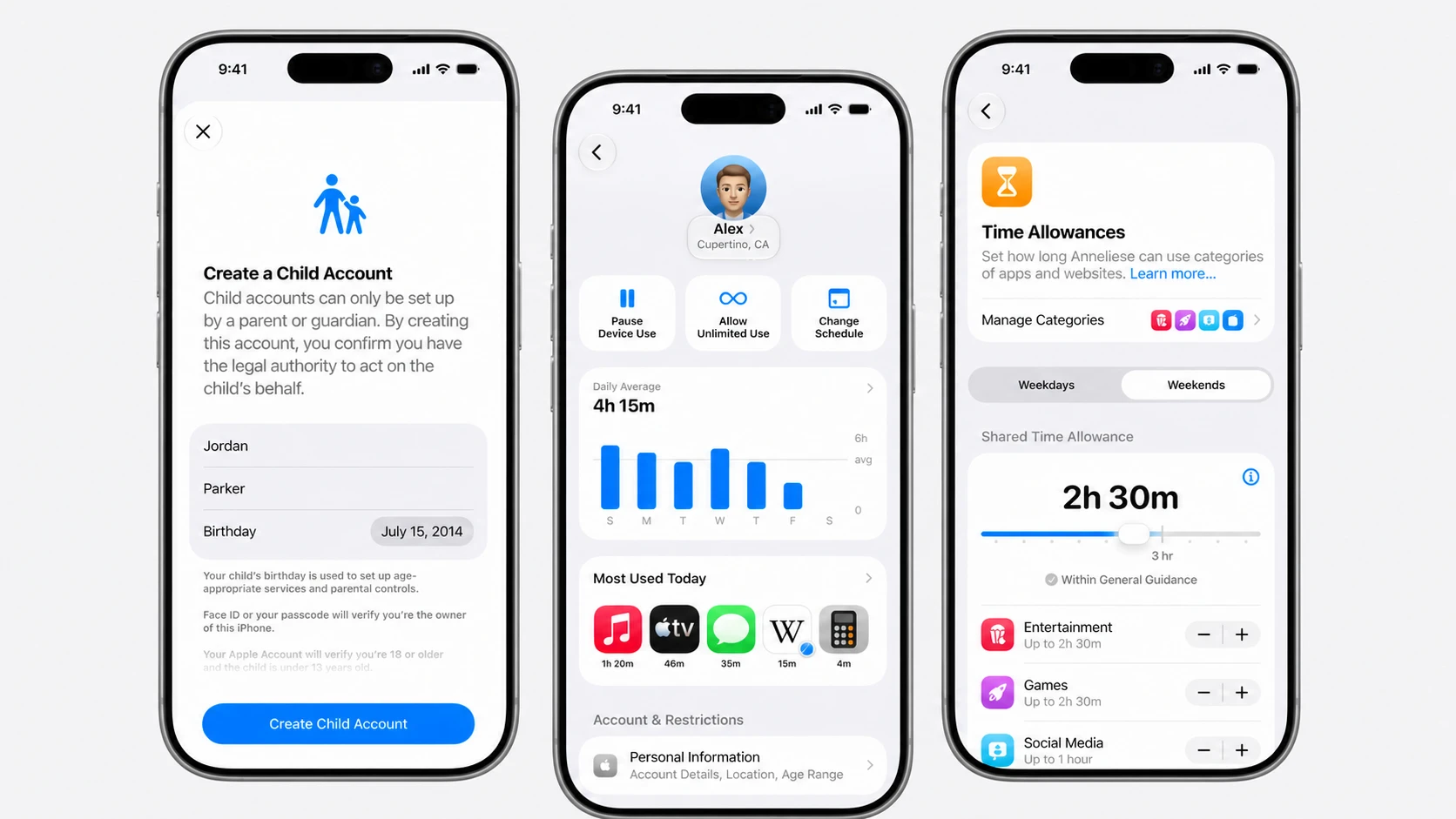
Alongside the existing Ask to Buy feature, iOS 27 adds Ask to Browse, which blocks a child from opening an unfamiliar website until a parent approves it. Communication Safety expands to check messages going in and out, preventing sexual or violent images from being viewed, received, or sent. Apple says the guidance built into Child Accounts draws on research from the American Academy of Pediatrics to help parents decide what is appropriate.
Liquid Glass gets the controls people wanted
Liquid Glass was one of the most divisive parts of iOS 26. The fix in iOS 27 is choice. A full Liquid Glass slider now lives under Settings, Appearance, Liquid Glass, letting you pick a clear version that shows the background through, a more opaque tinted version that improves text legibility, or something in between. The setting affects the clock, buttons, widgets, and notifications system-wide.
Apple also extended the effect more consistently across the system, including refraction on widgets that were previously missing it, and added frosted menu bars to improve readability. There are smaller polish touches too, like circular buttons in Control Center, icons replacing the old “Edit” and “Done” text, and a new extra-large 6×4 widget size that nearly fills the Home Screen.
Smaller upgrades worth knowing
Beyond the headline features, iOS 27 is full of quality-of-life fixes. The Camera app is easier to read, with Portrait mode more visible and controls like flash, exposure, and resolution moved to the top. Apple finally added separate volume controls for alarms, ringtones, and media, brought back a dedicated Camera Roll view in Photos, and lets you save individual video frames as photos.
- Apple Maps gains an AI-enhanced Flyover for select cities and Local Lists for trending places in the U.S.
- Find My lets you share your location for a custom duration or pause sharing with specific people until end of day.
- Apple Wallet can create custom passes from physical loyalty or membership cards using the Camera app’s Siri mode.
- Apple Cash adds bill splitting that reads a receipt, identifies items, and works out tax and tip.
- Apple Music improves AutoMix transitions and adds seven more Lyrics Translation language pairings.
- Photos’ iCloud Shared Albums now support cross-platform, full-resolution sharing, including for people without an Apple device.
Health and Fitness also see changes. Visual Intelligence can rate the nutritional value of food you point the camera at, Cycle Tracking adds perimenopause and menopause support, and GymKit expands to the iPhone so you can pair with treadmills and bikes without an Apple Watch. The nutrition feature needs an iPhone 15 Pro or later.
Release date and the public beta
iOS 27 is in developer beta now. A public beta is planned for July, and the full release is expected in the fall, lining up with the launch of the new iPhone lineup in September. As always, installing a beta on your only iPhone is risky because the software is unfinished and can carry serious bugs.
Which iPhones support iOS 27
The compatibility list is broad and matches iOS 26 closely, reaching back to the iPhone 11 and both recent iPhone SE models.
- iPhone Air
- iPhone 17 Pro Max, 17 Pro, 17, 17e
- iPhone 16 Pro Max, 16 Pro, 16 Plus, 16, 16e
- iPhone 15 Pro Max, 15 Pro, 15 Plus, 15
- iPhone 14 Pro Max, 14 Pro, 14 Plus, 14
- iPhone 13 Pro Max, 13 Pro, 13, 13 mini
- iPhone 12 Pro Max, 12 Pro, 12, 12 mini
- iPhone 11 Pro Max, 11 Pro, 11
- iPhone SE (2nd and 3rd generation)
The catch is the AI. The most advanced on-device models are tied to higher-RAM phones such as the iPhone Air and iPhone 17 Pro. On other supported models you still get iOS 27, but you miss some of the new Siri voice models and the best dictation accuracy.
Should you update to iOS 27?
For iPhone 15 Pro and newer owners, iOS 27 is the most worthwhile upgrade in a while, mainly for the smarter Siri, the AI photo tools, the automatic password fix, and faster day-to-day performance. Owners of older supported iPhones still benefit from the speed gains and the Liquid Glass controls, which alone make iOS 26 feel more like a rough draft by comparison.
The two real caveats are the EU launch restrictions on Siri AI and the way the most capable AI features depend on newer, higher-RAM hardware. Apple’s AI rollout has stumbled before, so the smarter move is to wait for the public release this fall rather than gamble on the beta. If you can hold off until September, the finished version should arrive alongside the new iPhones.