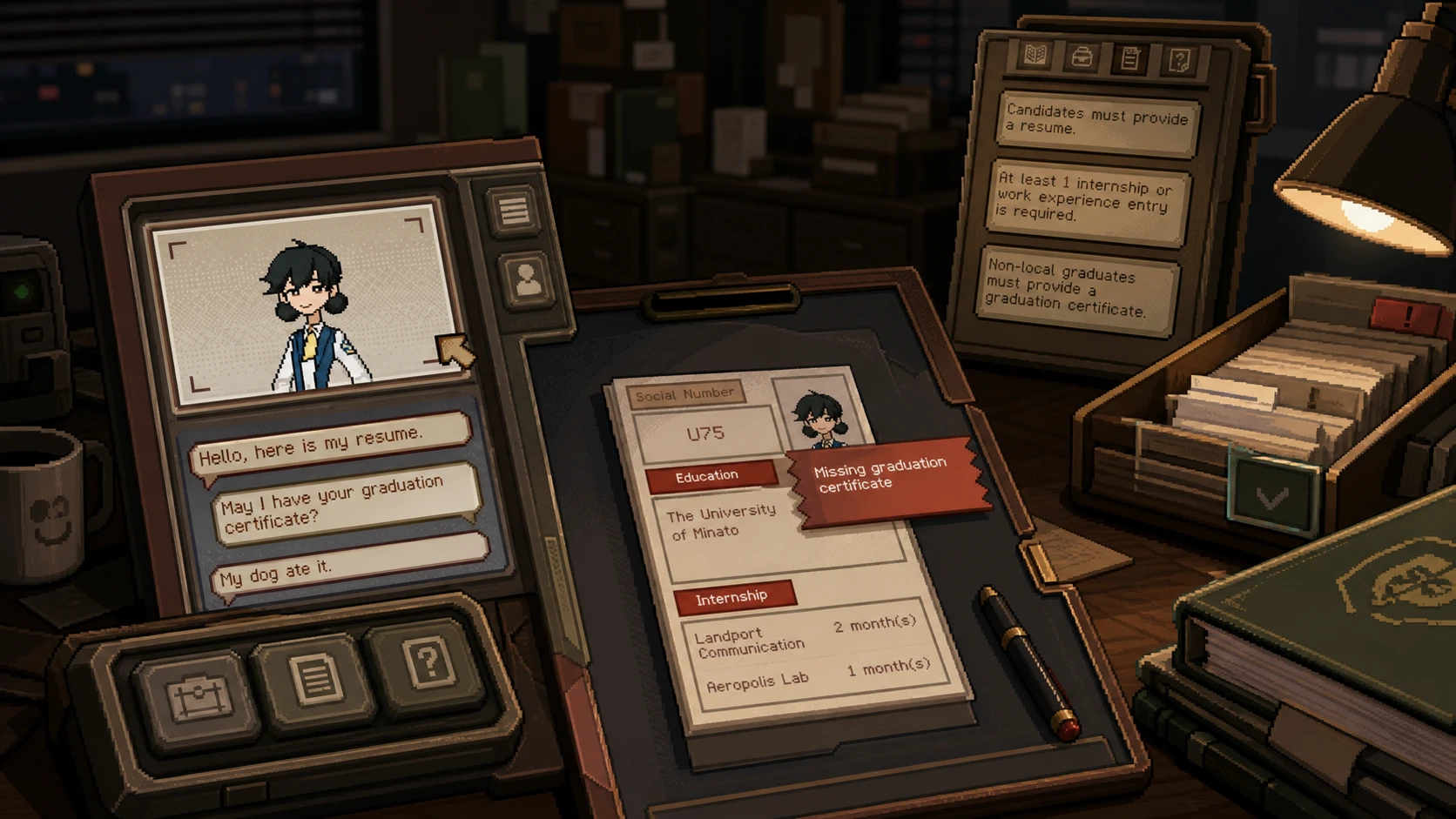
Rejecting applicants in Thank You For Your Application is its own small puzzle. You play a recruitment officer at the fictional Aeropolis Group, and not every résumé that lands on your desk deserves a pass. Some candidates fall short of the job requirements, some fail their psychological assessments, and a few even slip in fraudulent documents. When you turn one of them down, the game expects you to back up that decision with a correctly built Thanks Letter.
Quick answer: Open the candidate’s résumé, find the exact job requirement they fail, mark that value on the valid document, then select the matching failure criterion and value to generate the Thanks Letter before binning the résumé.
When you need a Thanks Letter
A Thanks Letter is only ever used to reject a candidate. If a résumé satisfies every requirement, it passes, and you do not attach anything to it. The letter exists purely to document why someone was turned away, so reach for it only when a candidate has failed at least one condition.
This matters for your wallet. A correct rejection that lacks a Thanks Letter still triggers a penalty, and those penalties are financial. Skip the letter and you will take home far less than your full wages, even when the reject decision itself was right.
How to generate the correct Thanks Letter
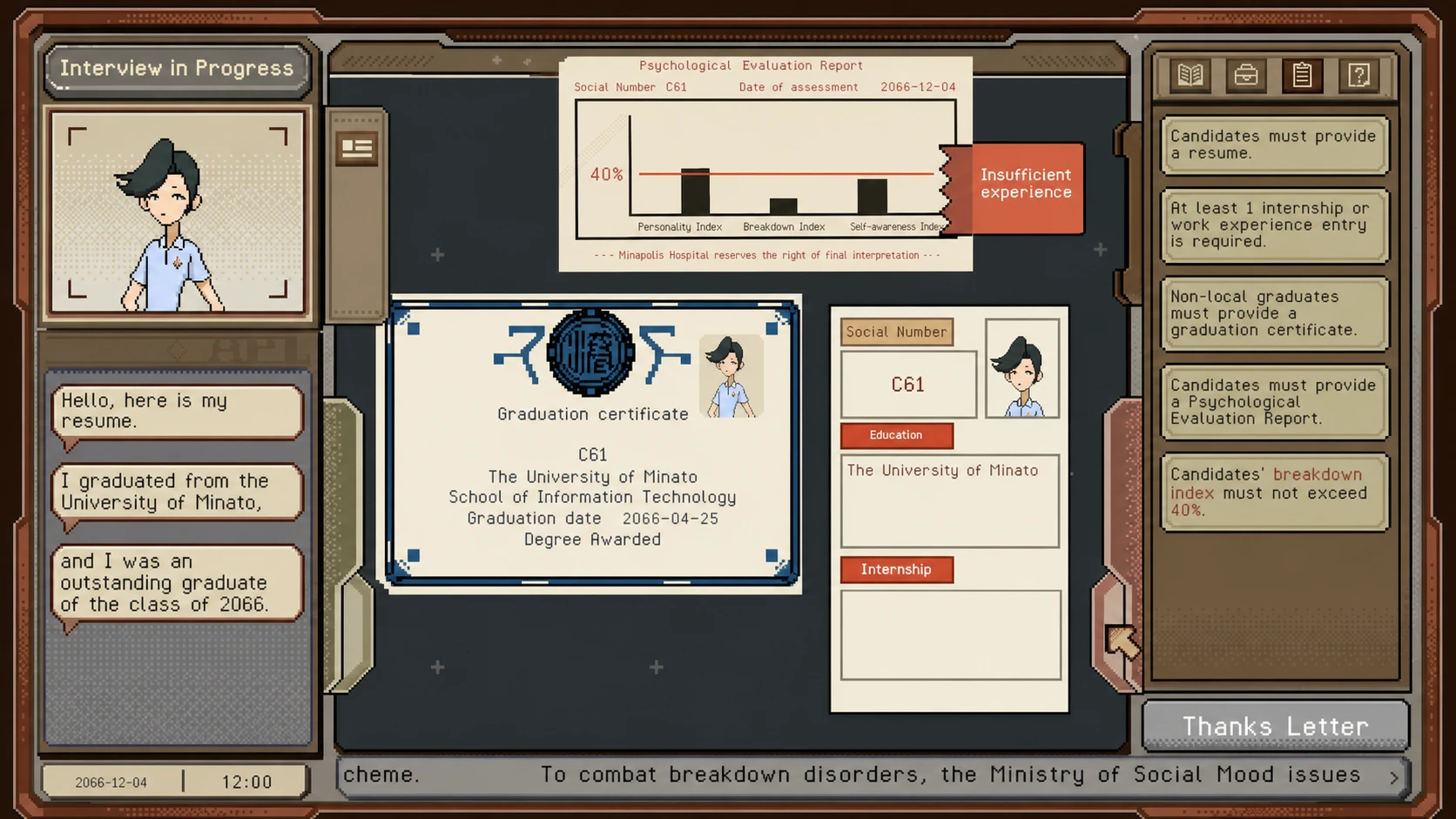
Worked example: a failed Breakdown Index
Say a candidate’s test report shows a Breakdown Index sitting above the maximum threshold the role allows. That is a clear failure, and it is exactly the kind of mismatch the Thanks Letter is built to capture.
- Pick the job requirement condition tied to the Breakdown Index.
- Select the value printed on the candidate’s test result.
- Generate the Thanks Letter and attach it to the résumé before rejecting the candidate.
The same logic applies to any other condition. Tie the failure criterion to the precise value on the document, and the letter will hold up.
Why a Thanks Letter fails to generate
If the letter refuses to come together, the cause is almost always a mismatch in what you selected. You must choose the correct criterion the candidate failed. Pick the wrong condition or the wrong value, and the game will not let you produce the letter at all.
| Action | Result |
|---|---|
| Reject with the correct Thanks Letter attached | Decision counts, no penalty |
| Reject correctly but skip the Thanks Letter | Financial penalty, reduced wages |
| Select the wrong failure criterion or value | Letter cannot be generated |
Get the pairing right and the letter generates cleanly, ready to attach. Treat every rejection as a two-part task, the decision and the paperwork, and your earnings stay intact across each shift at the Aeropolis Group.