Enable the scoreboard ping toggle to see your latency number in Battlefield 6 REDSEC. This helps you quickly judge server quality and spot connection issues during any match.
Battlefield 6 REDSEC: enable scoreboard ping (PC)
Open the in-game Settings from the main menu or while paused in a match. This is where all game and system options live.
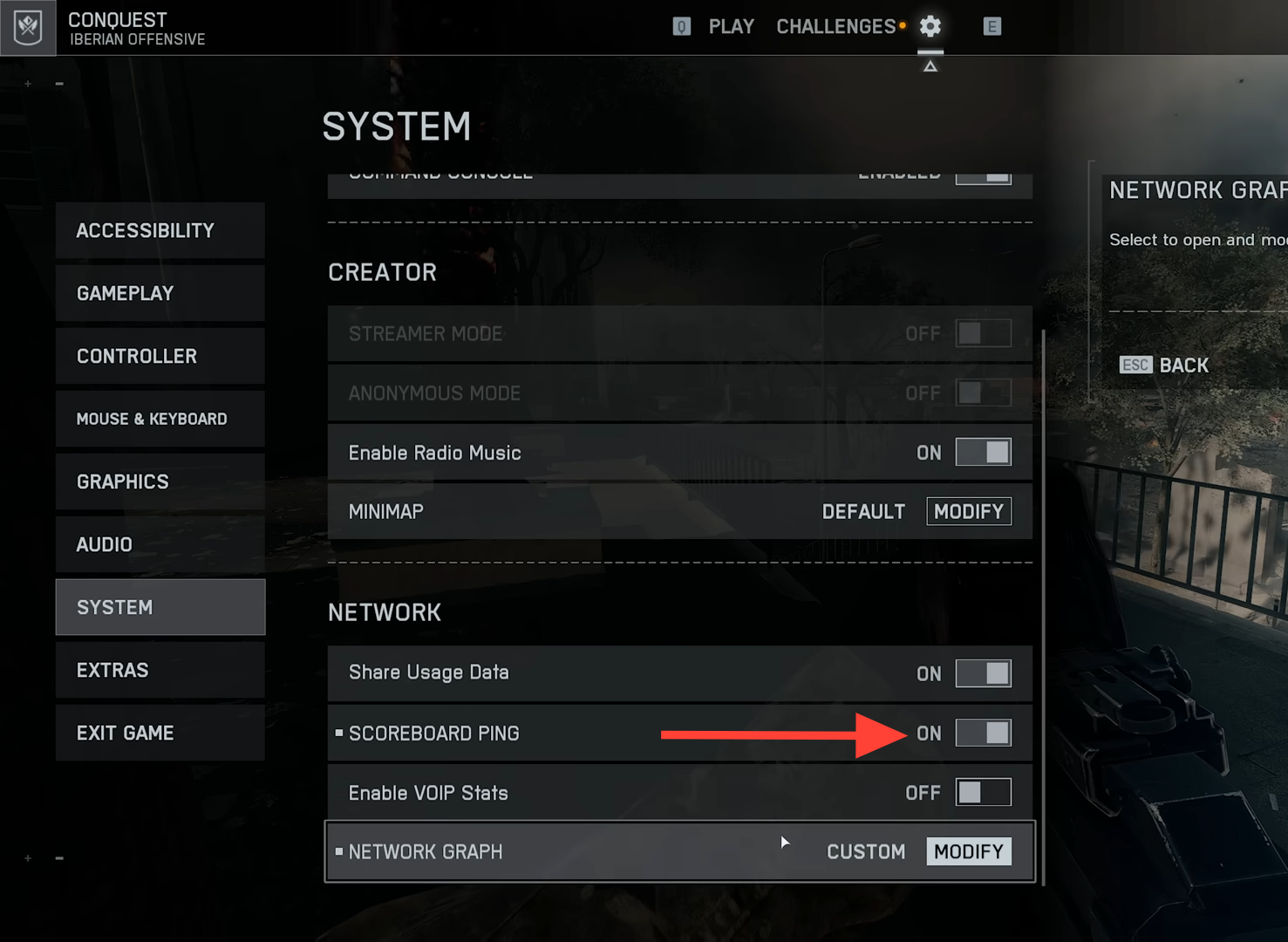
Toggle Scoreboard Ping to On. This adds a ping column to the scoreboard so you can see your latency in milliseconds.
Battlefield 6 REDSEC: enable scoreboard ping (PlayStation, Xbox)
Open the in-game Settings from the main menu or while paused. You do not need to leave your current session.
If you do not see the toggle, check for an Advanced section within Network. Some consoles place ping and diagnostic toggles there.
Find and read your ping during a match
Open the scoreboard during a live match. Do this after you enable the setting so the ping column can appear.
- PC (Keyboard + Mouse): Press the Tab key to display the scoreboard.
- PlayStation / PS5 Console: Press and hold the Options / “…” (menu/options) button on your DualSense controller to bring up the scoreboard.
- Xbox Console: Press and hold the Menu / View (or “Options”) button on your Xbox controller for about a second to show the scoreboard.
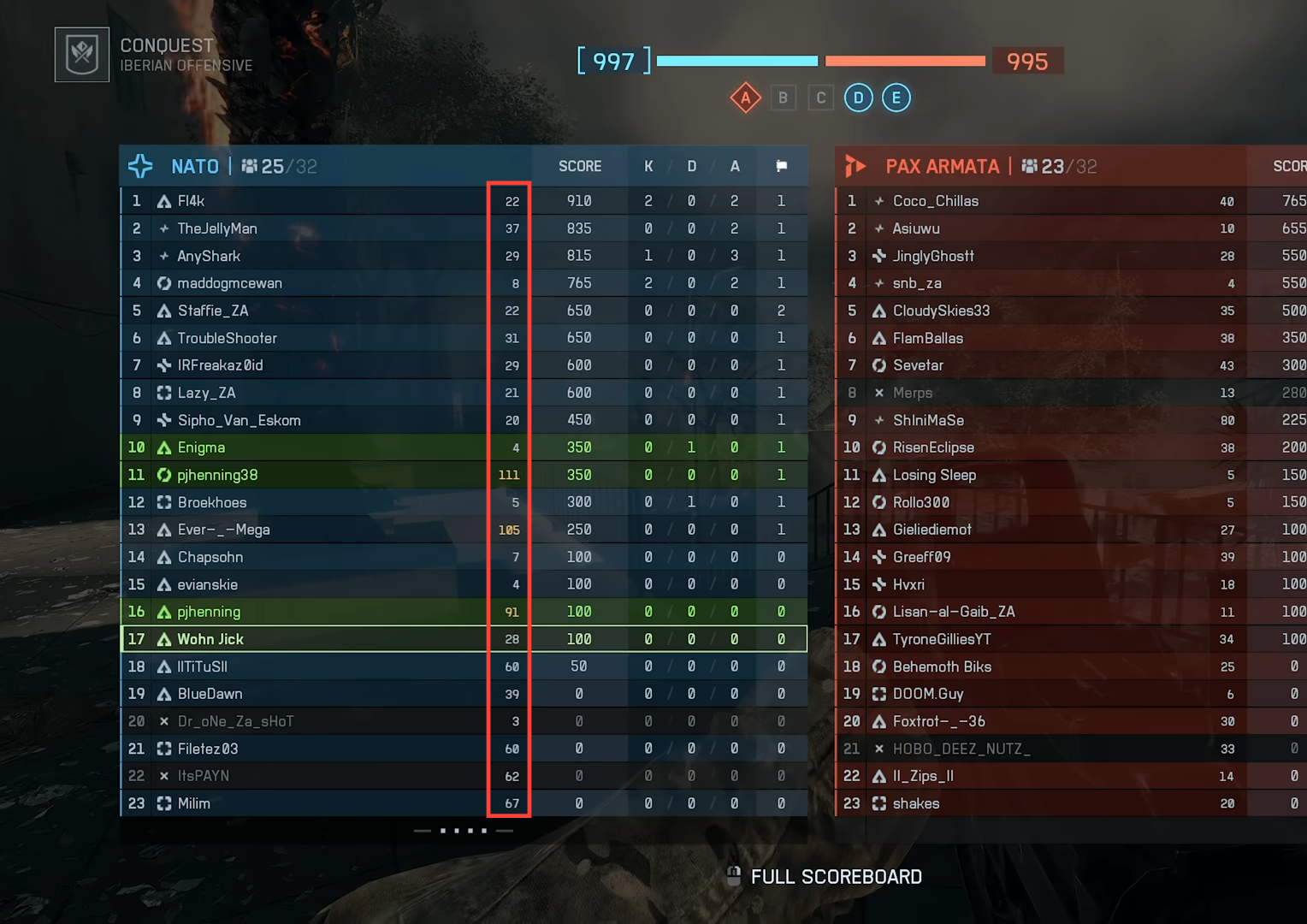
Read the value in milliseconds. Lower values mean less delay. High values may show in red to flag poor latency.
Check in‑game connection indicators (packet loss, poor connection)
Watch for network status icons that signal packet loss or a poor connection. These appear on screen during unstable matches.
Cross‑check with your scoreboard ping. If the icons appear alongside a high ping, expect delayed damage registration and uneven firefights until conditions improve.
If ping is high: quick lobby swap
Start matchmaking again and open the scoreboard once you load in. Compare the new ping and continue only if it is stable.
Once the ping display is enabled, you can verify latency in seconds across all modes, including REDSEC. If a lobby feels off, a quick requeue and a scoreboard check usually tells you whether to stay or switch.