Dying Light: The Beast (PC) — How to save, back up, and fix saves
Autosave only: force a save, locate Steam/Epic files, create backups, and resolve Windows write‑permission problems.
Autosave only: force a save, locate Steam/Epic files, create backups, and resolve Windows write‑permission problems.
by Pallav Pathak
Autosave governs progress in Dying Light: The Beast on PC. There’s no manual save slot, so you’ll want reliable ways to trigger an autosave, know exactly where your files live on Steam and Epic, and resolve the common Windows permission blocks that stop saves from being written.
How saving works (PC)
The game uses autosave at key checkpoints such as reaching a safe place and at notable story beats. There is no manual save.
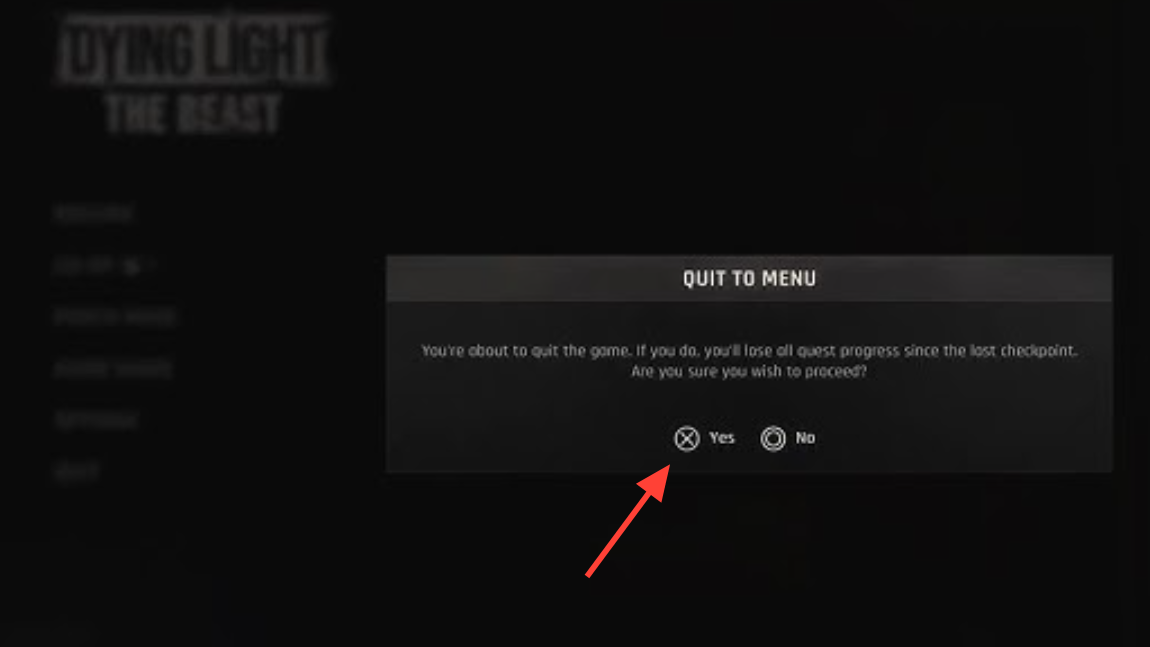
Quitting to the main menu writes your current state and is the most dependable way to finish a session without losing progress.
Open the pause menu and choose to quit to the main menu. This action commits an autosave, so your inventory, map progress, and quest state carry over next time.
On Epic, copy the folder at %USERPROFILE%\Documents\dying light the beast\out\storage. Store it outside your Steam/Documents trees to prevent accidental sync or overwrite.
Paste that backup into your active save folder. Use ...\Steam\userdata\[Steam ID]\3008130\remote\out\save for Steam or %USERPROFILE%\Documents\dying light the beast\out\storage for Epic.
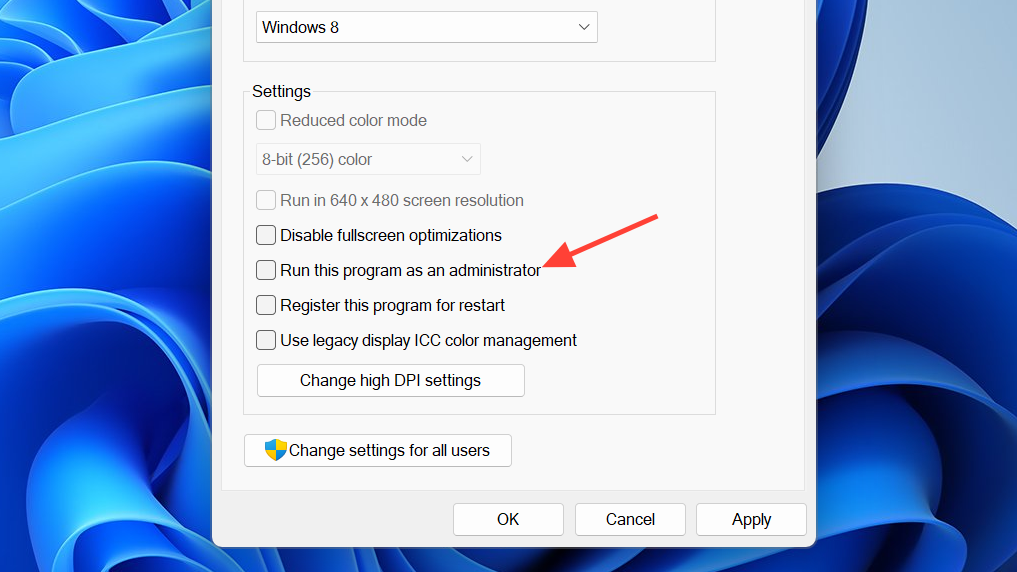
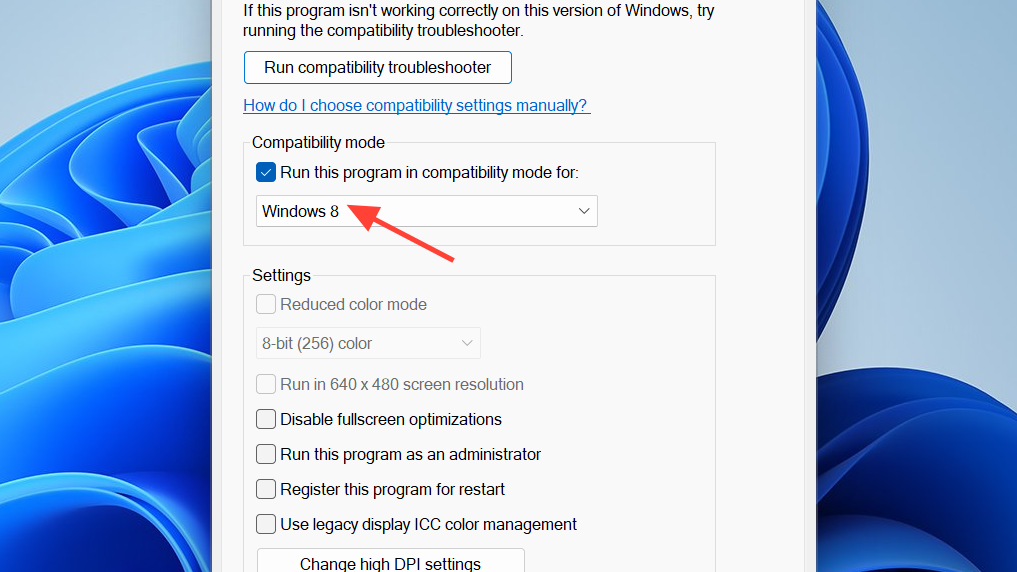
If needed, also set the game executable to run as admin via Properties > Compatibility. Test saving by reaching a safe spot and quitting to the main menu.
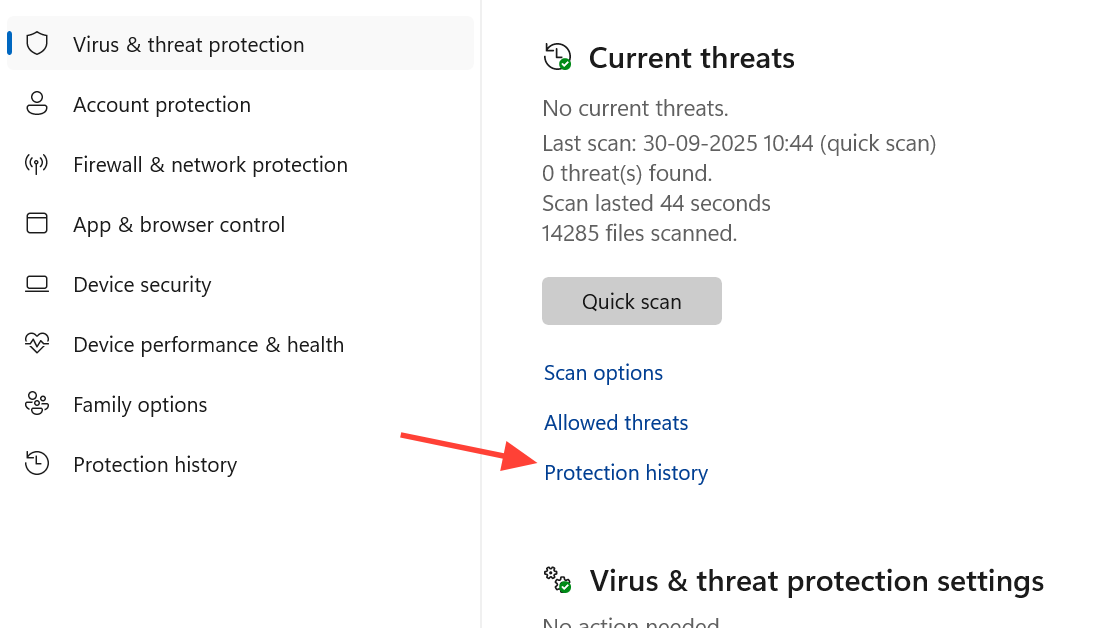
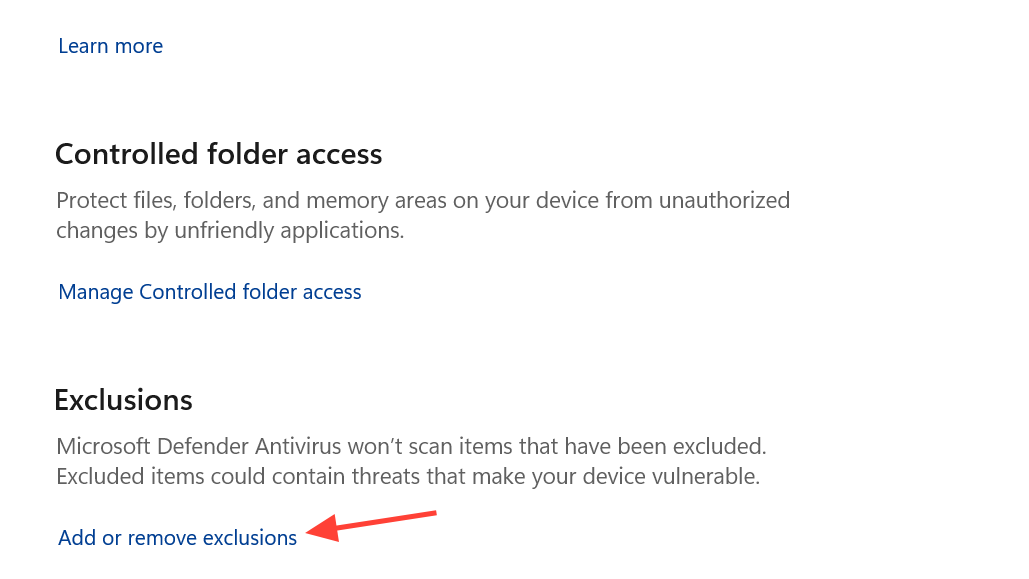
For any blocked entry related to creating or modifying files in Steam/Epic or Documents paths, choose “Allow on device.” This removes the block that prevents save files from being written.
Navigate to the game’s install folder. For Steam’s default, that’s typically C:\Program Files (x86)\Steam\steamapps\common\Dying Light The Beast (adjust if installed elsewhere).
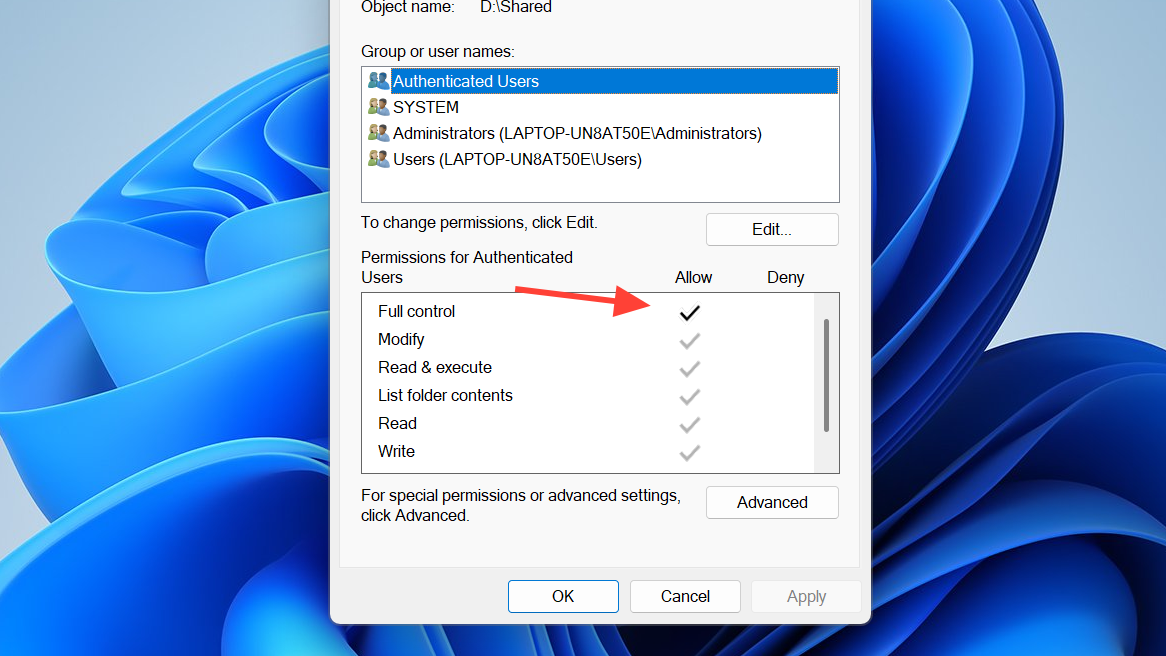
Right‑click the folder, open Properties > Security, and grant your Windows user “Full control.” This ensures the game can create “out” and “settings” subfolders it needs.
Check that the platform’s active save folder exists. Create it if it doesn’t: Steam at ...\3008130\remote\out\save, Epic at %USERPROFILE%\Documents\dying light the beast\out\storage.
After returning to the menu, exit the application normally. Confirm your progress on the next launch.
When to contact support
If saves still fail after the steps above, submit a ticket with logs through Techland Support for The Beast so the team can review your environment and save paths: thebeast.support.techland.pl.
Stick to autosave checkpoints, quit to the main menu to lock in progress, and keep a local backup. If Windows blocks write access, the admin, Defender allow, and folder-permission fixes get saves working again.