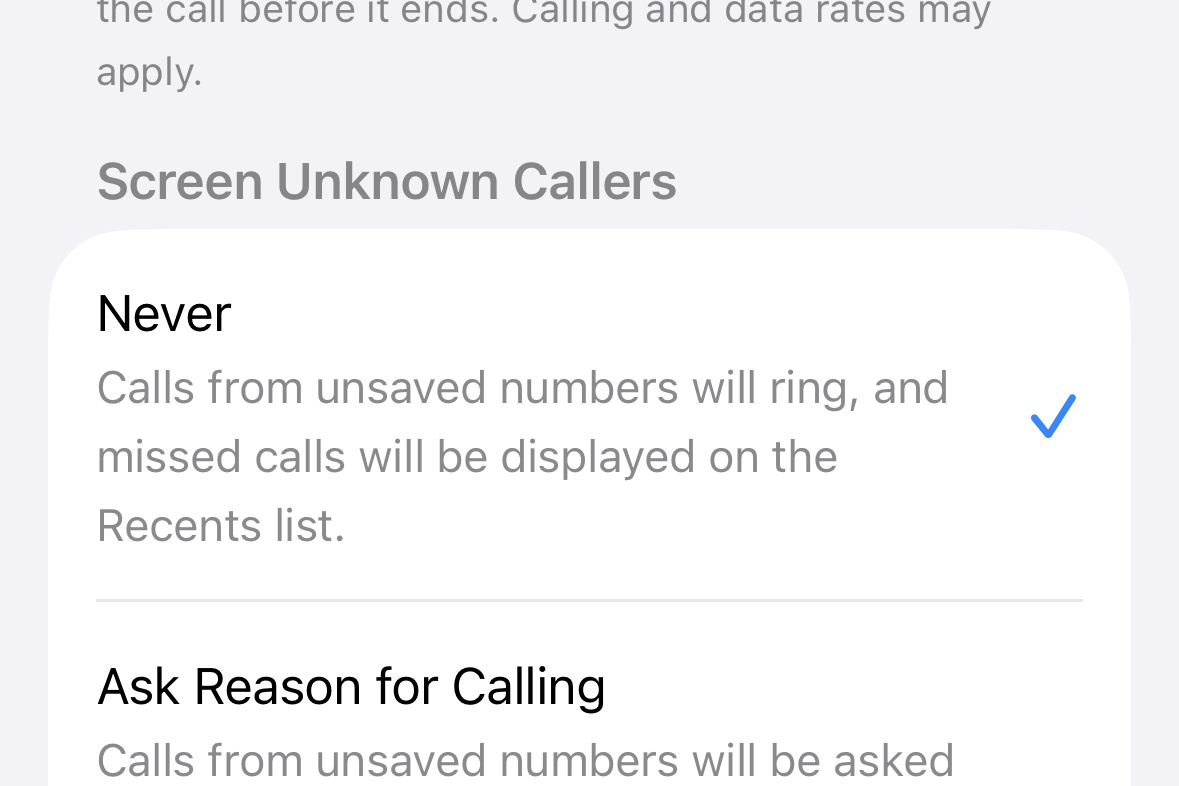
Set Screen Unknown Callers to Never to stop iOS 26 from picking up and screening calls from numbers not in your contacts. This restores the prior behavior: unknown callers ring your phone, and missed calls appear in Recents.
Turn off ‘Screen Unknown Callers’ in Settings
Open the Settings app on your iPhone. This is where iOS 26 stores the controls for the Phone app’s call handling features.
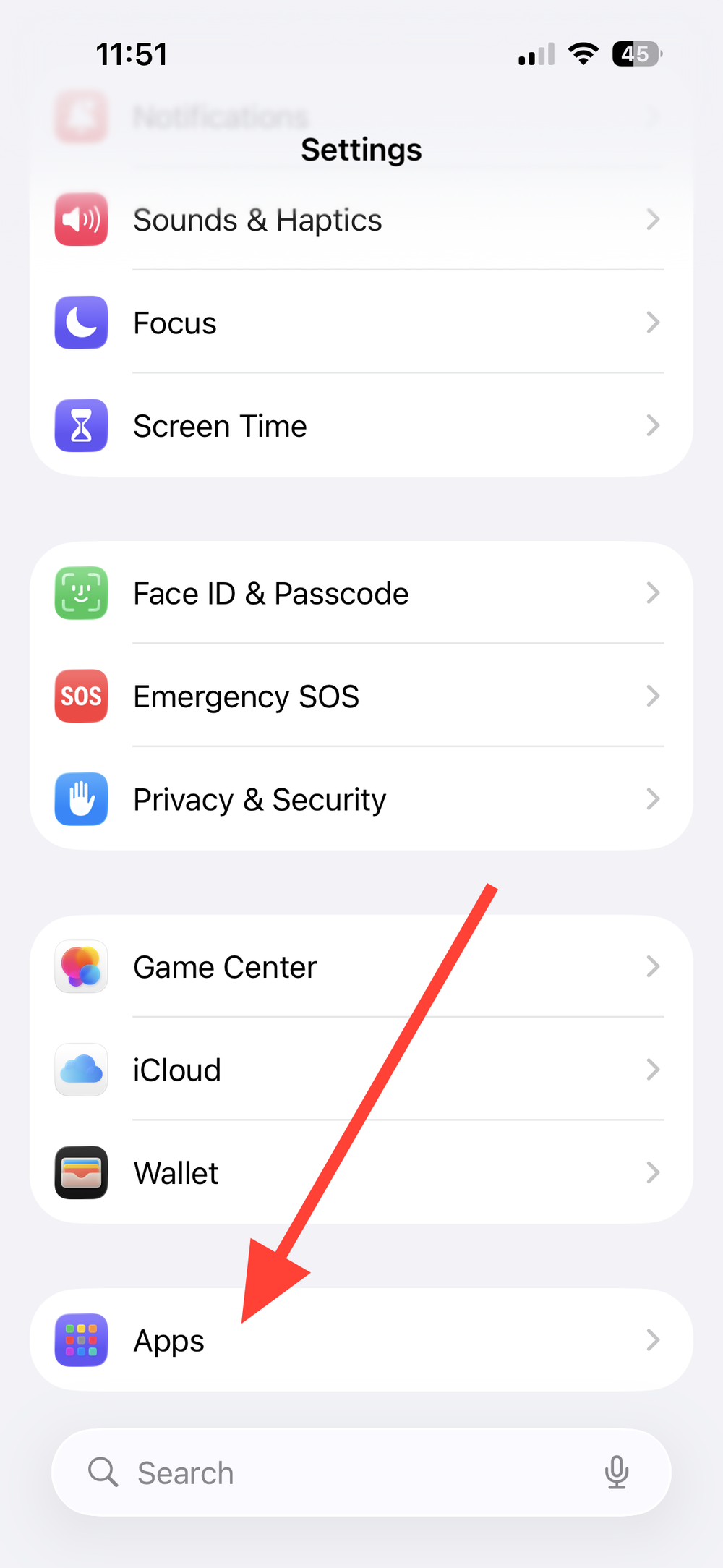
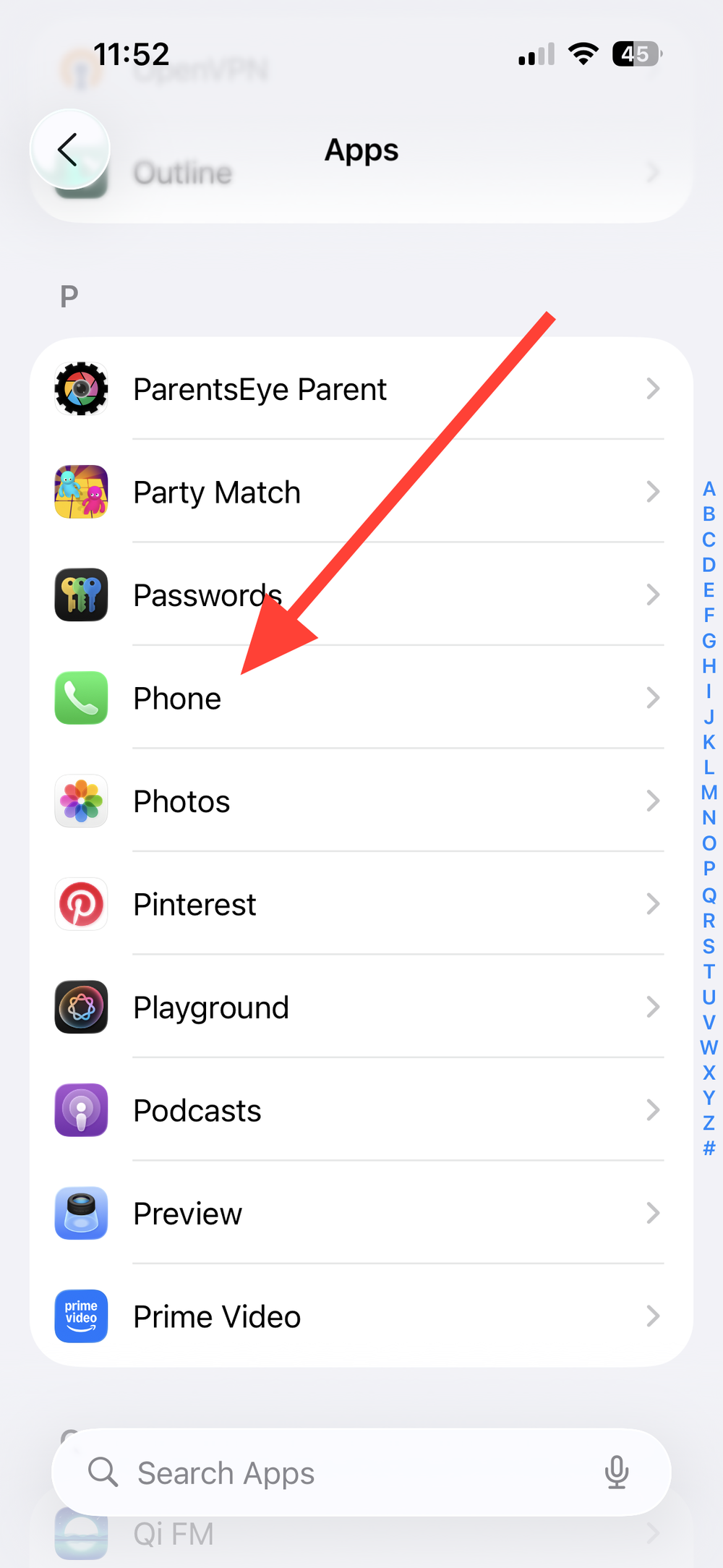
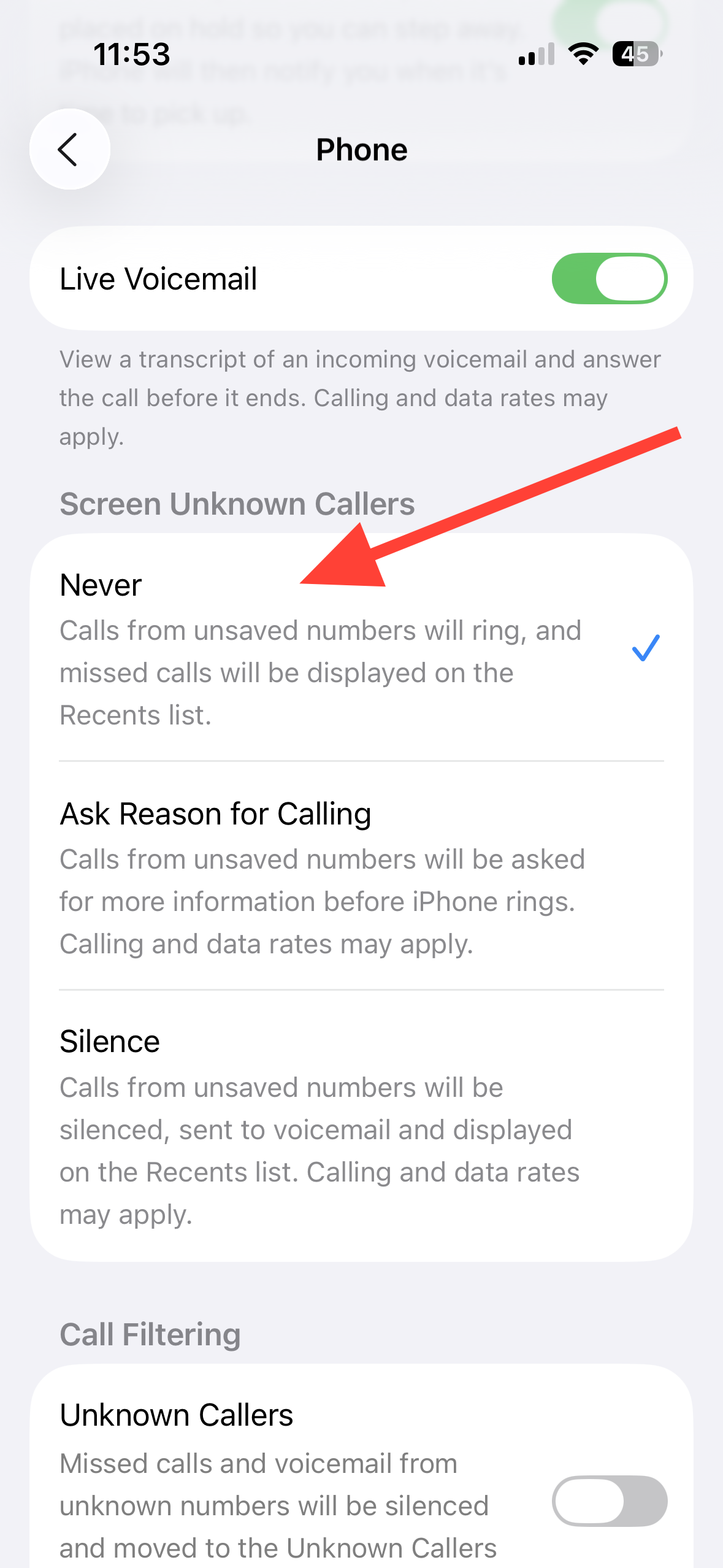
Tap Phone. You’ll see calling options grouped under multiple sections specific to how calls are handled.
Under Screen Unknown Callers section, select Never. This disables call screening so unsaved numbers ring your phone, and missed calls are logged in Recents exactly as before.
Tip: Find the feature quickly with Settings search
Use the Settings search field and type unknown. You should see Screen Unknown Callers (or on some builds, Silence Unknown Callers) in the results.
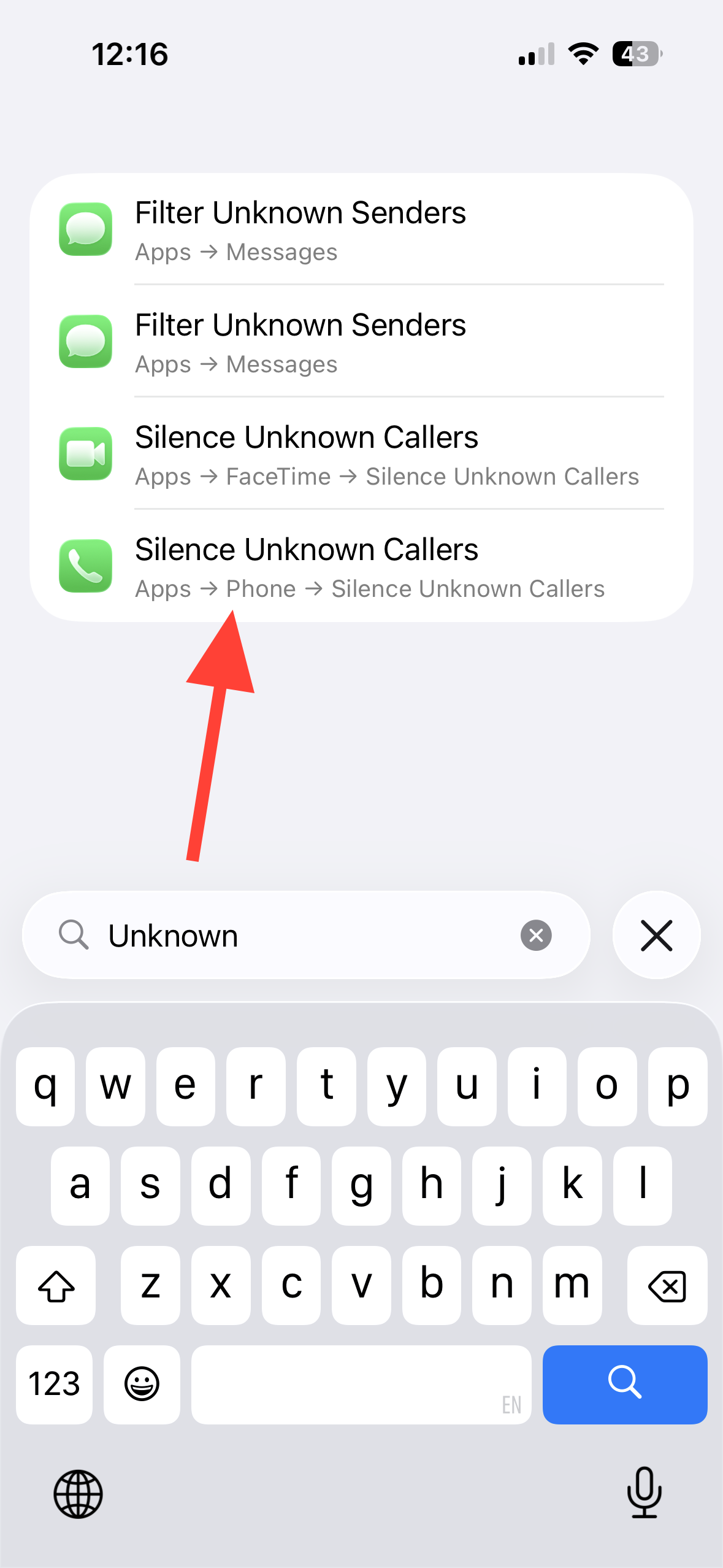
Tap the result and choose Never. This applies the same change as navigating through
Settings → Apps → Phone.Once you set Screen Unknown Callers to Never, your iPhone rings for unsaved numbers again. You can return to the same menu anytime to choose Ask Reason for Calling or Silence if your needs change.