Outlook displays error code 0x800CCC67 when it fails to send emails, often showing messages like The server responded: 421 Cannot connect to SMTP server. This issue can block outgoing mail and disrupt business or personal communication. The error usually points to problems with SMTP configuration, security software interference, or damaged email files. Addressing these root causes restores Outlook’s ability to send messages without interruption.
Check and Correct SMTP Server Settings
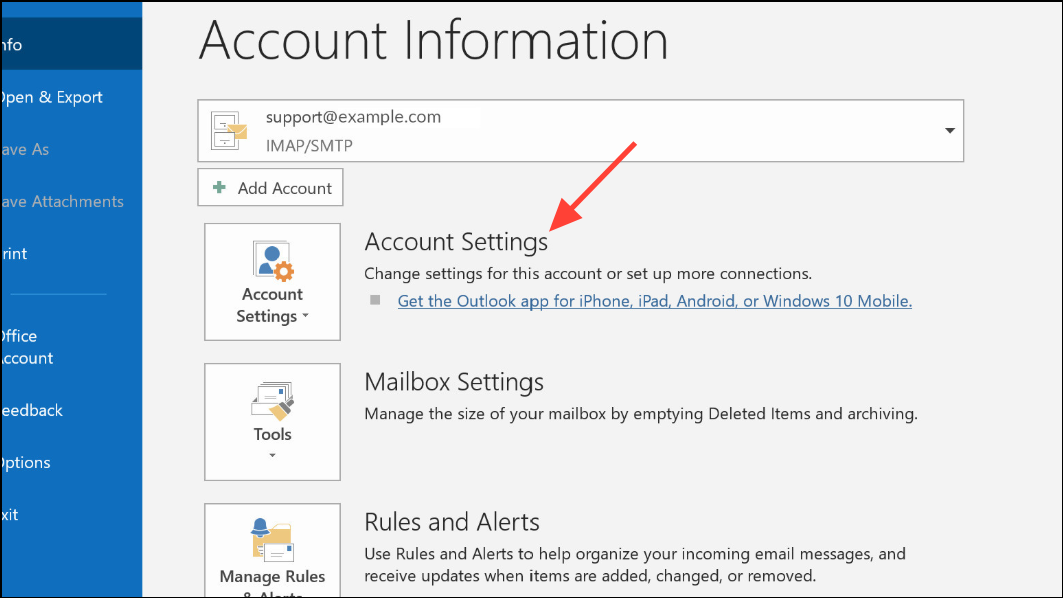
Outgoing mail server (SMTP) address, port number, and authentication settings. Confirm these details match your email provider’s documentation. Common SMTP ports are 25, 465 (SSL), and 587 (TLS). Some providers require authentication for outgoing mail—ensure My outgoing server (SMTP) requires authentication is checked if needed.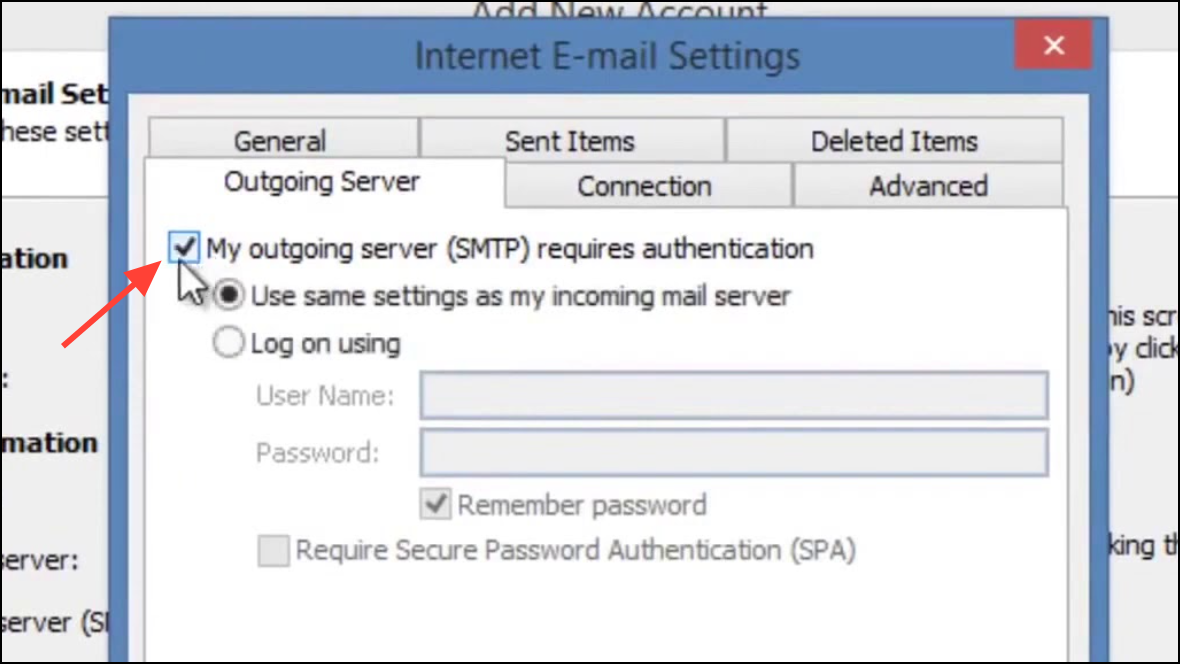
Temporarily Disable Antivirus and Firewall Software
Some antivirus programs, such as Avast or Microsoft Security Essentials, have been reported to block outgoing mail or flag certain email attachments. If disabling the antivirus resolves the issue, consider adding Outlook to the allowed list or adjusting the software’s email protection settings.
Adjust Server Timeout Settings
File > Account Settings > Account Settings. Select your account and click Change, then More Settings.Advanced tab. Increase the Server Timeouts slider to at least 5 minutes. This gives Outlook more time to communicate with the SMTP server, which can resolve errors caused by slow server responses or large attachments.Repair Corrupted Outlook Data Files (PST/OST)
ScanPST.exe tool, typically found in the Microsoft Office installation directory.Mail settings or use a professional PST repair tool for severe corruption.Review Internet Connection and Email Server Status
Reinstall or Repair Outlook Application
Uninstall a program. Find Microsoft Outlook or Office Suite, right-click, and choose Repair or Uninstall.Additional Tips and Cautions
- Some ISPs block SMTP traffic on port 25 to prevent spam. If you cannot connect to your SMTP server using port 25, try ports 465 or 587 with the correct encryption method (SSL/TLS) as your provider specifies.
- Always back up your PST files before running repairs or making major changes to your Outlook configuration.
- If disabling antivirus or firewall software resolves the issue, do not leave your system unprotected. Adjust settings to allow Outlook, then re-enable security features.
- Check for malware using a reputable scanner if you suspect infection, as malicious files can interfere with email functionality.
Fixing Outlook error 0x800CCC67 restores reliable email sending by correcting configuration, repairing files, or resolving network and security conflicts. Regularly updating your settings and maintaining backups helps prevent future disruptions.