
Turning off Gemini Apps Activity immediately stops Google from using your Gemini conversations and data to train its AI models. This action also prevents human reviewers from accessing your chats, files, and recordings, providing a higher level of privacy for your interactions. However, some data may still be stored temporarily to support service functionality and feedback processing.
Disable Gemini Apps Activity
Settings & help, and choose Activity.Gemini Apps Activity section. Tap or click Turn off. You will be prompted to confirm your choice; select Turn off and delete activity if you want to remove your existing Gemini activity as well. This action stops Google from saving your future Gemini interactions to your account and from using them for AI training or human review.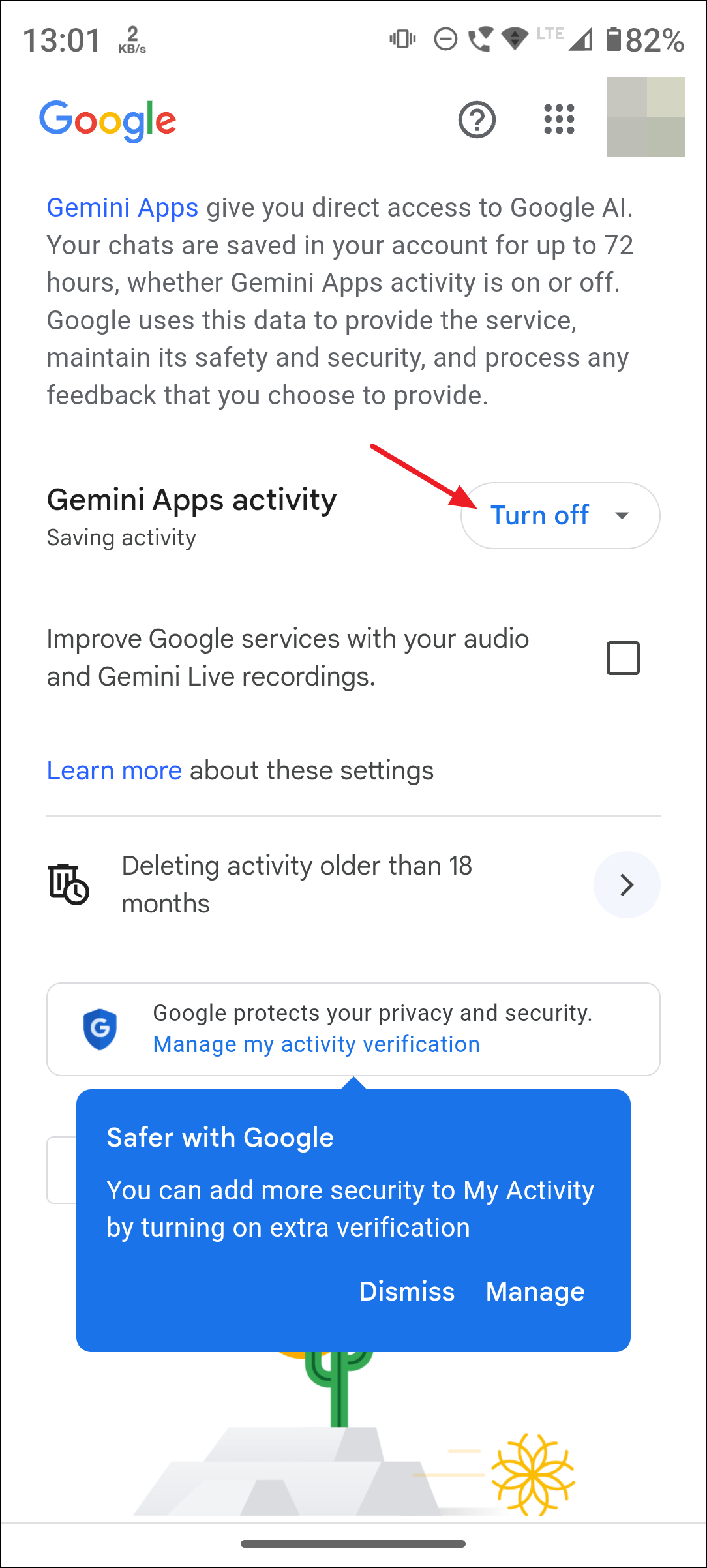
Restrict Gemini’s Access to Connected Apps and Services
Gemini can access other Google services and some third-party apps to fulfill your requests. If you want to limit this access:
Apps. On the web, access the Apps section from the settings menu.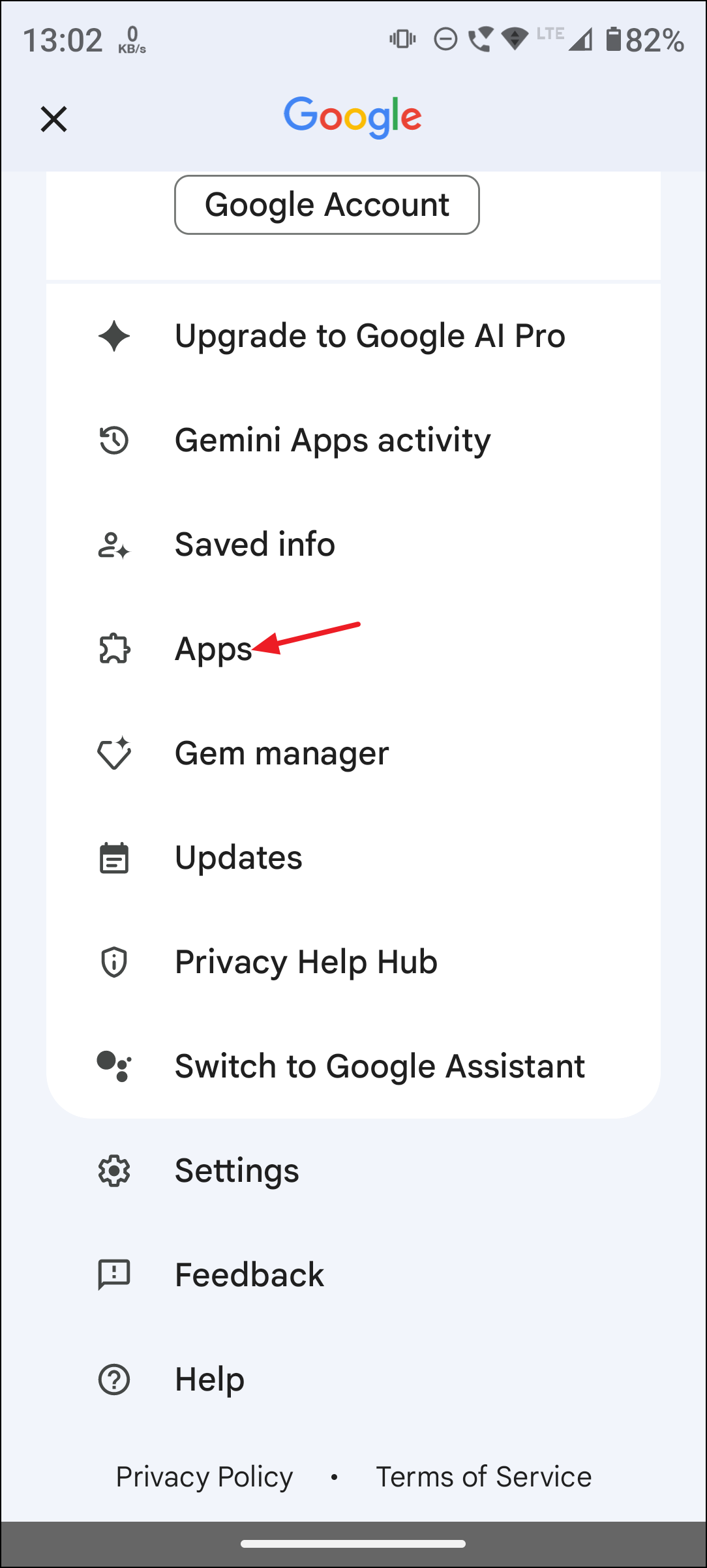
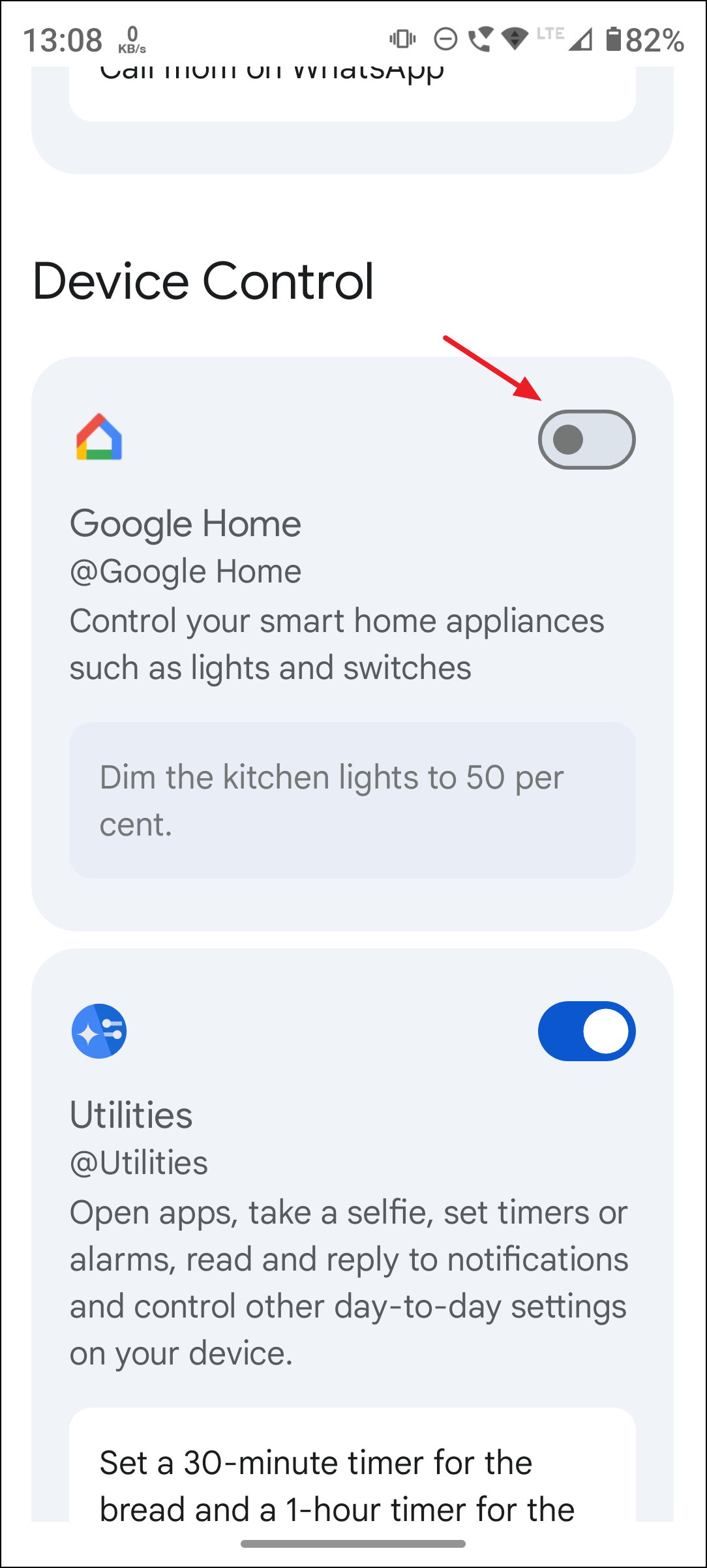
App Info, then Permissions, and adjust access for location, microphone, contacts, and other sensitive data.Manage Audio and Live Recording Settings
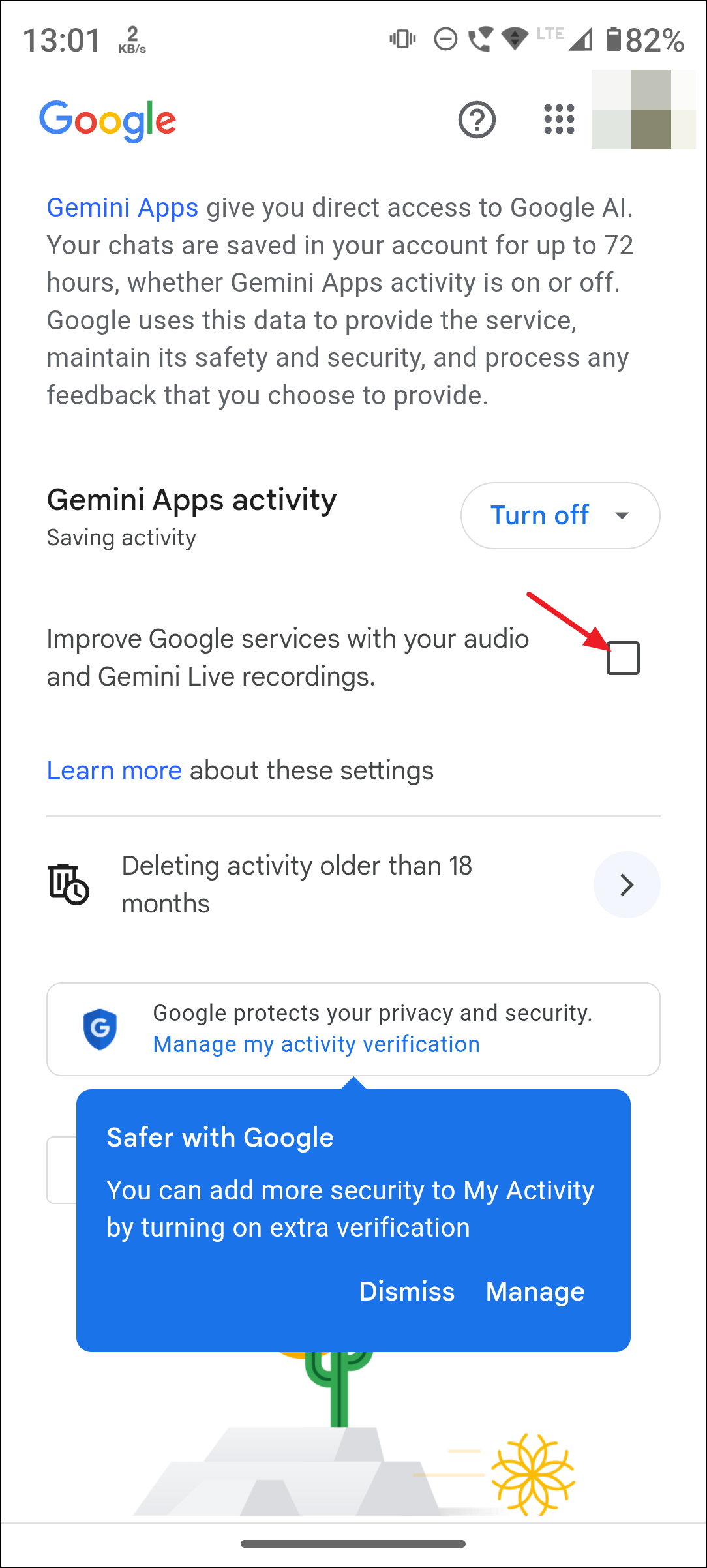
By default, Google does not use your audio and Gemini Live recordings to train its AI unless you opt in. However, you can double-check or change this setting:
Improve Google services for everyone with your audio and Gemini Live recordings. If the box is checked, Google may use these recordings for AI training. Uncheck the box to stop this.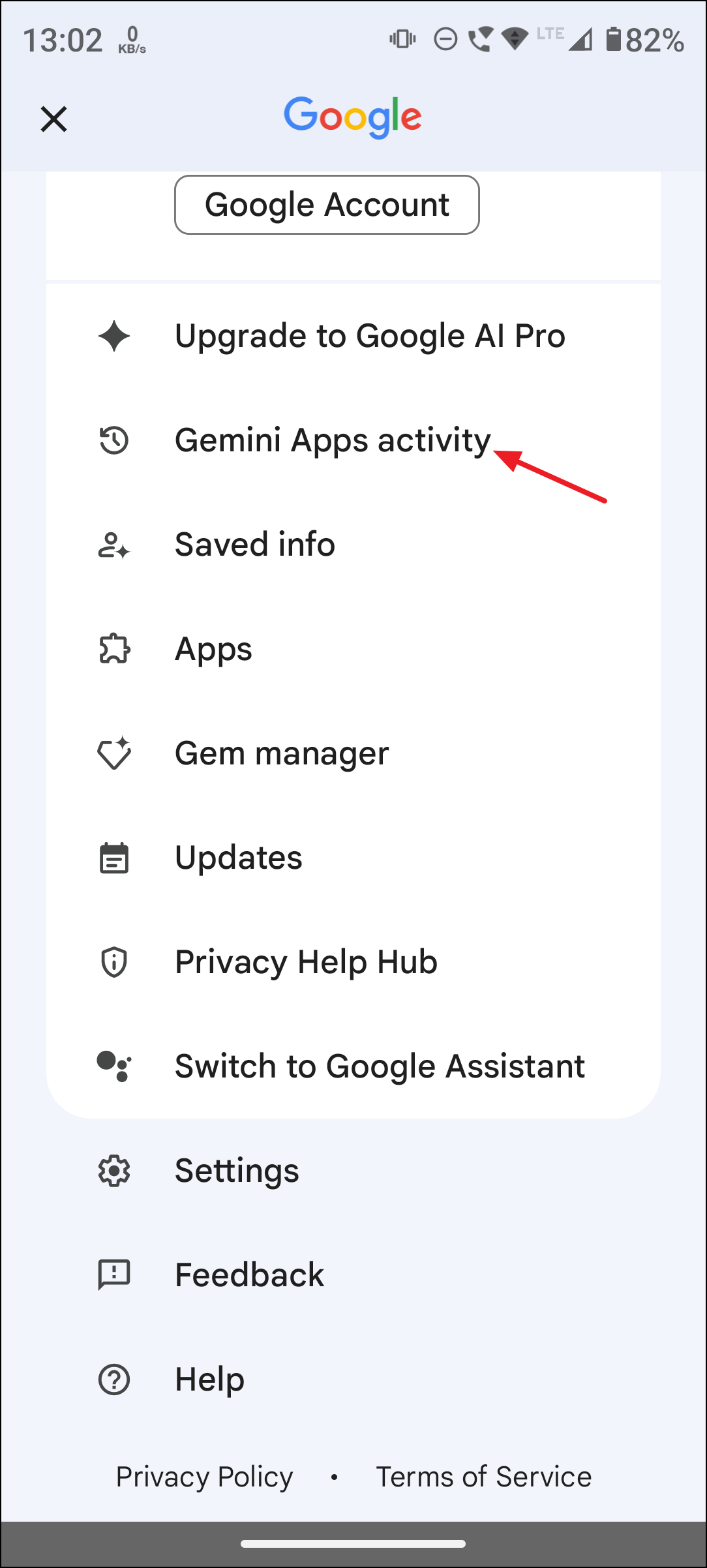
Considerations and Limitations
Disabling Gemini Apps Activity maximizes your privacy, but it also comes with trade-offs. Gemini will no longer personalize responses based on your history, and you won’t be able to reference previous chats. Some integrations and features may be limited or unavailable while this setting is off.
Even after disabling activity, Google retains a temporary copy of your chats for up to 72 hours to process your requests and maintain service reliability. These are not used for model training unless you submit feedback. If you do submit feedback, the last 24 hours of chat context may be reviewed by Google’s teams to address issues or improve safety, but not for general AI training if activity is off.
For sensitive work or highly confidential data, consider limiting your use of Gemini entirely, as some data handling and retention is unavoidable under current policies. If you use a Google Workspace (work or school) account, data controls may differ and are managed by your organization’s administrator.
Disabling Gemini Apps Activity and managing app connections puts you in control of your data, stopping Google from using your Gemini interactions for AI training and human review. For ongoing privacy, periodically review your settings and delete any activity you don’t want retained.





