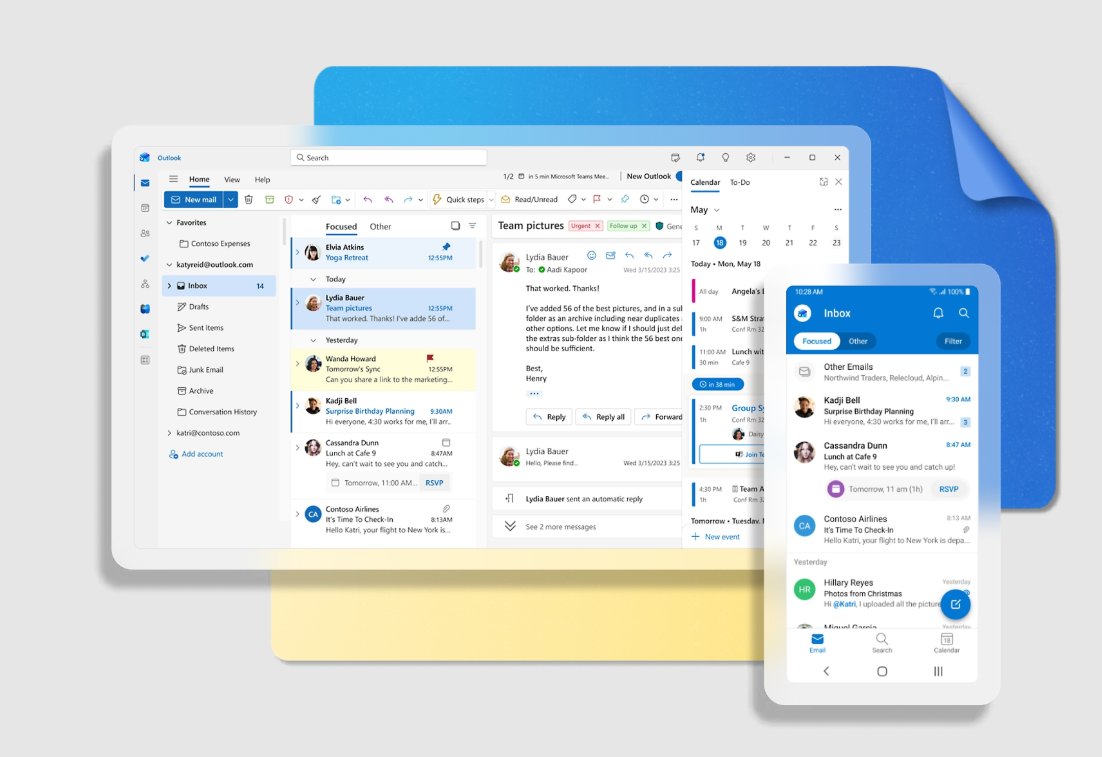
Missing account options, grayed-out email icons, or error messages like We couldn't reach the email server. Please try again. signal problems when adding accounts in the new Outlook for Windows. These issues often stem from unsupported account types, licensing conflicts, authentication settings, or outdated software. Addressing these root causes restores full account management and ensures your emails, calendars, and contacts stay in sync.
Check Supported Account Types and Licensing
New Outlook for Windows does not support every type of email account. It works with Microsoft accounts (Outlook.com, Hotmail.com), Microsoft 365 work or school accounts (with proper licensing), and third-party providers like Gmail, Yahoo, and iCloud (using IMAP). Attempting to add unsupported account types, or using a Microsoft 365 account without a qualifying desktop license, will block account addition. The new Outlook also relies on the primary account’s license when multiple accounts are present.
Update Outlook and Windows
Running outdated versions of Outlook or Windows can create compatibility conflicts that block account setup. The new Outlook app updates through the Microsoft Store, but manual intervention may be required if automatic updates are disabled.
Downloads in the lower-left corner, then select Check for Updates in the upper right. This ensures you have the latest version of Outlook and related Microsoft apps.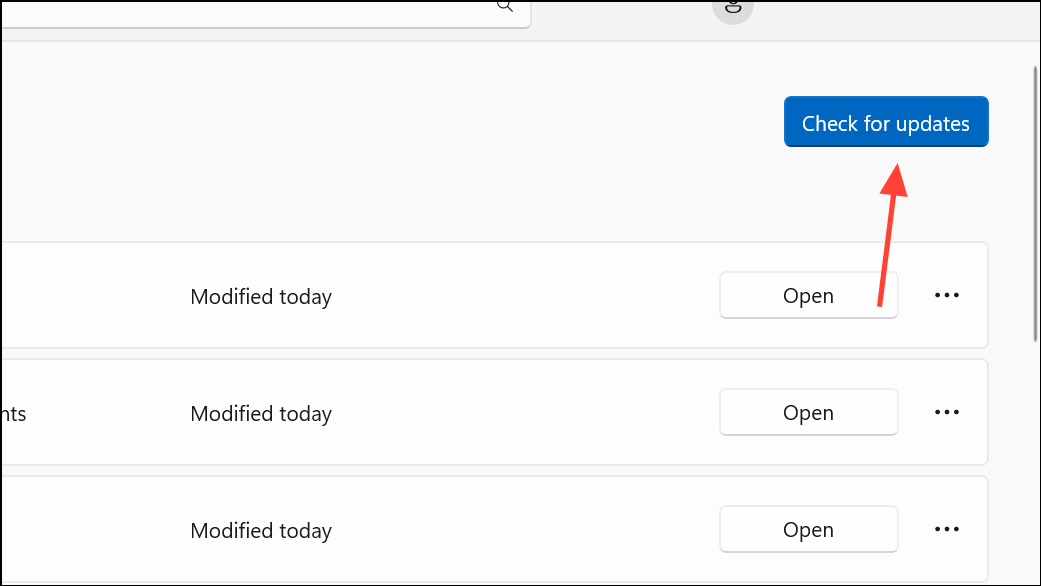
Correct Authentication and App Password Issues
Authentication failures often result from incorrect passwords, missing app passwords, or multi-factor authentication (MFA) settings. Some providers, such as Google and Yahoo, require app-specific passwords for external email clients like Outlook, especially when two-factor authentication is enabled.
Resolve Windows and Outlook Profile Issues
Corrupted Outlook profiles or Windows account settings can prevent new accounts from appearing or being added. Sometimes, cached credentials or system errors block the necessary authentication pop-ups.
Windows + R, typing outlook.exe /safe, and pressing Enter. If account options work in Safe Mode, disable problematic add-ins under File > Options > Add-ins.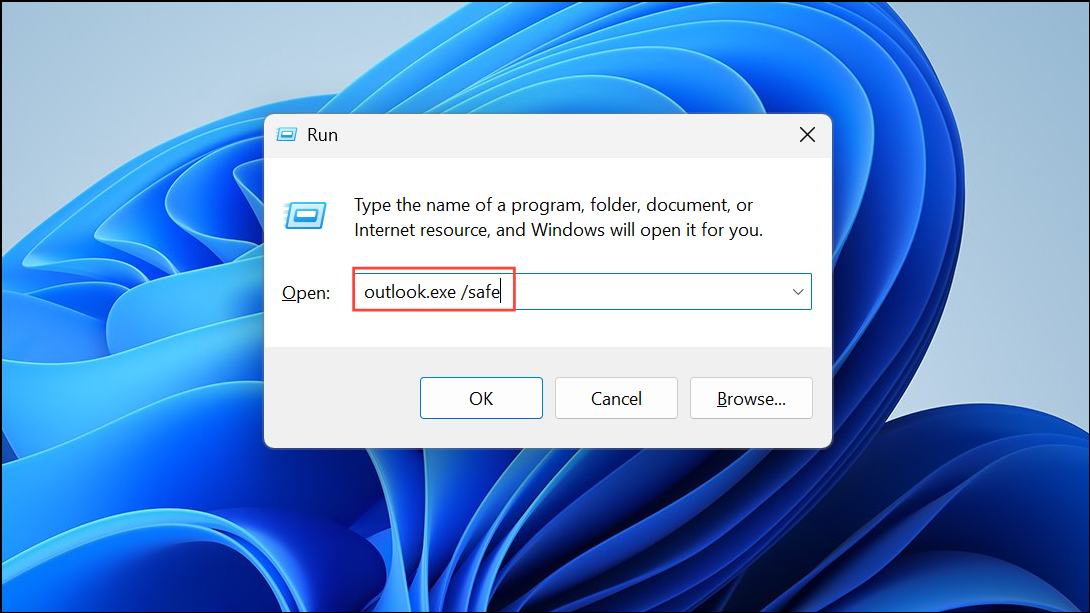
Control Panel > Mail (Microsoft Outlook) > Show Profiles, add a new profile, and launch Outlook with it. This bypasses corrupted settings from your previous profile.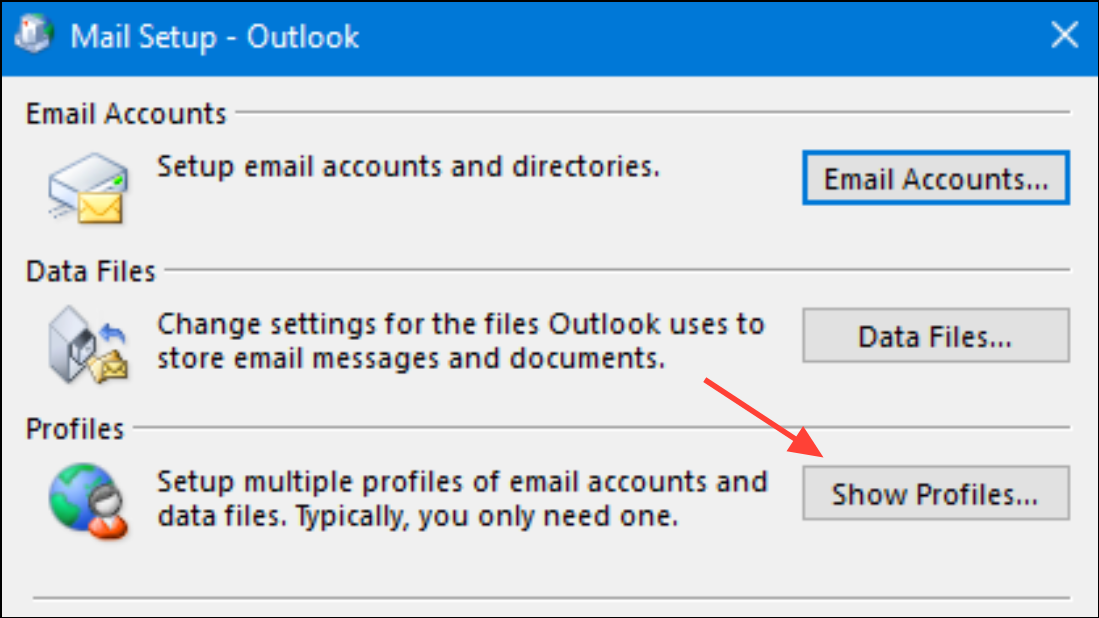
Settings > Apps > Installed Apps, select Microsoft 365 or Office, click Modify, and choose Quick Repair or Online Repair.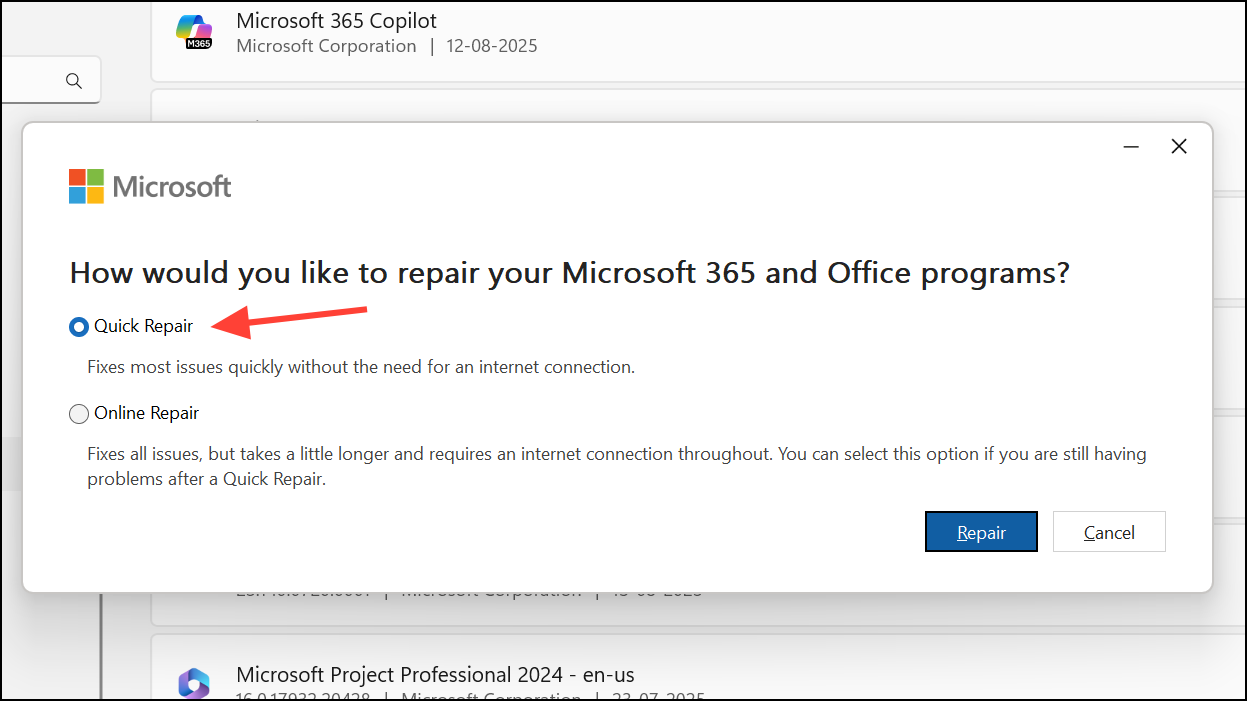
Check System Date, Time, and Network Settings
Incorrect system date and time or network configuration issues can block Outlook’s ability to authenticate and connect to mail servers. This is especially relevant for Microsoft 365 and Exchange accounts, where security tokens depend on accurate time synchronization.
Adjust date/time, and enable Set time automatically. Click Sync now to update immediately.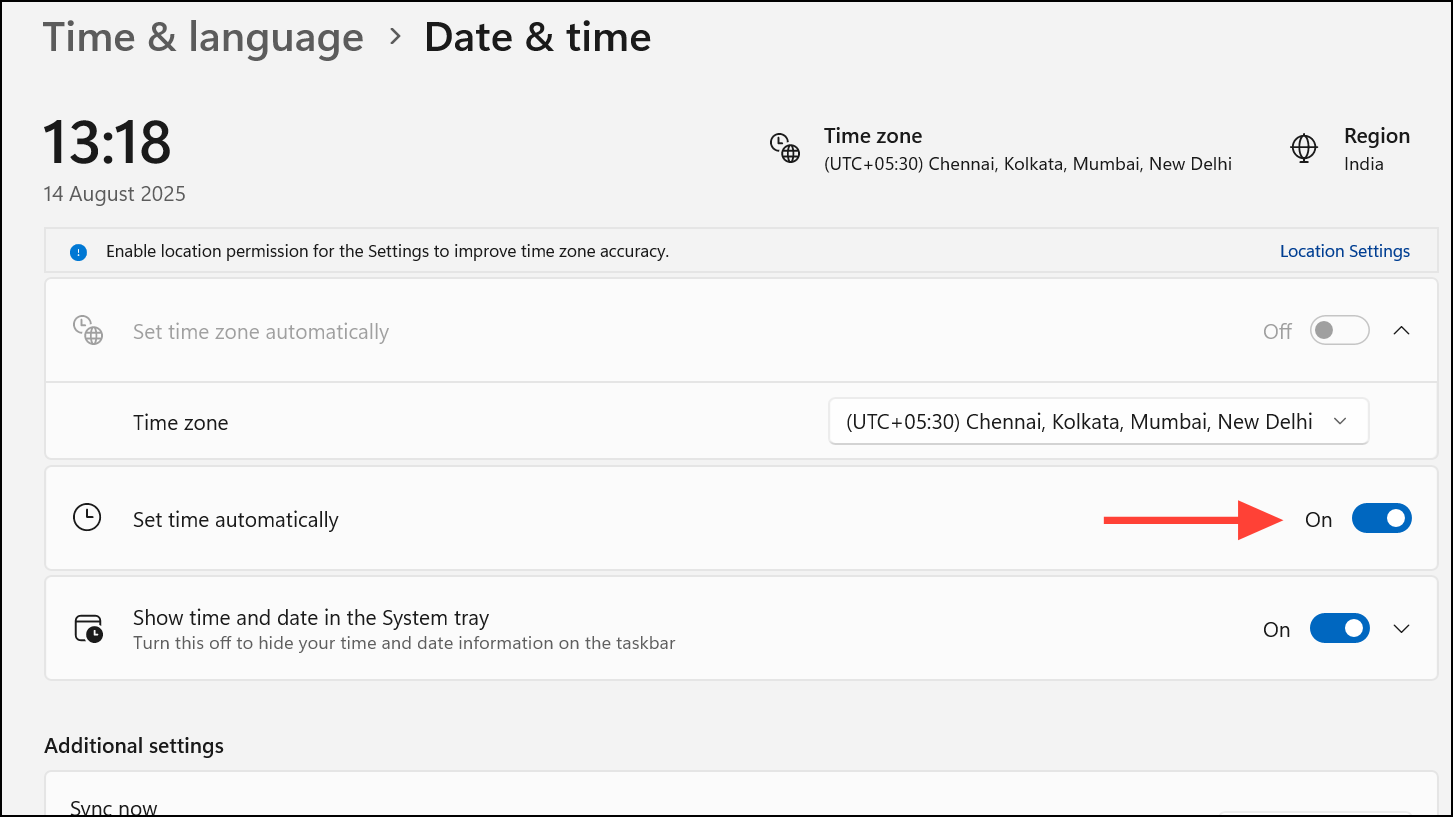
Address Administrative and Policy Restrictions
IT administrators can restrict which accounts can be added to Outlook or disable access to the new Outlook entirely. Policies may prevent personal accounts from being added alongside business accounts, or block certain authentication methods.
PersonalAccountsEnabled policy is set to false or if access to new Outlook is disabled for your mailbox.Advanced Setup and Alternative Account Addition Methods
If account addition through the standard menu fails or only shows a limited list under “Suggested Accounts,” use advanced setup to manually enter account details or add accounts through Windows settings.
Settings>Accounts>Add Account. If only suggested accounts display, choose Create an Outlook.com email account, cancel the action, then select Advanced Setup to manually enter your new account’s information.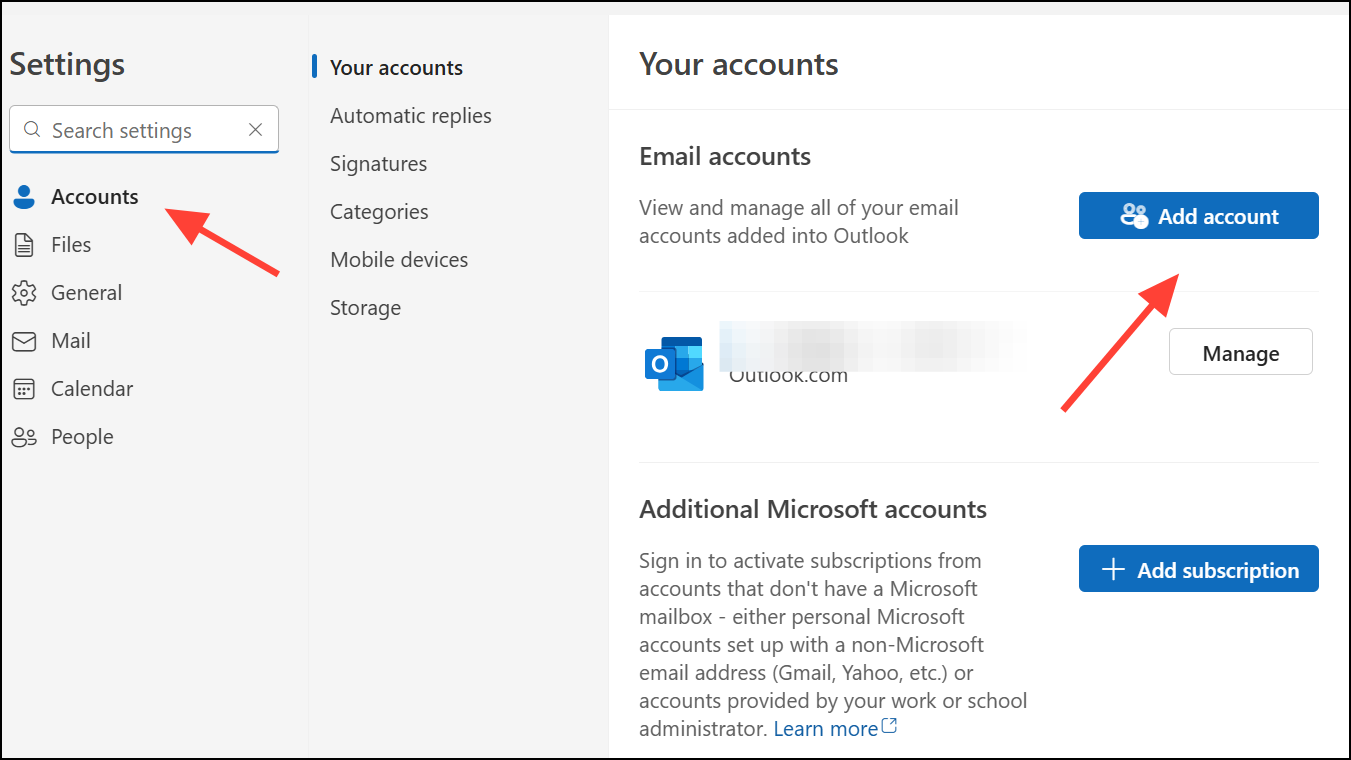
Settings > Accounts > Email & accounts, add your email address, and return to Outlook. The account should then appear in the dropdown for addition.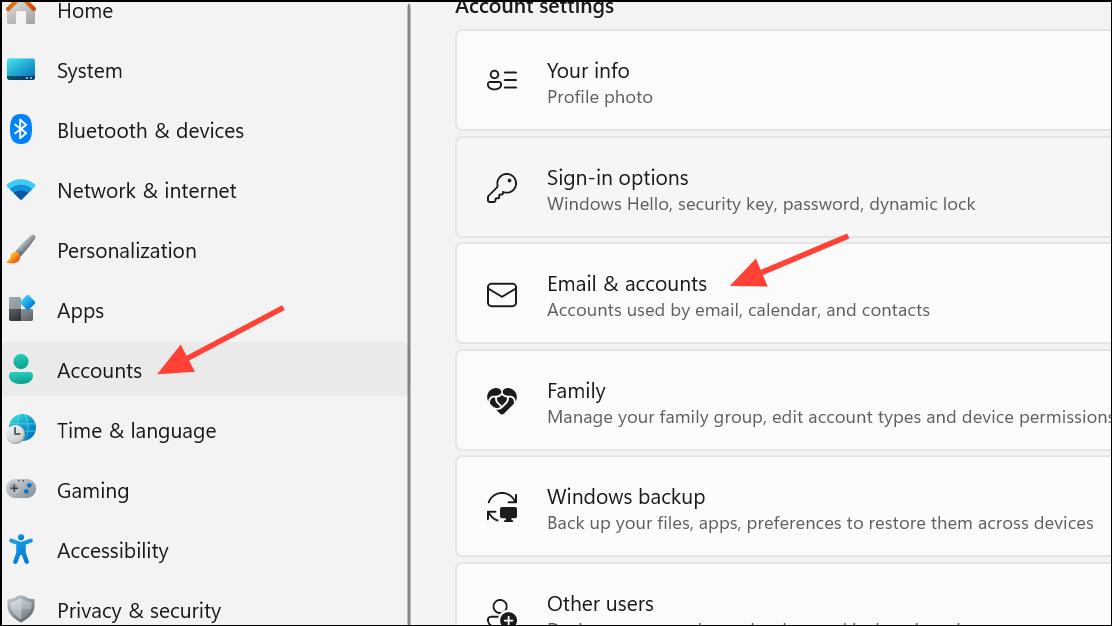
Careful attention to account type, authentication settings, licensing, and system configuration resolves most issues with adding accounts in new Outlook. If problems persist, switching to Classic Outlook or contacting Microsoft support may provide a temporary workaround while awaiting updates.