macOS Sequoia introduces Apple Intelligence Writing Tools, an AI-powered feature designed to help you write clearly, concisely, and effectively. Available on Macs equipped with an M1 chip or later running macOS Sequoia 15.1 or newer, these tools can proofread, rewrite, summarize, and organize your text directly within your favorite apps. Here’s how to activate and make the most out of this powerful new capability.
Activating Apple Intelligence Writing Tools
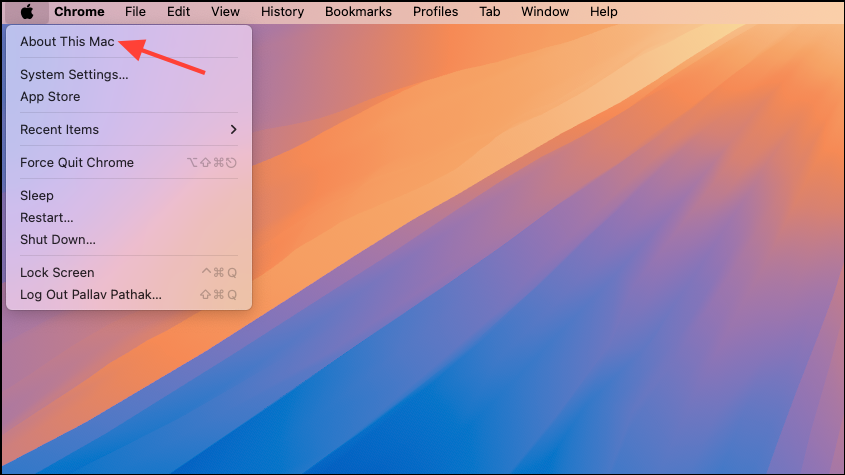
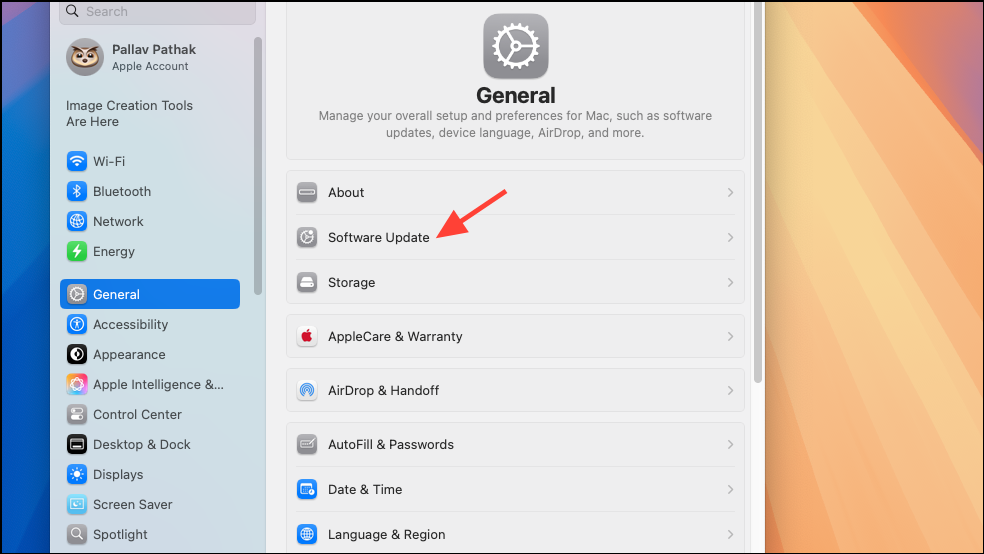
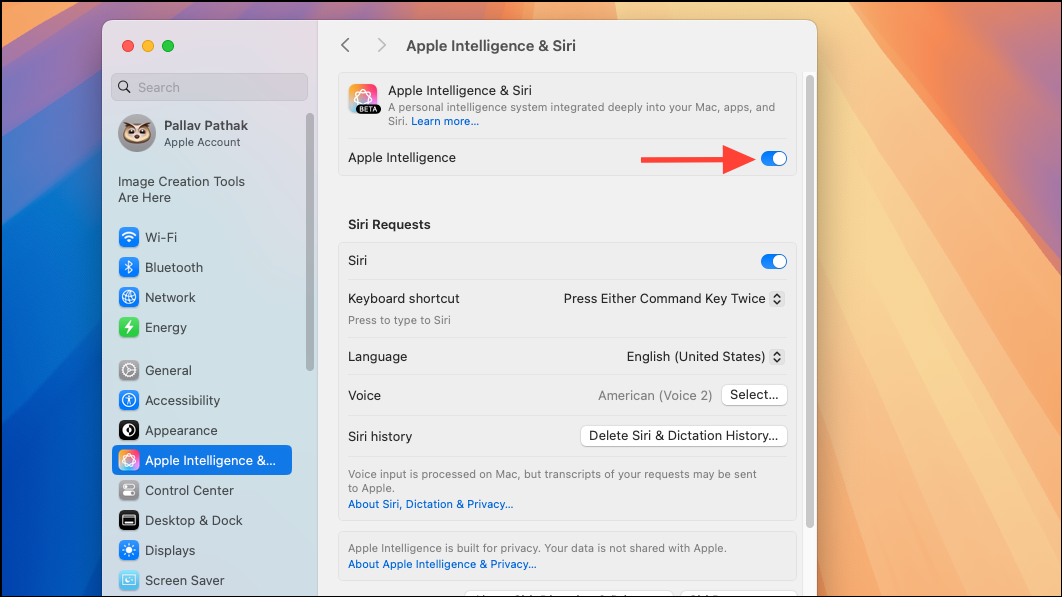
Using Apple Intelligence Writing Tools
Apple Intelligence Writing Tools offer several useful functions, including proofreading, rewriting text in various tones, summarizing content, and organizing text into lists or tables. Here’s how to use each feature effectively.
Proofreading Text for Grammar and Spelling
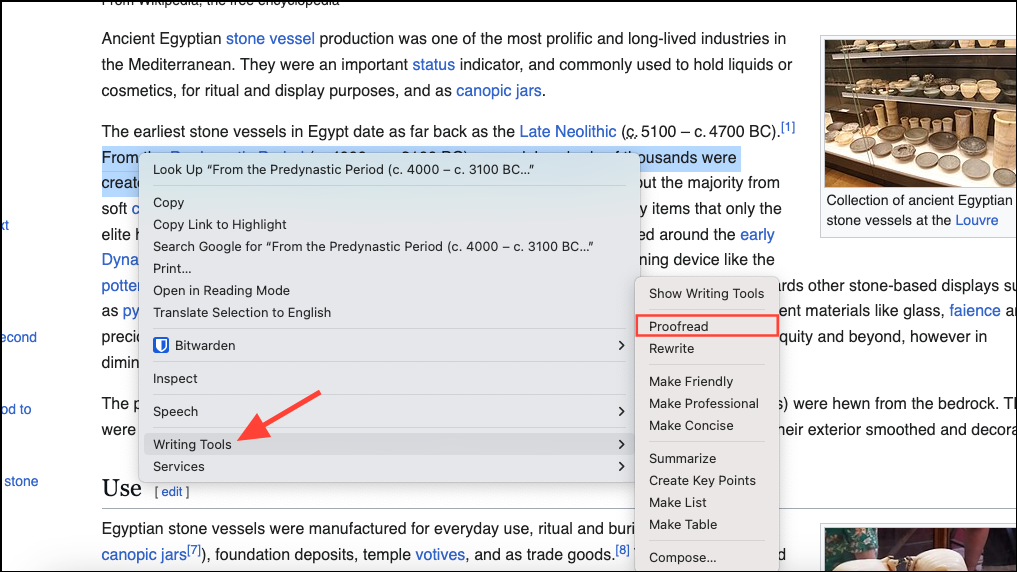
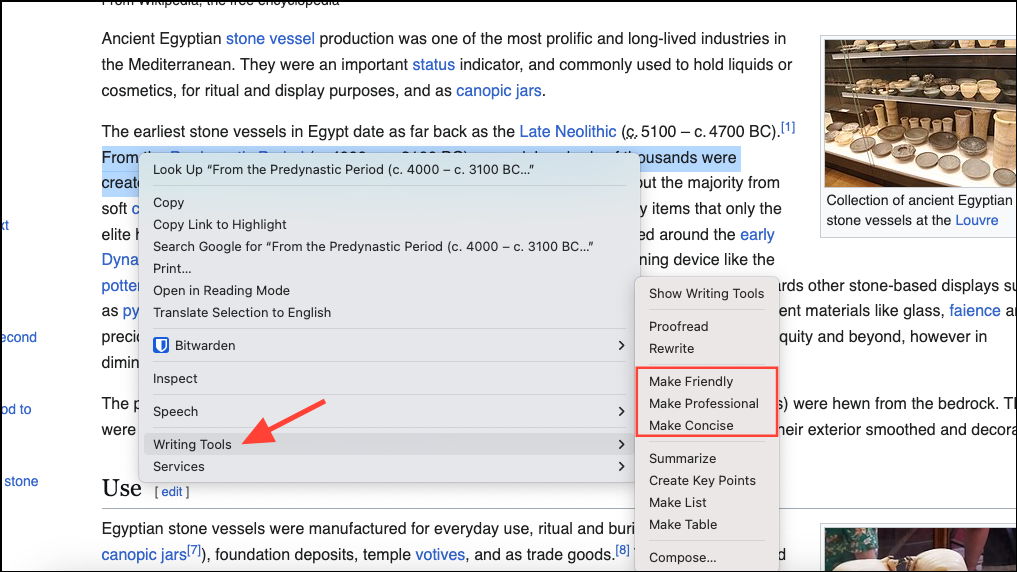
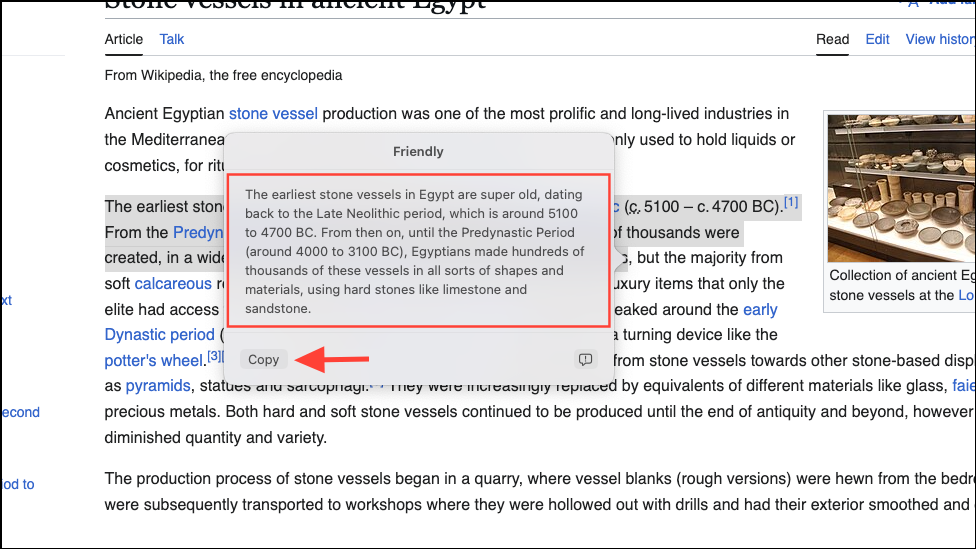
Rewriting Your Text in Different Tones
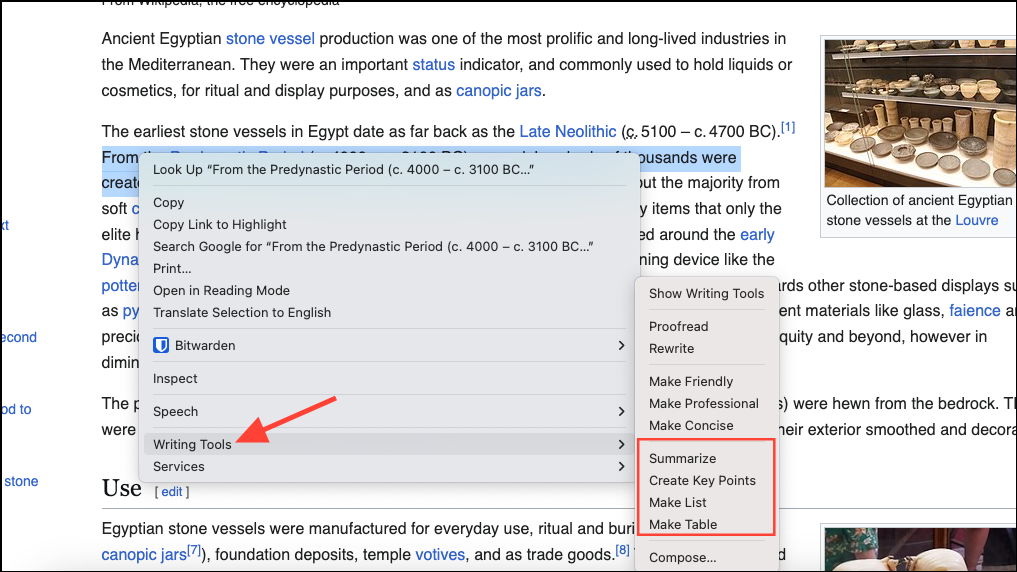
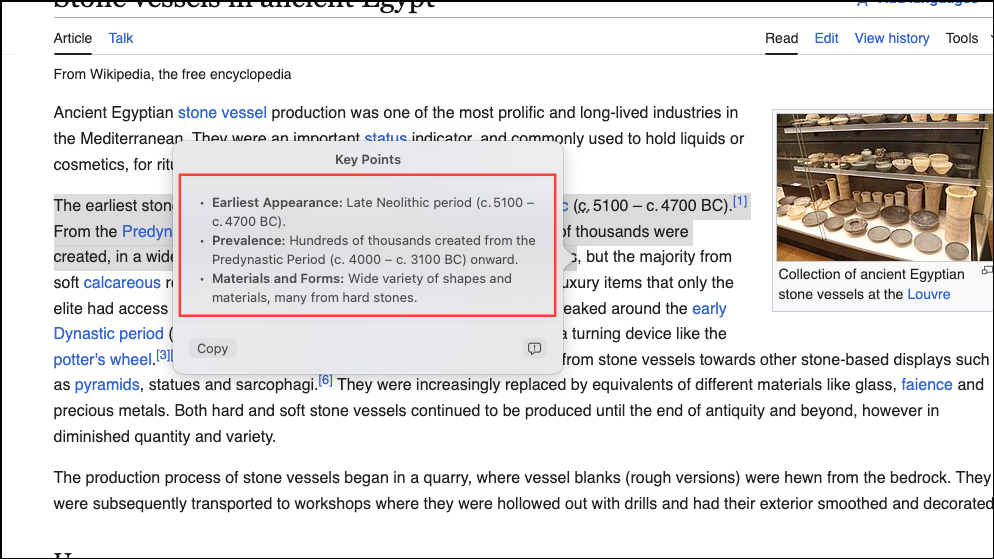
Summarizing and Organizing Text
- Summary: Generates a brief summary of the selected text.
- Key Points: Lists the main ideas clearly and concisely.
- List: Converts the text into a bulleted list format for improved readability.
- Table: Organizes information into a structured table format.
Using Writing Tools in Third-Party Apps
Apple Intelligence Writing Tools aren’t limited to Apple’s native apps. You can also use them in third-party applications like Google Chrome, Slack, Notion, and others. Simply highlight the text within the app, right-click, and access the Writing Tools menu to use proofreading, rewriting, or summarizing features.
Comparing Apple Intelligence Writing Tools to ChatGPT and Gemini
While Apple’s Writing Tools offer convenient offline access and seamless integration into macOS, they aren’t designed to replace advanced AI chatbots like ChatGPT or Google’s Gemini. Apple’s tools are ideal for quick, integrated proofreading and text refinement tasks, especially when you’re offline. However, for more complex, customized requests or detailed content generation, services like ChatGPT and Gemini remain more versatile and powerful.
Apple Intelligence Writing Tools are best viewed as complementary tools that streamline your everyday writing tasks, while dedicated AI chatbots provide more comprehensive assistance for complex writing projects.
Apple Intelligence Writing Tools make it easy to quickly refine your writing, whether you’re drafting an email, summarizing research, or polishing notes. Activate these tools today to simplify your workflow and create clearer, more effective content on your Mac.