When you need to send a message to someone and it’s not going through via iMessage, you might be wondering if there’s a way to turn off iMessage for just that contact. While iMessage offers a seamless messaging experience between Apple users, it relies on an internet connection to send and receive messages. This can pose a problem if the recipient doesn’t have internet access or has moved away from using Apple devices.
Use the ‘Send as SMS’ Option
Although you can’t disable iMessage for a single contact, you can still send them a text message using the ‘Send as SMS’ feature. This method forces your iPhone to send the message as a standard text when iMessage isn’t available, ensuring your message reaches the recipient.
First, ensure that the ‘Send as SMS’ option is enabled on your device. Open the Settings app and navigate to ‘Messages’.
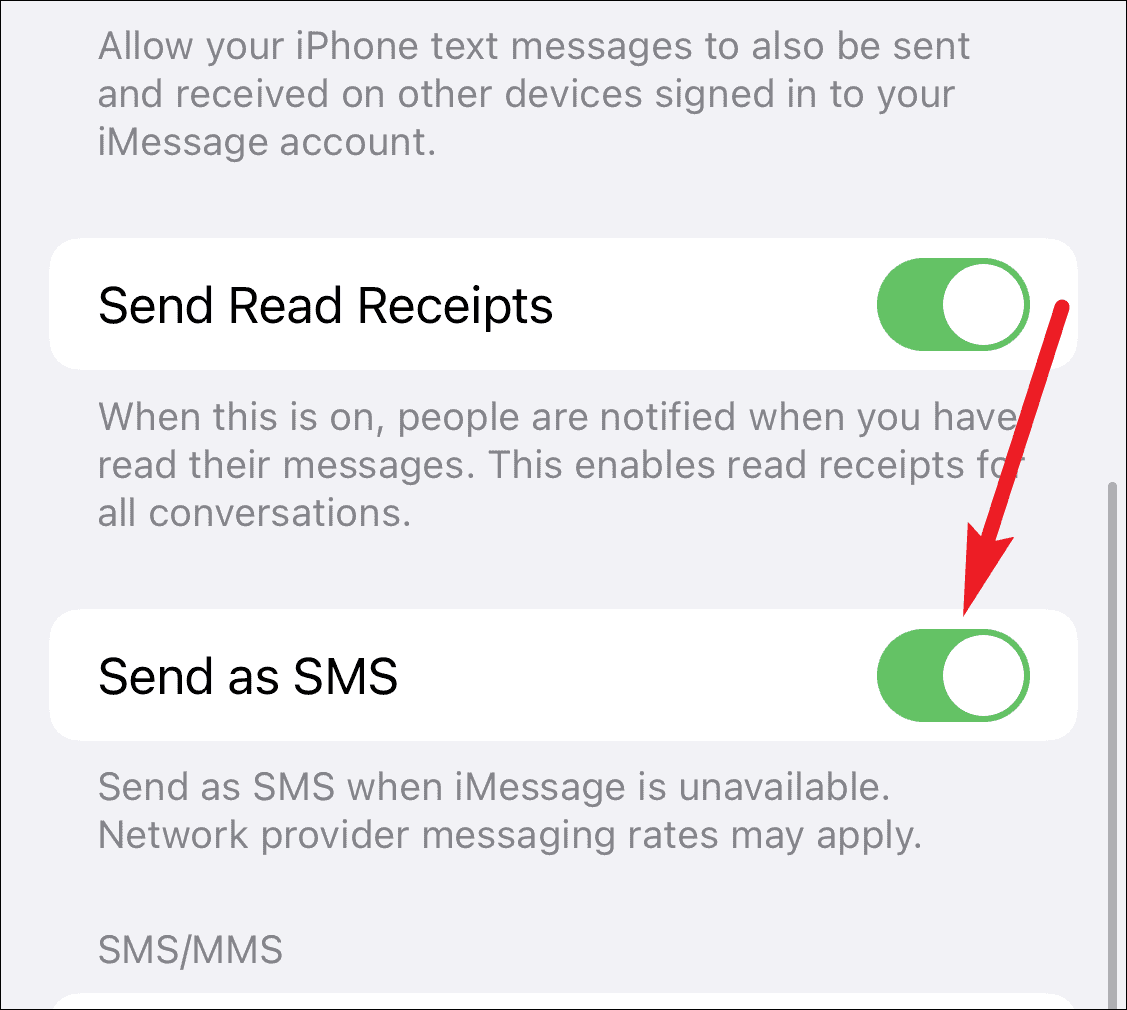
Then, toggle on the ‘Send as SMS’ option to allow your messages to be sent as standard texts when iMessage is unavailable.
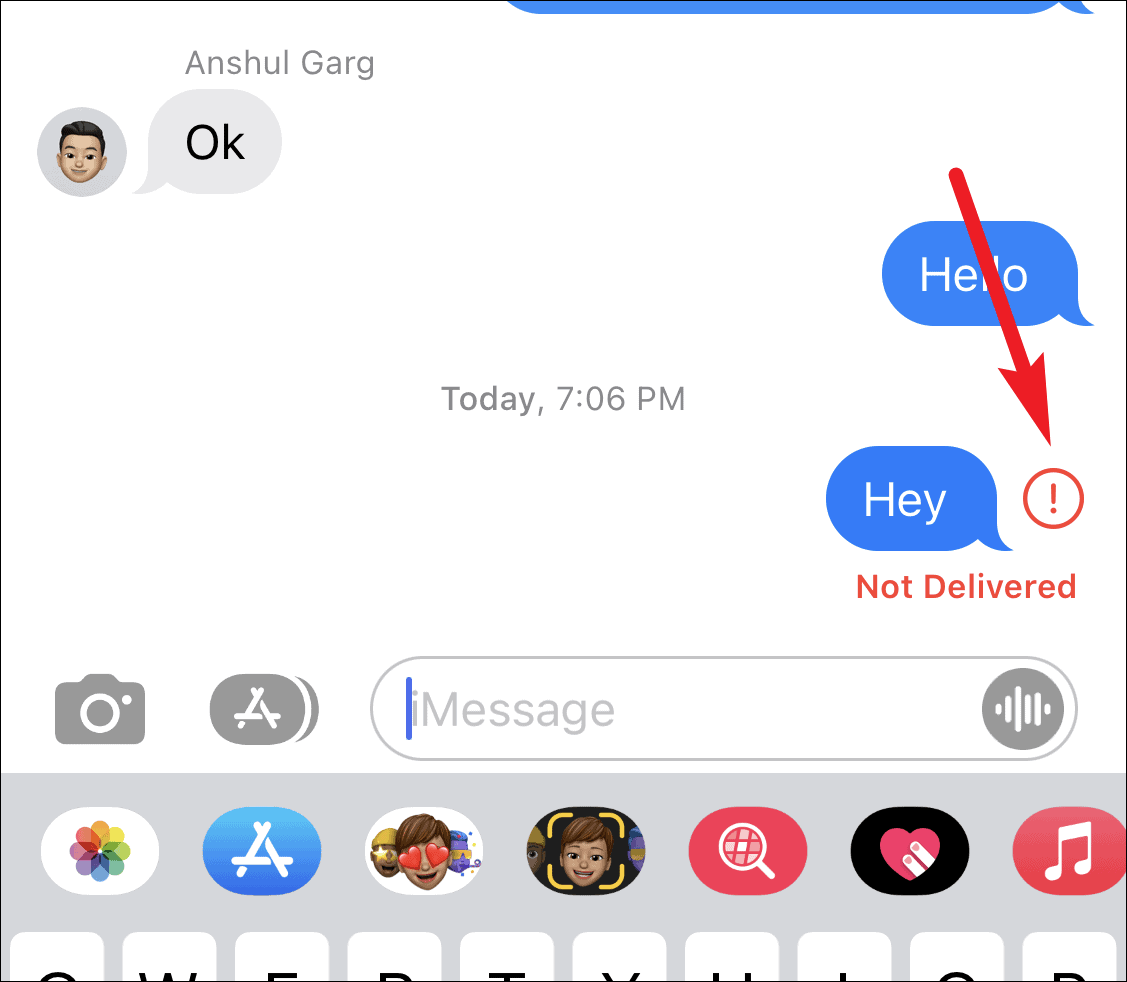
When the message fails, you’ll notice an exclamation mark icon next to it. Tap on the exclamation mark to view more options.
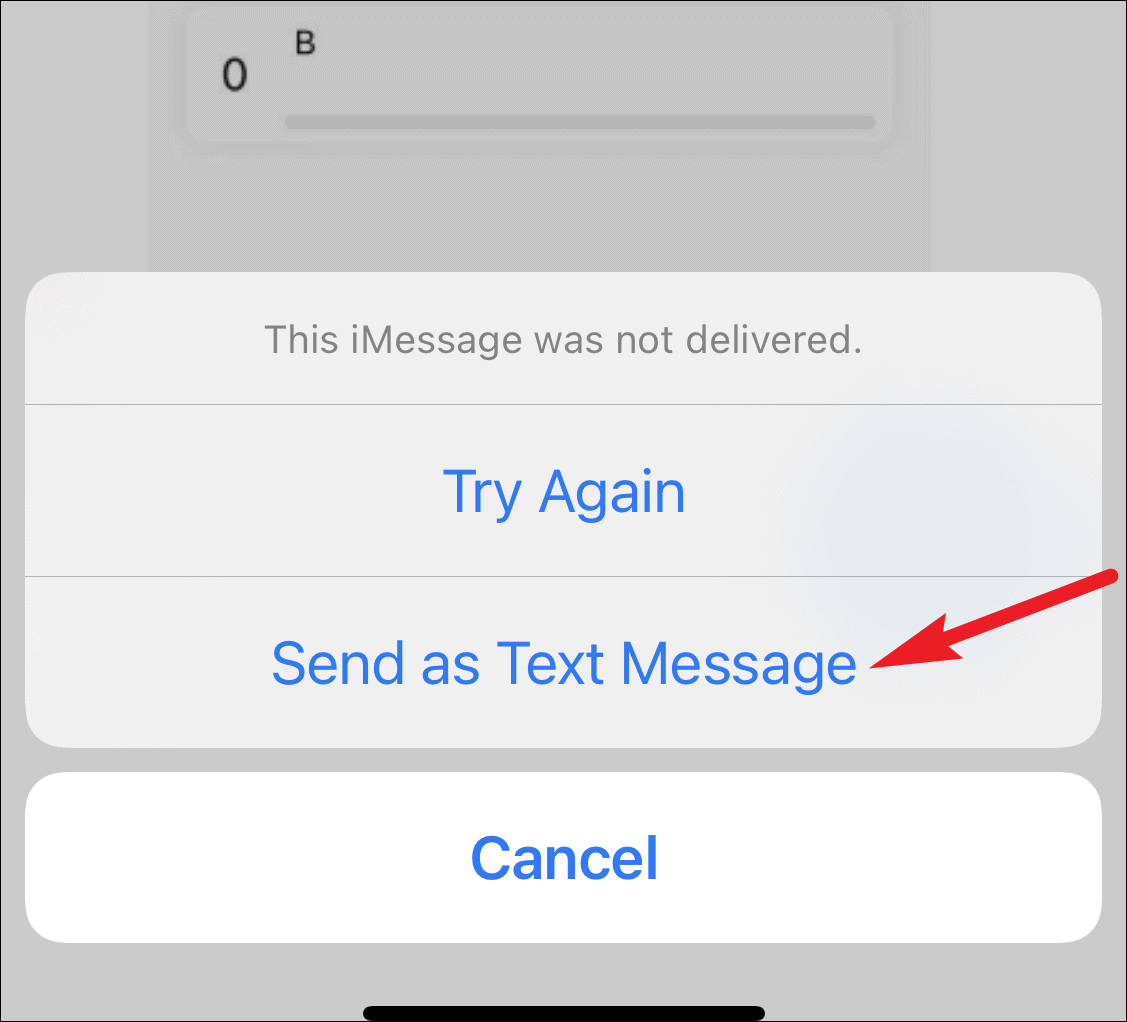
After following these steps, your message will be sent as a regular text, indicated by a green bubble instead of a blue one.
Understanding iMessage’s Limitations
It’s important to note that there isn’t a setting on your iPhone that allows you to turn off iMessage for a single contact. The iMessage feature is either on or off for all messages. This means that whenever you send a message to another Apple user, your device will attempt to use iMessage first.
Ask the Recipient to Turn Off iMessage
If the person you’re trying to contact often lacks internet access or has switched to a non-Apple device, their iMessage might still be active, causing messages to fail. In this case, you can ask them to disable iMessage on their end to ensure they receive your texts.
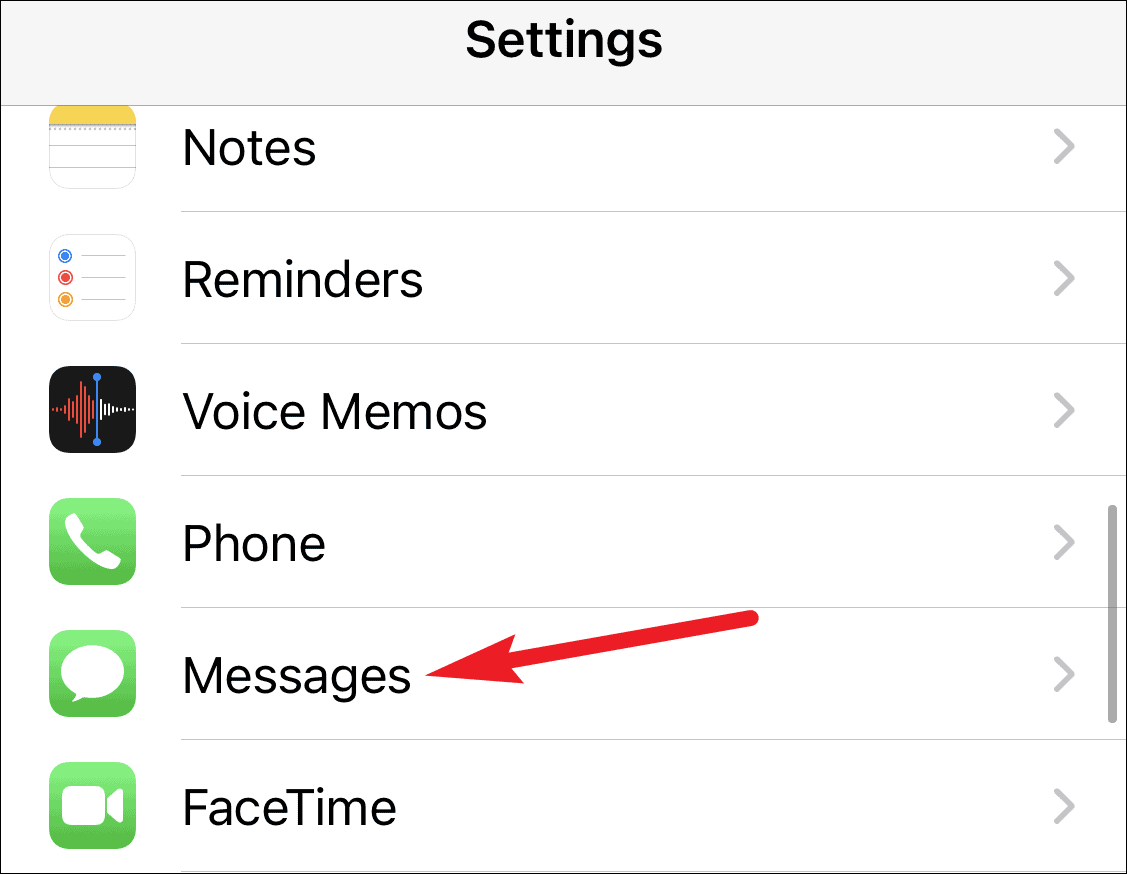
They can turn off iMessage by going to their iPhone’s Settings and scrolling down to ‘Messages’.
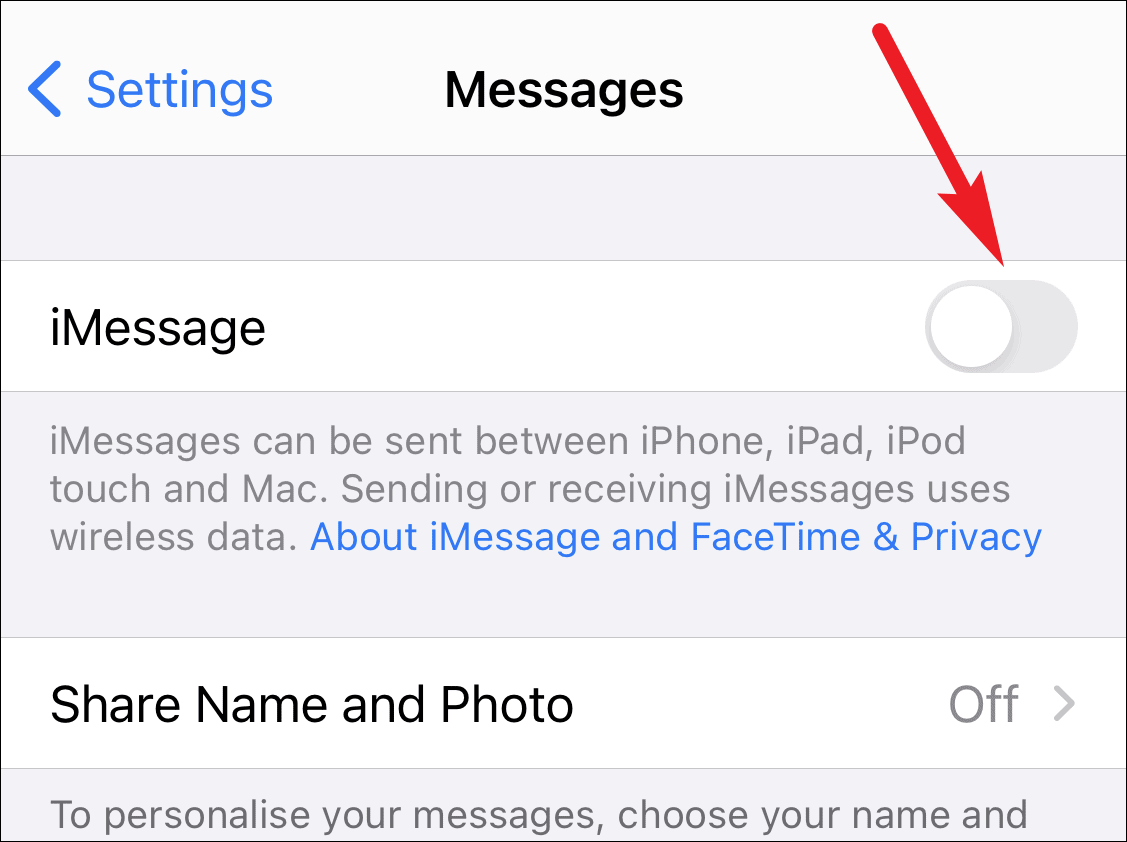
Then, they should toggle off the ‘iMessage’ option to disable it.
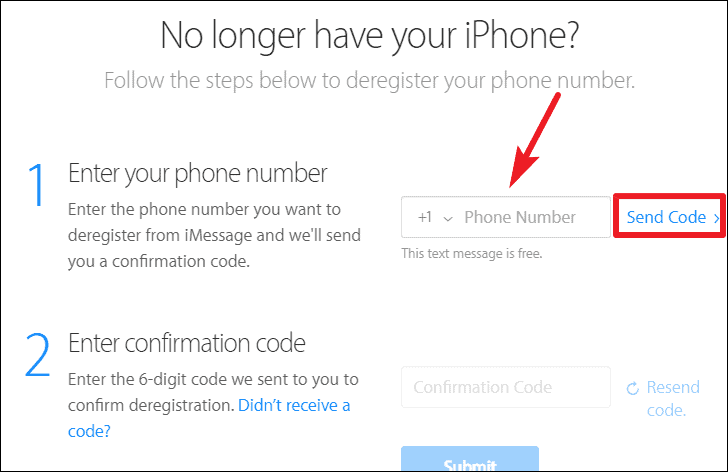
If they’ve switched to a non-Apple device and no longer have access to their iPhone, they can deregister their number from iMessage using Apple’s online tool.
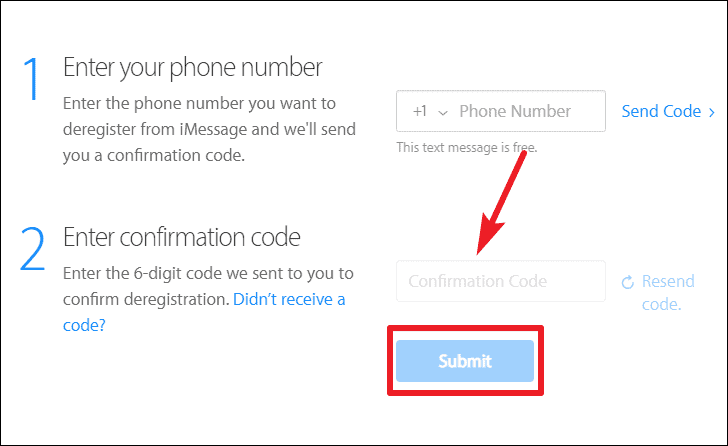
By deregistering, their number is removed from Apple’s iMessage servers, allowing messages to be delivered as standard SMS instead of iMessage.
While you can’t disable iMessage for a single contact on your iPhone, using the ‘Send as SMS’ option or asking the recipient to turn off iMessage can help ensure your messages are delivered successfully.