Adopt Me’s August 21, 2026 update splits your inventory in two. Storage now sits alongside the Backpack as a separate holding space, and the Releaser has a fresh pair of Legendary pets attached to it. Both changes are live on Adoption Island.
Quick answer: Release pets at the Releaser to earn Tickets, spend those Tickets on Basic and Crystal Eggs, then hatch them for a chance at the Kiwi Kiwi or the Strawberry Tortle. Both are Legendary.
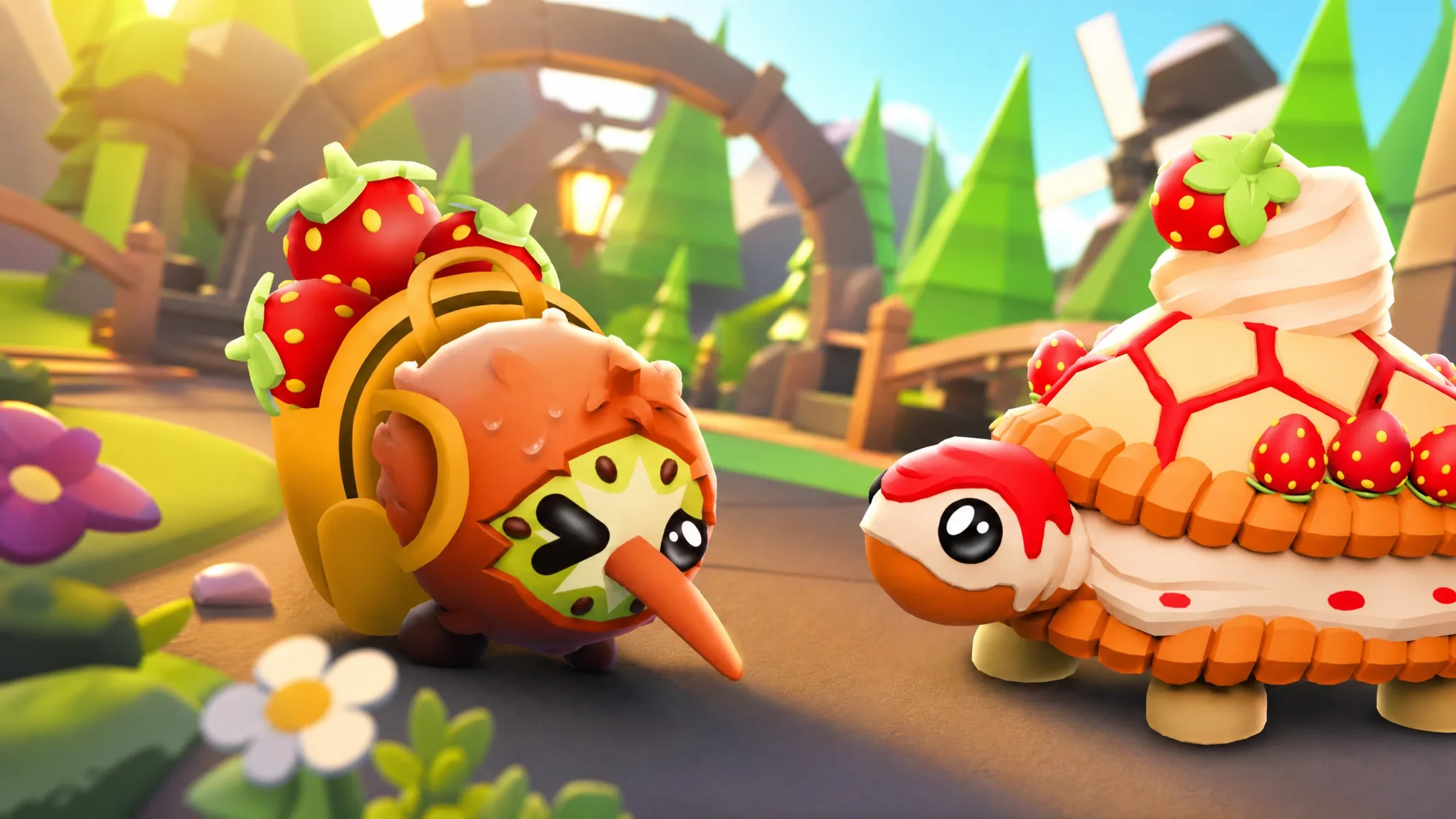
Kiwi Kiwi and Strawberry Tortle: How to get the new Legendary pets
Neither pet is bought directly. They sit inside the egg pools, so the path runs through the Releaser first.
| Pet | Rarity | How to obtain |
|---|---|---|
| Kiwi Kiwi | Legendary | Hatch from Basic or Crystal Egg |
| Strawberry Tortle | Legendary | Hatch from Basic or Crystal Egg |
Note: Legendary rolls are rare on both eggs, and Crystal Eggs carry the better odds of the two. Expect to release a large number of pets before either one shows up.
What Backpack Storage does
Storage is a second inventory space that lives outside your Backpack. Items placed there stay out of your main list, which is the point if you have hundreds of duplicate foods, toys, or pets you are not currently raising.
Movement runs both ways at any time. You can push items into Storage and pull them back whenever you want, with no cooldown or one-way conversion. Multi-select is supported, so you can highlight a batch and move the whole set in a single action instead of dragging one item at a time.
The practical outcome is a shorter Backpack. Keep only the pets you are actively aging or showing off, and park everything else.
Storage Tabs: Naming, icons, and the 25-tab limit
Storage is divided into Tabs, and each one can be given its own name and an icon pulled from the Journal. That means you can build categories that match how you actually play, whether that is one tab per rarity, one for trade stock, and one for food.
| Storage feature | Detail |
|---|---|
| Maximum tabs | 25 at once |
| Tab naming | Custom name per tab |
| Tab icons | Chosen from the Journal |
| Moving items | Both directions, single or multi-select |
| Trading access | Storage can be opened during a trade |
| Viewing permission | Other players can be granted view access |
Using Storage while trading
Storage is not locked out during trades. You can open it inside the trade window, which removes the old habit of keeping every tradeable pet loose in your Backpack just so a partner could see it.
You can also grant another player permission to view your Storage inventory. That lets them browse what you are holding before an offer is made, rather than asking you to shuffle items back into the Backpack first.
How to confirm the update is applied
Two checks settle it. Open your Backpack and look for the Storage space and its tab controls, then check the Releaser’s egg pools for the Kiwi Kiwi and Strawberry Tortle entries. If either is missing, rejoin the experience so the server loads the current version.
The Releaser remains the only route to Tickets, and Tickets remain the only route to these two eggs. Sort your Backpack into Storage first, and the pets you are willing to release become a lot easier to spot.