
Air Traffic Simulator puts you in the control tower of a busy airport, where you guide jets through landings, takeoffs, and gate assignments while managing weather delays and other emergencies. Redeeming codes in the game hands you free AirMiles, the currency used to buy extra gates, unlock new airports, and expand a growing aviation operation without slow grinding.
Working Air Traffic Simulator codes
These codes are currently redeemable for AirMiles in Air Traffic Simulator.
250YEARS— 250 AirMiles NEW4THOFJULY— 500 AirMiles NEWRTO— 150 AirMiles NEWHEAVY— 250 AirMilesCLEARED— 500 AirMilesIWANTAIRMILES— 67 AirMiles
How to redeem codes in Air Traffic Simulator
Codes are entered from the main Dashboard menu inside Air Traffic Simulator. Since codes are case-sensitive, copying and pasting them directly avoids typing mistakes that stop them from working.
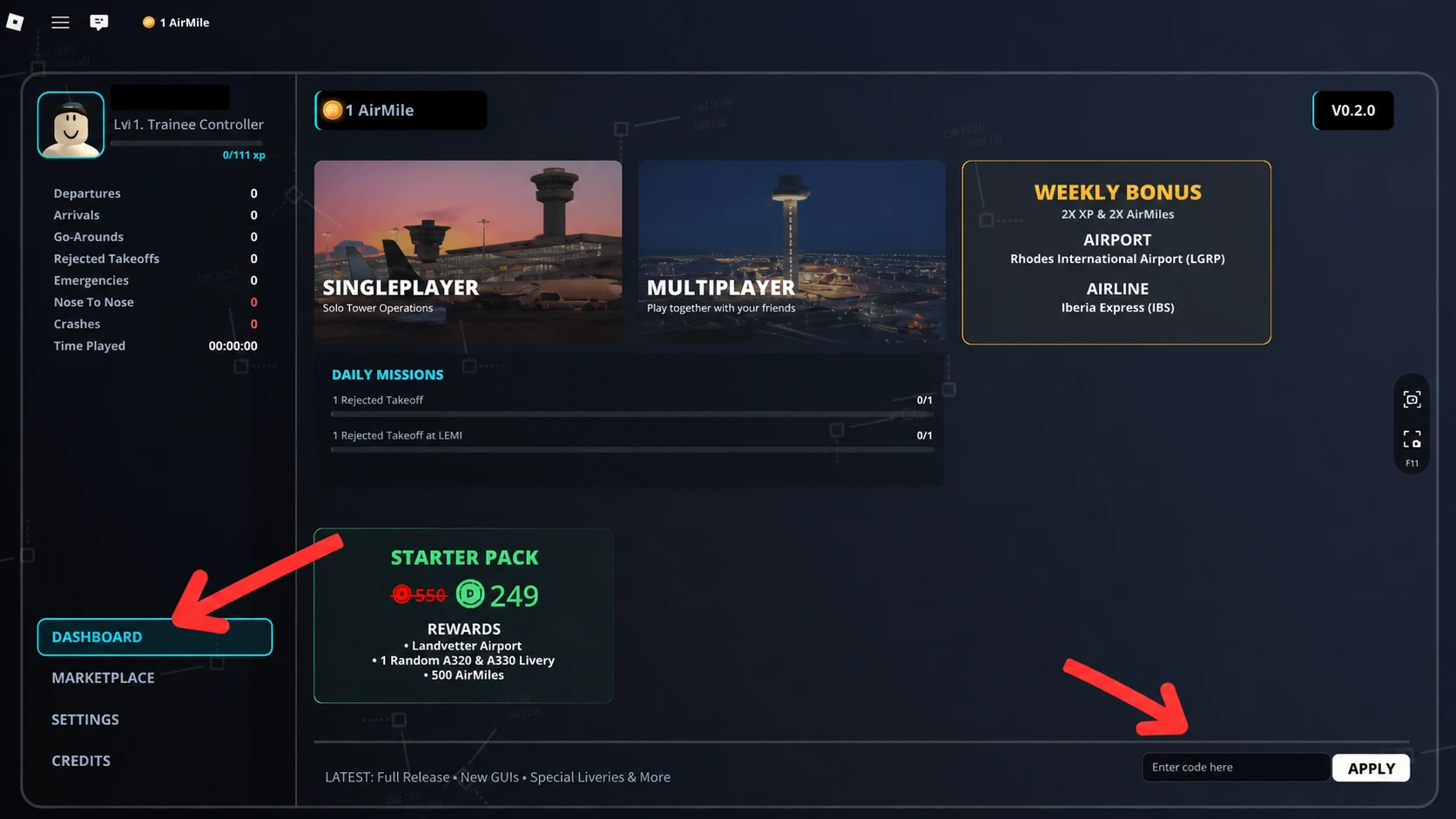
A successful code shows an immediate AirMiles balance update on the Dashboard, confirming the reward has been applied. If the box clears without any change to your balance, the code has likely already expired or was entered incorrectly.
Expired Air Traffic Simulator codes
These codes no longer grant AirMiles and will not work if entered.
SQUAWKCROSSWINDRETURNSKBOLEMIWEATHERNEWINNSBRUCKMULTIPLAYEROTTAWA100kVCEGKKRELEASELONDONGATWICK
Spending AirMiles effectively
AirMiles collected from codes go toward purchasing additional gates, which let a control tower handle more aircraft at once and raise overall revenue. Players who play actively benefit most from prioritizing extra gates early, since a busier gate layout compounds earnings faster than saving up for a single distant airport unlock.
New codes tend to appear around game updates and milestone celebrations. Joining the Air Traffic Simulator Discord server puts official announcements and fresh codes in front of you as soon as the developers post them, and the game’s Roblox community page is another place where updates surface.
Bookmarking this page and checking back periodically is the simplest way to catch new AirMiles rewards before they expire.