Spyro the Dragon joins Fortnite as a Sidekick, a small companion that trails your character during a match. He arrived as part of the Gaming Legends collaborations in Chapter 7 Season 4 (Override), alongside the Crash Bandicoot skin. If you want the fiery, purple dragon following you around the island, here is exactly what it costs and how to add it to your locker.
Quick answer: Buy the Spyro the Dragon Sidekick for 1,500 V-Bucks from the Fortnite Item Shop, or grab it inside the Crash Bandicoot & Spyro the Dragon Bundle for 3,000 V-Bucks.
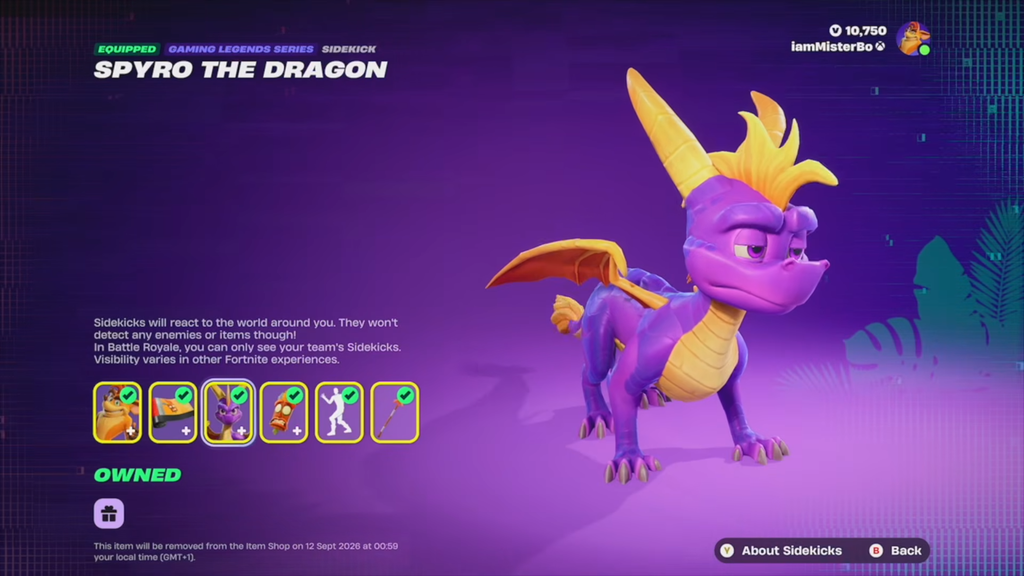
Spyro the Dragon Sidekick price and bundle
Spyro is a Gaming Legends Series Sidekick. You can buy him on his own or as part of a two-item bundle that also includes the Crash Bandicoot outfit. Because the Sidekick is available in a bundle, pairing it with the Crash skin costs less than buying both separately.
| Purchase option | Price |
|---|---|
| Spyro the Dragon Sidekick (solo) | 1,500 V-Bucks |
| Crash Bandicoot & Spyro the Dragon Bundle | 3,000 V-Bucks |
If you only want the dragon, there is no reason to buy the full bundle. Skipping it leaves you enough V-Bucks for something else, such as the Chapter 7 Season 4 Battle Pass.
How to buy the Spyro Sidekick in the Item Shop
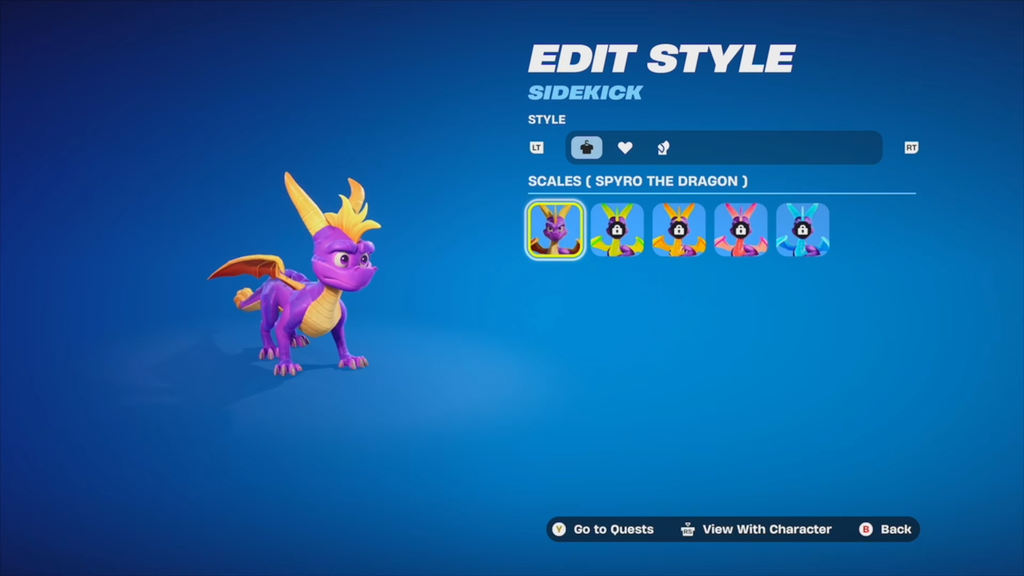
Styles and Sidekick Points rewards
Spyro comes with four unlockable styles that you earn by completing his Sidekick Quests, including a blue color scheme and a green Scales look. His base design is built on the modern version of the character from the Spyro Reignited Trilogy, so he is not a retro model like the polygon Crash edit style.
Buying the Sidekick also opens up a set of bonus cosmetics you can claim using Sidekick Points, which you earn by keeping Spyro equipped and gaining XP in supported experiences.
| Reward | Type |
|---|---|
| Banner Icon | Banner Icon |
| Spyro’s Heart | Reaction |
| Scales (Green) | Style |
| Spyro’s Fiery Flourish | Emote |
To find these tasks, open the Quests tab and scroll to the Sidekicks section at the bottom, where each companion has its own quest list. You can bank Sidekick Points in Battle Royale, LEGO Fortnite, and Fortnite Festival.
How the Spyro Sidekick behaves in a match
Spyro follows your character and reacts to what happens around you, but he is purely cosmetic. He does not detect enemies or items and gives no gameplay advantage. In Battle Royale, only your own team can see your Sidekick, and visibility can differ in other Fortnite experiences.
Note: This Sidekick’s core appearance cannot be freely customized. Your changes come from the built-in and quest-unlocked styles rather than open editing.
When the Spyro Sidekick leaves the shop
The Spyro the Dragon Sidekick entered the Item Shop with the reset on August 28, 2026, at 8 PM ET. It is scheduled to leave the shop on September 11, 2026, at 8 PM ET, so buy it before that window closes if you want to secure both the Sidekick and its quest-linked rewards.