Storage fills up fast in Idyll. Catch enough duplicates and low-level strays and you will hit the cap long before you finish cataloguing the continent. Releasing is the built-in cleanup tool, and it pays you for the trouble with a Farewell Gift of training materials.
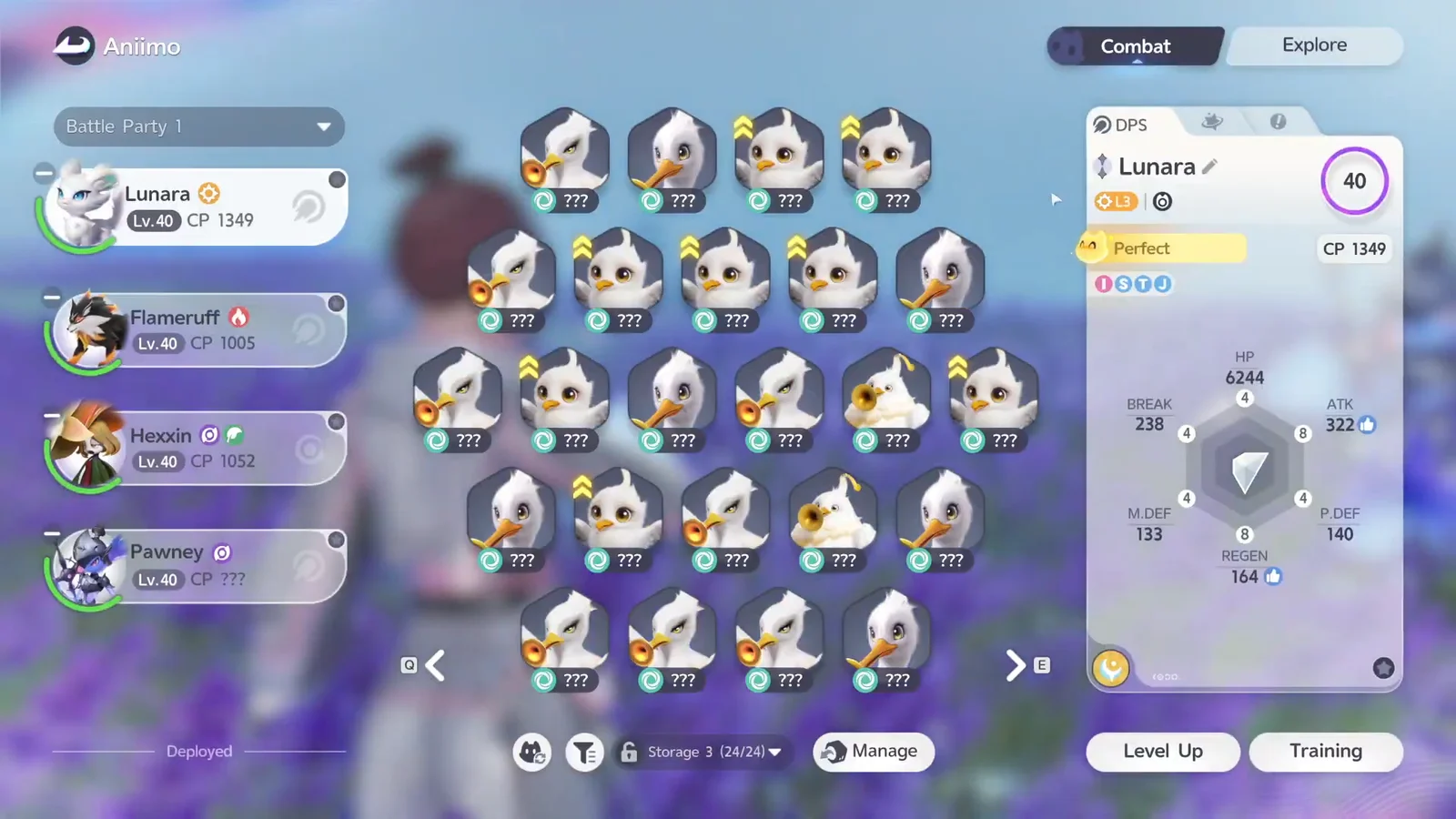
Quick answer: Open Animo Management, press Manage, select the Aniimo you want gone, then hit Release and Confirm. You receive a Farewell Gift of training materials, and the release is permanent.
What releasing an Aniimo actually does
Releasing removes the creature from your storage for good and hands back a bundle of materials in return. It is not a temporary deposit and there is no undo button, so treat every confirmation screen as final.
- Each released Aniimo frees one slot in storage.
- A Farewell Gift comes with training supplies, including flowers and green sprouts.
- Training materials already spent on that Aniimo are not returned.
- Releases count toward Elite Training progress under the Path of Twining tab.
The payout scales with how many you let go at once. A batch of ten returned four white flowers and 24 green sprouts, which is enough to push a keeper a level or two closer to its next evolution.
Which Aniimo to release and which to keep
Surplus low-level catches are the obvious candidates. Common early-route creatures like Chirpi and Cornet pile up quickly, and clearing a grid of them costs you nothing you were going to use.
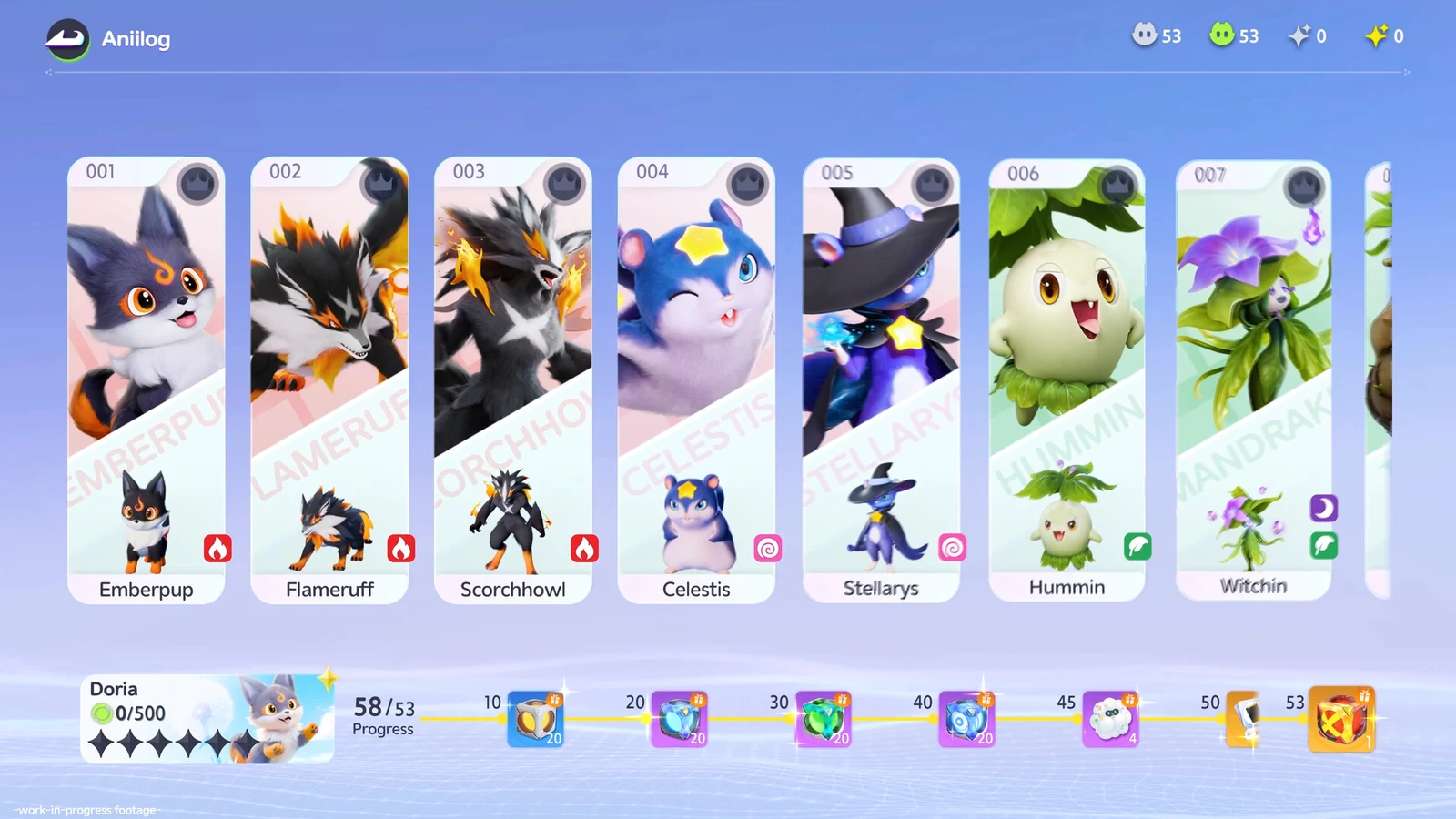
Anything you have already invested in is a bad release. Because materials are never refunded, a trained party member such as Flameruff — a Fire-element DPS that evolves into Scorchhowl or Inferlupa once it reaches Aniimo level 20 — is worth keeping in storage even if it is not in your active four.
Perfect-rated Aniimo are also worth protecting. One Elite Training milestone asks you to own four Aniimo with a Perfect rating, so releasing them to save space works against you.
How to release Aniimo in bulk
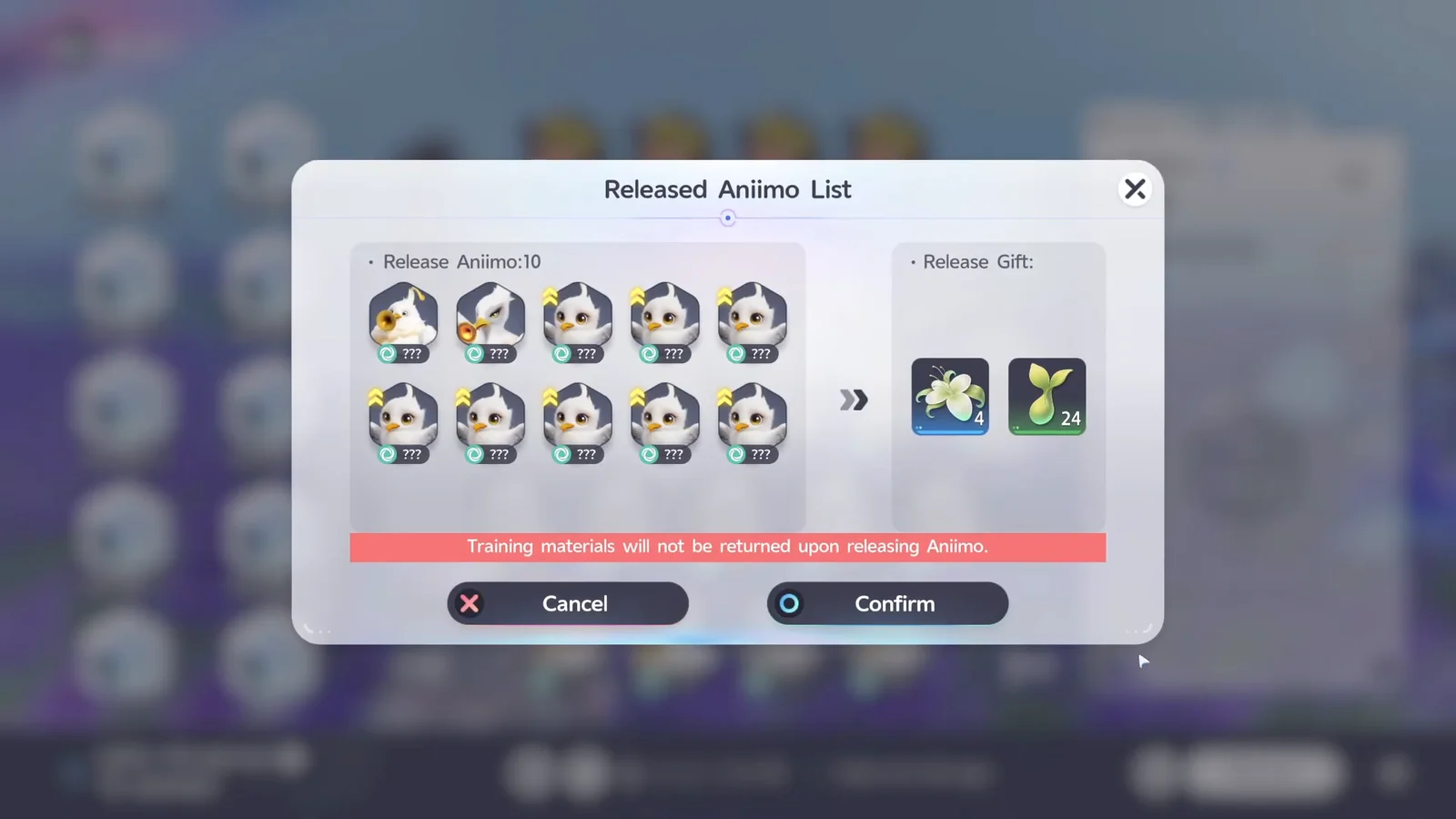
How to confirm the release worked
A Farewell Gift screen appears immediately after you confirm, headed with the line “Released successfully. The Aniimo reluctantly bid farewell, leaving a few items behind.” Everything you earned is listed under OBTAINED. Press anywhere to close it.
The owned counter at the top of storage is the second check. A ten-Aniimo release drops it by exactly ten, so a collection sitting at 305 owned reads 295 owned once the gift screen closes.
Elite Training rewards for releasing Aniimo
Releases feed an Elite Training milestone, and the rewards do not collect themselves. Back out to the overworld, open the main menu again and select Elite Training.
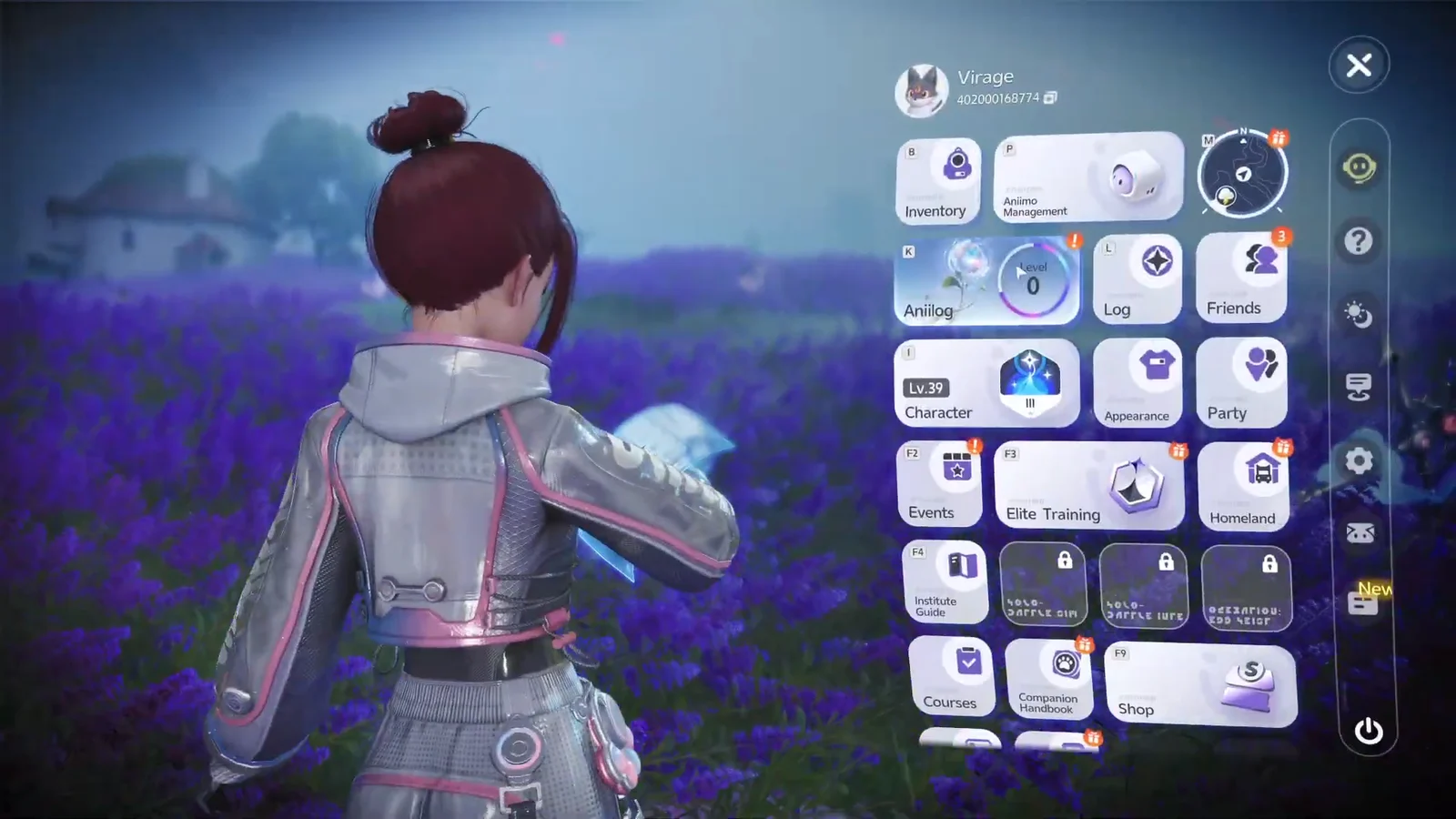
Switch to the Path of Twining tab. The release milestone sits alongside the Perfect-rating one, and both are claimed manually once their counters fill.
| Quest | Rewards |
|---|---|
| Release 5 Aniimo | EXP 100, 1000 Gold, Safaris x20, Anipod Pro XS x5 |
| Own 4 Aniimo with a Perfect rating | EXP 100, 1000 Gold, Anipod Ultra Volume x3 |
Because the milestone only asks for five releases, a single bulk clearout covers it with room to spare. Clear the backlog once, claim the Safaris and Anipods, and you walk away with more storage space and more catching gear than you started with.