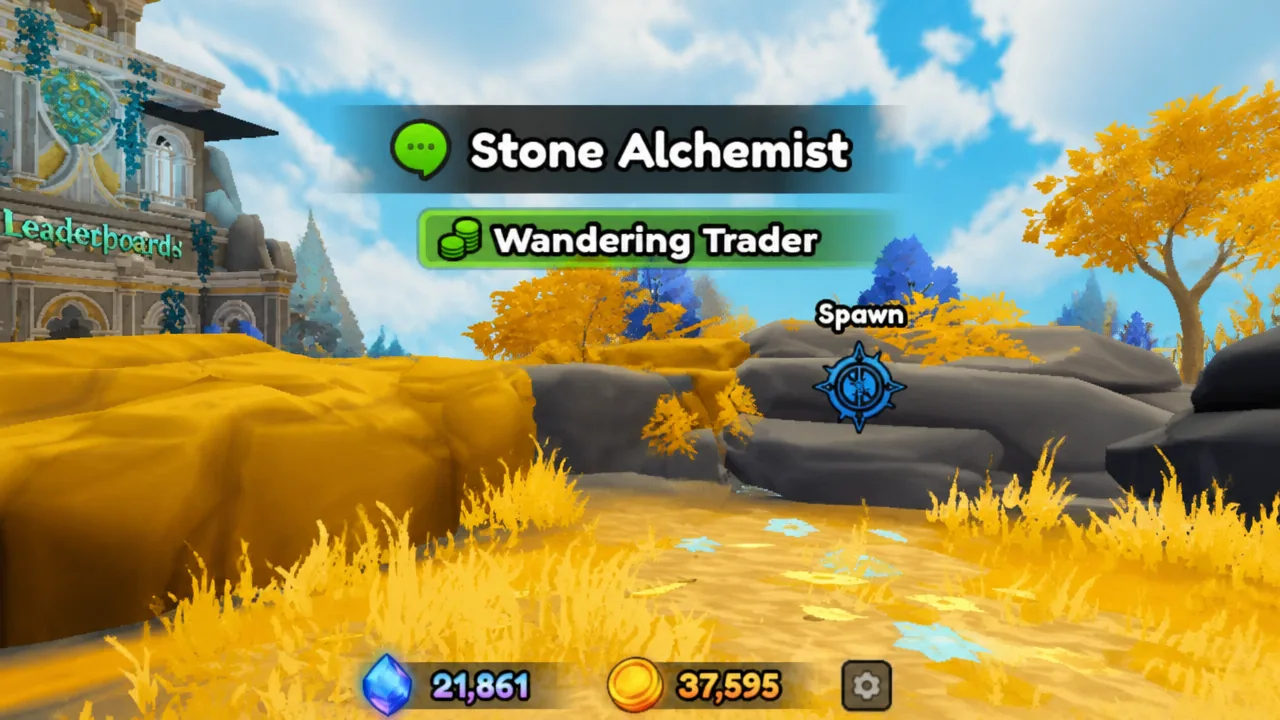
The Wandering Trader is a limited event in Anime Expeditions where a merchant modeled after the Stone Alchemist unit drops into the lobby for a short stay. While he is present, he opens a special shop that trades rare upgrade items for Gems, and a server-wide event runs alongside him with quests that reward Event Coins.
Quick answer: When the server-wide notice appears, run to the lobby, look for the Stone Alchemist model labeled “Wandering Trader,” walk up to him, and press E to open his shop before the event timer ends.
When the Wandering Trader spawns
There is no fixed schedule. The event can start on any day and at any time. The moment it begins, every player on the server receives a notification, which is your cue to head into the lobby and find the merchant.
He stays only for the length of the event. Once the timer runs out, he despawns and returns later, usually after an interval of one to two hours. Because he can appear several times across a single day, it is worth checking the Events menu whenever a notice pops up.
Note: The Wandering Trader only shows up in the main lobby. He never spawns inside Expedition maps or story stages, so there is no reason to search for him mid-run.
Wandering Trader spawn locations in the lobby
His position is randomized each time, but two spots come up often. Both start from the central hub where the bridges branch out toward the different zones.
| Spot | How to reach it |
|---|---|
| Summons hill | From the lobby center, take the bridge toward the Summons zone, go up the hill, and turn left. Look for him standing on the golden grass. |
| Left bridge corner | From the lobby center, cross the bridge on the left side. He can appear at the far corner of the building directly ahead. |
These are the most reliable spots, but not the only ones. Keep scanning the lobby for the Stone Alchemist look, since he can turn up in other corners as well.
How to buy from the shop
E on your keyboard to open the shop. Every item is paid for with Gems, the premium currency.You earn Gems passively by playing, including from Story stages, Daily and Weekly Challenges, Quests, Events, the Battlepass, Tournaments, Raids, Index and Calendar rewards, the in-game Store, and by redeeming codes. Stockpiling them ahead of time means you can clear the shop before the merchant leaves.
Wandering Trader shop stock
The stock is locked for the duration of each appearance. Selling out an item does not trigger a mid-event refresh; everything only replenishes when the trader returns for a new run. The lineup has grown from an original two-item shop into a wider set of upgrade materials.
| Item | What it does |
|---|---|
| Equipment Lock | Locks an equipment’s stat potential so it stays put during a reroll. |
| Equipment Reroll | Rerolls an equipment’s stat potential. |
| Luck Potion | Raises Banner Lucky by 25% and stacks with the Super Lucky Potion. |
| Stat Lock | Locks a unit’s stat grade before you use a Stat Reroll. |
| Stat Reroll | Rerolls a unit’s stat grades. |
| Trait Crystal | Rerolls a unit’s Trait. |
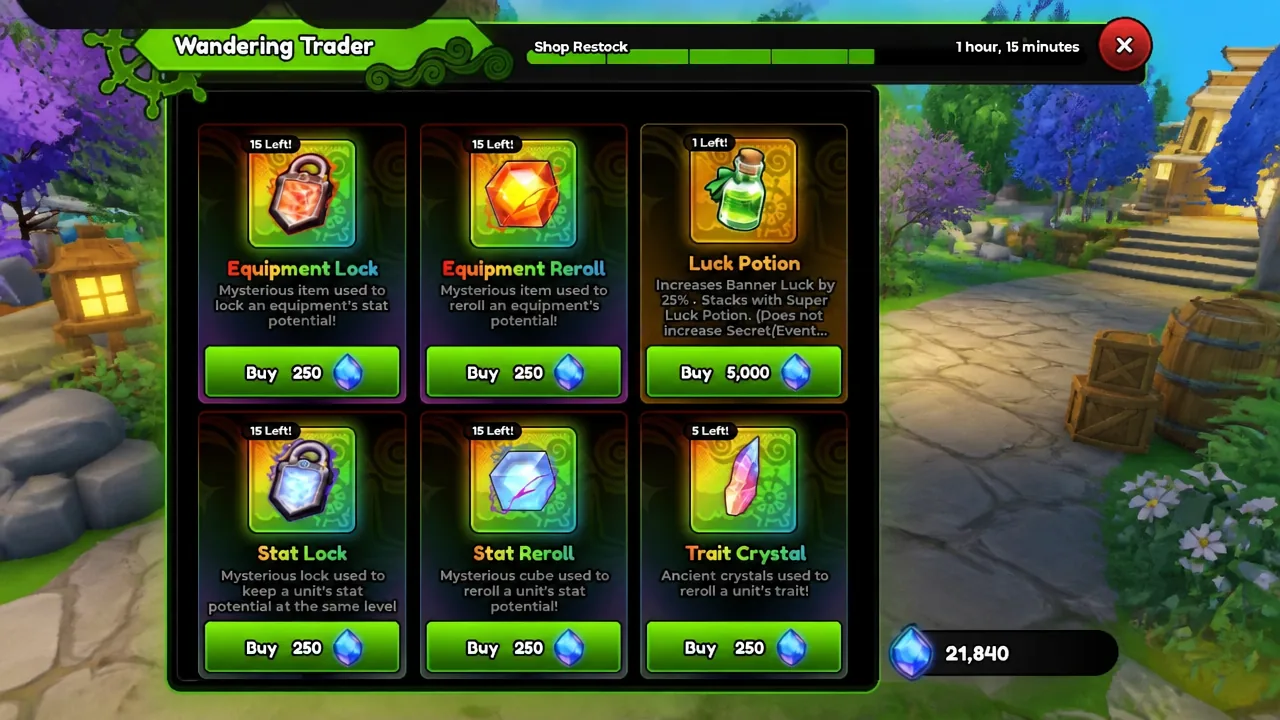
Stat Rerolls and Stat Locks are Mythic-rarity items priced at 250 Gems each, and each has historically been capped at five purchases per restock. A Stat Reroll rerolls every stat on a chosen unit at once, while pairing it with a Stat Lock keeps one stat you like from changing. Those stats are Range, Damage, and SPA (Seconds Per Attack), graded from F up to Z.
Event quests and Event Coins
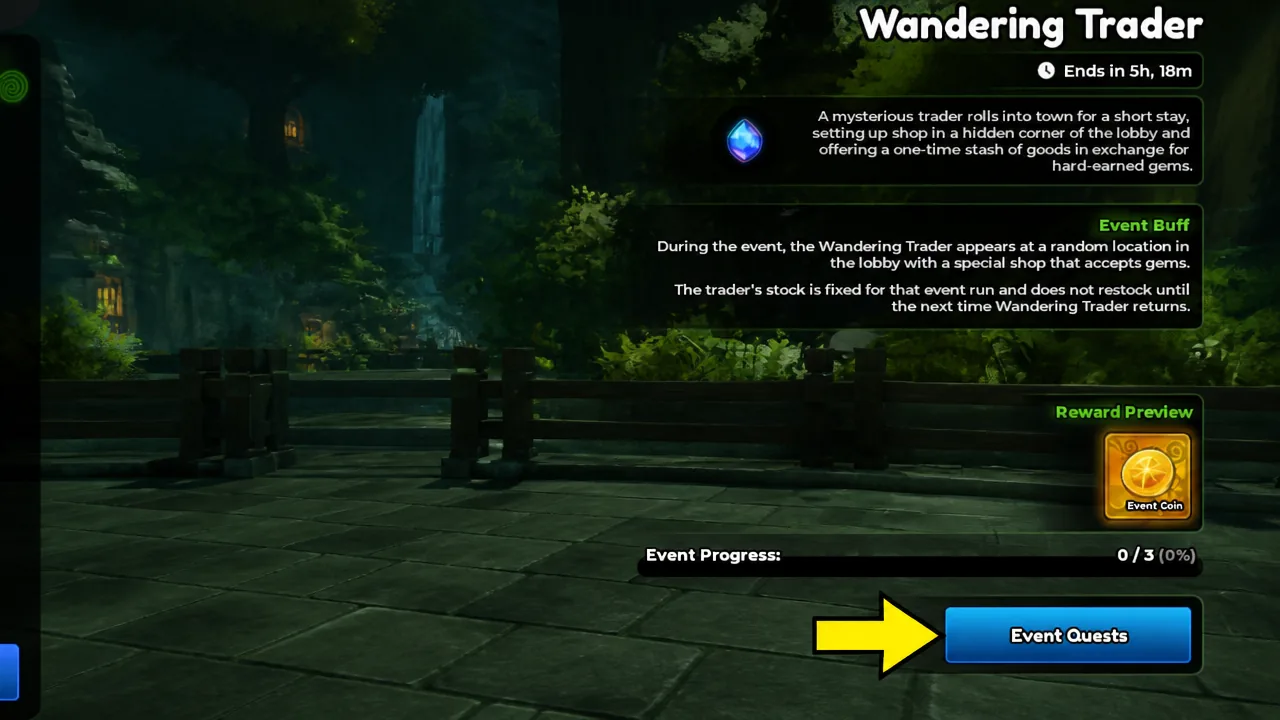
Buying from the shop also feeds a set of event quests, all of which simply require you to purchase items from the merchant. Complete them before he disappears to bank Event Coins.
| Quest | Requirement |
|---|---|
| Wandering Trader Customer 1 | Purchase 5 items from the shop |
| Wandering Trader Customer 2 | Purchase 10 items from the shop |
| Wandering Trader Customer 3 | Purchase 15 items from the shop |
You can confirm your progress inside the Events menu under Wandering Trader, where the Event Quests button shows each objective and its counter ticking up as you buy. Since the shop reserves a limited stock per appearance, plan your Gem spending around hitting the higher purchase counts if you want to clear all three quests in a single run.