The Naruto War Arc rollout for Anime Story 2 landed alongside a fresh batch of free codes, and the fastest way to benefit is to claim them before they expire. The codes hand out Trait Tokens, Gems, Secret Orbs, Slime Tokens, and Summon Tickets, which directly speed up summoning units and rerolling traits inside the experience built by Anime Story Lab.
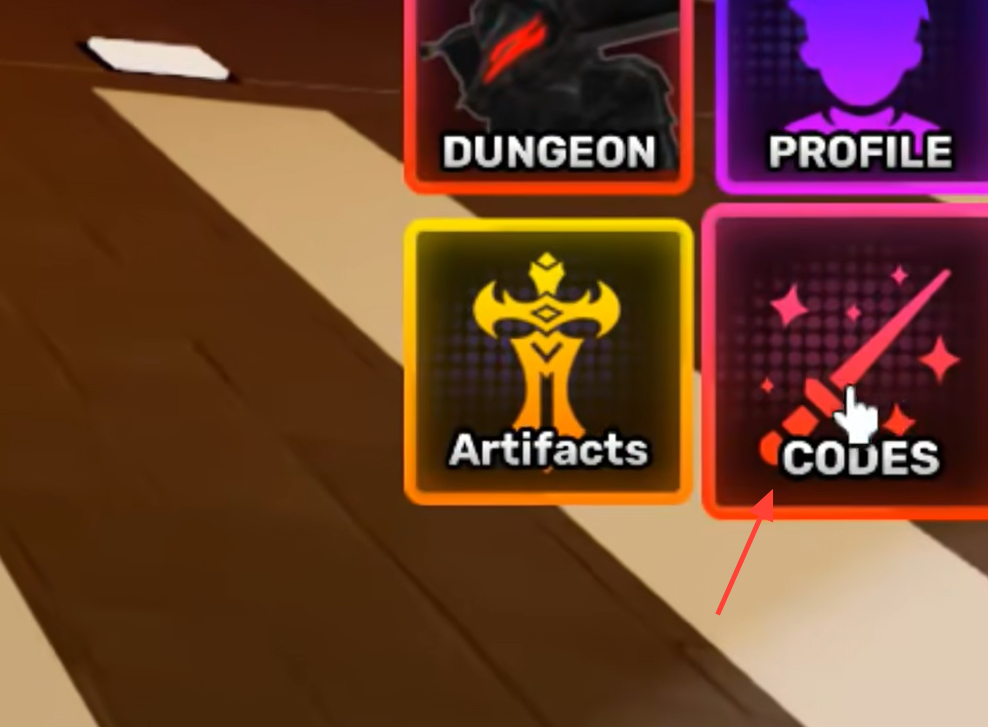
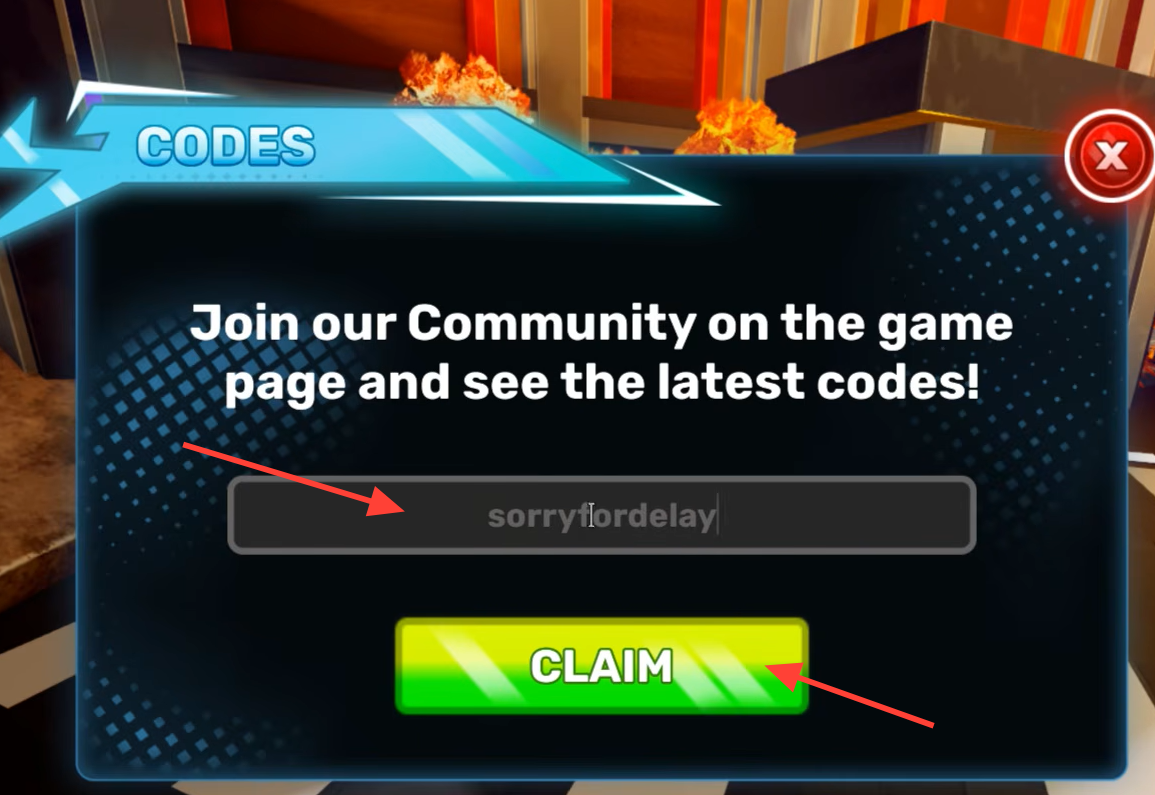
Quick answer: Open Anime Story 2 on Roblox, tap the Codes button on the right-side UI, paste a code such as narutoupdate, then press Claim to receive rewards instantly in your inventory.
Naruto War Arc Update 2.0 codes
The codes tied to the latest update appear directly in the game’s description. These are the ones to enter first, since they are the freshest and most likely to be active during the launch window.
| Code | Tied to |
|---|---|
narutoupdate | Update 2.0 Naruto War Arc |
madaraishere | Update 2.0 content |
newlobby | New lobby |
sorryfordelay | Maintenance compensation |
Other working Anime Story 2 codes
Beyond the update-specific codes, several milestone and quality-of-life codes remain redeemable. Each one works only once per Roblox account, so enter them all to stack the rewards.
| Code | Reward |
|---|---|
4000ccuomg | 10 Secret Orbs, 250 Trait Tokens |
3500ccu | 200 Trait Tokens |
blessings | 50 Trait Tokens, 25,000 Gems |
blackcloversoon | 50 Trait Tokens |
0.25qol | 10 Secret Orbs, 25 Trait Tokens, 10,000 Gems |
2kccuomg! | 15 Secret Orbs, 15 Red Stars, 500 Slime Tokens, 50 Trait Tokens, 10,000 Gems |
ty1k | 50 Trait Tokens, 10,000 Gems |
0.5soon | 25 Trait Tokens |
wdior | 10 Secret Orbs, 25 Trait Tokens |
rerelease | 50 Trait Tokens, 10,000 Gems |
as2 | 50 Trait Tokens, 5 Ascend Tickets |
500interested | 100 Trait Tokens, 10,000 Gems |
The codes Smith and Alpha have passed their redemption windows and no longer work. Codes generally release after concurrent-player milestones, balance patches, and post-maintenance compensation, so the active list shifts over time.
How to redeem codes in Anime Story 2
Why a code is rejected
If a code fails even though it appears active, one of a few specific issues is usually the cause.
- Spelling or capitalization is off. Codes must match exactly as shown.
- You already redeemed it. Each code works once per Roblox account.
- The server has not synced after an update. Rejoin or switch to a fresh public or private server, since some servers accept new codes before others.
- The code expired. Once it drops off the active list, its redemption window has closed.
New codes are announced through the official Anime Story 2 Discord, the game page description after major updates, and Anime Story Lab’s social channels alongside patch notes. After redeeming, spend Gems on banner summons for current meta units and use Trait Tokens to reroll traits on your strongest damage dealers.