You start Big Walk as a randomized little creature, a three-part hybrid of bird and bug that you steer through the open world with your group. If you don’t like the colors the game assigned you, you can change them, but not on your own. Customization happens at one fixed spot in the world, and it always takes a second player to pull off.
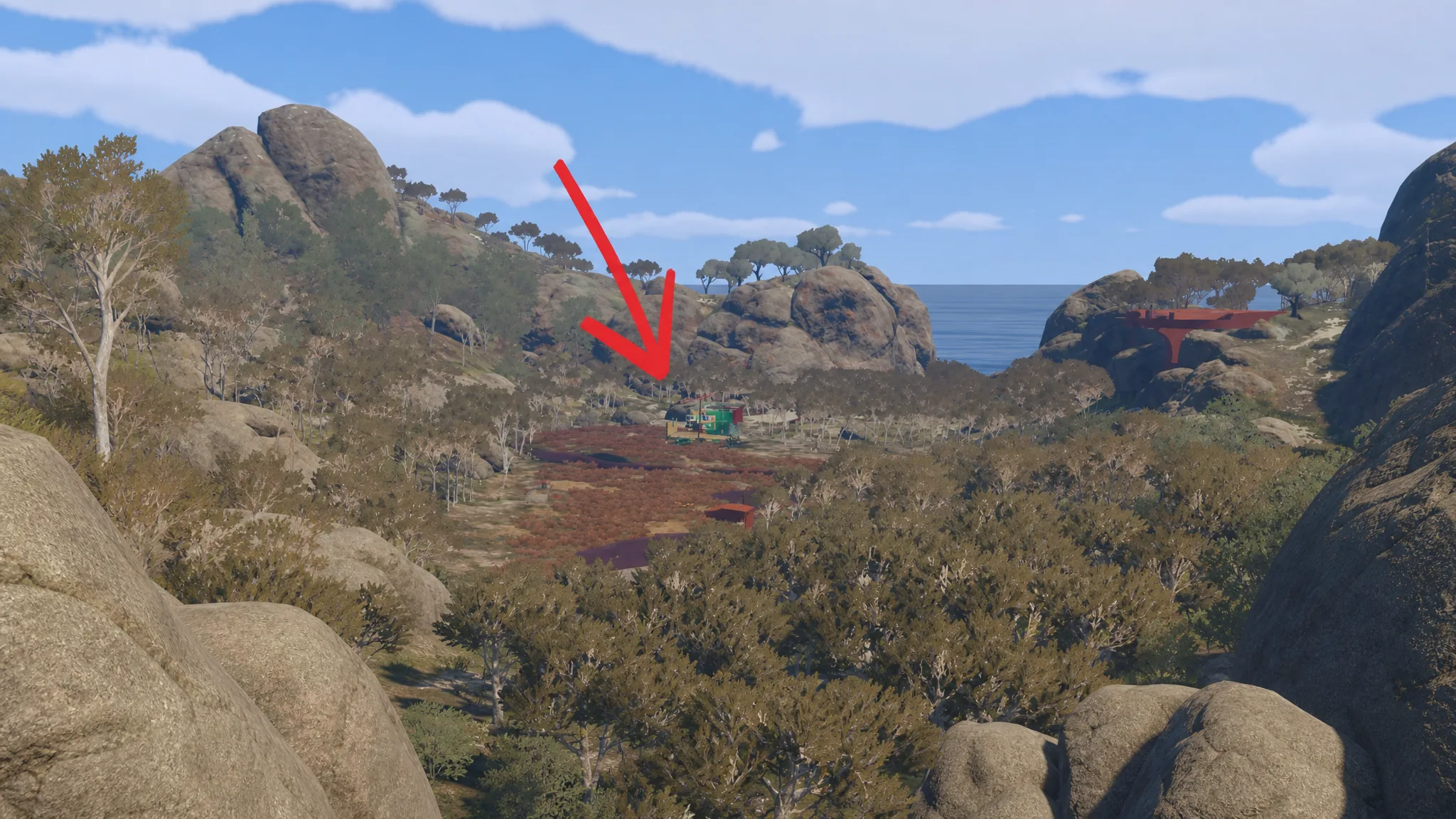
Quick answer: Walk to the Salon, the bright green building between the starting hub and the beach. Have another player pick up the paintbrush and paint your three body sections using the wall of 21 colors, then check the result in the mirror.
Where the Salon Is
Every new game drops your group into a playground-style area that acts as the central hub. This is also where you respawn whenever you save, quit, and come back later, so you’ll pass through it constantly. There is no pre-game menu for appearance, and you can’t tweak your look from a settings screen. Everything runs through one in-world location.
When you leave the playground and step out into the Outback, the Salon is hard to miss. It’s a bright green building sitting between the hub and the beach where the bridge to the rest of the island waits. It stays lit up at night, which makes it a useful meeting point if proximity chat scatters your group and you lose track of each other.
Why You Can’t Paint Yourself
Big Walk plays entirely in first-person, so you never see your own creature while you explore. You can see your friends, but not yourself. The Salon’s mirror is the one place that breaks that rule, and it’s the only spot where you can actually watch your own colors change.
That perspective is why painting is a two-person job. Since you can’t see the result on your body in real time, and the person holding the brush is looking at a different part of the color wheel than you are, describing exactly what you want turns into a genuine communication test. “Hot pink” often needs correcting to “magenta” before a teammate lands on the shade you meant. It’s the first moment the game asks you to talk clearly with the people you’re playing with.
How to Change Your Colors
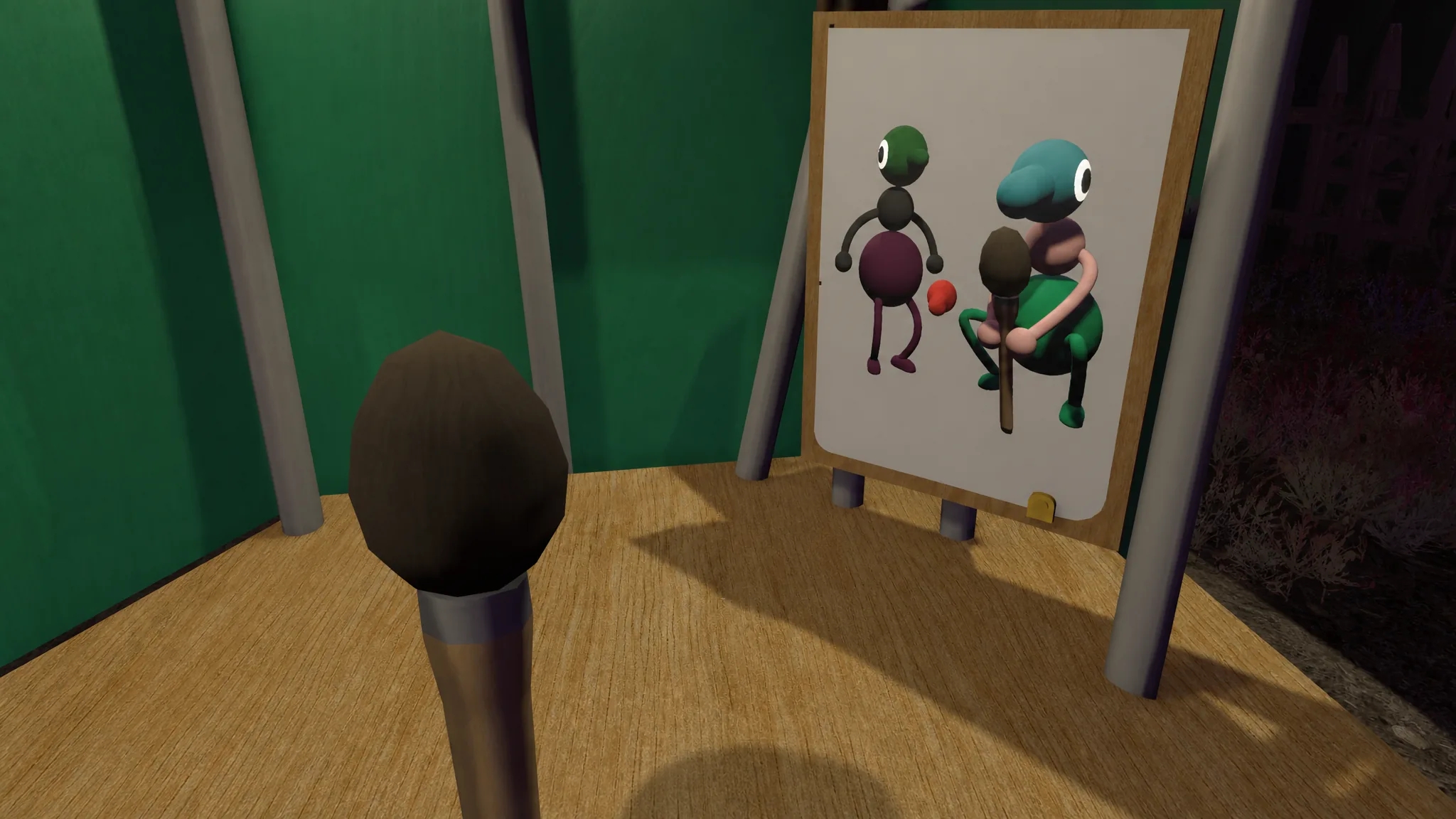
You’ll know it worked because the mirror shows the updated colors on your creature, and your teammates can see the change on you out in the world. You can revisit the Salon and repaint whenever you want, since you always respawn in the hub right next to it. The only catch is that you can never do it alone, and it can’t be done on the move. A second player has to come along every single time.
Unlocking the Three Metallic Colors
Beyond the starting 21, there are three extra metallic colors to earn. These are tied to the “Get Shiny” achievement, which sends you to a second location in the world and rewards the shiny shades once you find it. Using them also earns the achievement itself.
Don’t expect these early. Unlocking them takes a serious amount of progression, so it’s not something to chase at the start. The metallic colors are purely cosmetic and don’t affect anything else, so it’s fine to leave them until much later and focus on the puzzles first.
| Detail | What to know |
|---|---|
| Default colors | 21, chosen from a hanging palette |
| Metallic colors | 3 extra, unlocked via the “Get Shiny” achievement at a second location |
| Body sections | Bottom, middle, and head, painted separately |
| Where | The Salon, a green building between the hub and the beach |
| Who paints | Another player only, never yourself |
| When | Any time you return to the hub |
That’s the full extent of customization in Big Walk. There are no named characters, no voice cast, and no cosmetic menu to open. Your look is a shared task built around talking to the people you play with, which fits a game where communication is the whole point.