Build and Kill Zombies is a Roblox simulation sandbox from Zombie Car Crusher built around one short loop. You roll for parts at a station, bolt them onto a car in a build menu, then drive down a track until the fuel gauge empties. Distance and zombie kills pay out in cash, and that cash goes back into rolls and skill upgrades. Servers hold five players, and the experience carries a Mild maturity rating for repeated mild violence.
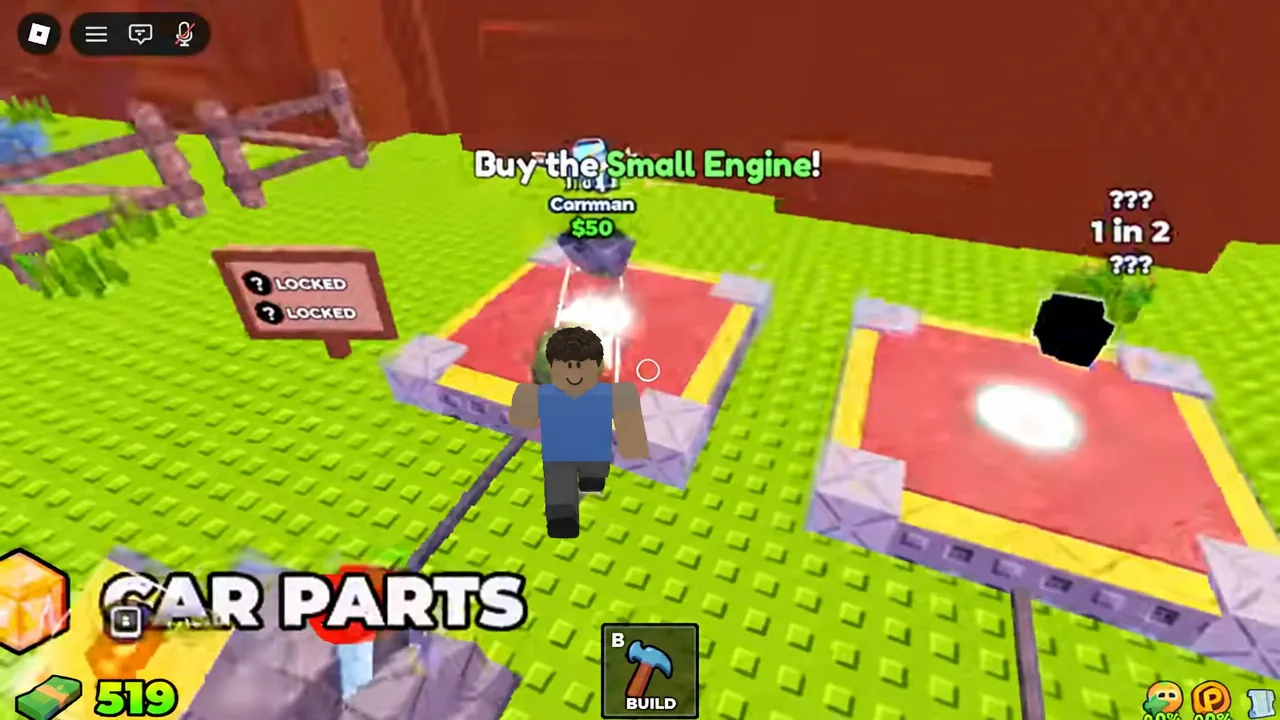
Quick answer: Roll at the Car Parts station for $50 to get an engine, press B to open the Build menu and place the engine on the marked spot, add a weapon from the Weapons tab, then press F or hit DRIVE to run the track until you are out of fuel.
How to build your first car and start a run
The opening sequence is guided. White arrows point at whatever you need to touch next, so the fastest path is to follow them in order rather than exploring the garage first.
B and equip the Small Engine from the Vehicle tab. The part stays selected until you place it or swap to something else.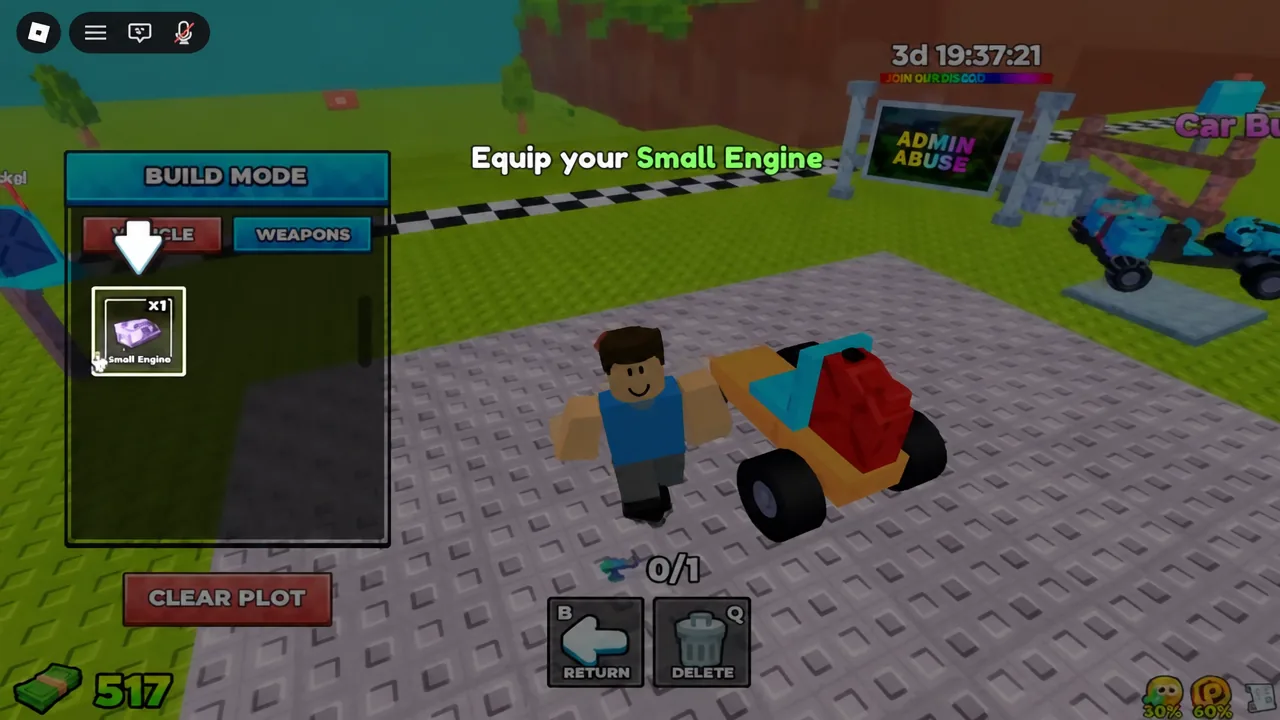
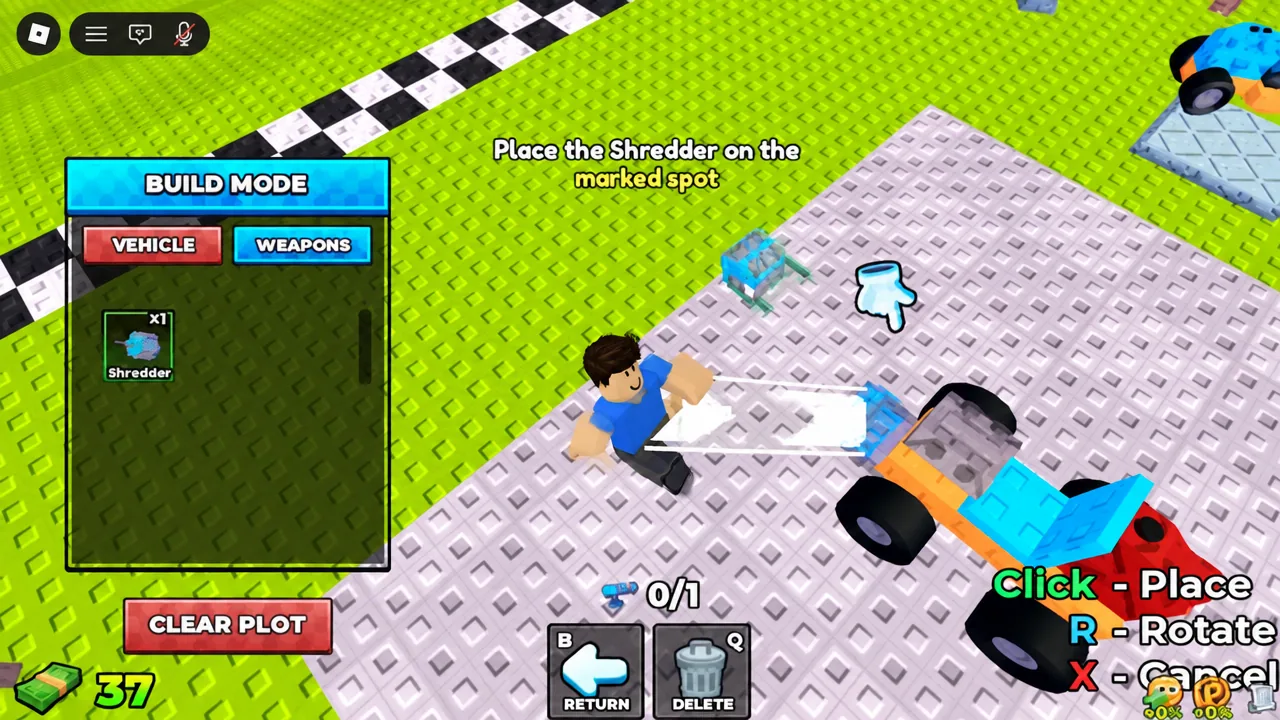
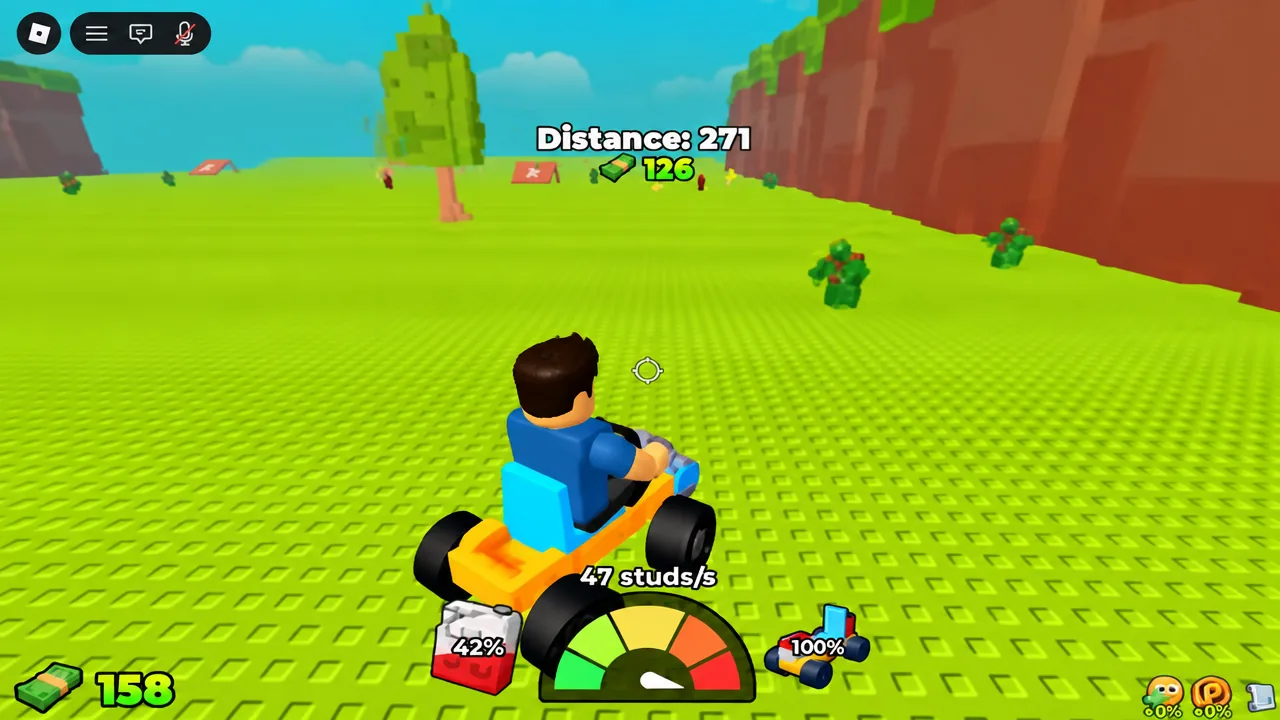
F or hit the green DRIVE button to launch. Steer down the track and hit as many zombies as you can while the distance counter climbs.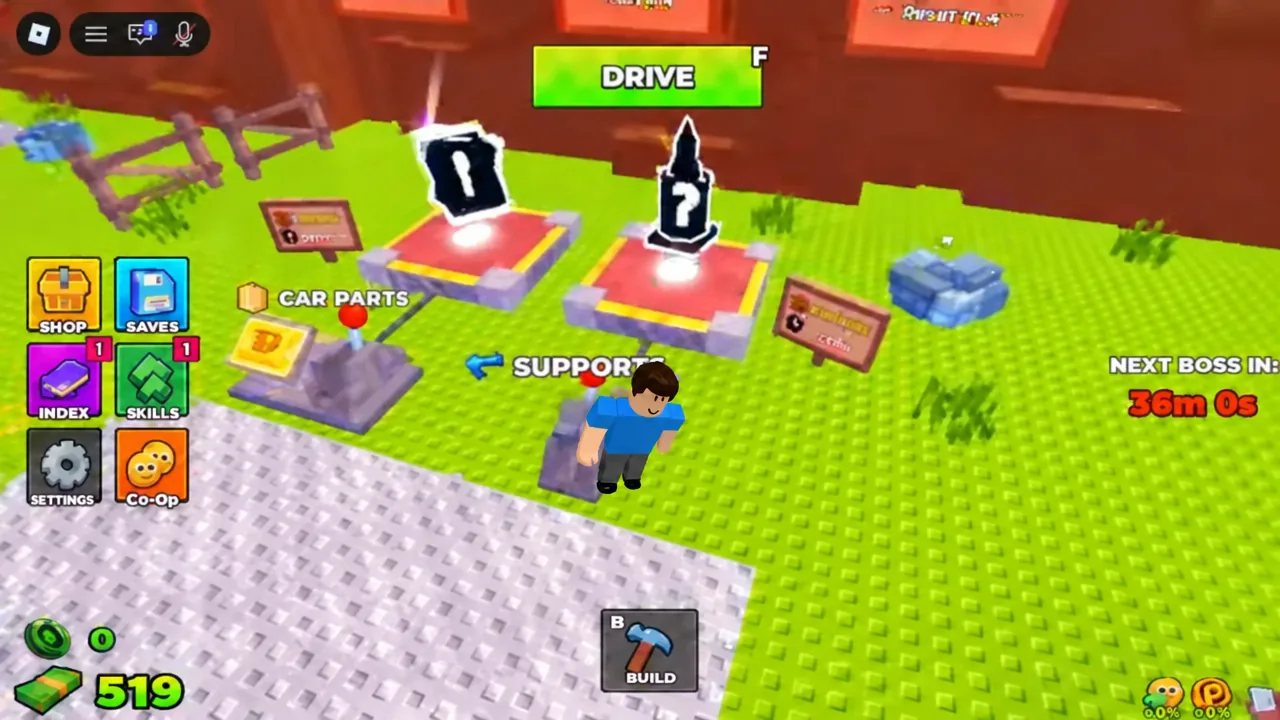
You know the build worked when DRIVE becomes available and the car actually moves. A car with no engine mounted will not launch, and a car with no weapon still drives but earns far less, since kills are part of the payout.
Part rarity and roll odds at the Car Parts station
Every part has a rarity tier and a printed drop chance, shown right on the roll result. Rarer parts take more rolls, which is why cash and luck matter more than anything else early on. There is a second station, SUPPORTS, alongside CAR PARTS for structural pieces.
| Part | Tab | Rarity | Roll chance |
|---|---|---|---|
| Small Engine | Vehicle | Common | 1 in 3 |
| Shredder | Weapons | Uncommon | 1 in 12 |
Note: rolls cost cash whether or not you like the result, so leaving a run early to reroll is usually worse than finishing the run and banking the distance payout.
How fuel ends a run and how cash is paid out
Fuel drains the whole time you are driving. There is no timer to beat and no manual finish line on the starter track. When the tank empties, the car stops and a message tells you to hit RETURN to head back to the garage.
Your payout is built from two things. The distance counter, which reads something like Distance: 508 at the end of an early run, and the zombies you flattened on the way. Better weapons increase the kill side of that equation, while engine and fuel parts push the distance side. Returning to the garage is what banks the run, so always take the RETURN prompt instead of leaving the server.
Skill Tree upgrades to buy first
Back in the garage, the Skill Tree is where run cash turns into permanent improvements. Luck I is the standard opening purchase because it feeds straight back into the part rolls that gate everything else.
| Skill | Effect |
|---|---|
| Luck I | +10% Luck on rolls |
| Unlock Gold Roll | Opens the Gold Roll line |
| Gold Roll I | Gold Roll upgrade tier |
| More Support I | Support upgrade tier |
Higher luck does not change what a part does. It only shifts how often the rarer entries show up when you roll, so the practical effect is fewer $50 rolls wasted before a useful engine or weapon appears.
Lobby menus: Car Builds, Co-Op, and the shops
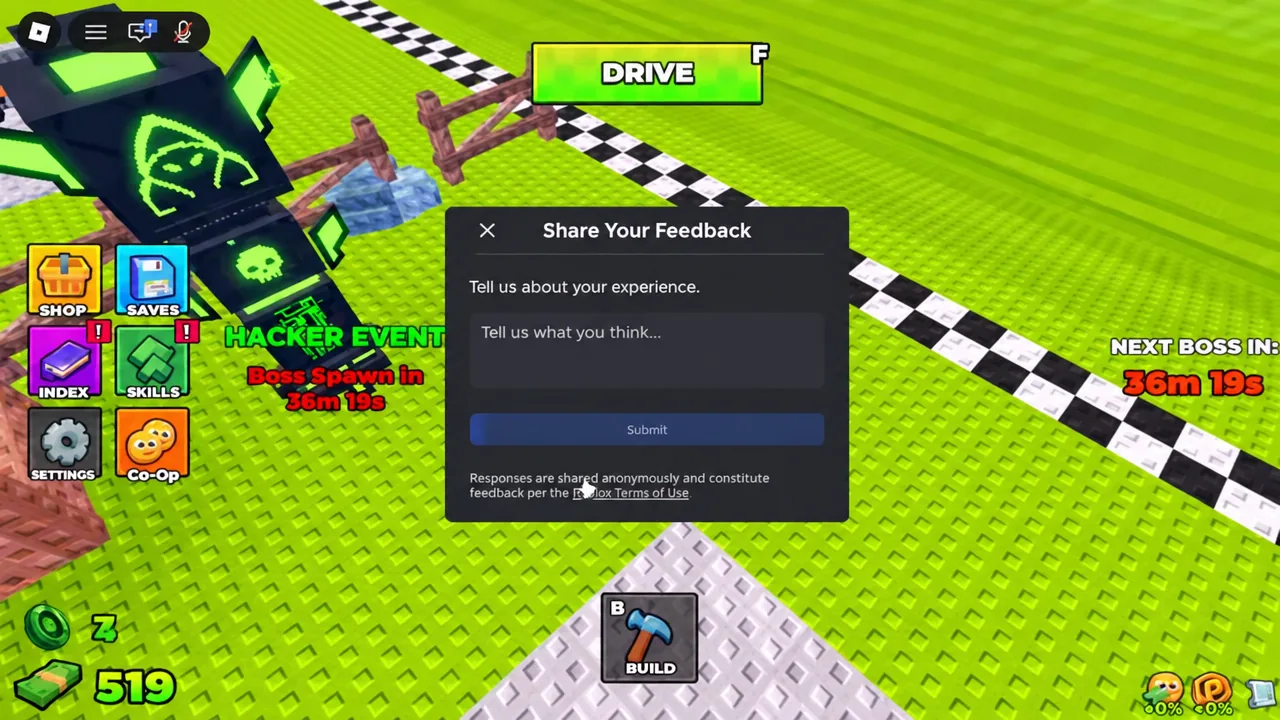
The lobby holds the rest of the systems, and none of them are required for a first run. Car Builds stores your vehicle layouts. Co-Op handles plot permissions, which is what decides whether other players in your five-person server can touch your build. There is also a feedback panel where you type a note into the text field and press Submit.
The EXCLUSIVE SHOP sells gamepasses and boosts, all optional. It lists Server Luck, 2x Luck, 4x Luck, Faster Roll, and 2x Cash. Those stack onto the same roll and payout systems described above rather than unlocking separate content.
Hacker Event shop parts
The HACKER EVENT shop is a themed set of limited parts sitting apart from the normal station rolls. It covers the Hacker Bumper, Hacker Wheel, Hacker Fuel, and Hacker Engine, plus the Error Laser, Glitchy Turbo, and Electro Glitch. Attending the event grants the Hacker Event 2026 badge, and beating its boss awards the You defeated the King 1x1x1x1 badge, which about 15.6 percent of players hold.
Controls and hotkeys
| Input | Action |
|---|---|
| B | Open the Build menu |
| F | Start driving (same as the DRIVE button) |
| RETURN prompt | Head back to the garage when fuel runs out |
The loop does not get more complicated than that. Roll, mount, drive until the tank is dry, return, then spend what you earned on luck or better hardware. Anything you add after the Small Engine and Shredder is just a longer run and a bigger payout at the end of it.