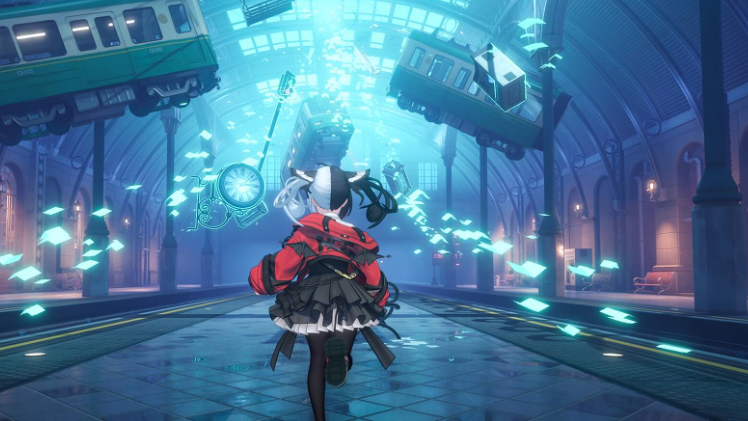
Neverness to Everness (NTE) does not include a full character creator. You cannot edit hair, face, skin tone, makeup, or body type. Customization is handled entirely through outfits (skins) for characters, plus cosmetic skins for gliders and vehicles. The one creation-style choice happens for the main character, Zero, where you pick male or female at the start of the game.
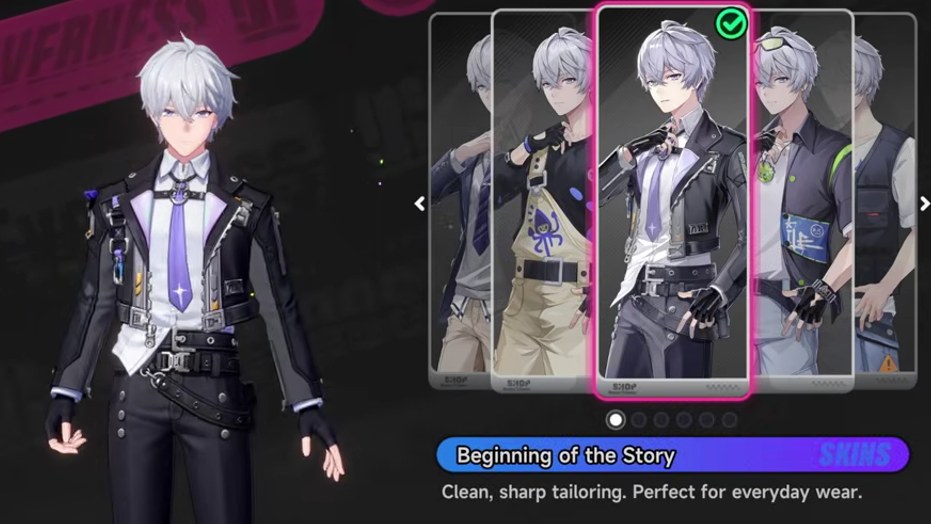
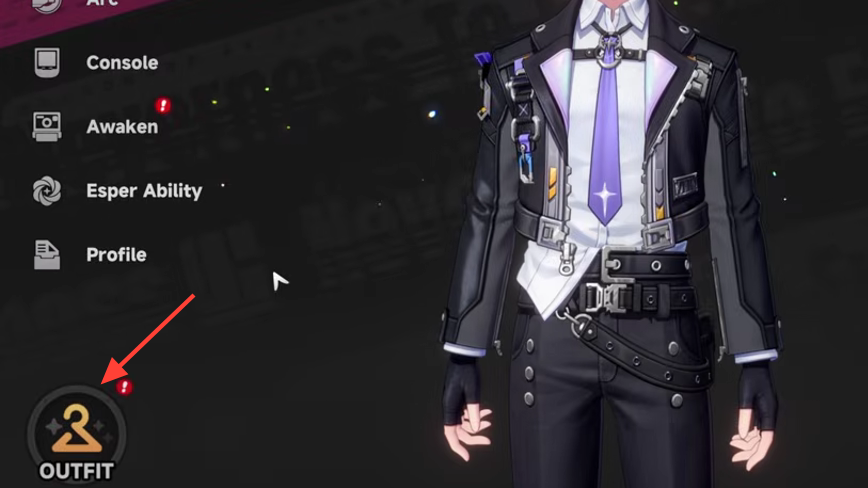
Quick answer: You can swap a character’s full outfit from the Character menu by selecting the Clothes icon in the bottom-left, but you cannot alter their physical features. Outfits are bought with Fons or Rift Crystals, unlocked at Bond Level 10, earned from milestones, or pulled from the Scarborough Fair gacha.
What you can and cannot customize in NTE
Customization in NTE is cosmetic only and applied as full apparel sets. Pieces cannot be mixed and matched between outfits. The main character has the most flexible cosmetic options, while companion characters typically have a default look plus one or more unlockable outfits.
| Element | Customizable? | How |
|---|---|---|
| Zero’s gender (male/female) | Yes, at start | Selected once when starting the game |
| Hair, face, skin tone, body | No | Not editable for any character |
| Character outfits (skins) | Yes | Equipped from the Clothes menu as full sets |
| Mix-and-match pieces | No | Outfits are single complete sets |
| Glider skins | Yes | Equipped separately from outfits |
| Vehicle liveries | Yes | Purchased in the Fashion Shop |
How to change a character’s outfit
How outfits are unlocked
Skins come from four main sources, and most characters have outfits tied to more than one of them. Pricing in the in-game shop runs from roughly 1,500,000 to 3,000,000 Fons per outfit, while premium skins use Rift Crystals, the paid currency.
| Source | Currency or condition | Notes |
|---|---|---|
| Fashion Shop | Fons or Rift Crystals | Standard catalogue of outfits, glider skins, and vehicle liveries |
| Bond Level 10 | Bond progression with a character | Unlocks an alternate outfit for many companions; not every character has one yet |
| Scarborough Fair gacha | Dice on the limited banner | Outfit tied to the featured character, claimed at 200 pulls on that banner |
| Milestones (Zero only) | In-game achievements | Specific actions unlock specific outfits for the main character |
Bond is raised by spending time with a character, giving gifts, replying to in-game texts, and inviting them to your home, where that option is available. Only some characters can currently be invited home at launch.
Zero’s milestone outfits
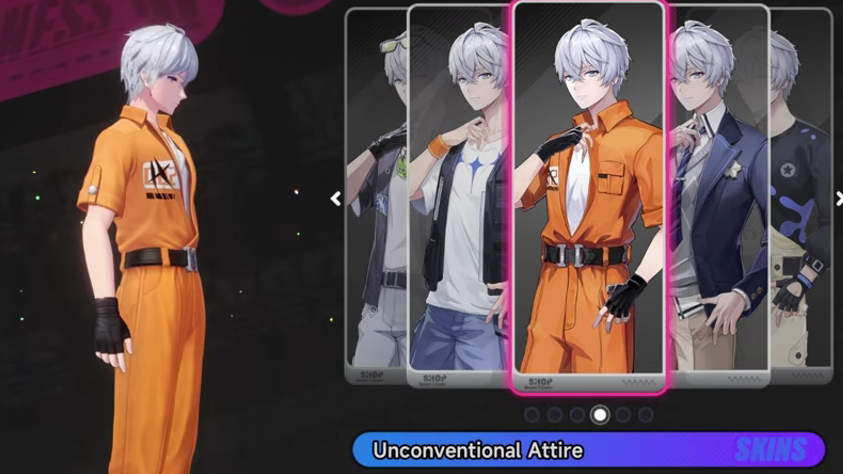
Zero, the main character, has cosmetics tied to specific in-game accomplishments rather than Bond. Two confirmed examples include the Unconventional Attire, awarded for going to Jail, and Graffiti in Progress, awarded for reaching Fishing Level 10. These outfits go straight into Zero’s Clothes list once the condition is met.
Switching Zero’s gender after the start
The male or female choice for Zero is made at the start of the game, but it is not permanently locked. A side quest in the Reflection unlocks an option to switch the Appraiser’s gender afterward. Once the quest is complete, the toggle appears under the Other section of the in-game Settings menu, and selecting it swaps Zero’s model.
Glider skins and vehicle liveries
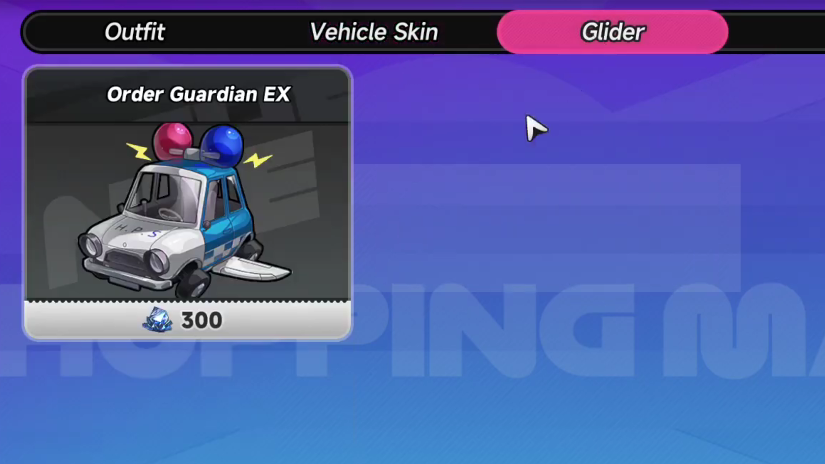
Cosmetics are not limited to characters. Glider skins change the look of your traversal glider and are equipped independently of outfits. Vehicle liveries reskin owned vehicles. Both are sold in the Fashion Shop for Fons or Rift Crystals, and some are also offered as prizes on Scarborough Fair tiles alongside character outfits.
Will full character creation come later
Hotta Studio has not added a full character creator, and one was not included in the post-beta roadmap. No sculpting of faces, hairstyles, or body types is available at launch, and there is no confirmed plan to add it. If that changes, it would arrive through a future update rather than the current cosmetic system.
For now, treat NTE’s customization as a wardrobe rather than a creator. The depth is in collecting outfits across the roster through Fons grinding, Bond progression, milestone hunting, and selective gacha pulls, rather than in tweaking how a character is built.