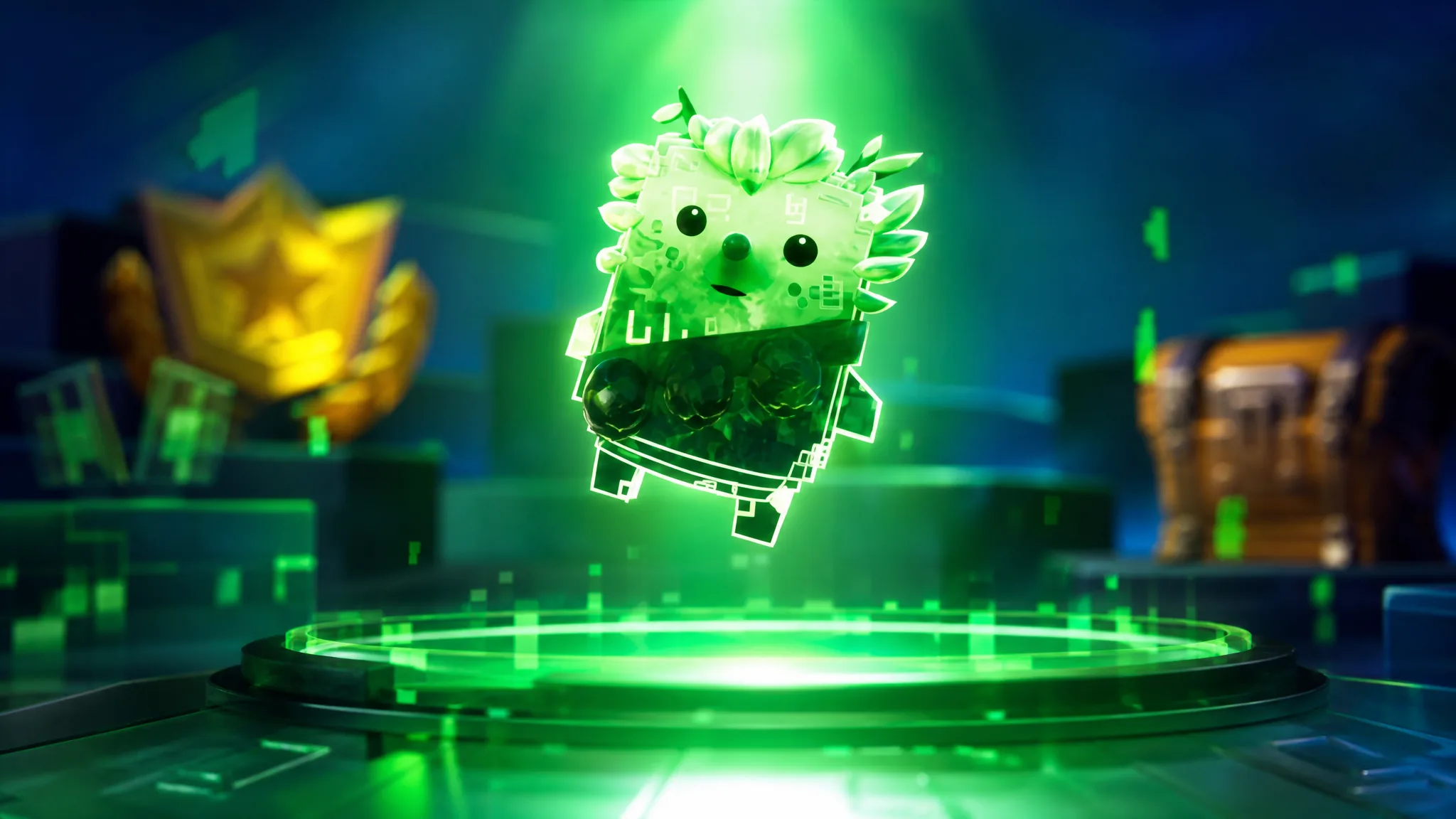
The Cheat Master Bush Sprite is a Chapter 7 Season 4 reward that you claim by entering the code GatherAndCraft in the Fortnite lobby. The code only works after you have made enough progress in a specific story quest, so both steps have to line up before the sprite appears in your inventory.
Quick answer: Reach stage 9 of the Wrixel (Ziggy): Get Crafty story quest, then open the .../ admin panel in the lobby, submit GatherAndCraft, and click Claim.
What the Cheat Master Bush Sprite does
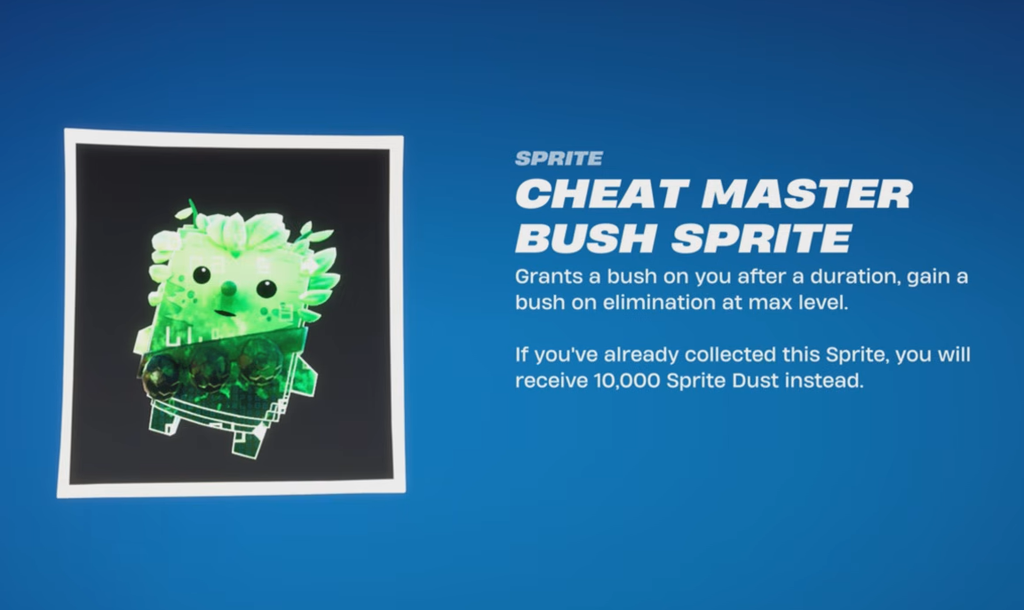
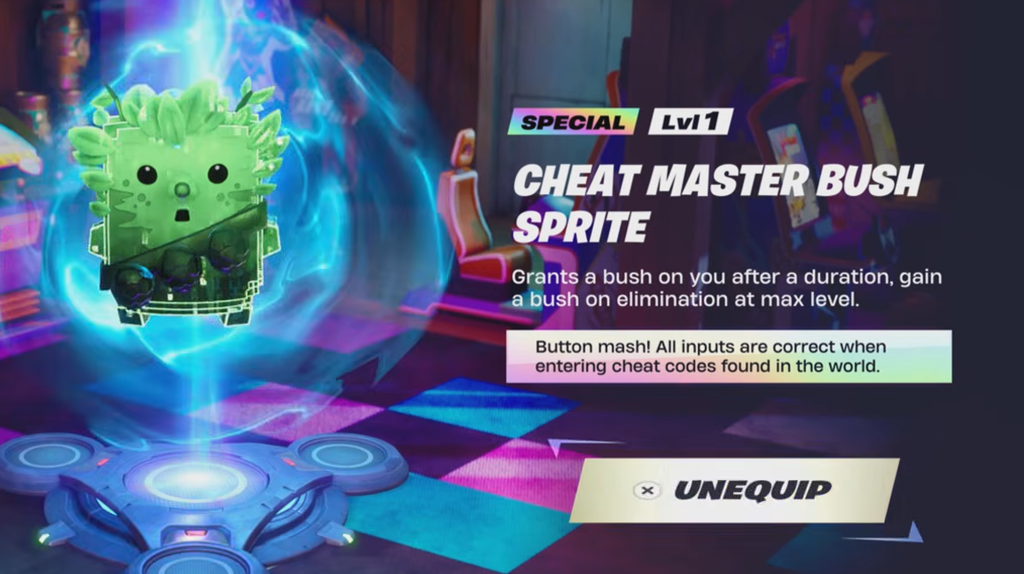
The sprite you unlock is the Cheat Master Bush Sprite, listed at Special Level 1. It spawns a bush on you after a set duration during a match, and once it reaches max level, you also gain a bush after an elimination.
If the sprite is already in your collection, the code pays out 10,000 Sprite Dust instead. That means the code is still worth redeeming even if you have caught the Bush Sprite earlier in the season.
Requirement before the code works
The code will not redeem until you have progressed the Wrixel (Ziggy): Get Crafty story questline to stage 9. You can check your progress under the QUESTS tab in the lobby, where the quest stage reads: Enter “GatherAndCraft” into the Cheat Code Input System in the Front End.
If you try the code before hitting stage 9, it simply won’t grant the reward. Finish the quest requirement first, then return to the lobby.
Redeem GatherAndCraft in the lobby
.../ admin panel button to open the code input.GatherAndCraft into the input field and press Submit. Case does not need to match exactly, but the spelling must be correct.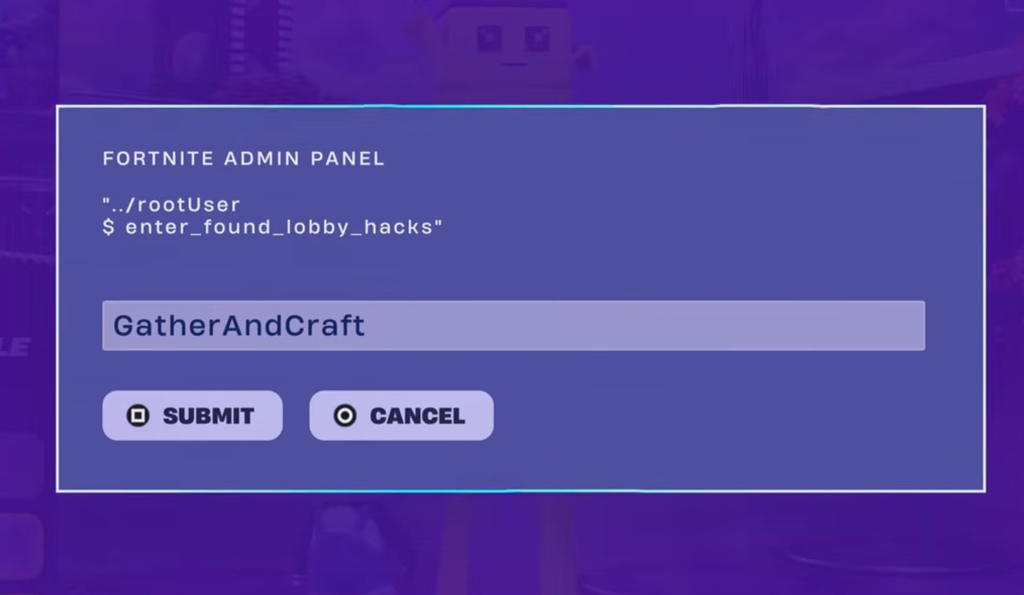
How to confirm it worked
A successful redemption shows the “Lobby Hack Activated” screen, followed by the claim prompt. To verify the sprite landed in your inventory, open the OVERRIDE tab and go to the Sprites section, where the Cheat Master Bush Sprite will now be listed.
If you already owned the sprite, check your Sprite Dust balance instead. You should see 10,000 Sprite Dust added rather than a duplicate sprite.
Reference details
| Code | GatherAndCraft |
| Reward | Cheat Master Bush Sprite (Special Level 1) |
| Duplicate reward | 10,000 Sprite Dust |
| Requirement | Wrixel (Ziggy): Get Crafty, stage 9 |
| Where to redeem | …/ admin panel in the lobby |
| Where to verify | OVERRIDE → Sprites tab |
Lobby Hack codes like this one are redeemed straight from the lobby menu rather than in a match, so you never have to load into a game to claim the sprite. Once the quest requirement is cleared, the whole process takes only a few seconds at the admin panel.