Command An Army is a Roblox medieval war game where you fight on the front line and command the troops fighting beside you. You pick a side in a team battle, push or hold a castle, and slowly build a roster of up to four units that you bring into every match. Progress comes down to one currency and one milestone: Gems for summons, and level 20 for the upgrade systems.
Quick answer: Redeem D0ggy103, CONQUEST, WAR, RELEASE, BUGFIX, and LEBALANCE from the Code button for free Gems, spend them on Standard Banner summons, then grind Daily and Weekly quests until level 20 unlocks Evolve and Ascension.
Command An Army codes for free Gems
Codes are the fastest way to fund your first summons, and none of the current ones have expired yet. Type them exactly as written, since they are case-sensitive and a single wrong character makes the game reject an otherwise live code. The Gem total the game credits you is confirmed on screen the moment a code goes through.
| Code | Reward |
|---|---|
| D0ggy103 | 500 Gems (newest) |
| CONQUEST | 250 Gems |
| WAR | 500 Gems |
| RELEASE | 500 Gems |
| BUGFIX | 250 Gems |
| LEBALANCE | 150 Gems |
How to redeem codes
Note: new codes tend to land alongside updates and bug fixes, and they are announced through the game’s official Discord server and the Fight, Fight, Fight! Roblox community page.
Attacker and Defender roles in battle
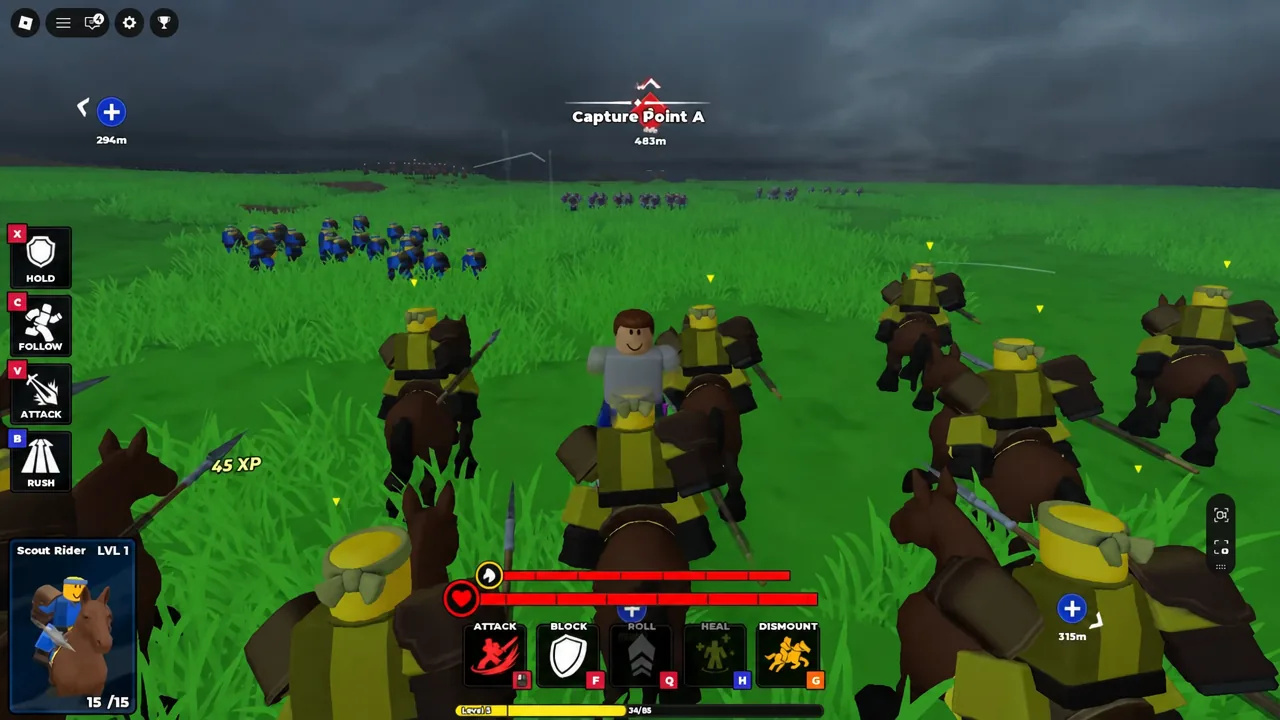
Before a match starts you choose ATTACKER or DEFENDER, then pick which of your units spawn alongside you. Attackers push into enemy territory and capture the castle. Defenders hold the line and stop that capture from finishing. Your own character fights in the middle of it with attack, block, roll, heal, and dismount controls on screen, so you are a soldier and a commander at the same time.
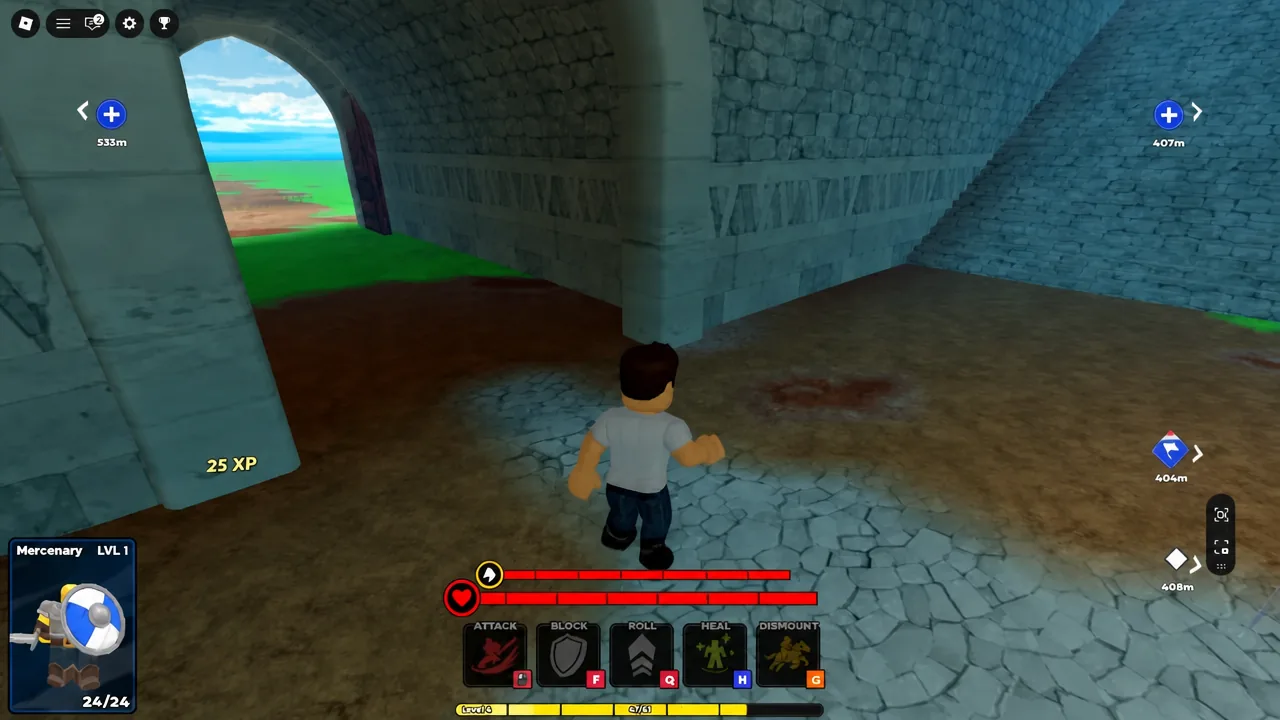
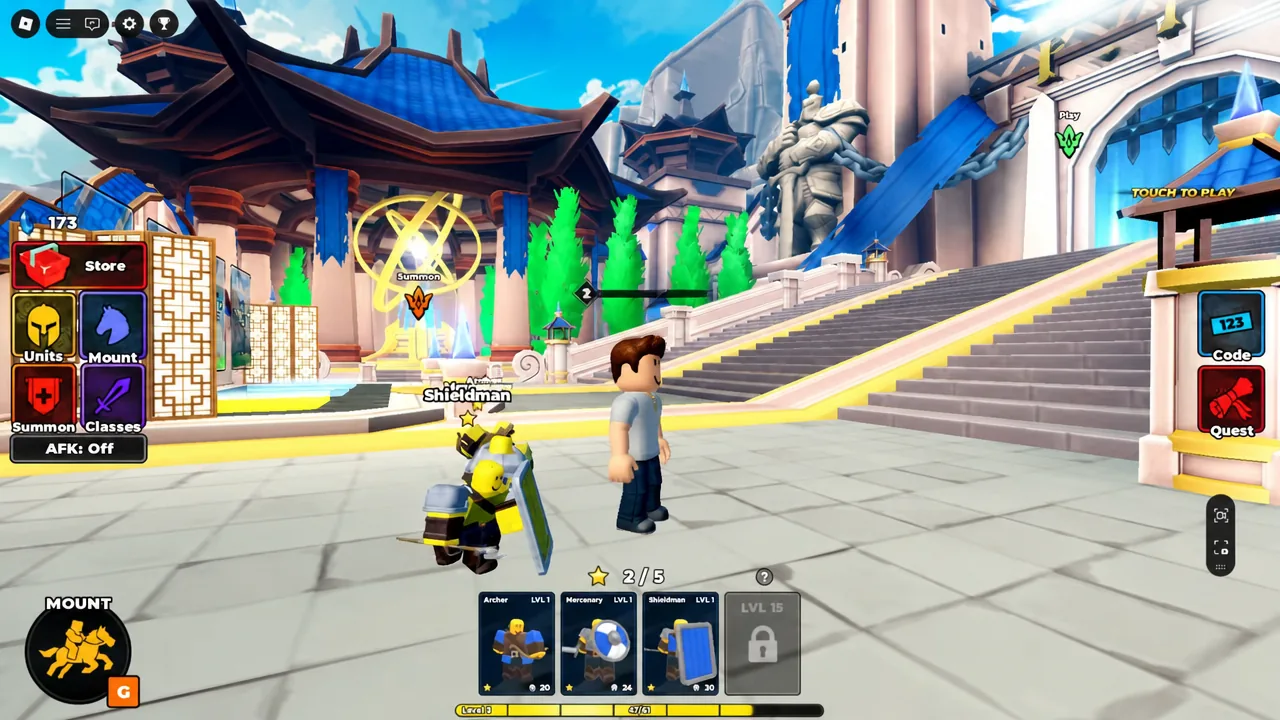
You can bring up to four units into an army, drawn from sword and shield troops, heavy shields, spears, ranged units, cavalry, and special units. Rarity runs from one star to four, but a rarer unit is not automatically a stronger one — the roles you combine matter more than the star count. Mounts are also available, and you can ride one around the lobby before queuing up.
Spending Gems on the Standard Banner
Gems exist for one main purpose, which is pulling new troops from the Summon menu. The Standard Banner is where your starting currency goes, and it offers both Summon x1 and Summon x10. Ten-pulls are the efficient way to burn through a code windfall, since you get a wider spread of units and duplicates you will need later for Ascension.
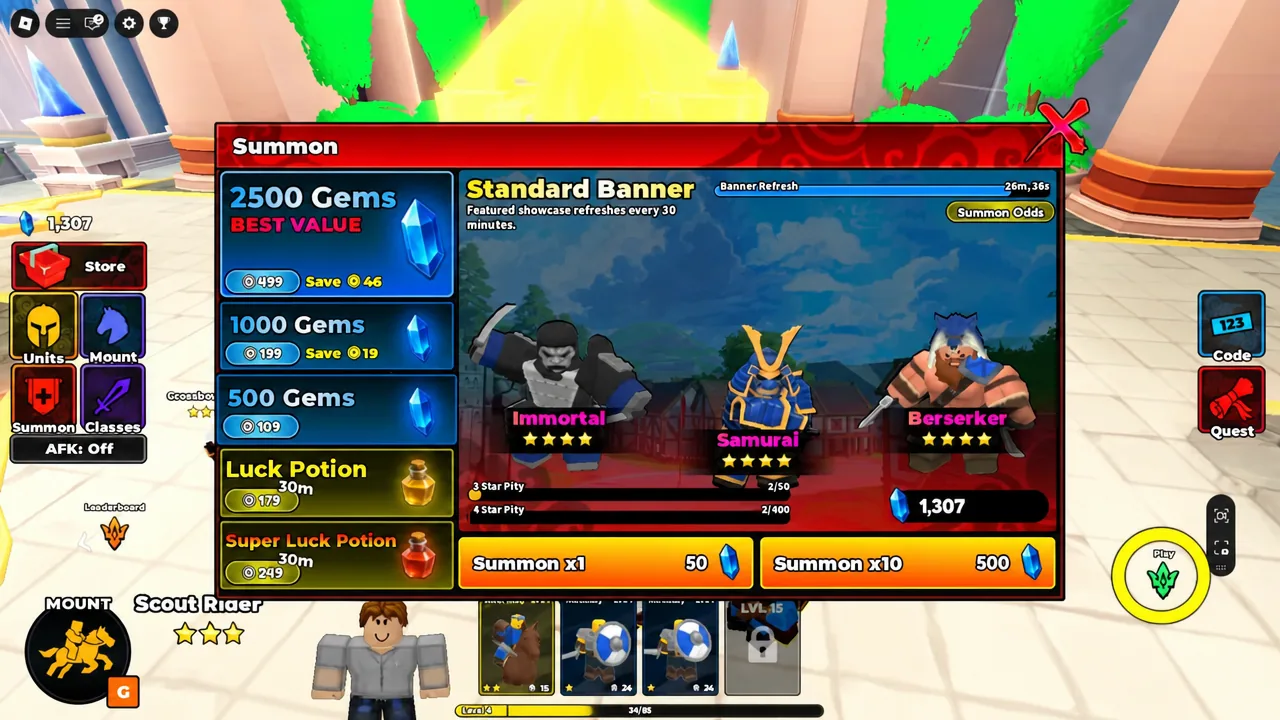
Do not dump every Gem the moment you have them. Keeping a reserve means you can react to a roster gap — no ranged support, no shield wall — instead of hoping the next pull fixes it for you.
Unit stats and which troops to equip first
Open the Units menu and select a troop to see its full stat line before you equip it. HP is survivability, DMG is damage per hit, RNG is reach, BLOCK is how much damage the unit absorbs while guarding, and DPS is sustained output. Range is the number that separates the roles most sharply — an Archer sits at 300, while melee troops operate at 6.
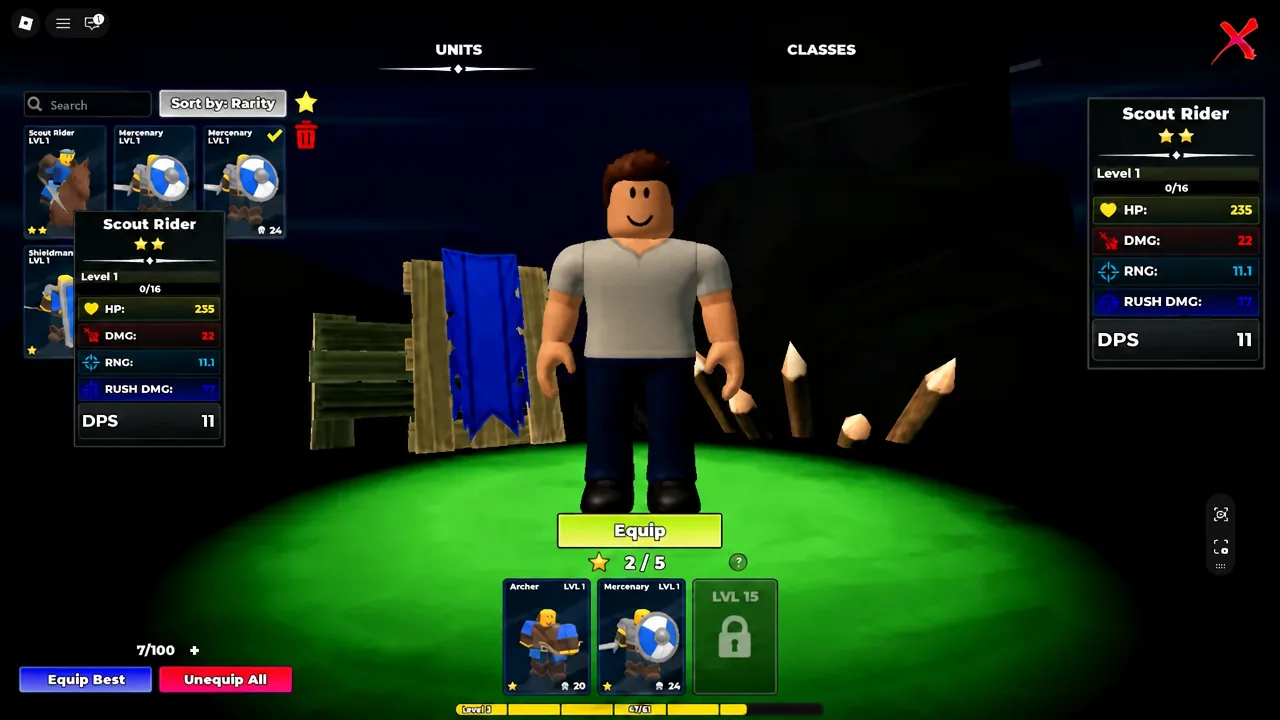
| Unit | HP / DMG | RNG / BLOCK | DPS |
|---|---|---|---|
| Scout Rider | 235 / 22 | 11.1 range, 11 rush damage | 11 |
| Mercenary | 201 / 16 | 6 range, 25 block | 11.4 |
| Shieldman | 242 / 10 | 6 range, 90 block | 6.8 |
| Archer | 144 / 7 | 300 range | 7 |
Read those numbers as jobs rather than a ranking. Shieldman has the highest HP and a 90 block value, so it soaks pressure at a capture point. Mercenary carries the best DPS of the four and does the actual killing. Scout Rider hits hardest per swing and adds rush damage on the charge. Archer is fragile but reaches across the whole fight. Other units including Immortal, Samurai, Berserker, and Spartan appear in the roster too. Aim for a mix of frontline, damage, and range instead of stacking four of the same class.
Daily and Weekly quests for steady XP and Gems
Codes run dry fast. Quests do not. The Quest menu splits into Daily and Weekly objectives, and clearing them is the most reliable income for both XP and Gems once your redeemed Gems are spent.
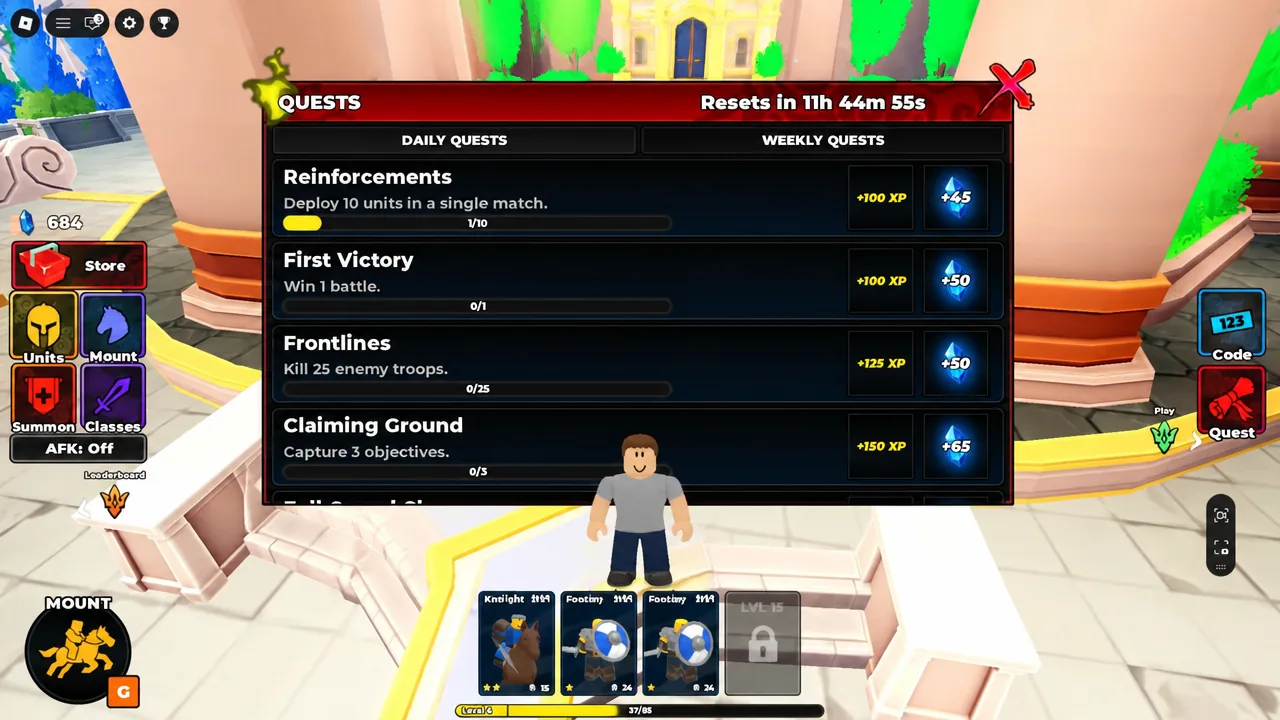
The objectives track the things you are doing anyway. Reinforcements, First Victory, Frontlines, and Claiming Ground cover early battle activity, while Veteran Commander, Battle-Hardened, Conqueror, and Destroy Their Ranks sit further up the ladder. Longer targets like Total Warfare, Cavalry Commander, Devastating Charges, Ten-Thousand Fallen, Endless Destruction, and the Weekly Campaign are the ones worth checking before you queue, since a small change in how you play a match can finish two of them at once.
Evolve and Ascension unlock at level 20
Level 20 is the real turning point. Reaching it opens the Evolve and Ascension systems, which turn the low-tier units you have been sitting on into genuinely competitive troops. Ascension combines duplicate copies of a unit, so those ten-pulls that felt like wasted Gems become upgrade material. Troops can be levelled up to Mastery Level 20.
Evolve is the other half, converting a base unit into a stronger version of itself along a fixed line.
| Base unit | Evolution line |
|---|---|
| Mercenary | Squire, then Knight |
| Shieldman | Sentinel, then Imperial Wall |
| Scout Rider | Cavalryman, then Lancer |
| Spearman | Pikeman |
| Archer | Longbowman |
Put your first upgrades into the units you actually equip every match rather than the rarest thing in your inventory. A fully evolved Mercenary you deploy constantly is worth more than a four-star unit sitting at level one.
The game is still in beta, so unit balance and the code list both shift with updates. The pattern that holds is straightforward — claim the Gems, build a four-unit army that covers frontline, damage, and range, clear quests for income, and save your upgrade materials for the troops you take into every fight.