

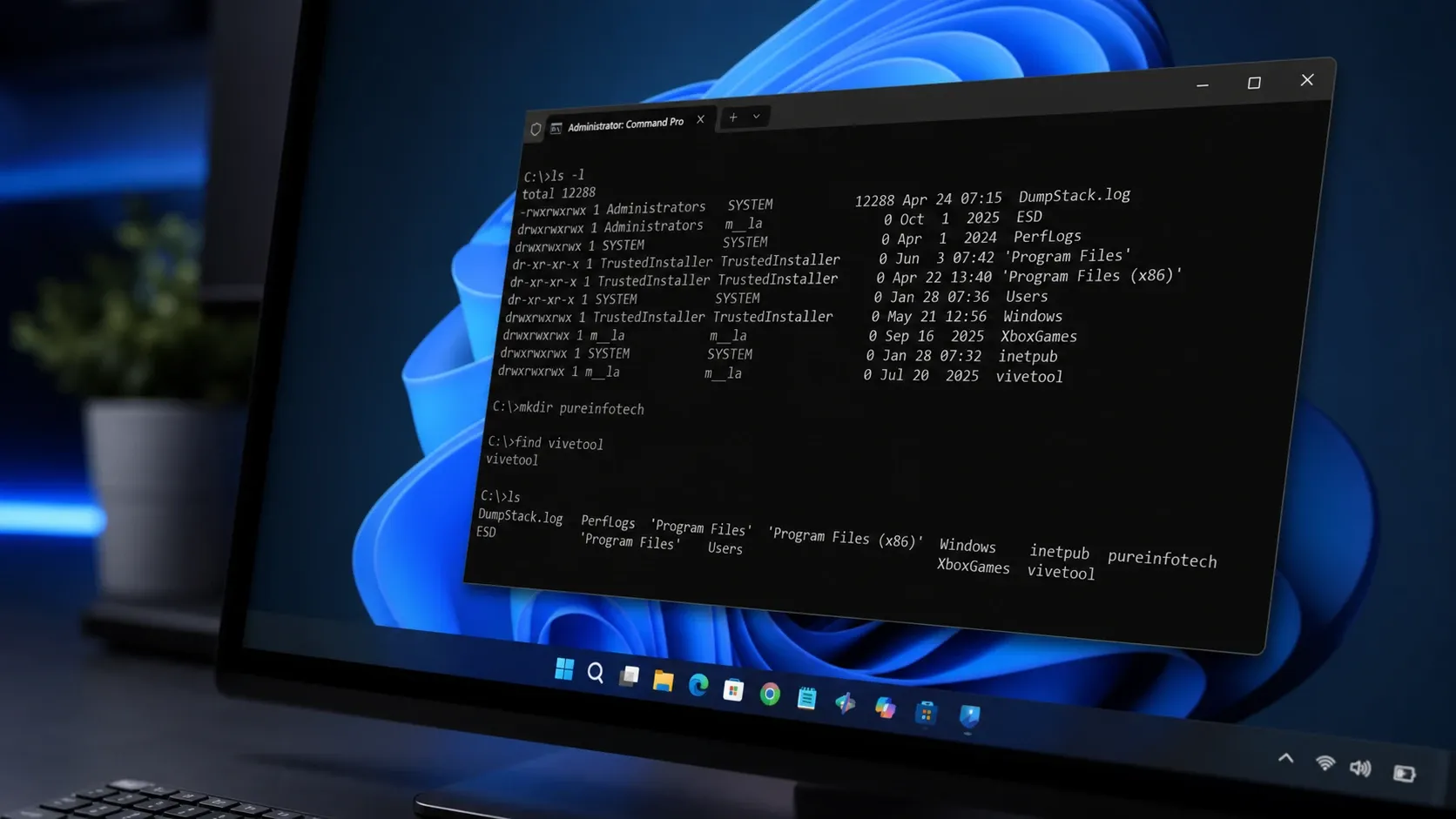
Microsoft has released Coreutils for Windows 11, a native build of the open-source uutils project that brings familiar Linux command-line tools straight into the Windows shell. You no longer need to spin up a full Linux subsystem just to run everyday commands like ls, cp, or rm. The package runs as a single binary that exposes each utility under its standard name, so the same commands, flags, and pipelines you use on Linux and macOS behave the same way on Windows.
What Coreutils for Windows 11 is
Coreutils is a Microsoft-maintained build of uutils/coreutils, a cross-platform reimplementation of GNU Coreutils written in Rust. Microsoft bundles coreutils, findutils, and a newly written grep into one multi-call binary for Windows. The whole point is consistency. The commands developers have built up over years just work inside a normal Windows environment, without translation or workarounds.
Microsoft announced general availability at Build 2026, describing it as more than 75 familiar Linux-style command-line utilities running natively on Windows 11. The utilities are still marked as preview, so early builds may have occasional bugs. You can read the full overview on the Microsoft Learn documentation.
Windows 11 already shipped some Linux-inspired tools, including curl, tar, the OpenSSH utilities, and the Windows Package Manager. Coreutils fills the gap left by the core file and text commands that were never available natively before.
Commands included in Coreutils
The build covers the file and text commands most developers reach for first, plus the bundled findutils and grep implementations. Every command supports the standard --help flag, so you can check full syntax and options directly in your terminal.
| Command | What it does |
|---|---|
ls | Lists files and directories |
cp | Copies files and folders |
mv | Moves or renames files |
rm | Deletes files and directories |
cat | Prints file contents |
mkdir | Creates directories |
touch | Creates files or updates timestamps |
pwd | Prints the current working directory |
These are only the headline commands. The package also ships integrated ports of the original DOS sort and find, a shim that keeps existing DOS-style invocations working, and a PowerShell wrapper for glob patterns.
How to install Coreutils on Windows 11
There are two ways to install the package. The fastest route uses winget, the package manager built into Windows 11.
winget install Microsoft.CoreutilsIf you prefer a direct download, grab the installer from the official Coreutils release page. Microsoft publishes both x64 and arm64 builds, so pick the one that matches your hardware.
Shell support and PowerShell 7.4 requirement
Coreutils runs on Command Prompt, PowerShell, and Windows Terminal. One requirement matters above all. PowerShell 7.4 or newer is required, and older PowerShell versions will not work. If you are on an older build, update PowerShell first, then install Coreutils.
Whether a given command actually runs depends on three things. The shell you use, the order of your PATH, and, in PowerShell, the alias table. Several Coreutils command names overlap with shell built-ins, which changes how Windows resolves them.
Command conflicts in CMD and PowerShell
Some commands ship and work cleanly, some ship but conflict with a built-in, and a few do not ship at all. When a command conflicts in PowerShell, the built-in alias usually wins. You can call the Coreutils version explicitly or adjust your PATH and alias table to control which one runs.
| Command | CMD | PowerShell 7.4+ | Notes |
|---|---|---|---|
cat | Works | Conflicts | |
cp | Works | Conflicts | |
date | Conflicts | Conflicts | |
dir | Not shipped | Not shipped | Conflicts with built-in DOS command |
echo | Conflicts | Conflicts | |
find | Works | Works | Integrated port of the DOS command |
hostname | Works | Works | Superset of the Windows built-in |
kill | Not shipped | Not shipped | Windows lacks POSIX signals |
ls | Works | Conflicts | |
mkdir | Conflicts | Conflicts | |
more | Not shipped | Not shipped | Conflicts with built-in DOS command |
mv | Works | Conflicts | |
pwd | Works | Conflicts | |
rm | Works | Conflicts | |
sort | Works | Works | Integrated port of the DOS command |
tee | Works | Conflicts | |
uptime | Works | Conflicts | |
whoami | Not shipped | Not shipped | Conflicts with built-in Windows command |
Windows caveats that can break scripts
Coreutils behaves like its Linux counterpart in most cases, but a handful of Windows-specific differences can trip up your scripts. Keep these in mind before you depend on the commands in production.
- CRLF line endings: Windows text files often use CRLF. Most utilities handle this transparently, but pattern matching with
$and exact byte counts can change. - No /dev/null: Use
NULinstead, for examplefind . -name "*.log" > NUL. - No POSIX signals: Signals such as SIGHUP and SIGPIPE are not available, though Ctrl+C still works as expected.
- Path separators: Both
/and\are accepted, but some utilities produce backslash-separated output, which can affect downstream piping. - File permissions: Windows uses ACLs rather than POSIX permission bits, so predicates like
find -permmay behave differently or stay unavailable. - Symbolic links: Reading existing symbolic links works without elevation. Creating new ones requires Developer Mode or an elevated terminal.
Coreutils vs WSL: when to use each
Coreutils does not replace Windows Subsystem for Linux. It removes the need to launch a full Linux subsystem just to run a handful of common commands. Reach for Coreutils when you want quick, native access to tools like ls, cp, and rm inside a normal Windows shell. Keep WSL for full Linux workloads, package managers, Linux-only software, and container workflows that depend on a real Linux kernel.
For developers who jump between Linux servers, containers, cloud environments, and Windows all day, the value is not in the commands themselves. Linux users have had them for decades. The value is consistency, removing the dozens of small interruptions that come from stopping to remember which command works where.
Coreutils is part of a broader push Microsoft outlined at Build 2026 to make Windows feel less isolated from the wider developer ecosystem. It follows the same pattern as WSL, Windows Terminal, OpenSSH, and WinGet, bringing existing developer workflows to Windows rather than asking developers to relearn them. Just remember the package is still in preview, so test it against your scripts before you rely on it.



