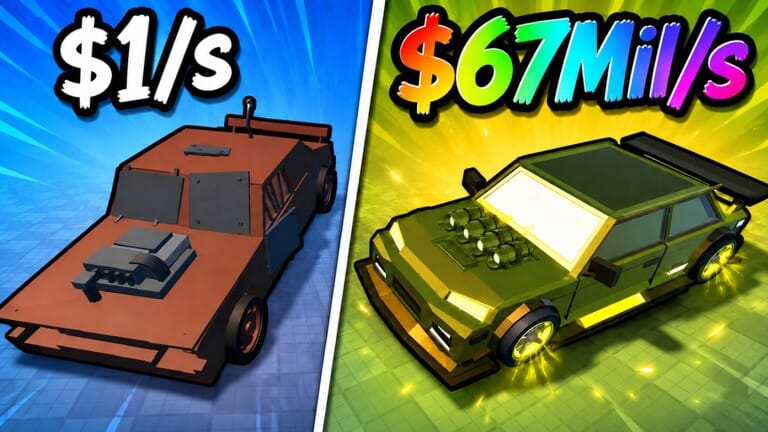
Create a Car is a Roblox building game where you roll for parts, collect vehicles, and expand a garage through idle progression. Codes hand out free Cash and other small boosts that speed up that process without extra grinding.
Working Create a Car codes
Six codes are redeemable right now, each handing out Cash or a free reward toward your garage.
CONVEYOR— Cash NEWGRIND— CashFIXES— 50,000 CashMERGER— 50,000 CashINDEX— Free rewardDEALER— 50,000 Cash
Type each code exactly as shown, since Create a Car’s redemption box does not tolerate spelling mistakes or extra spaces.
How to redeem codes in Create a Car
A successful redemption shows an on-screen confirmation and updates your Cash total immediately, along with any Boxes or free rewards the code included. If nothing changes after pressing Verify, double-check the spelling against the list above before trying again.
Expired Create a Car codes
These codes no longer work but are listed for reference.
UPDATE2— Lava Race Prep BoxUPDATE1— 50,000 Gold
What Cash rewards do in Create a Car
Cash is the main currency for progression in Create a Car. It goes toward upgrades that improve your roll odds, expand garage capacity, and let you obtain rarer parts more consistently. Since built cars also generate passive income over time, spending code Cash on the right upgrades early creates a cycle where a stronger collection earns more, even while you’re away from the game.
Where new codes get announced
New codes typically arrive alongside game updates and milestone celebrations. The developer, AssemblerX, posts these through the game’s official Roblox community and Discord server, where announcements and giveaways show up first.
Bookmarking this list is the quicker route since it gets checked and updated with fresh codes as soon as they go live, saving you the trouble of scanning through server chat logs yourself.