Villagers in Disney Dreamlight Valley can now do your gathering for you. Ever since the Pixel Perfect update, your closest companions can be sent out to track down specific items, then hand them over the following day. It turns friendship levels into a passive resource pipeline, and it only takes a short conversation to set up.
Quick answer: Talk to a villager you have level seven friendship or higher with, pick the “Can you help me find something?” option near the bottom of the dialogue list, choose an item tied to their assigned role, then return to them the next day to collect it.
Requirements before a villager can gather items
Two things decide whether a villager can help and what they can bring back. Both are worth checking before you go looking for someone to send out.
- Level seven friendship or higher. The “Can you help me find something?” option only appears once you have raised your bond with that character to level seven. Any villager below that threshold cannot be tasked yet.
- An assigned role. The items a villager can search for depend entirely on the role you have given them. A mining specialist looks for gems, a gardening specialist looks for crops, and so on. Change the role and you change the item pool.
How to send a villager to collect items
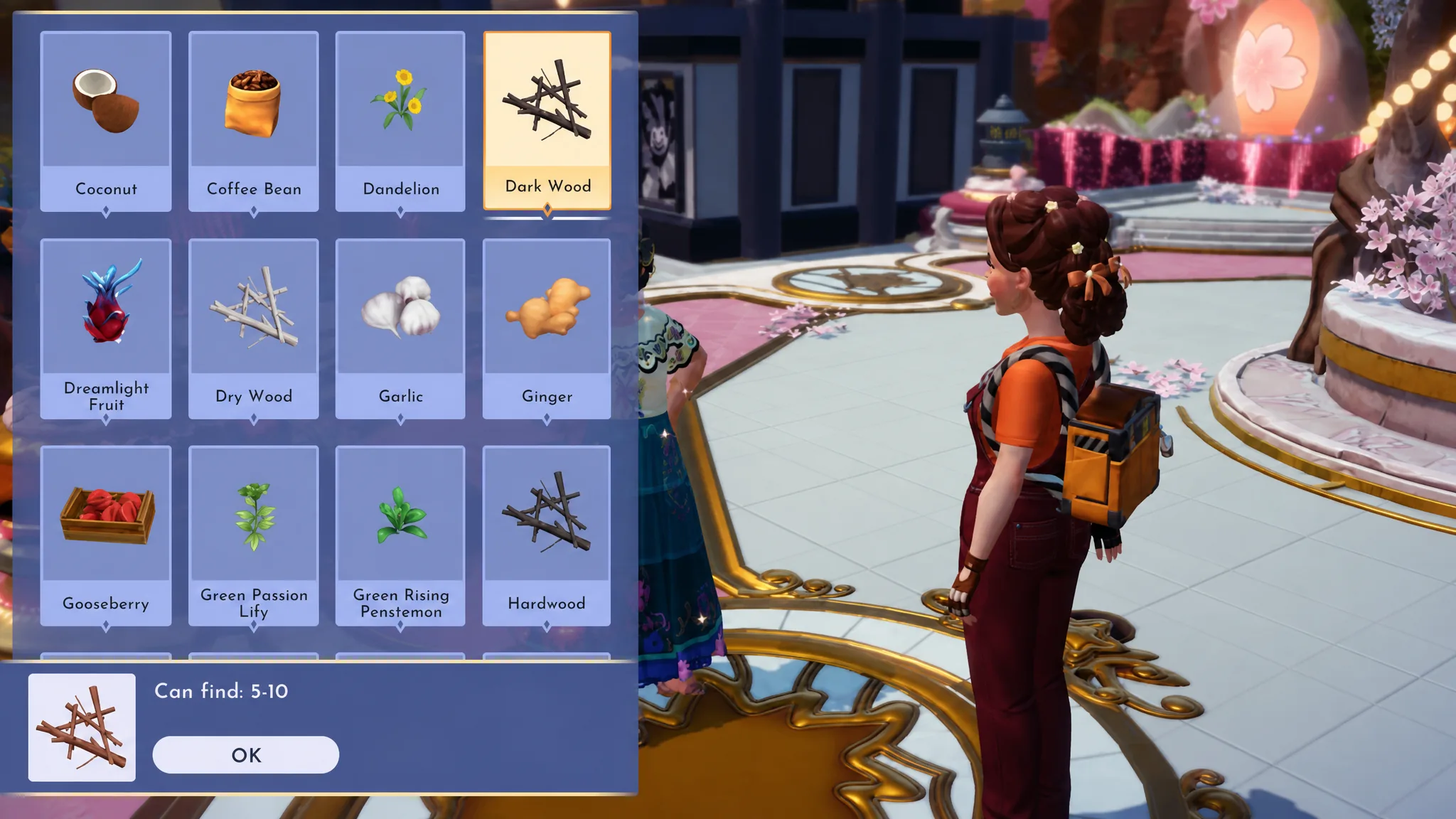
You know it worked when you talk to the villager again and they hand over the items you requested. If nothing appears, either a day has not passed yet or you spoke to a different character.
What each role can collect
Every villager can only fetch items connected to their assigned role. The pool is usually the same as the bonus drops they produce during a hangout session, though there are occasional differences. Use the table below to match a role to the resources it covers.
| Role | Items they can gather |
|---|---|
| Mining | Gems and minerals |
| Gardening | Crops you can grow |
| Fishing | Fish and seafood |
| Foraging | Tree and bush items, wood, flowers, and wild-growing ingredients |
| Digging | Stone, pebbles, clay, and other diggable items |
| Snippet Catching | Snippets |
| Timebending | Timebending staples like Ancient Gears and Glimmer |
How many villagers and items you can request
There is no cap on how many villagers you can send out at once. If your whole valley is stocked with characters at level seven friendship or higher, every one of them can be gathering something for you at the same time.
The real limit is the quantity each villager brings back. When you pick an item, the menu shows the possible range of how many they can return. Common resources come in larger amounts, while rarer items shrink that range. The scarcest spawns are often capped at a single item, so weigh whether the day-long wait is worth it before committing a villager to a rare request.
Because the system runs in the background, the smartest approach is to keep several villagers working every day across different roles. Match each specialist to a resource you actually need, send them all out at once, and treat the daily collection as a steady supplement to your own gathering runs.